
} ], "validDomains": [ "contoso.sharepoint.com" ] }
**Option 2: SPFx web part deployed to Teams (custom interaction):**

```bash
yo @microsoft/sharepoint
# Choose: WebPart, HRDashboard, React
SPFx component (HRDashboard.tsx):
import * as React from 'react';
import { IHRDashboardProps } from './IHRDashboardProps';
import { MSGraphClientV3 } from '@microsoft/sp-http';
import { DocumentCard } from '@fluentui/react/lib/DocumentCard';

export const HRDashboard: React.FC<IHRDashboardProps> = (props) => {
  const [policies, setPolicies] = React.useState([]);

  React.useEffect(() => {
    props.context.msGraphClientFactory
      .getClient('3')
      .then((client: MSGraphClientV3) => {
        return client
          .api('/sites/contoso.sharepoint.com:/sites/hr:/lists/Policies/items')
          .version('v1.0')
          .expand('fields')
          .get();
      })
      .then((response) => {
        setPolicies(response.value);
      });
  }, []);

  return (
    <div>
      <h2>HR Policies</h2>
      {policies.map((policy: any) => (
        <DocumentCard key={policy.id} title={policy.fields.Title} />
      ))}
    </div>
  );
};
Deploy to Teams app catalog:
gulp bundle --ship
gulp package-solution --ship
# Upload .sppkg to tenant app catalog
# Enable "Make this solution available to all sites"
# Sync to Teams
Step 3: Viva Connections Dashboard with ACE
Create Adaptive Card Extension (ACE) for announcements:
yo @microsoft/sharepoint
# Choose: Adaptive Card Extension, TeamAnnouncements, Card View
ACE Quick View (TeamAnnouncementsQuickView.ts):
import { BaseAdaptiveCardQuickView, IActionArguments } from '@microsoft/sp-adaptive-card-extension-base';
import { ITeamAnnouncementsAdaptiveCardExtensionProps, ITeamAnnouncementsAdaptiveCardExtensionState } from '../TeamAnnouncementsAdaptiveCardExtension';

export interface ITeamAnnouncementsQuickViewData {
  announcements: Array<{ title: string; description: string; url: string }>;
}

export class TeamAnnouncementsQuickView extends BaseAdaptiveCardQuickView<
  ITeamAnnouncementsAdaptiveCardExtensionProps,
  ITeamAnnouncementsAdaptiveCardExtensionState,
  ITeamAnnouncementsQuickViewData
> {
  public get data(): ITeamAnnouncementsQuickViewData {
    return {
      announcements: this.state.announcements
    };
  }

  public get template(): any {
    return {
      type: 'AdaptiveCard',
      $schema: 'http://adaptivecards.io/schemas/adaptive-card.json',
      version: '1.5',
      body: [
        {
          type: 'TextBlock',
          text: 'Team Announcements',
          weight: 'Bolder',
          size: 'Large',
          wrap: true
        },
        {
          type: 'Container',
          items: [
            {
              type: 'ColumnSet',
              columns: [
                {
                  type: 'Column',
                  width: 'stretch',
                  items: [
                    {
                      type: 'TextBlock',
                      text: '${title}',
                      weight: 'Bolder',
                      wrap: true
                    },
                    {
                      type: 'TextBlock',
                      text: '${description}',
                      wrap: true,
                      spacing: 'Small'
                    }
                  ]
                }
              ],
              selectAction: {
                type: 'Action.OpenUrl',
                url: '${url}'
              }
            }
          ],
          $data: '${announcements}'
        }
      ]
    };
  }

  public onAction(action: IActionArguments): void {
    if (action.type === 'Submit') {
      const { id } = action.data;
      // Handle action
    }
  }
}
Fetch announcements from SharePoint via Graph:
public onInit(): Promise<void> {
  this.context.msGraphClientFactory
    .getClient('3')
    .then((client: MSGraphClientV3) => {
      return client
        .api('/sites/root/lists/Announcements/items')
        .version('v1.0')
        .expand('fields')
        .top(5)
        .orderby('fields/Created desc')
        .get();
    })
    .then((response) => {
      const announcements = response.value.map((item: any) => ({
        title: item.fields.Title,
        description: item.fields.Description,
        url: item.fields.LinkUrl
      }));
      this.setState({ announcements });
    });

  return Promise.resolve();
}
Deploy ACE to Viva Connections:
- Package and deploy SPFx solution to tenant app catalog
- Navigate to SharePoint home site (Viva Connections source)
- Edit Viva Connections dashboard
- Add "Team Announcements" card
- Configure card properties (title, size, audience targeting)
- Publish dashboard
Step 4: Azure Communication Services for Custom Calling
Provision ACS resource:
az communication create --name "contoso-acs" --resource-group "rg-hybrid-work" --location "eastus" --data-location "UnitedStates"

# Get connection string
az communication list-key --name "contoso-acs" --resource-group "rg-hybrid-work"
Create identity and token (Azure Function for API):
using Azure.Communication.Identity;
using Microsoft.Azure.Functions.Worker;
using Microsoft.Azure.Functions.Worker.Http;

public class ACSTokenFunction
{
    private readonly CommunicationIdentityClient _identityClient;

    public ACSTokenFunction()
    {
        string connectionString = Environment.GetEnvironmentVariable("ACS_CONNECTION_STRING");
        _identityClient = new CommunicationIdentityClient(connectionString);
    }

    [Function("GetACSToken")]
    public async Task<HttpResponseData> GetToken([HttpTrigger(AuthorizationLevel.Function, "get")] HttpRequestData req)
    {
        // Create ACS identity
        var identityResponse = await _identityClient.CreateUserAsync();
        var identity = identityResponse.Value;

        // Issue token with calling scope
        var tokenResponse = await _identityClient.GetTokenAsync(
            identity,
            scopes: new[] { CommunicationTokenScope.VoIP }
        );

        var response = req.CreateResponse(System.Net.HttpStatusCode.OK);
        await response.WriteAsJsonAsync(new
        {
            userId = identity.Id,
            token = tokenResponse.Value.Token,
            expiresOn = tokenResponse.Value.ExpiresOn
        });

        return response;
    }
}
React component for embedded calling (customer support portal):
import React, { useEffect, useState } from 'react';
import {
  CallClient,
  CallAgent,
  Call,
  DeviceManager
} from '@azure/communication-calling';
import { AzureCommunicationTokenCredential } from '@azure/communication-common';
import { CommunicationIdentityClient } from '@azure/communication-identity';

interface ACSCallComponentProps {
  supportAgentId: string;
}

export const ACSCallComponent: React.FC<ACSCallComponentProps> = ({ supportAgentId }) => {
  const [call, setCall] = useState<Call | null>(null);
  const [callAgent, setCallAgent] = useState<CallAgent | null>(null);
  const [deviceManager, setDeviceManager] = useState<DeviceManager | null>(null);

  useEffect(() => {
    const initializeCallAgent = async () => {
      // Fetch token from Azure Function
      const response = await fetch('/api/GetACSToken');
      const { userId, token } = await response.json();

      const tokenCredential = new AzureCommunicationTokenCredential(token);
      const callClient = new CallClient();
      const agent = await callClient.createCallAgent(tokenCredential, { displayName: 'Customer' });
      const devManager = await callClient.getDeviceManager();

      setCallAgent(agent);
      setDeviceManager(devManager);

      // Request camera/mic permissions
      await devManager.askDevicePermission({ audio: true, video: true });
    };

    initializeCallAgent();
  }, []);

  const startCall = async () => {
    if (!callAgent) return;

    const activeCall = callAgent.startCall(
      [{ communicationUserId: supportAgentId }],
      { videoOptions: { localVideoStreams: [await getLocalVideoStream()] } }
    );

    setCall(activeCall);

    // Subscribe to call state changes
    activeCall.on('stateChanged', () => {
      console.log('Call state:', activeCall.state);
    });
  };

  const endCall = async () => {
    if (call) {
      await call.hangUp();
      setCall(null);
    }
  };

  const getLocalVideoStream = async () => {
    const cameras = await deviceManager?.getCameras();
    const camera = cameras![0];
    return new LocalVideoStream(camera);
  };

  return (
    <div>
      <h3>Customer Support</h3>
      {!call && <button onClick={startCall}>Call Support</button>}
      {call && (
        <>
          <div>Call Status: {call.state}</div>
          <button onClick={endCall}>Hang Up</button>
          <div id="localVideoContainer" />
          <div id="remoteVideoContainer" />
        </>
      )}
    </div>
  );
};
Integrate ACS with Teams (external users call into Teams meetings):
// Join Teams meeting via ACS (guest user experience)
const teamsMeetingLink = 'https://teams.microsoft.com/l/meetup-join/...';

const locator = { meetingLink: teamsMeetingLink };
const call = callAgent.join(locator, {
  videoOptions: { localVideoStreams: [localVideoStream] },
  audioOptions: { muted: false }
});
Step 5: Microsoft Graph Integration
Fetch User Presence:
var presence = await graphClient.Users[userId].Presence.Request().GetAsync();
Console.WriteLine($"Availability: {presence.Availability}");
Query SharePoint News:
var news = await graphClient.Sites["root"].Pages.Request()
```text
.Filter("promotionKind eq 'newsPost'")
.Top(10)
.GetAsync();
### Step 6: Power Automate Workflow

**Notify on Document Approval:**

```yaml
Trigger: When an item is created or modified (SharePoint)
Condition: If ApprovalStatus equals "Approved"
Action: Post message in Teams channel
Step 7: Viva Insights Integration
[Connect to Viva Insights APIs for productivity analytics; display burnout risk, collaboration patterns]
Step 8: Custom Portal with ACS
React Component Example:
import { AzureCommunicationCallAdapterProvider } from "@azure/communication-react";

<AzureCommunicationCallAdapterProvider
  userId={userId}
  displayName={displayName}
  credential={tokenCredential}
  locator={{ callId: meetingId }}>
  <CallComposite />
</AzureCommunicationCallAdapterProvider>
Security & Governance
Identity & Access Management
Conditional Access policy for hybrid work:
# Require MFA for external access
$conditions = New-Object -TypeName Microsoft.Open.MSGraph.Model.ConditionalAccessConditionSet
$conditions.Applications = New-Object -TypeName Microsoft.Open.MSGraph.Model.ConditionalAccessApplicationCondition
$conditions.Applications.IncludeApplications = "All"
$conditions.Locations = New-Object -TypeName Microsoft.Open.MSGraph.Model.ConditionalAccessLocationCondition
$conditions.Locations.IncludeLocations = "All"
$conditions.Locations.ExcludeLocations = "AllTrusted"  # Exclude corporate network

$controls = New-Object -TypeName Microsoft.Open.MSGraph.Model.ConditionalAccessGrantControls
$controls._Operator = "OR"
$controls.BuiltInControls = @("mfa")

New-AzureADMSConditionalAccessPolicy -DisplayName "Hybrid Work - Require MFA External" -State "enabled" -Conditions $conditions -GrantControls $controls
Device compliance for SharePoint/Teams access:
# Require compliant or Hybrid Azure AD joined device
$conditions.Devices = New-Object -TypeName Microsoft.Open.MSGraph.Model.ConditionalAccessDeviceCondition
$conditions.Devices.IncludeDeviceStates = "All"

$controls.BuiltInControls = @("compliantDevice", "domainJoinedDevice")
$controls._Operator = "OR"

New-AzureADMSConditionalAccessPolicy -DisplayName "Hybrid Work - Device Compliance" -State "enabled" -Conditions $conditions -GrantControls $controls
Guest access governance:
Connect-MgGraph -Scopes "Policy.ReadWrite.Authorization"

# Configure guest access settings
$guestSettings = @{
  allowInvitesFrom = "adminsAndGuestInviters"  # Restrict who can invite
  guestUserRoleId = "10dae51f-b6af-4016-8d66-8c2a99b929b3"  # Restricted guest role
}

Update-MgPolicyAuthorizationPolicy -BodyParameter $guestSettings
Expected output:
Welcome to Microsoft Graph!

Data Loss Prevention
Comprehensive DLP policy for PII:
Connect-IPPSSession

# Create DLP policy spanning M365 workloads
New-DlpCompliancePolicy -Name "Hybrid Work - PII Protection" `
  -ExchangeLocation All `
  -SharePointLocation All `
  -OneDriveLocation All `
  -TeamsLocation All `
  -Mode Enable

# Rule 1: Block external sharing of credit cards
New-DlpComplianceRule -Name "Block Credit Cards External" `
  -Policy "Hybrid Work - PII Protection" `
  -ContentContainsSensitiveInformation @{Name="Credit Card Number"; minCount="1"} `
  -BlockAccess $true `
  -NotifyUser Owner,LastModifier `
  -NotifyEmailCustomText "Sharing credit card numbers externally is prohibited." `
  -GenerateIncidentReport SiteAdmin `
  -IncidentReportContent DetectionDetails,Severity,All

# Rule 2: Warn on SSN sharing internally
New-DlpComplianceRule -Name "Warn SSN Internal" `
  -Policy "Hybrid Work - PII Protection" `
  -ContentContainsSensitiveInformation @{Name="U.S. Social Security Number (SSN)"; minCount="1"} `
  -NotifyUser Owner `
  -NotifyPolicyTipCustomText "This document contains SSN. Verify recipients have business need." `
  -GenerateAlert SiteAdmin `
  -AlertThreshold 5
Sensitivity Labels
Create and apply labels:
# Create sensitivity label
New-Label -DisplayName "Confidential" `
  -Name "Confidential" `
  -Tooltip "Confidential information - internal use only" `
  -Priority 2 `
  -ContentType "File, Email, Site" `
  -EncryptionEnabled $true `
  -EncryptionProtectionType "Template" `
  -EncryptionTemplateId "<RMS-template-GUID>"

# Publish label policy
New-LabelPolicy -Name "Hybrid Work Labels" `
  -Labels "Public","Internal","Confidential","Highly Confidential" `
  -ExchangeLocation All `
  -SharePointLocation All `
  -OneDriveLocation All
Auto-apply label to SharePoint library:
Connect-PnPOnline -Url https://contoso.sharepoint.com/sites/hr -Interactive

Set-PnPList -Identity "Policies" -DefaultSensitivityLabelForLibrary "<Confidential-label-GUID>"
Expected output:
Connected to https://contoso.sharepoint.com

Monitoring
// Teams meeting quality
CallRecords
| where MediaStreams has "audio" or MediaStreams has "video"
| extend AvgJitter = toreal(MediaStreams[0].averageJitter)
| where AvgJitter > 30
| project Timestamp, Organizer, AvgJitter
User Adoption Strategy
Phase 1: Pilot (Weeks 1-4)
Pilot group selection:
- IT department (20 users): Technical validation, troubleshooting
- HR team (15 users): Business process validation (onboarding, policies)
- 10 early adopters from each department: Cross-functional representation
Success criteria:
- 80% pilot users log in daily
- 90% report finding information faster than old intranet
- Zero critical bugs blocking productivity
Pilot activities:
- Daily standup for first week (issues, feedback)
- Survey at week 2 and week 4
- Usage analytics: page views, search queries, Teams tab opens
Phase 2: Rollout (Weeks 5-12)
Department-by-department rollout:
- Week 5-6: Sales (100 users)
- Week 7-8: Marketing (75 users)
- Week 9-10: Finance (50 users)
- Week 11-12: Remaining departments (200 users)
Training approach:
- Self-service learning path (Microsoft Learn): 30-minute module covering Teams, SharePoint, Viva basics
- Live webinars (bi-weekly, 1 hour): Demo + Q&A; recorded for on-demand
- Quick reference guides (PDF + SharePoint page): "How to find policies", "How to book meeting room", "How to submit IT ticket"
- In-app tooltips (SPFx extensions): Contextual help on first visit
Role-based training:
- End users: Navigate intranet, find resources, use Teams tabs, read Viva feed
- People managers: Publish announcements, approve requests, view team analytics
- Site owners: Manage SharePoint sites, configure permissions, publish news
- Admins: Monitor usage, troubleshoot issues, configure governance
Phase 3: Champions Network
Recruit 20 champions (1 per 20 employees):
- Criteria: Tech-savvy, respected peer, good communicator
- Commitment: 2 hours/week for 3 months
- Benefits: Early access to features, recognition, networking
Champion responsibilities:
- Office hours (30 min/week): Answer colleague questions
- Feedback collection: Surface user pain points to IT
- Content creation: Tips & tricks videos, blog posts
- Champions channel in Teams: Share best practices, escalate issues
Monthly champions call:
- Review usage metrics, identify struggling departments
- Preview upcoming features
- Recognize top champions (most helpful, most content created)
Phase 4: Feedback & Iteration
Feedback mechanisms:
- In-app feedback button (SPFx extension): One-click "Report issue" or "Suggest improvement"
- Quarterly NPS survey: "How likely to recommend this platform?" + open-ended feedback
- Usage analytics dashboard (Power BI): Daily active users, top pages, search queries, bounce rate
- Support ticket analysis: Tag tickets related to platform; identify common issues
Continuous improvement cycle:
- Monthly review: Top 5 feedback themes
- Quarterly enhancements: Fix top issues, add requested features
- Annual strategy review: Align platform roadmap with business goals
Metrics to track:
- Adoption: % employees visited platform last 7 days (target: 85%)
- Engagement: Avg pages per session (target: 5+), avg session duration (target: 3 min)
- Satisfaction: NPS score (target: >40), "Finding information is easy" survey (target: 80% agree)
- Efficiency: Avg time to find policy (target: <30 sec), IT helpdesk tickets (target: -25%)
Performance Optimization
CDN configuration for SharePoint:
Set-SPOTenantCdnEnabled -CdnType Public
Set-SPOTenantCdnPolicy -CdnType Public -PolicyType IncludeFileExtensions -PolicyValue "CSS,EOT,GIF,ICO,JPEG,JPG,JS,MAP,PNG,SVG,TTF,WOFF"
Graph API batching:
// Batch 10 individual requests into single call
const batchRequest = {
  requests: [
    { id: '1', method: 'GET', url: '/me' },
    { id: '2', method: 'GET', url: '/me/photo/$value' },
    { id: '3', method: 'GET', url: '/me/presence' },
    // ... up to 20 requests
  ]
};

const response = await client.api('/$batch').post(batchRequest);

> **Architecture Overview:** ## User Adoption Strategy

# Identify large sites
Get-SPOSite -Limit All | Select-Object Url, StorageUsageCurrent | Sort-Object -Property StorageUsageCurrent -Descending | Select-Object -First 20

# Archive sites not accessed in 1 year
$sites = Get-SPOSite -Limit All -Filter "LastContentModifiedDate -lt (Get-Date).AddYears(-1)"
foreach ($site in $sites) {
    Set-SPOSite -Identity $site.Url -LockState ReadOnly
    Write-Host "Archived: $($site.Url)"
}

# Set versioning limits
Get-PnPList | Set-PnPList -EnableVersioning $true -MajorVersions 50
Expected output:
Title           ItemCount  Url
-----           ---------  ---
Documents       156        /Shared Documents

3. ACS Call Cost Optimization:
- Route internal calls through Teams (free peer-to-peer)
- Use ACS only for external scenarios: customer support portal, partner collaboration
- Enable call recording only when needed (storage cost)
- Monitor ACS usage dashboard: Identify high-volume users, optimize call duration
4. Power Automate Optimization:
- Consolidate flows: Use "Scope" actions to group logic instead of multiple flows
- Batch Graph API calls: Use
$batchendpoint to reduce API requests by 80% - Cache frequently accessed data: Store in SharePoint list, refresh hourly vs real-time
- Use "Do until" with delay instead of "Recurrence" every 5 minutes
5. Azure Resource Optimization:
- Enable Azure Advisor recommendations: Right-size VMs, identify idle resources
- Use Azure Reserved Instances for App Service (1-year commitment: 30% discount)
- Configure auto-scale for App Service: Scale down to 1 instance during off-hours (nights, weekends)
- Use Azure Storage lifecycle policies: Move ACS recordings to cool tier after 90 days
Troubleshooting
Issue: Teams tab shows "You don't have access" when loading SharePoint page
Solution:
- Verify user has at least Read permission on SharePoint site
- Check Entra ID app registration for SharePoint delegated permissions:
Sites.Read.All,User.Read - Grant admin consent for tenant-wide permissions
- Clear Teams cache:
%appdata%\Microsoft\Teams\Cache, restart Teams - Test SharePoint page directly in browser (not via Teams) to isolate permission issue
Issue: SPFx web part fails to load in Teams with "Unable to reach app" error
Solution:
- Verify SPFx solution deployed to tenant app catalog and synced to Teams
- Check
config/package-solution.jsonincludes"skipFeatureDeployment": true - Ensure
manifest.jsonlists correctvalidDomains(SharePoint tenant URL) - Review browser console for CORS errors; add tenant to allowed domains
- Validate Graph API permissions in
package-solution.jsonmatch code usage
Issue: ACS call connects but no audio/video
Solution:
- Check browser permissions: Camera/microphone allowed for site
- Verify network allows UDP traffic on ports 3478-3481 (STUN/TURN)
- Test firewall rules:
Test-NetConnection -ComputerName turnserver.communication.azure.com -Port 3478 - Review ACS diagnostics in Azure portal: Call quality metrics, packet loss
- Enable TURN relay if direct peer-to-peer fails:
const callOptions = {
  audioOptions: { muted: false },
      videoOptions: { localVideoStreams: [localVideoStream] },
      iceTransportSettings: { transportType: 'relay' } // Force TURN relay
    };
Architecture Overview: 6. Test with different network: Mobile hotspot vs corporate WiFi to isolate firewall issue
- Test with different network: Mobile hotspot vs corporate WiFi to isolate firewall issue
Issue: Viva Connections dashboard cards not showing for users
Solution:
- Verify Viva Connections enabled on SharePoint home site:
Set-SPOHomeSite -HomeSiteUrl https://contoso.sharepoint.com - Check user assigned audience targeting: Dashboard settings → Card → Audiences
- Validate ACE SPFx solution deployed and app catalog permissions granted
- Review Graph API permissions:
Sites.Read.All,User.Read,Group.Read.All - Clear SharePoint cache: Site settings → Site collection features → Deactivate/Reactivate Viva Connections
- Test with different user account to isolate permission vs code issue
Issue: Power Automate flow "Unauthorized" when calling Graph API
Solution:
- Check connection authentication: Connections → Office 365 Users → Reauthenticate
- Verify app registration API permissions include required scopes (e.g.,
User.Read.All,Sites.ReadWrite.All) - Grant admin consent for permissions in Entra ID
- Use "Send an HTTP request" action with proper Authorization header
- Review flow run history for detailed error message and correlation ID
Issue: SharePoint search not returning results from newly added site
Solution:
- Force immediate crawl: Site settings → Search and offline availability → Reindex site
- Wait 24 hours for incremental crawl (default schedule)
- Check site is associated with hub (hub sites indexed with higher priority)
- Verify search schema: Managed properties mapped to crawled properties
- Test search query in Search REST API:
https://contoso.sharepoint.com/_api/search/query?querytext='test'
Issue: Guest users can't access Teams tab pointing to SharePoint
Solution:
- Enable external sharing on SharePoint site: Site settings → Permissions → Advanced → Access requests settings
- Add guest to site explicitly (group membership may not propagate immediately)
- Check tenant external sharing settings: SharePoint admin center → Policies → Sharing
- Verify guest user accepted invitation email and logged in with guest account
- Clear Teams cache and re-add guest to Teams channel
Best Practices
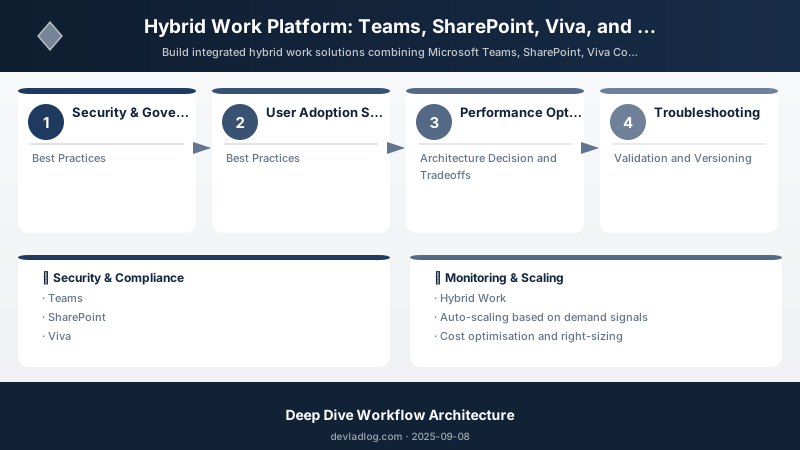
Figure: Configuration and management dashboard with status overview.
- Centralize governance via SharePoint hub sites
- Standardize Teams templates for consistency
- Use service health dashboard for proactive monitoring
- Implement lifecycle policies for inactive content
Best Practices
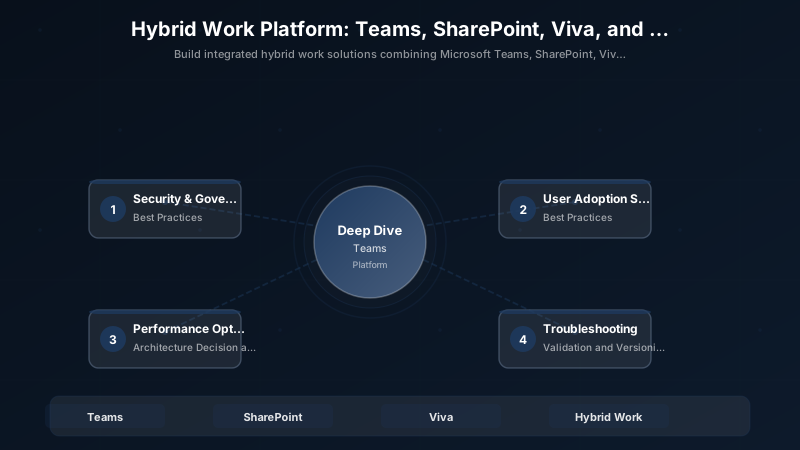
Figure: Configuration and management dashboard with status overview.
- Start with SharePoint Hub Architecture: Establishes governance foundation; enables consistent navigation, branding, search
- Pilot with Cross-Functional Team: IT + business users validate technical + UX; avoids costly rework
- Deploy Teams Tabs for Contextual Access: Embeds resources where work happens; reduces app-switching by 40%
- Use Viva Connections for Personalized Experience: Audience-targeted cards ensure relevance; improves engagement by 30%
- Reserve ACS for External Scenarios: Teams native for internal; ACS for customer/partner calling avoids license bloat
- Implement DLP Before Rollout: Prevents data leaks during adoption surge; retroactive cleanup is 10x harder
- Establish Champions Network Early: Peer support scales better than IT-only model; reduces helpdesk tickets 25%
- Monitor Usage Analytics Weekly: Early detection of adoption issues; adjust training/comms proactively
- Optimize Licenses Quarterly: Reclaim unused E5, remove inactive users; saves 10-15% annually
- Document Custom Code in SharePoint: Centralized wiki for SPFx/ACE solutions; reduces bus factor risk
Architecture Decision and Tradeoffs
When designing integrated solutions solutions with Azure + Power Platform, consider these key architectural trade-offs:
| Approach | Best For | Tradeoff |
|---|---|---|
| Managed / platform service | Rapid delivery, reduced ops burden | Less customisation, potential vendor lock-in |
| Custom / self-hosted | Full control, advanced tuning | Higher operational overhead and cost |
Recommendation: Start with the managed approach for most workloads and move to custom only when specific requirements demand it.
Validation and Versioning
- Last validated: April 2026
- Validate examples against your tenant, region, and SKU constraints before production rollout.
- Keep module, CLI, and SDK versions pinned in automation pipelines and review quarterly.
Security and Governance Considerations
- Apply least-privilege access using RBAC roles and just-in-time elevation for admin tasks.
- Store secrets in managed secret stores and avoid embedding credentials in scripts or source files.
- Enable audit logging, data protection policies, and periodic access reviews for regulated workloads.
Cost and Performance Notes
- Define budgets and alerts, then monitor usage and cost trends continuously after go-live.
- Baseline performance with synthetic and real-user checks before and after major changes.
- Scale resources with measured thresholds and revisit sizing after usage pattern changes.
Official Microsoft References
- https://learn.microsoft.com/azure/architecture/
- https://learn.microsoft.com/azure/well-architected/
- https://learn.microsoft.com/power-platform/guidance/
Public Examples from Official Sources
- These examples are sourced from official public Microsoft documentation and sample repositories.
- Documentation examples: https://learn.microsoft.com/azure/well-architected/
- Sample repositories: https://github.com/Azure/ArchitectureCenter
- Prefer adapting these examples to your tenant, subscriptions, and governance requirements before production use.
Key Takeaways
- Integrated Platform Reduces Context Switching by 40%: Unified search, embedded tabs, single sign-on eliminate app-hopping
- SharePoint + Teams + Viva Creates Cohesive Employee Experience: Intranet (content) + collaboration (Teams) + dashboard (Viva) = digital workplace
- Azure Communication Services Extends Reach Beyond M365: Custom calling in customer portals, partner apps without Teams licenses
- Graph API Unifies Access to M365 Signals: Single REST API for users, files, presence, calendar simplifies integration
- Governance Scales with Usage: Conditional Access, DLP, sensitivity labels prevent security debt as adoption grows
- User Adoption Requires Multi-Pronged Strategy: Training + champions + feedback loop + analytics = 85% sustained adoption
Next Steps
- Expand Viva Connections to Mobile: Native iOS/Android app; 60% users access via mobile during commute
- Build Custom Teams App with ACS Calling: Field service app with technician-to-customer video calls; embed work orders, inventory
- Implement Viva Insights for Burnout Prevention: Collaboration overload analytics; suggest focus time, breaks for at-risk employees
- Pilot Microsoft Syntex for Document Intelligence: Auto-tag policies, contracts with AI; improve search relevance 50%
- Integrate Power Virtual Agents in Viva: Chatbot for HR FAQs (PTO balance, benefits enrollment); deflect 40% helpdesk tickets
- Enable Microsoft Lists for Department Tracking: Issue tracking, asset inventory, campaign tracking with mobile access
- Deploy Microsoft Bookings in Teams: Schedule customer appointments, office space, equipment; reduce calendar email chains
- Experiment with Microsoft Places: Hybrid work planning (who's in office when); coordinate in-person collaboration days
Additional Resources
How will you unify your hybrid workforce experience?
Discussion