
SharePoint Workflows to Power Automate: Migration Guide
$workflowReport += [PSCustomObject]@{ List = $list.Title WorkflowName = $workflow.Name AssociationType = $workflow.BaseTemplate Enabled = $workflow.Enabled AllowManual = $workflow.AllowManual AutoStart_Create = $workflow.AutoStartCreate AutoStart_Change = $workflow.AutoStartChange } }``` }
$workflowReport | Export-Csv "WorkflowInventory.csv" -NoTypeInformation
## Migration Priority

**High Priority:**
- Critical business processes
- Frequently used workflows
- Simple logic (easier to migrate)
**Medium Priority:**
- Moderate usage
- Some complexity
- Non-blocking processes
**Low Priority:**
- Rarely used
- Overly complex (consider redesign)
- Deprecated processes
## Common Workflow Patterns
### Document Approval Workflow
**SharePoint Designer 2013:**
- Start approval process
- Wait for response
- Check outcome
- Update item status
**Power Automate Equivalent:**
```json
{
"trigger": {
```text
"type": "When an item is created",
"site": "https://contoso.sharepoint.com/sites/docs",
"list": "Documents"```
},
"actions": [
```sql
{
"type": "Condition",
"if": "Status equals 'Pending Approval'",
"then": [
{
"type": "Start and wait for an approval",
"approvalType": "Approve/Reject - First to respond",
"title": "Please approve: @{triggerOutputs()?['body/{Name}']}",
"assignedTo": "@{triggerOutputs()?['body/Approver/Email']}",
"details": "Document: @{triggerOutputs()?['body/{Name}']}\nSubmitted by: @{triggerOutputs()?['body/Author/DisplayName']}"
},
{
"type": "Condition",
"if": "Approval outcome equals 'Approve'",
"then": [
{
"type": "Update item",
"list": "Documents",
"id": "@{triggerOutputs()?['body/ID']}",
"fields": {
"Status": "Approved",
"ApprovedBy": "@{outputs('Start_and_wait_for_an_approval')?['body/responses'][0]/responder/displayName]}",
"ApprovedDate": "@{utcNow()}"
}
},
{
"type": "Send email",
"to": "@{triggerOutputs()?['body/Author/Email']}",
"subject": "Document Approved",
"body": "Your document has been approved."
}
],
"else": [
{
"type": "Update item",
"fields": {
"Status": "Rejected",
"RejectionComments": "@{outputs('Start_and_wait_for_an_approval')?['body/responses'][0]/comments]}"
}
}
]
}
]
}```
]
}
Multi-Stage Approval
Stage 1: Manager Approval
  ↓ (if approved)
Stage 2: Director Approval
  ↓ (if approved)
Stage 3: VP Approval
  ↓ (if approved)
Final: Update status to "Fully Approved"


> **Architecture Overview:** **Power Automate Implementation:**

{
  "type": "Start and wait for an approval",
  "approvalType": "Approve/Reject - Everyone must approve",
  "assignedTo": [
```text
"manager1@contoso.com",
"manager2@contoso.com",
"manager3@contoso.com"```
  ],
  "title": "Budget Request Approval",
  "details": "Amount: @{triggerOutputs()?['body/Amount']}"
}
Document Review Cycle
Scenario: Document needs review by multiple people, tracking comments.
{
  "trigger": "When a file is created or modified in folder 'Under Review'",
  "actions": [
```json
{
  "type": "Apply to each",
  "items": "@variables('ReviewersList')",
  "actions": [
    {
      "type": "Start and wait for an approval",
      "approvalType": "Approve/Reject - First to respond",
      "assignedTo": "@{item()}",
      "title": "Review Required",
      "requestBody": "Please review and provide feedback"
    },
    {
      "type": "Append to string variable",
      "name": "AllComments",
      "value": "@{item()}: @{outputs('Start_and_wait_for_an_approval')?['body/responses'][0]/comments]}\n\n"
    }
  ]
},
{
  "type": "Create item",
  "list": "Review History",
  "fields": {
    "DocumentName": "@{triggerOutputs()?['body/{Name}']}",
    "AllReviewComments": "@{variables('AllComments')}",
    "CompletedDate": "@{utcNow()}"
  }
}```
  ]
}
Document Processing Automation
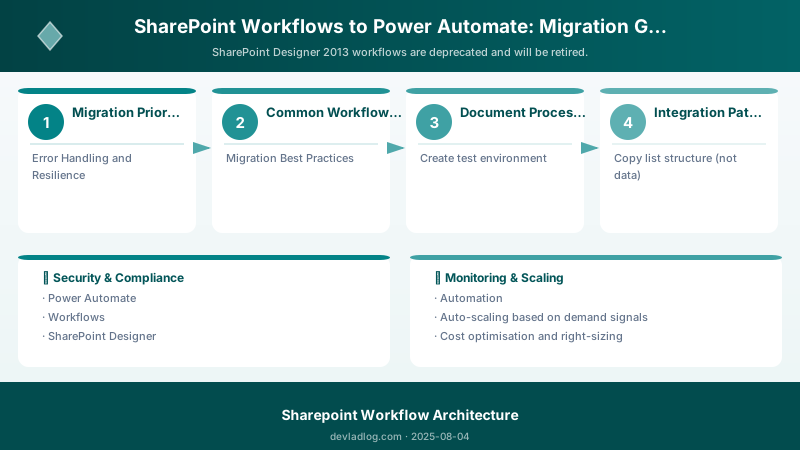
Auto-Classify Documents with AI Builder
{
  "trigger": "When a file is created",
  "folder": "/Shared Documents/Incoming",
  "actions": [
```python
{
  "type": "Extract information from forms",
  "file": "@{triggerOutputs()?['body']}",
  "model": "Invoice Processing Model"
},
{
  "type": "Compose",
  "inputs": {
    "InvoiceNumber": "@{outputs('Extract_information_from_forms')?['body/fields/InvoiceNumber/value']}",
    "InvoiceDate": "@{outputs('Extract_information_from_forms')?['body/fields/InvoiceDate/value']}",
    "Vendor": "@{outputs('Extract_information_from_forms')?['body/fields/Vendor/value']}",
    "Amount": "@{outputs('Extract_information_from_forms')?['body/fields/TotalAmount/value']}"
  }
},
{
  "type": "Update file properties",
  "file": "@{triggerOutputs()?['body/{Identifier}']}",
  "customMetadata": "@{outputs('Compose')}"
},
{
  "type": "Condition",
  "if": "Amount > 10000",
  "then": [
    {
      "type": "Move file",
      "destination": "/Shared Documents/High Value Invoices"
    }
  ],
  "else": [
    {
      "type": "Move file",
      "destination": "/Shared Documents/Standard Invoices"
    }
  ]
}```
  ]
}
PDF Generation from Template
{
  "trigger": "When an item is created",
  "list": "Contracts",
  "actions": [
```sql
{
  "type": "Get file content",
  "site": "https://contoso.sharepoint.com/sites/templates",
  "file": "/Templates/ContractTemplate.docx"
},
{
  "type": "Populate a Word template",
  "template": "@{body('Get_file_content')}",
  "data": {
    "ContractNumber": "@{triggerOutputs()?['body/ContractNumber']}",
    "ClientName": "@{triggerOutputs()?['body/ClientName']}",
    "StartDate": "@{triggerOutputs()?['body/StartDate']}",
    "EndDate": "@{triggerOutputs()?['body/EndDate']}",
    "Amount": "@{triggerOutputs()?['body/Amount']}"


  }
},
{
  "type": "Convert Word Document to PDF",
  "file": "@{outputs('Populate_a_Word_template')?['body']}"
},
{
  "type": "Create file",
  "site": "https://contoso.sharepoint.com/sites/contracts",
  "folder": "/Contracts/Generated",
  "filename": "Contract_@{triggerOutputs()?['body/ContractNumber']}.pdf",
  "body": "@{outputs('Convert_Word_Document_to_PDF')?['body']}"
},
{
  "type": "Update item",
  "id": "@{triggerOutputs()?['body/ID']}",
  "fields": {
    "GeneratedContractURL": "@{outputs('Create_file')?['body/{Link}']}"
  }
}```
  ]
}
Document Expiration Reminder
{
  "trigger": {
```text
"type": "Recurrence",
"frequency": "Day",
"interval": 1,
"startTime": "2025-01-01T08:00:00Z"```
  },
  "actions": [
```sql
{
  "type": "Get items",
  "site": "https://contoso.sharepoint.com/sites/docs",
  "list": "Contracts",
  "filter": "ExpirationDate le '@{addDays(utcNow(), 30)}' and ExpirationDate ge '@{utcNow()}' and Status eq 'Active'"
},
{
  "type": "Apply to each",
  "items": "@{outputs('Get_items')?['body/value']}",
  "actions": [
    {
      "type": "Send email",
      "to": "@{item()?['Owner/Email']}",
      "subject": "Contract Expiring Soon: @{item()?['Title']}",
      "body": "Contract @{item()?['ContractNumber']} expires on @{item()?['ExpirationDate']}. Please review and renew if necessary."
    },
    {
      "type": "Update item",
      "id": "@{item()?['ID']}",
      "fields": {
        "LastReminderSent": "@{utcNow()}"
      }
    }
  ]
}```
  ]
}
Integration Patterns
SharePoint + Teams
Post to Teams when new document uploaded:
{
  "trigger": "When a file is created in folder 'Announcements'",
  "actions": [
```json
{
  "type": "Get file properties",
  "site": "https://contoso.sharepoint.com/sites/docs",
  "library": "Documents",
  "id": "@{triggerOutputs()?['body/ID']}"
},
{
  "type": "Post adaptive card in chat or channel",
  "recipient": "Channel",
  "team": "Marketing Team",
  "channel": "General",
  "message": {
    "type": "AdaptiveCard",
    "body": [
      {
        "type": "TextBlock",
        "text": "New Document Posted",
        "weight": "Bolder",
        "size": "Large"
      },
      {
        "type": "FactSet",
        "facts": [
          {
            "title": "Document:",
            "value": "@{outputs('Get_file_properties')?['body/{Name}']}"
          },
          {
            "title": "Uploaded by:",
            "value": "@{outputs('Get_file_properties')?['body/Author/DisplayName']}"
          }
        ]
      }
    ],
    "actions": [
      {
        "type": "Action.OpenUrl",
        "title": "View Document",
        "url": "@{outputs('Get_file_properties')?['body/{Link}']}"
      }
    ]
  }
}```
  ]
}
SharePoint + Outlook
Create calendar event when project deadline set:
{
  "trigger": "When an item is created or modified",
  "list": "Projects",
  "actions": [
```json
{
  "type": "Condition",
  "if": "Deadline is not empty",
  "then": [
    {
      "type": "Create event (V4)",
      "calendar": "Calendar",
      "subject": "Project Deadline: @{triggerOutputs()?['body/Title']}",
      "start": "@{triggerOutputs()?['body/Deadline']}",
      "end": "@{addHours(triggerOutputs()?['body/Deadline'], 1)}",
      "body": "Project: @{triggerOutputs()?['body/Title']}\nOwner: @{triggerOutputs()?['body/Owner/DisplayName']}\nLink: @{triggerOutputs()?['body/{Link}']}"
    }
  ]
}```
  ]
}
SharePoint + Azure
Store attachments in Azure Blob Storage:
{
  "trigger": "When an item is created",
  "list": "Support Tickets",
  "actions": [
```sql
{
  "type": "Get attachments",
  "id": "@{triggerOutputs()?['body/ID']}"
},
{
  "type": "Apply to each",
  "items": "@{outputs('Get_attachments')?['body/value']}",
  "actions": [
    {
      "type": "Get attachment content",
      "id": "@{item()?['Id']}"
    },
    {
      "type": "Create blob (V2)",
      "storage": "contosostorage",
      "container": "ticket-attachments",
      "blob": "@{triggerOutputs()?['body/ID']}/@{item()?['FileName']}",
      "body": "@{outputs('Get_attachment_content')}"
    }
  ]
},
{
  "type": "Update item",
  "fields": {
    "AttachmentsArchived": true,
    "ArchiveDate": "@{utcNow()}"
  }
}```
  ]
}
Error Handling and Resilience
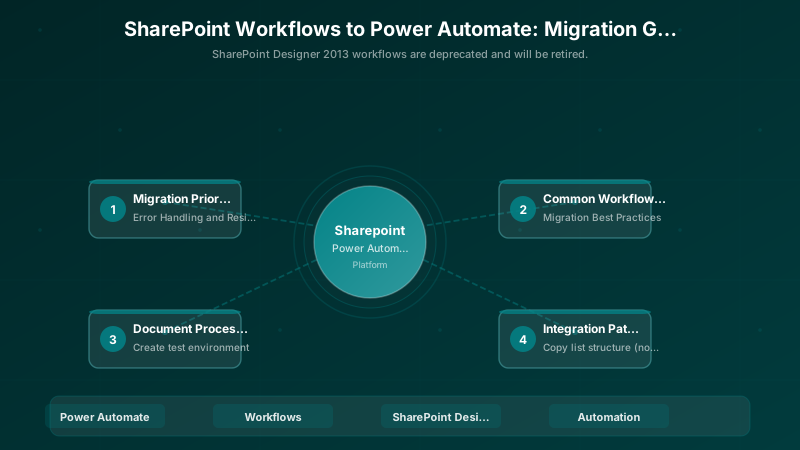
Configure Run After Settings
{
  "type": "Send email",
  "to": "admin@contoso.com",
  "subject": "Workflow Error",
  "body": "Error occurred in approval workflow",
  "runAfter": {
```text
"Start_and_wait_for_an_approval": [
  "Failed",
  "TimedOut"
]```
  }
}
Retry Policy
{
  "type": "HTTP",
  "method": "POST",
  "uri": "https://api.contoso.sharepoint.com/submit",
  "body": "@{triggerOutputs()}",
  "retryPolicy": {
```text
"type": "exponential",
"count": 4,
"interval": "PT10S",
"maximumInterval": "PT1H"```
  }
}
Scope for Error Handling
{
  "type": "Scope",
  "name": "TryBlock",
  "actions": [
```sql
{
  "type": "Get item",
  "list": "Documents"
},
{
  "type": "Update item",
  "fields": {}
}```
  ]
},
{
  "type": "Scope",
  "name": "CatchBlock",
  "runAfter": {
```text
"TryBlock": ["Failed", "Skipped", "TimedOut"]```
  },
  "actions": [
```json
{
  "type": "Create item",
  "list": "Error Log",
  "fields": {
    "ErrorMessage": "@{result('TryBlock')}",
    "Timestamp": "@{utcNow()}"
  }
}```
  ]
}
Migration Best Practices
1. Test in Development Environment
## Create test environment
New-PnPSite -Type TeamSite `
            -Title "Workflow Testing" `
            -Alias "workflow-test" `
            -Owner "admin@contoso.com"


## Copy list structure (not data)
Get-PnPSiteTemplate -Out "ListTemplate.xml" -Handlers Lists
Apply-PnPSiteTemplate -Path "ListTemplate.xml" -Site "https://contoso.sharepoint.com/sites/workflow-test"
2. Gradual Rollout
- Phase 1: Deploy to test site, validate with sample data
- Phase 2: Deploy to production, run in parallel with old workflow
- Phase 3: Monitor for 2 weeks, compare outcomes
- Phase 4: Disable old workflow after validation
3. User Communication
## Workflow Migration Notice

**What's Changing:**
- Document approval process migrating to Power Automate
- Improved mobile experience for approvals
- Email notifications with direct approval links


**Timeline:**
- Testing: Week of Jan 15
- Parallel Run: Jan 22 - Feb 5
- Full Cutover: Feb 6

**Training:**
- Video tutorial: [link]
- Office hours: Jan 20, 2-3pm

**Questions?**
Contact: workflow-team@contoso.com


> **Architecture Overview:** ## 4. Documentation

{
  "trigger": {
```text
"type": "Recurrence",
"frequency": "Hour",
"interval": 1```
  },
  "actions": [
```json
{
  "type": "List runs",
  "flow": "Document Approval Workflow",
  "top": 10,
  "filter": "Status eq 'Failed'"
},
{
  "type": "Condition",
  "if": "length(outputs('List_runs')?['body/value']) > 0",
  "then": [
    {
      "type": "Send email",
      "to": "admin@contoso.com",
      "subject": "Flow Failures Detected",
      "body": "Document Approval workflow has @{length(outputs('List_runs')?['body/value'])} failures in last hour"
    }
  ]
}```
  ]
}
Architecture Decision and Tradeoffs
When designing content management and collaboration solutions with SharePoint, consider these key architectural trade-offs:
| Approach | Best For | Tradeoff |
|---|---|---|
| Managed / platform service | Rapid delivery, reduced ops burden | Less customisation, potential vendor lock-in |
| Custom / self-hosted | Full control, advanced tuning | Higher operational overhead and cost |
Recommendation: Start with the managed approach for most workloads and move to custom only when specific requirements demand it.
Validation and Versioning
- Last validated: April 2026
- Validate examples against your tenant, region, and SKU constraints before production rollout.
- Keep module, CLI, and SDK versions pinned in automation pipelines and review quarterly.
Security and Governance Considerations
- Apply least-privilege access using RBAC roles and just-in-time elevation for admin tasks.
- Store secrets in managed secret stores and avoid embedding credentials in scripts or source files.
- Enable audit logging, data protection policies, and periodic access reviews for regulated workloads.
Cost and Performance Notes
- Define budgets and alerts, then monitor usage and cost trends continuously after go-live.
- Baseline performance with synthetic and real-user checks before and after major changes.
- Scale resources with measured thresholds and revisit sizing after usage pattern changes.
Official Microsoft References
- https://learn.microsoft.com/sharepoint/
- https://learn.microsoft.com/microsoft-365/enterprise/
- https://learn.microsoft.com/purview/
Public Examples from Official Sources
- These examples are sourced from official public Microsoft documentation and sample repositories.
- Documentation examples: https://learn.microsoft.com/sharepoint/dev/
- Sample repositories: https://github.com/SharePoint/sp-dev-docs
- Prefer adapting these examples to your tenant, subscriptions, and governance requirements before production use.
Key Takeaways
- Power Automate provides modern, scalable alternative to SharePoint Designer workflows
- 400+ connectors enable rich integrations beyond SharePoint
- Built-in approval actions simplify common patterns
- AI Builder enables intelligent document processing
- Error handling and retry policies improve reliability
- Gradual migration reduces risk
Next Steps
- Assess current workflows and prioritize migration
- Create Power Automate environment for testing
- Train team on Power Automate fundamentals
- Start with simple workflows, gradually increase complexity
Additional Resources
- Power Automate Documentation
- SharePoint Workflow Retirement
- Approval Workflows in Power Automate
- AI Builder Models
Automate smarter. Integrate better.
Discussion