
Introduction
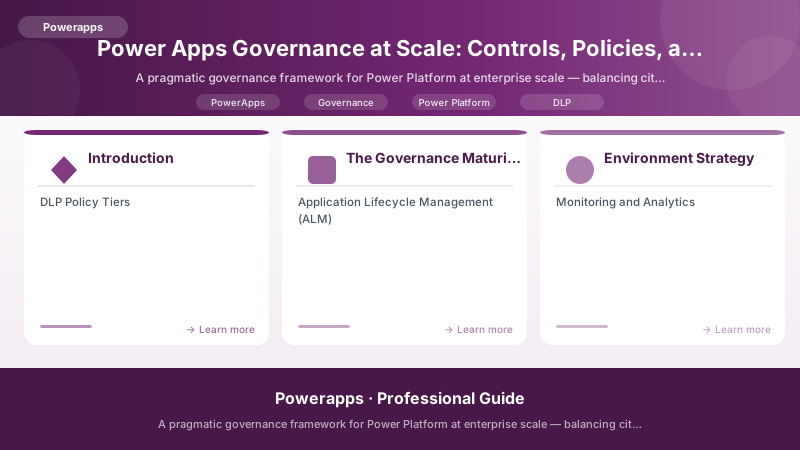
Here is the governance paradox every enterprise faces: lock Power Platform down too tightly, and citizen developers route around you with shadow IT. Leave it wide open, and you get 2,000 ungoverned apps, data flowing to unauthorized destinations, and a CISO having a very bad day.
The solution is not to choose between control and innovation — it is to build a governance framework that makes the right thing the easy thing. This guide presents a battle-tested governance model that works for organizations running 50 to 5,000 Power Apps across multiple departments.
The Governance Maturity Model
| Level | Name | Characteristics | Risk |
|---|---|---|---|
| 0 | Wild West | No policies, no environments, no visibility | Critical |
| 1 | Reactive | Basic DLP, default environment only, firefighting | High |
| 2 | Managed | Environment strategy, DLP tiers, basic monitoring | Medium |
| 3 | Proactive | ALM pipelines, automated scanning, CoE toolkit | Low |
| 4 | Optimized | Self-service with guardrails, predictive analytics, continuous improvement | Minimal |
Most enterprises are at Level 1 or 2. This guide gets you to Level 3 with a clear path to Level 4.
Environment Strategy
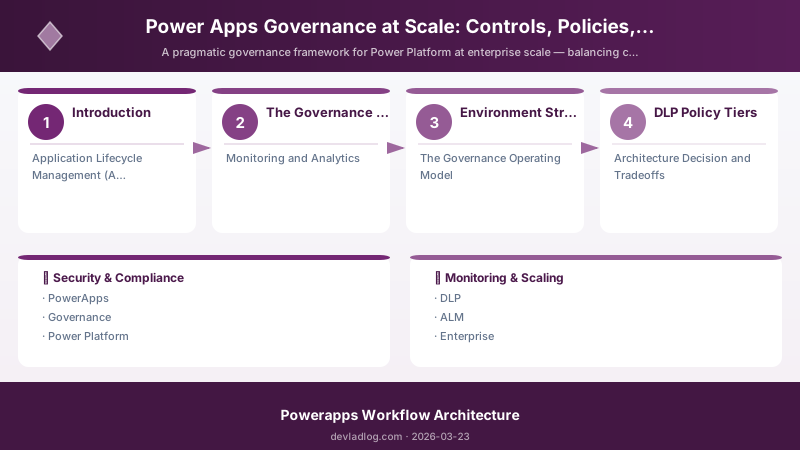
The single biggest governance decision is your environment architecture:
{
  "environment_strategy": {
    "default_environment": {
      "purpose": "Personal productivity only",
      "who": "All licensed users",
      "dlp": "Restrictive - business connectors only",
      "apps_allowed": "Personal use, training, POCs",
      "data_retention": "90 days auto-cleanup for unused apps",
      "restrictions": [
        "No premium connectors",
        "No Dataverse (use SharePoint lists)",
        "No custom connectors",
        "No Power Automate desktop flows"
      ]
    },
    "departmental_environments": {
      "naming": "{Dept}-{Purpose} (e.g., Finance-Prod, HR-Dev)",
      "purpose": "Department-specific apps and flows",
      "who": "Department security group members",
      "dlp": "Department-specific policy (moderately restrictive)",
      "approval_required": true,
      "approver": "Department IT liaison + CoE team",
      "lifecycle": "Annual review - archive inactive environments"
    },
    "shared_services_environments": {
      "naming": "Shared-{Service} (e.g., Shared-Approvals, Shared-Helpdesk)",
      "purpose": "Cross-department solutions",
      "who": "Managed by CoE, accessed by all departments",
      "dlp": "Moderate - approved connector list",
      "alm_required": true,
      "support_tier": "Tier 2 (IT-supported)"
    },
    "production_environments": {
      "naming": "PROD-{Solution} (e.g., PROD-AssetMgmt)",
      "purpose": "Business-critical applications",
      "who": "Managed by professional developers",
      "dlp": "Strict - whitelist only",
      "alm_required": true,
      "change_management": "Full CAB approval",
      "support_tier": "Tier 1 (24/7 monitoring)",
      "backup": "Automated daily backup"
    }
  }
}
DLP Policy Tiers
Design DLP policies in tiers that match your environment strategy:
# PowerShell: DLP Policy Configuration Report
# Generate a report of current DLP policies and their scope

Write-Host "=== DLP POLICY TIER REPORT ===" -ForegroundColor Cyan
Write-Host ""

# Tier 1: Default (most restrictive)
Write-Host "TIER 1: DEFAULT ENVIRONMENT" -ForegroundColor Red
Write-Host "  Policy: PP-DLP-Default-Restrictive" -ForegroundColor White
Write-Host "  Scope: Default environment only" -ForegroundColor Gray
Write-Host "  BUSINESS group:" -ForegroundColor Green
Write-Host "    - Dataverse (current environment)"
Write-Host "    - SharePoint"
Write-Host "    - Office 365 Outlook"
Write-Host "    - Office 365 Users"
Write-Host "    - Microsoft Teams"
Write-Host "    - Approvals"
Write-Host "  BLOCKED:" -ForegroundColor Red
Write-Host "    - All premium connectors"
Write-Host "    - All custom connectors"
Write-Host "    - HTTP connector"
Write-Host "    - SQL Server"
Write-Host "    - All social media connectors"
Write-Host ""

# Tier 2: Department
Write-Host "TIER 2: DEPARTMENT ENVIRONMENTS" -ForegroundColor Yellow
Write-Host "  Policy: PP-DLP-Department-Moderate" -ForegroundColor White
Write-Host "  Scope: Department environments" -ForegroundColor Gray
Write-Host "  BUSINESS group:" -ForegroundColor Green
Write-Host "    - All Tier 1 connectors PLUS:"
Write-Host "    - SQL Server (on-premises gateway)"
Write-Host "    - Azure Blob Storage"
Write-Host "    - Power BI"
Write-Host "    - Excel Online"
Write-Host "  NON-BUSINESS:" -ForegroundColor Yellow
Write-Host "    - HTTP connector (isolated)"
Write-Host "    - Custom connectors (isolated)"
Write-Host "  BLOCKED:" -ForegroundColor Red
Write-Host "    - All social media"
Write-Host "    - External storage (Dropbox, Google Drive)"
Write-Host ""

# Tier 3: Production
Write-Host "TIER 3: PRODUCTION ENVIRONMENTS" -ForegroundColor Green
Write-Host "  Policy: PP-DLP-Production-Whitelist" -ForegroundColor White
Write-Host "  Scope: Individual production environments" -ForegroundColor Gray
Write-Host "  BUSINESS group:" -ForegroundColor Green
Write-Host "    - Only explicitly approved connectors per solution"
Write-Host "    - Reviewed and approved by security team"
Write-Host "    - Documented in solution architecture record"
Write-Host "  BLOCKED:" -ForegroundColor Red
Write-Host "    - Everything else"
Write-Host ""

Write-Host "=== POLICY ENFORCEMENT ===" -ForegroundColor Cyan
Write-Host "  - Policies evaluated top-down (most specific wins)"
Write-Host "  - Changes require approval from CoE + Security team"
Write-Host "  - Quarterly review of connector classifications"
Write-Host "  - Alert on any DLP policy violation within 5 minutes"
Application Lifecycle Management (ALM)
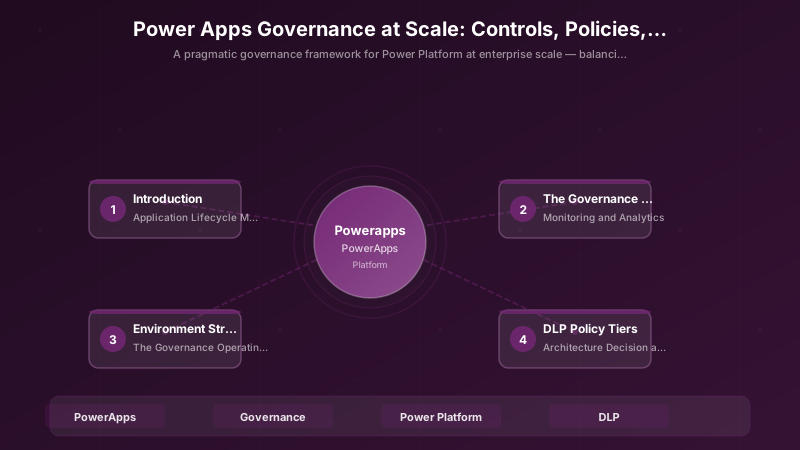
Pipeline Architecture for Citizen Developers
// Power Fx: App promotion request - citizen developer submits app for review
// This runs in a Canvas App that manages the ALM pipeline

// Citizen developer fills out promotion request
Set(
    varPromotionRequest,
    Patch(
        AppPromotionRequests,
        Defaults(AppPromotionRequests),
        {
            AppName: txtAppName.Text,
            AppId: txtAppId.Text,
            CurrentEnvironment: drpCurrentEnv.Selected.Value,
            TargetEnvironment: drpTargetEnv.Selected.Value,
            Description: txtDescription.Text,
            BusinessJustification: txtJustification.Text,
            DataSources: txtDataSources.Text,
            EstimatedUsers: sldUserCount.Value,
            Requestor: User().Email,
            RequestDate: Now(),
            Status: "Pending Review",
            ChecklistCompleted: And(
                chkTested.Value,
                chkDocumented.Value,
                chkNoHardcodedData.Value,
                chkErrorHandling.Value,
                chkAccessibility.Value,
                chkResponsiveDesign.Value,
                chkDataBackup.Value
            )
        }
    )
);

// Notify CoE team
If(
    !IsBlank(varPromotionRequest),
    Office365Outlook.SendMailV2(
        "coe-team@company.com",
        "New App Promotion Request: " & txtAppName.Text,
        "A new Power App is requesting promotion to "
        & drpTargetEnv.Selected.Value
        & ". Please review in the ALM Dashboard."
    )
);
Professional Developer ALM Pipeline
# PowerShell: Automated ALM pipeline for Power Platform solutions
# Runs in Azure DevOps or GitHub Actions

Write-Host "=== Power Platform ALM Pipeline ===" -ForegroundColor Cyan
Write-Host ""

# Stage 1: Export from Dev
Write-Host "[1/5] EXPORT from Development" -ForegroundColor Yellow
Write-Host "  pac solution export --name 'AssetManagement'"
Write-Host "  pac solution unpack --zipfile 'AssetManagement.zip'"
Write-Host "  git add . ; git commit -m 'Solution update'"
Write-Host ""

# Stage 2: Build & Validate
Write-Host "[2/5] BUILD & VALIDATE" -ForegroundColor Yellow
Write-Host "  pac solution pack --type Managed"
Write-Host "  pac solution check --path 'AssetManagement_managed.zip'"
Write-Host "  # Solution Checker validates:"
Write-Host "  #   - No deprecated APIs"
Write-Host "  #   - No accessibility issues"
Write-Host "  #   - No performance anti-patterns"
Write-Host "  #   - No security vulnerabilities"
Write-Host ""

# Stage 3: Deploy to Test
Write-Host "[3/5] DEPLOY to Test" -ForegroundColor Yellow
Write-Host "  pac org select --environment 'TEST-AssetMgmt'"
Write-Host "  pac solution import --path 'AssetManagement_managed.zip'"
Write-Host "  # Run automated tests"
Write-Host "  # Run user acceptance testing"
Write-Host ""

# Stage 4: Approval Gate
Write-Host "[4/5] APPROVAL GATE" -ForegroundColor Yellow
Write-Host "  # Requires:"
Write-Host "  #   - Test results passing"
Write-Host "  #   - Solution Checker clean"
Write-Host "  #   - Business owner sign-off"
Write-Host "  #   - Change Advisory Board approval"
Write-Host ""

# Stage 5: Deploy to Production
Write-Host "[5/5] DEPLOY to Production" -ForegroundColor Green
Write-Host "  pac org select --environment 'PROD-AssetMgmt'"
Write-Host "  pac solution import --path 'AssetManagement_managed.zip'"
Write-Host "  # Post-deployment validation"
Write-Host "  # Monitor for 24 hours"
Monitoring and Analytics
CoE Starter Kit Metrics
{
  "governance_dashboard_metrics": {
    "inventory": {
      "total_apps": "Tracked in CoE inventory table",
      "apps_by_environment": "Grouped view with owner details",
      "orphaned_apps": "Apps where creator has left the organization",
      "unused_apps_30d": "Apps with zero sessions in last 30 days",
      "apps_without_description": "Compliance gap indicator"
    },
    "compliance": {
      "dlp_violations_7d": "Count of policy violations in last 7 days",
      "apps_using_blocked_connectors": "Immediate remediation needed",
      "apps_shared_with_everyone": "Overshared apps requiring review",
      "apps_without_owner": "Assign owners or archive"
    },
    "adoption": {
      "monthly_active_users": "Unique users across all Power Apps",
      "new_apps_created_30d": "Innovation velocity metric",
      "citizen_dev_to_pro_dev_ratio": "Target: 80/20",
      "top_10_apps_by_usage": "Focus support investment"
    },
    "health": {
      "app_errors_24h": "Errors requiring investigation",
      "flow_failures_24h": "Failed Power Automate runs",
      "connector_throttling_events": "Performance or licensing issues",
      "api_limit_utilization": "Percentage of platform limits consumed"
    },
    "alerts": [
      "New app using premium connector (approval required)",
      "App shared with > 100 users (review classification)",
      "Flow failure rate > 10% (investigate)",
      "New custom connector deployed (security review)",
      "Environment storage > 80% (capacity planning)"
    ]
  }
}
Automated Compliance Scanning
// Power Fx: Automated compliance check results display
// This Canvas App shows CoE toolkit scan results

ClearCollect(
    colComplianceIssues,
    AddColumns(
        Filter(
            ComplianceScanResults,
            ScanDate >= DateAdd(Today(), -7, TimeUnit.Days)
            && Severity in ["Critical", "High"]
        ),
        "DaysOpen", DateDiff(DetectedDate, Today(), TimeUnit.Days),
        "SLAStatus", If(
            And(Severity = "Critical", DateDiff(DetectedDate, Today(), TimeUnit.Days) > 1),
            "SLA Breached",
            And(Severity = "High", DateDiff(DetectedDate, Today(), TimeUnit.Days) > 5),
            "SLA Breached",
            "Within SLA"
        )
    )
);
The Governance Operating Model
Roles and Responsibilities
| Role | Responsibility | Meeting Cadence |
|---|---|---|
| Power Platform Admin | Environment management, DLP policies, licensing | Weekly operations review |
| CoE Lead | Strategy, standards, toolkit maintenance | Bi-weekly strategy sync |
| Security Champion | Connector classification, compliance audits | Monthly security review |
| Department IT Liaison | Department-level app portfolio management | Weekly with department |
| Citizen Dev Champion | Training, best practices, peer support | Monthly community call |
| Executive Sponsor | Budget, organizational alignment, escalation | Quarterly business review |
Architecture Decision and Tradeoffs
When designing low-code development solutions with Power Apps, consider these key architectural trade-offs:
| Approach | Best For | Tradeoff |
|---|---|---|
| Managed / platform service | Rapid delivery, reduced ops burden | Less customisation, potential vendor lock-in |
| Custom / self-hosted | Full control, advanced tuning | Higher operational overhead and cost |
Recommendation: Start with the managed approach for most workloads and move to custom only when specific requirements demand it.
Validation and Versioning
- Last validated: April 2026
- Validate examples against your tenant, region, and SKU constraints before production rollout.
- Keep module, CLI, and SDK versions pinned in automation pipelines and review quarterly.
Security and Governance Considerations
- Apply least-privilege access using RBAC roles and just-in-time elevation for admin tasks.
- Store secrets in managed secret stores and avoid embedding credentials in scripts or source files.
- Enable audit logging, data protection policies, and periodic access reviews for regulated workloads.
Cost and Performance Notes
- Define budgets and alerts, then monitor usage and cost trends continuously after go-live.
- Baseline performance with synthetic and real-user checks before and after major changes.
- Scale resources with measured thresholds and revisit sizing after usage pattern changes.
Official Microsoft References
- https://learn.microsoft.com/power-apps/
- https://learn.microsoft.com/power-platform/admin/
- https://learn.microsoft.com/power-platform/guidance/
Public Examples from Official Sources
- These examples are sourced from official public Microsoft documentation and sample repositories.
- Documentation examples: https://learn.microsoft.com/power-apps/
- Sample repositories: https://github.com/microsoft/PowerApps-Samples
- Prefer adapting these examples to your tenant, subscriptions, and governance requirements before production use.
Key Takeaways
- Governance is not a project — it is an operating model that evolves with your organization's Power Platform maturity
- Start with environment strategy — separate default, department, and production environments with increasing DLP strictness
- DLP policies should enable, not block — design three tiers (restrictive, moderate, whitelist) that match risk tolerance
- Implement ALM pipelines early — even citizen developers benefit from a simple promotion request process
- Monitor continuously with CoE Starter Kit — track app inventory, compliance, adoption, and health metrics
- Define clear SLAs for compliance issues — Critical: 24 hours, High: 5 days
- Community building is governance — trained citizen developers make fewer governance mistakes
- Automate everything possible — manual governance does not scale past 100 apps
Discussion