
Power Apps Architecture Patterns for Enterprise: Scalable, Maintainable, Future-Proof
Introduction
Most Power Apps start as a single Canvas app. It handles one form, one list, maybe a gallery or two. Works perfectly for 10 users. Then it grows. More screens. More data sources. More users. More features. And suddenly you have a 200-screen monolith that takes 45 seconds to load, crashes on mobile, and nobody wants to maintain.
Enterprise architecture for Power Apps is about preventing that outcome — or recovering from it. This guide presents proven patterns for building Power Apps solutions that scale, that can be maintained by teams of developers, and that survive organizational changes.
The Anti-Pattern Gallery
Before we discuss what to do, let us recognize what not to do:
| Anti-Pattern | Symptom | Why It Happens | Impact |
|---|---|---|---|
| Monolith App | 200+ screens, 45s load time | "Just add another screen" | Unmaintainable, slow, brittle |
| God Collection | 50+ global collections loaded on start | "Load all data upfront" | Memory overflow on mobile |
| Connector Spaghetti | 15 different data sources | No data architecture planning | Delegation issues, slow queries |
| Copy-Paste Components | Same code in 30 screens | No component library | Change one thing, update 30 places |
| Hardcoded Everything | Environment URLs, user emails in formulas | "It works in dev" | Breaks on deployment, security risk |
Pattern 1: Micro-App Architecture
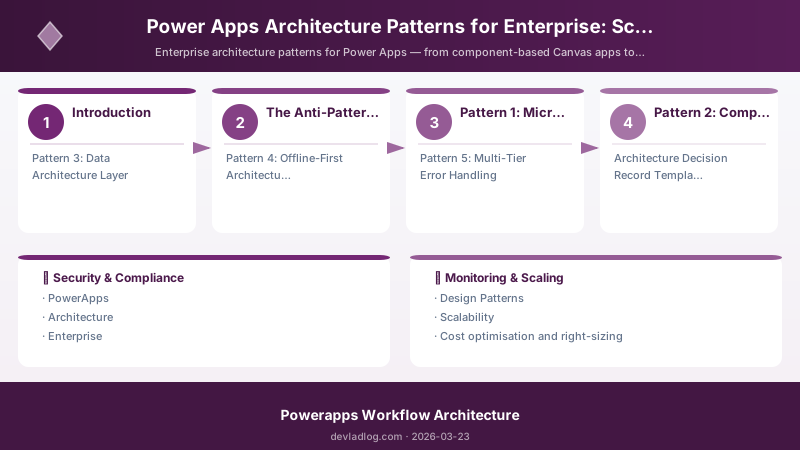
Instead of one giant app, build a suite of focused micro-apps:
{
  "micro_app_architecture": {
    "philosophy": "Each app does ONE thing well",
    "suite_name": "Asset Management Suite",
    "apps": [
      {
        "name": "Asset Registry",
        "type": "Model-Driven",
        "purpose": "Master data management (CRUD)",
        "users": "Asset managers (20 users)",
        "screens": 8,
        "data_source": "Dataverse"
      },
      {
        "name": "Asset Check-In/Out",
        "type": "Canvas (Mobile)",
        "purpose": "Field workers checking assets in/out",
        "users": "Field technicians (200 users)",
        "screens": 4,
        "data_source": "Dataverse (with offline sync)"
      },
      {
        "name": "Asset Dashboard",
        "type": "Canvas (Tablet/Desktop)",
        "purpose": "Management reporting + Power BI",
        "users": "Directors, VPs (15 users)",
        "screens": 3,
        "data_source": "Dataverse + Power BI embedded"
      },
      {
        "name": "Asset Request Portal",
        "type": "Canvas (Responsive)",
        "purpose": "Employee self-service requests",
        "users": "All employees (2000 users)",
        "screens": 5,
        "data_source": "Dataverse + Power Automate approvals"
      }
    ],
    "shared_components": {
      "component_library": "Asset-Components-Library",
      "components": [
        "AssetCard (reusable display card)",
        "SearchBar (with category filters)",
        "StatusBadge (visual status indicator)",
        "QRScanner (camera-based asset lookup)"
      ]
    },
    "navigation": {
      "method": "Deep linking between apps via Launch()",
      "app_switcher": "Custom Canvas component with app icons"
    }
  }
}
Pattern 2: Component Library Architecture
Reusable components are the foundation of scalable Power Apps development:
// Power Fx: Reusable Component Library patterns
// These components live in a shared Component Library

// ========= COMPONENT: HeaderBar =========
// Input Properties:
//   Title (Text), ShowBackButton (Boolean), OnBack (Behavior)
// Used across ALL micro-apps for consistent navigation

// BackButton.OnSelect (inside component)
If(
    HeaderBar.ShowBackButton,
    HeaderBar.OnBack()
);

// Title label text
HeaderBar.Title

// ========= COMPONENT: DataCard =========
// Input Properties:
//   RecordTitle (Text), RecordSubtitle (Text), StatusValue (Text),
//   StatusColor (Color), IconName (Text), OnCardSelect (Behavior)

// Status indicator color logic (inside component)
Switch(
    DataCard.StatusValue,
    "Active", Color.Green,
    "Pending", Color.Orange,
    "Inactive", Color.Gray,
    "Expired", Color.Red,
    Color.DarkGray
)

// ========= COMPONENT: SmartSearch =========
// Input Properties:
//   Placeholder (Text), SearchFields (Table), OnSearch (Behavior),
//   MinCharacters (Number, default 3)

// Search input OnChange (inside component)
If(
    Len(txtSearch.Text) >= SmartSearch.MinCharacters,
    SmartSearch.OnSearch()
);

// ========= COMPONENT: ConfirmDialog =========
// Input Properties:
//   Title (Text), Message (Text), ConfirmText (Text),
//   CancelText (Text), OnConfirm (Behavior), OnCancel (Behavior)

// Confirm button
Set(varDialogResult, "Confirmed");
ConfirmDialog.OnConfirm();

// Cancel button
Set(varDialogResult, "Cancelled");
ConfirmDialog.OnCancel();
Component Library Governance
Architecture Overview: "component_library_strategy": {
Pattern 3: Data Architecture Layer
// Power Fx: Data Access Layer pattern
// Centralize all data operations in a predictable pattern

// === Configuration Variables (set on App.OnStart) ===
Set(
    varConfig,
    {
        Environment: LookUp(
            AppConfigurations,
            ConfigKey = "Environment"
        ).ConfigValue,
        MaxRecordsPerPage: Value(
            LookUp(
                AppConfigurations,
                ConfigKey = "MaxRecordsPerPage"
            ).ConfigValue
        ),
        CacheExpiryMinutes: Value(
            LookUp(
                AppConfigurations,
                ConfigKey = "CacheExpiryMinutes"
            ).ConfigValue
        ),
        FeatureFlags: {
            EnableOffline: LookUp(
                AppConfigurations,
                ConfigKey = "Feature.EnableOffline"
            ).ConfigValue = "true",
            EnableAISearch: LookUp(
                AppConfigurations,
                ConfigKey = "Feature.EnableAISearch"
            ).ConfigValue = "true"
        }
    }
);

// === Data Loading Pattern (with caching) ===
If(
    // Check if cache is still valid
    IsBlank(varCacheTimestamp)
    || DateDiff(varCacheTimestamp, Now(), TimeUnit.Minutes) > varConfig.CacheExpiryMinutes,

    // Cache expired or empty - reload from source
    Concurrent(
        ClearCollect(
            colAssets,
            Filter(
                Assets,
                Status.Value <> "Retired"
                && BusinessUnit = varUserBusinessUnit
            )
        ),
        ClearCollect(
            colCategories,
            Choices(Assets.Category)
        ),
        ClearCollect(
            colLocations,
            Distinct(Assets, Location)
        )
    );
    Set(varCacheTimestamp, Now());
    Set(varDataLoaded, true),

    // Cache still valid - skip reload
    Set(varDataLoaded, true)
);
Pattern 4: Offline-First Architecture
For field workers who need apps in areas with spotty connectivity:
// Power Fx: Offline-first data synchronization pattern

// App.OnStart - Initialize offline storage
If(
    Connection.Connected,
    // Online: Sync from server to local
    ClearCollect(
        colLocalAssets,
        Filter(
            Assets,
            ModifiedOn >= varLastSyncDate
        )
    );
    SaveData(colLocalAssets, "OfflineAssets");
    Set(varLastSyncDate, Now());
    SaveData([{Value: Text(varLastSyncDate)}], "LastSync"),

    // Offline: Load from local storage
    LoadData(colLocalAssets, "OfflineAssets", true);
    LoadData(colLastSyncData, "LastSync", true);
    Set(varLastSyncDate, DateTimeValue(First(colLastSyncData).Value));
    Notify(
        "Working offline. Data last synced: "
        & Text(varLastSyncDate, "MMM dd, hh:mm AM/PM"),
        NotificationType.Warning
    )
);

// Queue changes for sync when back online
// Create a "pending changes" collection
If(
    !Connection.Connected,
    Collect(
        colPendingChanges,
        {
            EntityName: "Assets",
            RecordId: ThisItem.AssetId,
            Operation: "Update",
            FieldName: "Status",
            NewValue: drpStatus.Selected.Value,
            ChangedBy: User().Email,
            ChangedAt: Now()
        }
    );
    SaveData(colPendingChanges, "PendingChanges");
    Notify("Change saved locally. Will sync when online.", NotificationType.Information)
);

// Sync engine - runs when connectivity returns
If(
    Connection.Connected && CountRows(colPendingChanges) > 0,
    ForAll(
        colPendingChanges,
        Patch(
            Assets,
            LookUp(Assets, AssetId = ThisRecord.RecordId),
            {Status: ThisRecord.NewValue}
        )
    );
    Clear(colPendingChanges);
    SaveData(colPendingChanges, "PendingChanges");
    Notify(
        "Synced " & CountRows(colPendingChanges) & " pending changes.",
        NotificationType.Success
    )
);
Pattern 5: Multi-Tier Error Handling
// Power Fx: Centralized error handling pattern
// Used across all screens and components

// Error handler function (called from try-catch patterns)
Set(
    varLastError,
    {
        Message: varErrorMessage,
        Source: varErrorSource,
        Severity: varErrorSeverity,
        Timestamp: Now(),
        User: User().Email,
        Screen: App.ActiveScreen.Name,
        AppVersion: varConfig.Environment
    }
);

// Log to error table (when online)
If(
    Connection.Connected,
    Patch(
        AppErrorLog,
        Defaults(AppErrorLog),
        varLastError
    )
);

// User-friendly error display
Switch(
    varErrorSeverity,
    "Critical",
    Notify(
        "A critical error occurred. Please contact IT support. Ref: "
        & Text(Now(), "yyyyMMddHHmmss"),
        NotificationType.Error
    ),
    "Warning",
    Notify(
        varErrorMessage,
        NotificationType.Warning
    ),
    "Info",
    Notify(
        varErrorMessage,
        NotificationType.Information
    )
);
Architecture Decision Record Template
Document your architecture decisions:
{
  "architecture_decision_record": {
    "id": "ADR-001",
    "title": "Micro-App vs Monolith Architecture",
    "date": "2026-03-23",
    "status": "Accepted",
    "context": "The Asset Management solution needs to serve 2,200 users across 4 distinct user personas with different devices and workflows.",
    "decision": "Adopt micro-app architecture with 4 focused apps sharing a Component Library and Dataverse backend.",
    "rationale": [
      "Each app can be optimized for its specific user persona and device",
      "Independent deployment reduces blast radius of changes",
      "Component Library ensures visual consistency",
      "Dataverse provides unified data model across all apps",
      "Individual apps load faster (< 5 screens vs 50+)"
    ],
    "consequences": {
      "positive": [
        "Faster load times per app",
        "Independent development and deployment",
        "Easier to maintain and test"
      ],
      "negative": [
        "More solutions to manage in ALM pipeline",
        "Cross-app navigation adds slight UX friction",
        "Component Library versioning requires discipline"
      ]
    },
    "alternatives_considered": [
      "Single monolith app (rejected: performance at scale)",
      "Model-Driven only (rejected: limited mobile UX)",
      "Canvas only (rejected: no Dataverse form inheritance)"
    ]
  }
}
Validation and Versioning
- Last validated: April 2026
- Validate examples against your tenant, region, and SKU constraints before production rollout.
- Keep module, CLI, and SDK versions pinned in automation pipelines and review quarterly.
Security and Governance Considerations
- Apply least-privilege access using RBAC roles and just-in-time elevation for admin tasks.
- Store secrets in managed secret stores and avoid embedding credentials in scripts or source files.
- Enable audit logging, data protection policies, and periodic access reviews for regulated workloads.
Cost and Performance Notes
- Define budgets and alerts, then monitor usage and cost trends continuously after go-live.
- Baseline performance with synthetic and real-user checks before and after major changes.
- Scale resources with measured thresholds and revisit sizing after usage pattern changes.
Official Microsoft References
- https://learn.microsoft.com/power-apps/
- https://learn.microsoft.com/power-platform/admin/
- https://learn.microsoft.com/power-platform/guidance/
Public Examples from Official Sources
- These examples are sourced from official public Microsoft documentation and sample repositories.
- Documentation examples: https://learn.microsoft.com/power-apps/
- Sample repositories: https://github.com/microsoft/PowerApps-Samples
- Prefer adapting these examples to your tenant, subscriptions, and governance requirements before production use.
Key Takeaways
- The micro-app pattern prevents monolith hell — build 4 focused apps instead of 1 bloated app, each optimized for its user persona and device
- Component Libraries are mandatory for enterprise — invest in reusable headers, cards, dialogs, and search components that enforce consistency
- Centralize configuration in Dataverse — environment URLs, feature flags, and thresholds should never be hardcoded in formulas
- Implement data caching with expiry — stop reloading the same reference data on every screen navigation
- Design offline-first for field apps — queue changes locally, sync when connectivity returns, always inform users of sync status
- Architecture Decision Records capture the "why" — document decisions before you forget the context
- Error handling must be centralized — one pattern across all screens, logging to a shared table, user-friendly messages
Discussion