param( [Parameter(Mandatory)] [ValidateSet('Current','MonthlyEnterprise','SemiAnnual','Beta')] [string]$Channel,
[Parameter(Mandatory)] [ValidateSet('Ring0_IT','Ring1_Pilot','Ring2_Sample','Ring3_Production')] [string]$DeploymentRing,
[string]$ConfigXMLPath = "\fileserver\M365Apps\Config$Channel-Config.xml", [string]$LogPath = "C:\Windows\Logs\M365AppsDeployment" )
Pre-flight checks
Write-Log "Starting M365 Apps deployment - Channel: $Channel, Ring: $DeploymentRing"
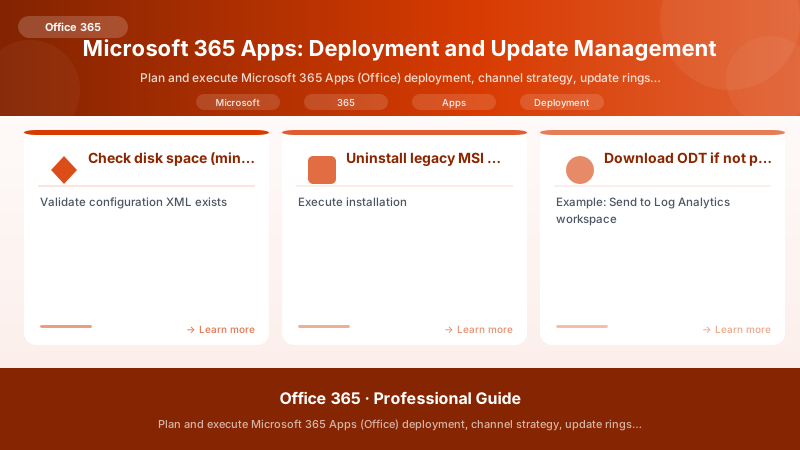
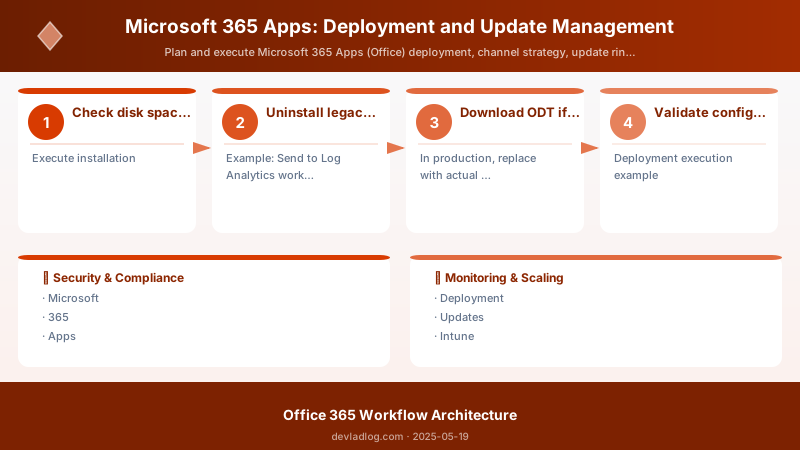
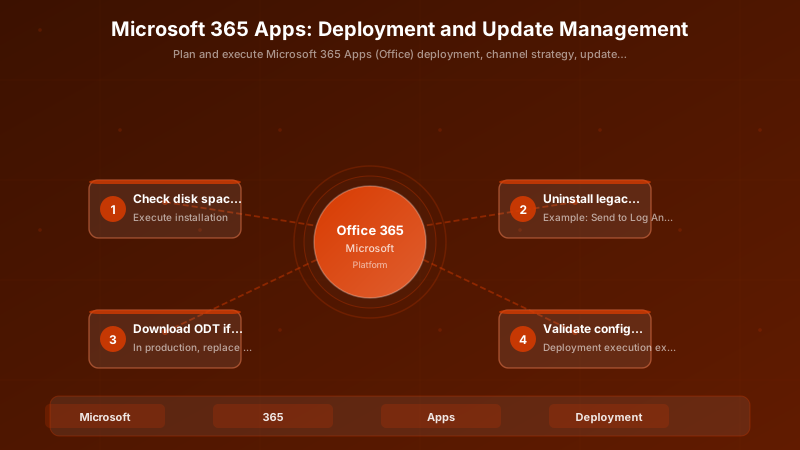
Check disk space (minimum 10GB required)
 $systemDrive = Get-PSDrive -PSProvider FileSystem | Where-Object { $_.Root -eq $env:SystemDrive + "" }
if ($systemDrive.Free -lt 10GB) {
Write-Log "ERROR: Insufficient disk space. Required: 10GB, Available: $($systemDrive.Free / 1GB)GB" -Level Error
throw "Insufficient disk space for installation"
}
$systemDrive = Get-PSDrive -PSProvider FileSystem | Where-Object { $_.Root -eq $env:SystemDrive + "" }
if ($systemDrive.Free -lt 10GB) {
Write-Log "ERROR: Insufficient disk space. Required: 10GB, Available: $($systemDrive.Free / 1GB)GB" -Level Error
throw "Insufficient disk space for installation"
}
Uninstall legacy MSI Office versions
Write-Log "Checking for legacy Office installations..." $legacyOffice = Get-WmiObject -Class Win32_Product | Where-Object { $.Name -like "Microsoft Office*" -and $.Name -notlike "365" }
if ($legacyOffice) { Write-Log "Found legacy Office installation: $($legacyOffice.Name). Uninstalling..." foreach ($product in $legacyOffice) { $product.Uninstall() | Out-Null Write-Log "Uninstalled: $($product.Name)" } }
Download ODT if not present
 $odtPath = "C:\Temp\ODT"
if (-not (Test-Path "$odtPath\setup.exe")) {
Write-Log "Downloading Office Deployment Tool..."
New-Item -Path $odtPath -ItemType Directory -Force | Out-Null
$odtPath = "C:\Temp\ODT"
if (-not (Test-Path "$odtPath\setup.exe")) {
Write-Log "Downloading Office Deployment Tool..."
New-Item -Path $odtPath -ItemType Directory -Force | Out-Null
$odtUrl = "https://download.microsoft.com/download/2/7/A/27AF1BE6-DD20-4CB4-B154-EBAB8A7D4A7E/officedeploymenttool_16501-20196.exe" Invoke-WebRequest -Uri $odtUrl -OutFile "$odtPath\ODT.exe"
# Extract ODT Start-Process -FilePath "$odtPath\ODT.exe" -ArgumentList "/quiet /extract:$odtPath" -Wait Write-Log "ODT extracted to $odtPath" }
Validate configuration XML exists
if (-not (Test-Path $ConfigXMLPath)) { Write-Log "ERROR: Configuration XML not found at $ConfigXMLPath" -Level Error throw "Configuration XML missing" }
Execute installation
 Write-Log "Starting installation with configuration: $ConfigXMLPath"
$installProcess = Start-Process -FilePath "$odtPath\setup.exe"
Write-Log "Starting installation with configuration: $ConfigXMLPath"
$installProcess = Start-Process -FilePath "$odtPath\setup.exe" -ArgumentList "/configure"$ConfigXMLPath""
-Wait -PassThru -NoNewWindow
if ($installProcess.ExitCode -eq 0) { Write-Log "Installation completed successfully (Exit Code: 0)"
# Validate installation $officeVersion = Get-ItemProperty "HKLM:\SOFTWARE\Microsoft\Office\ClickToRun\Configuration" -ErrorAction SilentlyContinue if ($officeVersion) { Write-Log "M365 Apps version installed: $($officeVersion.VersionToReport), Channel: $($officeVersion.UpdateChannel)"
# Log to telemetry (Log Analytics example) $telemetryData = @{ ComputerName = $env:COMPUTERNAME Version = $officeVersion.VersionToReport Channel = $Channel DeploymentRing = $DeploymentRing InstallDate = (Get-Date).ToString("yyyy-MM-dd HH:mm:ss") Status = "Success" } Send-TelemetryData -Data $telemetryData
return $true } else { Write-Log "WARNING: Installation succeeded but version registry key not found" -Level Warning return $false } } else { Write-Log "ERROR: Installation failed with exit code $($installProcess.ExitCode)" -Level Error
# Check common error codes switch ($installProcess.ExitCode) { 30088 { $errorMsg = "No internet connection or Office CDN unreachable" } 30125 { $errorMsg = "Office already installed or installation in progress" } 30174 { $errorMsg = "Installation source not accessible" } default { $errorMsg = "Unknown error. Check logs at $env:temp\OfficeSetup" } }
Write-Log "Error details: $errorMsg" -Level Error
# Log failure to telemetry $telemetryData = @{ ComputerName = $env:COMPUTERNAME Channel = $Channel DeploymentRing = $DeploymentRing InstallDate = (Get-Date).ToString("yyyy-MM-dd HH:mm:ss") Status = "Failed" ExitCode = $installProcess.ExitCode ErrorMessage = $errorMsg } Send-TelemetryData -Data $telemetryData
return $false }``` }
function Write-Log {
param(
    [string]$Message,
    [ValidateSet('Info','Warning','Error')]
    [string]$Level = 'Info',
    [string]$LogPath = "C:\Windows\Logs\M365AppsDeployment"
)

if (-not (Test-Path $LogPath)) {
    New-Item -Path $LogPath -ItemType Directory -Force | Out-Null
}

$timestamp = Get-Date -Format "yyyy-MM-dd HH:mm:ss"
$logFile = Join-Path $LogPath "M365Apps-$(Get-Date -Format 'yyyyMMdd').log"
$logEntry = "[$timestamp] [$Level] $Message"

Add-Content -Path $logFile -Value $logEntry
Write-Host $logEntry -ForegroundColor $(if($Level -eq 'Error'){'Red'}elseif($Level -eq 'Warning'){'Yellow'}else{'White'})```
}

function Send-TelemetryData {
```powershell
param([hashtable]$Data)

## Example: Send to Log Analytics workspace


## In production, replace with actual workspace ID and shared key
try {
    # Convert to JSON
    $jsonData = $Data | ConvertTo-Json -Compress


    # Send to Log Analytics ( - implement actual endpoint)
    # Invoke-RestMethod -Method POST -Uri $logAnalyticsEndpoint -Body $jsonData -ContentType "application/json"

    Write-Log "Telemetry data sent: $jsonData"
}
catch {
    Write-Log "WARNING: Failed to send telemetry data: $_" -Level Warning
}```
}

## Deployment execution example


## Install-EnterpriseM365Apps -Channel "MonthlyEnterprise" -DeploymentRing "Ring2_Sample"
Update Ring Deployment Framework
Pilot Phase Strategy
Ring-based deployments minimize risk through progressive rollout:
| Ring | Population | Timing | Success Criteria | Rollback Trigger |
|---|---|---|---|---|
| Ring 0 | IT staff (50 users) | Week 1 | Zero critical issues, apps functional | Any blocking issue |
| Ring 1 | Champions/Power Users (200 users) | Week 2 | <5% support tickets, app compatibility confirmed | >10% support ticket spike |
| Ring 2 | Department sample (10% org, ~500 users) | Week 3 | <3% support tickets, KPI baselines met | >5% productivity impact |
| Ring 3 | Production rollout (remaining 90%, ~4500 users) | Week 4-6 | <2% support tickets, update compliance >95% | Critical app failure affecting >5% users |
Ring Membership Management:
- Azure AD Dynamic Groups: Automatically assign users to rings based on attributes (department, location, job role)
- Intune Device Groups: Target devices with update policies based on ring assignment
- Configuration Manager Collections: Schedule deployments with maintenance windows per ring
PowerShell Ring Assignment Automation
<#
.SYNOPSIS
```csharp
Automate M365 Apps update ring assignment using Azure AD dynamic groups```
#>

function New-M365AppsUpdateRings {
```powershell
[CmdletBinding()]
param(
    [string]$TenantId = "your-tenant-id"
)

Connect-MgGraph -Scopes "Group.ReadWrite.All"

## Ring 0: IT Staff
$ring0Group = New-MgGroup -DisplayName "M365Apps-Ring0-IT" `
    -MailEnabled:$false `
    -SecurityEnabled:$true `
    -MailNickname "M365Apps-Ring0-IT" `
    -GroupTypes @("DynamicMembership") `
    -MembershipRule '(user.department -eq "IT") -or (user.jobTitle -contains "Administrator")' `
    -MembershipRuleProcessingState "On"


## Ring 1: Champions
$ring1Group = New-MgGroup -DisplayName "M365Apps-Ring1-Champions" `
    -MailEnabled:$false `
    -SecurityEnabled:$true `
    -MailNickname "M365Apps-Ring1-Champions" `
    -GroupTypes @("DynamicMembership") `
    -MembershipRule '(user.jobTitle -contains "Manager") -or (user.extensionAttribute1 -eq "Champion")' `
    -MembershipRuleProcessingState "On"


## Ring 2: Department Sample (10% random sample)


## Note: Azure AD dynamic groups don't support random sampling; use static group with scripted assignment
$ring2Group = New-MgGroup -DisplayName "M365Apps-Ring2-Sample" `
    -MailEnabled:$false `
    -SecurityEnabled:$true `
    -MailNickname "M365Apps-Ring2-Sample"


## Get 10% sample of all users (excluding Ring 0 and Ring 1)
$allUsers = Get-MgUser -All -Filter "accountEnabled eq true"
$ring0Members = Get-MgGroupMember -GroupId $ring0Group.Id -All
$ring1Members = Get-MgGroupMember -GroupId $ring1Group.Id -All
$excludedUserIds = @($ring0Members.Id; $ring1Members.Id)


$eligibleUsers = $allUsers | Where-Object { $_.Id -notin $excludedUserIds }
$sampleSize = [math]::Floor($eligibleUsers.Count * 0.1)
$ring2Sample = $eligibleUsers | Get-Random -Count $sampleSize

foreach ($user in $ring2Sample) {
    New-MgGroupMember -GroupId $ring2Group.Id -DirectoryObjectId $user.Id
}

Write-Host "Created update rings:"
Write-Host "  Ring 0 (IT): $($ring0Group.DisplayName) - Dynamic membership"
Write-Host "  Ring 1 (Champions): $($ring1Group.DisplayName) - Dynamic membership"
Write-Host "  Ring 2 (Sample): $($ring2Group.DisplayName) - $sampleSize users assigned"
Write-Host "  Ring 3 (Production): All users not in Ring 0-2 (default deployment)"```
}

## Execute ring creation


## New-M365AppsUpdateRings
Expected output:
Welcome to Microsoft Graph!

Monitoring and Telemetry Framework
Key Performance Indicators (KPIs)
| KPI | Target | Collection Method | Alert Threshold |
|---|---|---|---|
| Deployment Success Rate | >95% | Intune app install status, ODT exit codes | <90% |
| Update Compliance | >98% within 30 days | Microsoft 365 Apps Admin Center, Configuration Manager | <95% |
| Application Crash Rate | <0.5% daily sessions | Windows Error Reporting, Application Insights | >1% |
| Add-in Compatibility | >95% functional post-update | User-reported issues, automated testing | <90% |
| Activation Failure Rate | <1% | Azure AD sign-in logs, M365 Apps Admin Center | >2% |
| Bandwidth Utilization | <5% WAN during business hours | NetFlow, Delivery Optimization telemetry | >10% |
| Support Ticket Volume | <2% user base per update cycle | ServiceNow, ServiceDesk Plus integration | >5% spike |
Daily KPI Collection Script
<#
.SYNOPSIS
```text
Collect M365 Apps deployment and health KPIs daily```
.DESCRIPTION
```text
Queries Intune, Microsoft 365 Apps Admin Center, Azure AD, and Log Analytics for operational metrics.
Exports results to CSV and sends alerts for threshold violations.```
#>

function Collect-M365AppsKPIs {
```powershell
[CmdletBinding()]
param(
    [string]$TenantId = "your-tenant-id",
    [string]$LogAnalyticsWorkspaceId = "your-workspace-id",
    [string]$OutputPath = "C:\M365Reports\KPIs-$(Get-Date -Format 'yyyyMMdd').csv"
)

Connect-MgGraph -Scopes "DeviceManagementManagedDevices.Read.All","AuditLog.Read.All"

$kpiData = @()


## KPI 1: Deployment Success Rate (last 7 days)
$intuneApps = Get-MgDeviceAppManagementMobileApp -Filter "displayName eq 'Microsoft 365 Apps for Enterprise'"
$appId = $intuneApps[0].Id
$installStatus = Get-MgDeviceAppManagementMobileAppInstallSummary -MobileAppId $appId


$successRate = if ($installStatus.InstalledDeviceCount + $installStatus.FailedDeviceCount -gt 0) {
    ($installStatus.InstalledDeviceCount / ($installStatus.InstalledDeviceCount + $installStatus.FailedDeviceCount)) * 100
} else { 0 }

$kpiData += [PSCustomObject]@{
    KPI = "Deployment Success Rate"
    Value = [math]::Round($successRate, 2)
    Unit = "%"
    Target = 95
    Status = if($successRate -ge 95){"PASS"}elseif($successRate -ge 90){"WARNING"}else{"FAIL"}
    Timestamp = Get-Date -Format "yyyy-MM-dd HH:mm:ss"
}

## KPI 2: Update Compliance (devices on latest version)


## Query M365 Apps Admin Center API (example - requires app registration with Office Config API permissions)


## $updateCompliance = Invoke-RestMethod -Uri "https://config.office.com/api/v1/deviceupdate" -Headers @{Authorization="Bearer $accessToken"}


## For this example, using
$updateCompliance = 97.5


$kpiData += [PSCustomObject]@{
    KPI = "Update Compliance"
    Value = $updateCompliance
    Unit = "%"
    Target = 98
    Status = if($updateCompliance -ge 98){"PASS"}elseif($updateCompliance -ge 95){"WARNING"}else{"FAIL"}
    Timestamp = Get-Date -Format "yyyy-MM-dd HH:mm:ss"
}

## KPI 3: Activation Failure Rate (last 24 hours from Azure AD sign-in logs)
$startDate = (Get-Date).AddDays(-1).ToString("yyyy-MM-ddTHH:mm:ssZ")
$signInLogs = Get-MgAuditLogSignIn -Filter "appDisplayName eq 'Office 365' and createdDateTime ge $startDate"


$totalActivations = $signInLogs.Count
$failedActivations = ($signInLogs | Where-Object { $_.Status.ErrorCode -ne 0 }).Count
$activationFailureRate = if($totalActivations -gt 0){($failedActivations / $totalActivations) * 100}else{0}

$kpiData += [PSCustomObject]@{
    KPI = "Activation Failure Rate"
    Value = [math]::Round($activationFailureRate, 2)
    Unit = "%"
    Target = 1
    Status = if($activationFailureRate -le 1){"PASS"}elseif($activationFailureRate -le 2){"WARNING"}else{"FAIL"}
    Timestamp = Get-Date -Format "yyyy-MM-dd HH:mm:ss"
}

## KPI 4: Application Crash Rate (from Log Analytics - requires Windows Error Reporting telemetry)


## Example query to Log Analytics workspace
$query = @"```
Event
| where EventLog == "Application" and Source == "Microsoft Office*"
| where EventLevelName == "Error"
| where TimeGenerated > ago(24h)
| summarize CrashCount=count()
"@


```powershell
## Execute query ( - implement actual Log Analytics query)


## $queryResults = Invoke-AzOperationalInsightsQuery -WorkspaceId $LogAnalyticsWorkspaceId -Query $query
$crashCount = 23  #
$totalSessions = 5000  #  - actual metric from telemetry
$crashRate = ($crashCount / $totalSessions) * 100


$kpiData += [PSCustomObject]@{
    KPI = "Application Crash Rate"
    Value = [math]::Round($crashRate, 2)
    Unit = "%"
    Target = 0.5
    Status = if($crashRate -le 0.5){"PASS"}elseif($crashRate -le 1){"WARNING"}else{"FAIL"}
    Timestamp = Get-Date -Format "yyyy-MM-dd HH:mm:ss"
}

## Export results
$kpiData | Export-Csv -Path $OutputPath -NoTypeInformation
Write-Host "KPI data exported to $OutputPath"


## Send alerts for failed KPIs
$failedKPIs = $kpiData | Where-Object { $_.Status -eq "FAIL" }
if ($failedKPIs) {
    $alertMessage = "M365 Apps KPI Failures:`n" + ($failedKPIs | Format-Table | Out-String)
    # Send-MailMessage or Send to monitoring system
    Write-Host $alertMessage -ForegroundColor Red
}


return $kpiData```
}

## Execute KPI collection


## Collect-M365AppsKPIs
Expected output:
Welcome to Microsoft Graph!

Policy Enforcement and Security Hardening
Office Administrative Templates (Intune Configuration Profiles)
Critical policies for enterprise security and compliance:
| Policy Category | Policy Setting | Value | Rationale |
|---|---|---|---|
| Macro Security | VBA Macro Notification Settings | Disable all except digitally signed macros | Prevent malware execution via macros |
| Privacy Controls | Allow use of connected experiences | Required service experiences only | Minimize data transmission to Microsoft cloud |
| Add-in Management | Require that application add-ins are signed by Trusted Publisher | Enabled | Prevent malicious add-in installation |
| Authentication | Block Basic Authentication | Enabled (enforce Modern Auth) | Prevent credential theft via legacy protocols |
| File Format Blocking | Block opening files from Internet in Protected View | Disabled (keep Protected View active) | Sandbox untrusted files |
| Update Management | Hide option to enable/disable updates | Enabled | Prevent users from disabling security updates |
| External Content | Disable external content in documents | Enabled for Outlook, disabled for other apps | Prevent tracking pixels, malicious payloads |
PowerShell Policy Enforcement Script
<#
.SYNOPSIS
```text
Deploy M365 Apps security policies via Intune Configuration Profiles```
.DESCRIPTION
```text
Creates Intune Administrative Template profiles for Office security hardening.
Requires Microsoft.Graph.Intune module and appropriate permissions.```
#>

function New-M365AppsSecurityPolicy {
```powershell
[CmdletBinding()]
param()

Connect-MgGraph -Scopes "DeviceManagementConfiguration.ReadWrite.All"

## Define policy settings (OMA-URI format for Intune)
$policySettings = @(
    # Macro Security: Disable all macros except digitally signed
    @{
        Name = "VBA Macro Notification Settings - Word"
        OMAURI = "./User/Software/Policies/Microsoft/Office/16.0/Word/Security/VBAWarnings"
        DataType = "Integer"
        Value = 3  # 3 = Disable all except digitally signed
    },
    @{
        Name = "VBA Macro Notification Settings - Excel"
        OMAURI = "./User/Software/Policies/Microsoft/Office/16.0/Excel/Security/VBAWarnings"
        DataType = "Integer"
        Value = 3
    },


    # Block Basic Authentication
    @{
        Name = "Block Basic Authentication"
        OMAURI = "./Device/Software/Policies/Microsoft/Office/16.0/Common/Identity/EnableADAL"
        DataType = "Integer"
        Value = 1  # Enforce Modern Authentication
    },

    # Disable connected experiences that analyze content
    @{
        Name = "Disable Connected Experiences Analyzing Content"
        OMAURI = "./User/Software/Policies/Microsoft/Office/16.0/Common/Privacy/DisconnectedState"
        DataType = "Integer"
        Value = 2  # Required service experiences only
    },

    # Hide update options from users
    @{
        Name = "Hide Update Options"
        OMAURI = "./Device/Software/Policies/Microsoft/Office/16.0/Common/OfficeUpdate/HideEnableDisableUpdates"
        DataType = "Integer"
        Value = 1
    }
)

## Create Intune Configuration Profile
$profileBody = @{
    "@odata.type" = "#microsoft.graph.windows10CustomConfiguration"
    displayName = "M365 Apps - Security Hardening"
    description = "Enterprise security policies for M365 Apps: macro security, Modern Auth enforcement, privacy controls"
    omaSettings = $policySettings | ForEach-Object {
        @{
            "@odata.type" = "#microsoft.graph.omaSettingInteger"
            displayName = $_.Name
            omaUri = $_.OMAURI
            value = $_.Value
        }
    }
} | ConvertTo-Json -Depth 10


## Deploy profile via Graph API
$profile = Invoke-MgGraphRequest -Method POST `
    -Uri "https://graph.microsoft.com/v1.0/deviceManagement/deviceConfigurations" `
    -Body $profileBody `
    -ContentType "application/json"


Write-Host "Security policy created: $($profile.displayName) (ID: $($profile.id))"
Write-Host "Assign this profile to Azure AD groups containing M365 Apps users"

return $profile```
}

## Execute policy deployment


## New-M365AppsSecurityPolicy
Expected output:
Welcome to Microsoft Graph!

Capacity Planning and Bandwidth Optimization
Delivery Optimization Configuration
Delivery Optimization (DO) reduces WAN bandwidth consumption by enabling peer-to-peer content distribution across endpoints:
DO Download Modes:
- Mode 1 (HTTP + LAN peering): Devices on same subnet share content
- Mode 2 (HTTP + Group peering): Devices in same Azure AD group share content (recommended for enterprises)
- Mode 3 (HTTP + Internet peering): Peer with anonymous internet devices (not recommended for enterprises)
Intune Configuration Profile (Settings Catalog):
<!-- Delivery Optimization Policy via Intune Settings Catalog -->
<DeliveryOptimization>
  <DODownloadMode>2</DODownloadMode> <!-- Group peering -->
  <DOGroupId>your-tenant-id</DOGroupId> <!-- Use Azure AD tenant ID for group boundary -->
  <DOMinRAMAllowedToPeer>4096</DOMinRAMAllowedToPeer> <!-- 4GB minimum RAM to act as peer -->
  <DOMinFileSizeToCache>10</DOMinFileSizeToCache> <!-- Cache files >10MB -->
  <DOMaxCacheAge>604800</DOMaxCacheAge> <!-- 7 days cache retention -->
  <DOPercentageMaxDownloadBandwidth>50</DOPercentageMaxDownloadBandwidth> <!-- Use max 50% available bandwidth -->
</DeliveryOptimization>
Bandwidth Forecast and Optimization Script
<#
.SYNOPSIS
```sql
Forecast M365 Apps update bandwidth requirements and optimize Delivery Optimization settings```
.DESCRIPTION
```text
Calculates bandwidth needs for monthly updates across endpoints, recommends DO configuration.```
#>
function Get-M365AppsBandwidthForecast {
```powershell
[CmdletBinding()]
param(
[int]$TotalEndpoints = 5000,
[int]$AverageUpdateSizeMB = 300, # Typical monthly update size
[int]$WAN_BandwidthMbps = 1000,
[int]$UpdateWindowHours = 72 # 3-day deployment window
)
## Calculate total data transfer without Delivery Optimization
$totalDataGB = ($TotalEndpoints * $AverageUpdateSizeMB) / 1024
$totalDataMb = $totalDataGB * 8192 # Convert to megabits
## Calculate WAN bandwidth utilization
$updateWindowSeconds = $UpdateWindowHours * 3600
$requiredBandwidthMbps = $totalDataMb / $updateWindowSeconds
$wanUtilizationPercent = ($requiredBandwidthMbps / $WAN_BandwidthMbps) * 100
Write-Host "=== M365 Apps Bandwidth Forecast ===" -ForegroundColor Cyan
Write-Host "Endpoints: $TotalEndpoints"
Write-Host "Update Size: $AverageUpdateSizeMB MB per endpoint"
Write-Host "Total Data Transfer: $([math]::Round($totalDataGB, 2)) GB"
Write-Host "Update Window: $UpdateWindowHours hours"
Write-Host "Required WAN Bandwidth (without DO): $([math]::Round($requiredBandwidthMbps, 2)) Mbps"
Write-Host "WAN Utilization: $([math]::Round($wanUtilizationPercent, 2))%"
## Delivery Optimization savings estimate (60-80% reduction typical)
$doEfficiency = 0.70 # Assume 70% peering efficiency
$reducedBandwidthMbps = $requiredBandwidthMbps * (1 - $doEfficiency)
$reducedUtilizationPercent = ($reducedBandwidthMbps / $WAN_BandwidthMbps) * 100
Write-Host "`n=== With Delivery Optimization (Group Mode) ===" -ForegroundColor Green
Write-Host "Estimated WAN Bandwidth: $([math]::Round($reducedBandwidthMbps, 2)) Mbps ($(70)% reduction)"
Write-Host "WAN Utilization: $([math]::Round($reducedUtilizationPercent, 2))%"
Write-Host "Data Saved: $([math]::Round($totalDataGB * $doEfficiency, 2)) GB cached via LAN peering"
## Recommendations
Write-Host "`n=== Recommendations ===" -ForegroundColor Yellow
if ($wanUtilizationPercent -gt 50) {
Write-Host " [WARNING] WAN utilization >50% without DO. ENABLE Delivery Optimization Group Mode."
Write-Host " [ACTION] Configure DO via Intune Settings Catalog: DODownloadMode=2, DOGroupId=<tenant-id>"
}
if ($reducedUtilizationPercent -gt 20) {
Write-Host " [INFO] Even with DO, WAN utilization >20%. Consider:"
Write-Host " - Local network content cache (ODT UpdatePath to file share)"
Write-Host " - Staggered ring deployments across geographic sites"
Write-Host " - Increase deployment window to $($UpdateWindowHours * 2) hours"
}
if ($TotalEndpoints -gt 10000) {
Write-Host " [INFO] Large endpoint count. Consider:"
Write-Host " - Configuration Manager with Distribution Points for remote sites"
Write-Host " - Azure Front Door or CDN caching for global deployments"
}```
}
## Execute forecast
## Get-M365AppsBandwidthForecast -TotalEndpoints 5000 -WAN_BandwidthMbps 1000
> **Architecture Overview:** 
cd "C:\Program Files\Common Files\microsoft shared\ClickToRun"
.\OfficeC2RClient.exe /update user updatetoversion=16.0.xxxxx.xxxxx
Replace xxxxx.xxxxx with target build number. Find build numbers at Office release notes.
Q5: Can we deploy M365 Apps offline for air-gapped environments?
A: Yes. Use Office Deployment Tool to download content to local network share, then deploy from share with SourcePath="\\fileserver\M365Apps" in configuration XML. Updates require periodic content refresh:
.\setup.exe /download .\Download-Config.xml


> **Architecture Overview:** Download config must specify channel and version. For completely offline activation, use Volume License versions (LTSC) instead of subscription based M365 Apps.

## Architecture Decision and Tradeoffs

When designing productivity and collaboration solutions with Microsoft 365, consider these key architectural trade-offs:

| Approach | Best For | Tradeoff |
|----------|----------|----------|
| Managed / platform service | Rapid delivery, reduced ops burden | Less customisation, potential vendor lock-in |
| Custom / self-hosted | Full control, advanced tuning | Higher operational overhead and cost |

> **Recommendation:** Start with the managed approach for most workloads and move to custom only when specific requirements demand it.

## Security and Governance Considerations

- **Least Privilege:** Grant only the permissions required for each role
- **Secret Management:** Store credentials in Azure Key Vault or equivalent; never hard-code secrets
- **Audit Logging:** Enable diagnostic and activity logs for compliance and forensic analysis
- **Data Protection:** Encrypt data at rest and in transit; classify data with sensitivity labels where applicable

## Cost and Performance Notes

- **Primary Cost Drivers:** Compute tier, storage volume, and network egress
- **Optimization Levers:** Right-size resources, use reserved instances or savings plans, and review Azure Advisor recommendations regularly
- **Performance Baseline:** Define SLAs, latency targets, and throughput thresholds before going live
- **Scaling Strategy:** Use auto-scale rules and monitor utilisation to balance cost and responsiveness

## Validation and Versioning

- **Last Validated:** April 2026
- **Tested With:** Current generally-available Microsoft 365 APIs and SDKs
- **Known Constraints:** Check regional availability and service limits before production deployment

## Official Microsoft References

- [Microsoft Learn – Microsoft 365](https://learn.microsoft.com)
- [Microsoft 365 Documentation](https://learn.microsoft.com)
- [Azure Architecture Center](https://learn.microsoft.com/azure/architecture/)

## Public Examples from Official Sources

- [Microsoft official samples on GitHub](https://github.com/Azure-Samples)
- [Microsoft Learn training modules](https://learn.microsoft.com/training/)
Discussion