Prerequisites
| Requirement | Details |
|---|---|
| Basic setup and tooling | Basic setup and tooling |
param( [Parameter(Mandatory)] [string]$Title,
[Parameter(Mandatory)] [string]$SiteUrl,
[Parameter(Mandatory)] [ValidateSet('Department', 'Function', 'Region')] [string]$HubType,
[string]$Description,
[string[]]$PrimaryOwners,
[hashtable]$BrandingConfig,
[hashtable]$Metadata )
Connect-SPOService -Url "https://contoso-admin.sharepoint.com" Connect-PnPOnline -Url $SiteUrl -Interactive
Create communication site for hub
if (-not (Get-SPOSite -Identity $SiteUrl -ErrorAction SilentlyContinue)) {
New-SPOSite -Url $SiteUrl -Title $Title
-Template "SITEPAGEPUBLISHING#0" -Owner $PrimaryOwners[0]
-StorageQuota 26214400 `
-ResourceQuota 300
}
Register as hub site
Register-SPOHubSite -Site $SiteUrl
Apply branding (theme, logo, navigation)
if ($BrandingConfig) { $theme = @{ themePrimary = $BrandingConfig.PrimaryColor ?? "#0078d4" themeLighterAlt = $BrandingConfig.LightColor ?? "#eff6fc" themeDarker = $BrandingConfig.DarkColor ?? "#005a9e" } Add-PnPTenantTheme -Identity "$Title Theme" -Palette $theme -IsInverted $false Set-PnPWebTheme -Theme "$Title Theme"
if ($BrandingConfig.LogoUrl) { Set-PnPWeb -SiteLogoUrl $BrandingConfig.LogoUrl } }
Configure hub metadata
$hub = Get-SPOHubSite -Identity $SiteUrl
Set-SPOHubSite -Identity $hub.ID -Title $Title
-Description $Description `
-SiteDesignId $null # Custom site design if needed
Add hub properties (custom metadata)
if ($Metadata) { $metadataJson = $Metadata | ConvertTo-Json -Compress Set-PnPStorageEntity -Key "HubMetadata" -Value $metadataJson -Description "Hub classification and ownership" }
Configure hub navigation (menu items)
$hubNav = @( @{ Title = "Home"; Url = $SiteUrl } @{ Title = "News"; Url = "$SiteUrl/SitePages/News.aspx" } @{ Title = "Resources"; Url = "$SiteUrl/Shared Documents" } @{ Title = "Sites"; Url = "$SiteUrl/_layouts/15/viewlsts.aspx" } )
foreach ($navItem in $hubNav) { Add-PnPNavigationNode -Location TopNavigationBar -Title $navItem.Title -Url $navItem.Url }
Set primary owners
foreach ($owner in $PrimaryOwners) { Add-PnPSiteCollectionAdmin -Owners $owner }
Audit logging
$auditEntry = @{ Timestamp = Get-Date Action = 'HubSiteCreated' HubTitle = $Title HubUrl = $SiteUrl HubType = $HubType Owners = $PrimaryOwners -join ';' } $auditEntry | Export-Csv "C:\Logs\HubSiteProvisioningAudit.csv" -Append -NoTypeInformation
Write-Output "Hub site created: $Title ($SiteUrl)" return $hub``` }
Usage example
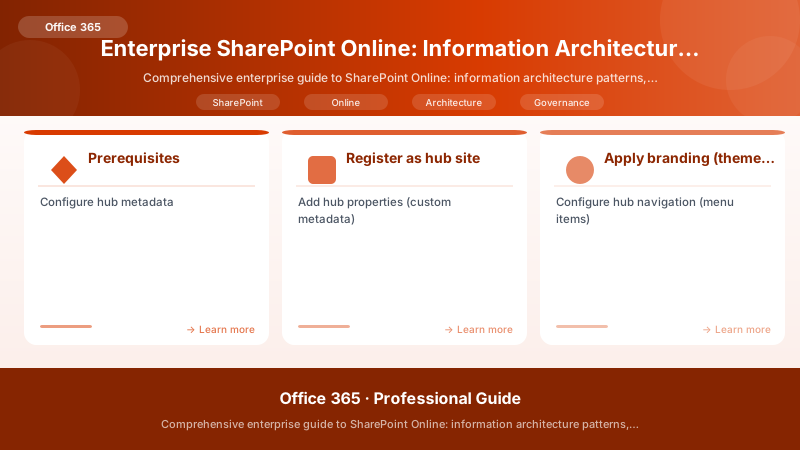
Figure: Configuration and management dashboard with status overview.
$newHub = New-EnterpriseHubSite -Title "Human Resources Hub" `
-SiteUrl "https://contoso.sharepoint.com/sites/HRHub" `
-HubType Department `
-Description "Central hub for all HR services and resources" `
-PrimaryOwners @('hr-admin@contoso.com', 'hr-lead@contoso.com') `
-BrandingConfig @{ PrimaryColor = '#107C10'; LogoUrl = '/sites/HRHub/SiteAssets/hr-logo.png' } `
-Metadata @{ Department = 'Human Resources'; CostCenter = 'HR-001'; Classification = 'Internal' }
## Site Association & Governance

```powershell


## Automated site association to hub (during site provisioning)
function Add-SiteToHub {
```powershell
param(
    [string]$SiteUrl,
    [string]$HubUrl,
    [switch]$Validate
)


Connect-SPOService -Url "https://contoso-admin.sharepoint.com"

if ($Validate) {
    # Verify site metadata matches hub classification
    $site = Get-SPOSite -Identity $SiteUrl
    $hub = Get-SPOHubSite | Where-Object { $_.SiteUrl -eq $HubUrl }

    # Business rule: Site classification must match hub (or be less restrictive)
    $classificationHierarchy = @('Public', 'Internal', 'Confidential', 'Restricted')
    $siteClassIndex = $classificationHierarchy.IndexOf($site.Classification)
    $hubMetadata = Get-PnPStorageEntity -Key "HubMetadata" -Context (Connect-PnPOnline -Url $HubUrl -Interactive -ReturnConnection)
    $hubClassIndex = $classificationHierarchy.IndexOf(($hubMetadata.Value | ConvertFrom-Json).Classification)

    if ($siteClassIndex -gt $hubClassIndex) {
        throw "Site classification ($($site.Classification)) is more restrictive than hub ($($hubMetadata.Value.Classification)). Association denied."
    }
}

## Associate site to hub
Add-SPOHubSiteAssociation -Site $SiteUrl -HubSite $HubUrl
Write-Output "Site $SiteUrl associated to hub $HubUrl"```
}
Expected output:
Connected to https://contoso.sharepoint.com

4. Metadata Taxonomy & Content Type Framework
Enterprise Managed Metadata Architecture
## Create enterprise term sets (requires term store admin)
function Initialize-EnterpriseTaxonomy {
```powershell
Connect-PnPOnline -Url "https://contoso.sharepoint.com" -Interactive


## Create term group
$termGroup = Get-PnPTermGroup -Identity "Enterprise Taxonomy" -ErrorAction SilentlyContinue
if (-not $termGroup) {
    $termGroup = New-PnPTermGroup -Name "Enterprise Taxonomy"
}


## Department term set
$deptTermSet = Get-PnPTermSet -Identity "Departments" -TermGroup $termGroup -ErrorAction SilentlyContinue
if (-not $deptTermSet) {
    $deptTermSet = New-PnPTermSet -Name "Departments" -TermGroup $termGroup
}


$departments = @('Human Resources', 'Finance', 'Information Technology', 'Sales', 'Marketing', 'Operations', 'Legal')
foreach ($dept in $departments) {
    New-PnPTerm -Name $dept -TermSet $deptTermSet -ErrorAction SilentlyContinue
}

## Region term set
$regionTermSet = New-PnPTermSet -Name "Regions" -TermGroup $termGroup -ErrorAction SilentlyContinue
$regions = @('North America', 'EMEA', 'APAC', 'Latin America')
foreach ($region in $regions) {
    $parentTerm = New-PnPTerm -Name $region -TermSet $regionTermSet -ErrorAction SilentlyContinue


    # Sub-regions (example for North America)
    if ($region -eq 'North America') {
        New-PnPTerm -Name "United States" -TermSet $regionTermSet -Parent $parentTerm
        New-PnPTerm -Name "Canada" -TermSet $regionTermSet -Parent $parentTerm
        New-PnPTerm -Name "Mexico" -TermSet $regionTermSet -Parent $parentTerm
    }
}

## Document Type term set
$docTypeTermSet = New-PnPTermSet -Name "Document Types" -TermGroup $termGroup -ErrorAction SilentlyContinue
$docTypes = @('Policy', 'Procedure', 'Form', 'Contract', 'Report', 'Presentation', 'Training Material')
foreach ($docType in $docTypes) {
    New-PnPTerm -Name $docType -TermSet $docTypeTermSet -ErrorAction SilentlyContinue
}


## Sensitivity Level (for content classification)
$sensitivityTermSet = New-PnPTermSet -Name "Sensitivity Levels" -TermGroup $termGroup -ErrorAction SilentlyContinue
$levels = @('Public', 'Internal', 'Confidential', 'Restricted')
foreach ($level in $levels) {
    New-PnPTerm -Name $level -TermSet $sensitivityTermSet -ErrorAction SilentlyContinue
}


Write-Output "Enterprise taxonomy initialized with $($departments.Count + $regions.Count + $docTypes.Count + $levels.Count) terms"```
}

## Apply site columns for metadata
function Add-EnterpriseSiteColumns {
```powershell
param([string]$SiteUrl)


Connect-PnPOnline -Url $SiteUrl -Interactive

## Department column (managed metadata)
Add-PnPField -Type TaxonomyFieldType -DisplayName "Department" -InternalName "EnterpriseDepartment" `
    -TermSetPath "Enterprise Taxonomy|Departments" -Required


## Region column
Add-PnPField -Type TaxonomyFieldType -DisplayName "Region" -InternalName "EnterpriseRegion" `
    -TermSetPath "Enterprise Taxonomy|Regions"


## Document Type column
Add-PnPField -Type TaxonomyFieldType -DisplayName "Document Type" -InternalName "EnterpriseDocType" `
    -TermSetPath "Enterprise Taxonomy|Document Types" -Required


## Sensitivity Level column
Add-PnPField -Type TaxonomyFieldType -DisplayName "Sensitivity" -InternalName "EnterpriseSensitivity" `
    -TermSetPath "Enterprise Taxonomy|Sensitivity Levels" -Required


## Business Owner (person)
Add-PnPField -Type User -DisplayName "Business Owner" -InternalName "EnterpriseBusinessOwner" -Required


## Retention Period (choice)
Add-PnPField -Type Choice -DisplayName "Retention Period" -InternalName "EnterpriseRetention" `
    -Choices "1 Year", "3 Years", "7 Years", "Permanent" -Required


Write-Output "Enterprise site columns added to $SiteUrl"```
}
Expected output:
Connected to https://contoso.sharepoint.com

Content Type Hub & Publishing
## Create enterprise content types (run in Content Type Hub site)
function New-EnterpriseContentTypes {
```powershell
param([string]$ContentTypeHubUrl = "https://contoso.sharepoint.com/sites/ContentTypeHub")


Connect-PnPOnline -Url $ContentTypeHubUrl -Interactive

## Policy Document content type
$policyDocCT = Add-PnPContentType -Name "Policy Document" -Group "Enterprise Content Types" `
    -ParentContentType (Get-PnPContentType -Identity "Document")


Add-PnPFieldToContentType -Field "EnterpriseDepartment" -ContentType $policyDocCT
Add-PnPFieldToContentType -Field "EnterpriseDocType" -ContentType $policyDocCT
Add-PnPFieldToContentType -Field "EnterpriseSensitivity" -ContentType $policyDocCT
Add-PnPFieldToContentType -Field "EnterpriseBusinessOwner" -ContentType $policyDocCT
Add-PnPFieldToContentType -Field "EnterpriseRetention" -ContentType $policyDocCT


## Contract content type
$contractCT = Add-PnPContentType -Name "Contract" -Group "Enterprise Content Types" `
    -ParentContentType (Get-PnPContentType -Identity "Document")


Add-PnPField -Type Text -DisplayName "Contract Number" -InternalName "ContractNumber" -Required
Add-PnPField -Type DateTime -DisplayName "Effective Date" -InternalName "ContractEffectiveDate" -Required
Add-PnPField -Type DateTime -DisplayName "Expiration Date" -InternalName "ContractExpirationDate" -Required
Add-PnPField -Type Currency -DisplayName "Contract Value" -InternalName "ContractValue"

Add-PnPFieldToContentType -Field "ContractNumber" -ContentType $contractCT
Add-PnPFieldToContentType -Field "ContractEffectiveDate" -ContentType $contractCT
Add-PnPFieldToContentType -Field "ContractExpirationDate" -ContentType $contractCT
Add-PnPFieldToContentType -Field "ContractValue" -ContentType $contractCT
Add-PnPFieldToContentType -Field "EnterpriseBusinessOwner" -ContentType $contractCT
Add-PnPFieldToContentType -Field "EnterpriseRetention" -ContentType $contractCT

## Publish content types (requires Content Type Hub feature enabled at tenant level)
Set-PnPContentType -Identity $policyDocCT.Id -UpdateChildren
Set-PnPContentType -Identity $contractCT.Id -UpdateChildren


Write-Output "Enterprise content types created and published from Content Type Hub"```
}
Expected output:
Connected to https://contoso.sharepoint.com

5. Permission Management & Access Governance
Permission Model Best Practices
## Enterprise permission framework (Azure AD groups + SharePoint groups)
function Initialize-SitePermissions {
```powershell
param(
    [string]$SiteUrl,
    [hashtable]$PermissionConfig
)


Connect-PnPOnline -Url $SiteUrl -Interactive

## Create SharePoint groups aligned with least-privilege model
$groupSuffix = ($SiteUrl -split '/')[-1]


## Owners group
$ownersGroup = New-PnPGroup -Title "$groupSuffix Owners" -Owner "admin@contoso.com" `
    -Description "Full control for site owners"
Set-PnPGroupPermissions -Identity $ownersGroup -AddRole "Full Control"


## Members group (contribute)
$membersGroup = New-PnPGroup -Title "$groupSuffix Members" -Owner $ownersGroup `
    -Description "Contribute access for team members"
Set-PnPGroupPermissions -Identity $membersGroup -AddRole "Contribute"


## Readers group (view only)
$readersGroup = New-PnPGroup -Title "$groupSuffix Readers" -Owner $ownersGroup `
    -Description "Read-only access"
Set-PnPGroupPermissions -Identity $readersGroup -AddRole "Read"


## Map Azure AD groups to SharePoint groups (governance-driven)
if ($PermissionConfig.OwnerAADGroups) {
    foreach ($aadGroup in $PermissionConfig.OwnerAADGroups) {
        Add-PnPGroupMember -LoginName $aadGroup -Group $ownersGroup
    }
}


if ($PermissionConfig.MemberAADGroups) {
    foreach ($aadGroup in $PermissionConfig.MemberAADGroups) {
        Add-PnPGroupMember -LoginName $aadGroup -Group $membersGroup
    }
}

if ($PermissionConfig.ReaderAADGroups) {
    foreach ($aadGroup in $PermissionConfig.ReaderAADGroups) {
        Add-PnPGroupMember -LoginName $aadGroup -Group $readersGroup
    }
}

## Disable share link inheritance for sensitive sites
if ($PermissionConfig.RestrictSharing) {
    Set-PnPSite -Identity $SiteUrl -Sharing Disabled
}


Write-Output "Permission groups initialized for $SiteUrl"```
}

## Usage example
$permConfig = @{
```text
OwnerAADGroups = @('HR-Admins@contoso.com')
MemberAADGroups = @('HR-Staff@contoso.com', 'HR-Managers@contoso.com')
ReaderAADGroups = @('All-Employees@contoso.com')
RestrictSharing = $true```
}
Initialize-SitePermissions -SiteUrl "https://contoso.sharepoint.com/sites/HR" -PermissionConfig $permConfig
Expected output:
Connected to https://contoso.sharepoint.com

Automated Access Review Workflow
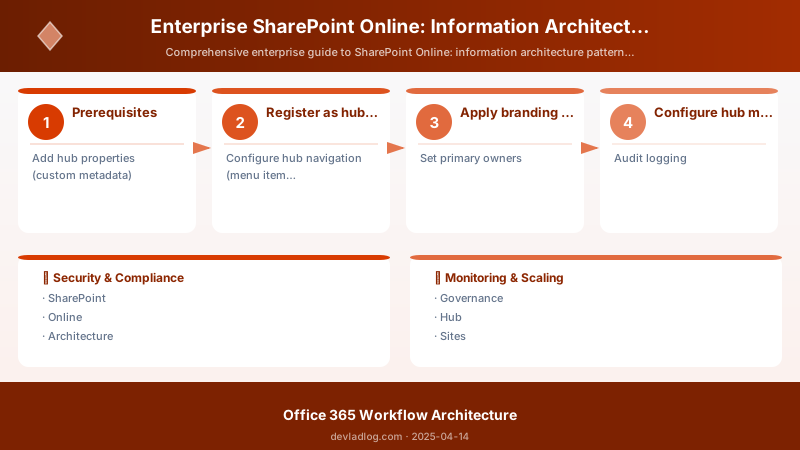
Figure: Azure Logic Apps – workflow designer with conditions and action steps.
## Quarterly access review (identify unique permissions and orphaned access)
function Invoke-SiteAccessReview {
```powershell
param(
    [string]$SiteUrl,
    [string]$ReportPath = "C:\Reports\AccessReview"
)


Connect-PnPOnline -Url $SiteUrl -Interactive

$site = Get-PnPSite
$web = Get-PnPWeb

## Get all lists/libraries with unique permissions
$listsWithUniquePerms = Get-PnPList | Where-Object { $_.HasUniqueRoleAssignments -eq $true }


$accessReport = @()

foreach ($list in $listsWithUniquePerms) {
    $roleAssignments = Get-PnPProperty -ClientObject $list -Property RoleAssignments

    foreach ($assignment in $roleAssignments) {
        $member = Get-PnPProperty -ClientObject $assignment -Property Member
        $roleDefinitionBindings = Get-PnPProperty -ClientObject $assignment -Property RoleDefinitionBindings

        $accessReport += [PSCustomObject]@{
            SiteUrl = $SiteUrl
            List = $list.Title
            Principal = $member.Title
            PrincipalType = $member.PrincipalType
            Permissions = ($roleDefinitionBindings | Select-Object -ExpandProperty Name) -join '; '
            HasUniquePermissions = $true
            ReviewDate = Get-Date
        }
    }
}

## Check for orphaned users (no longer in Azure AD)
$siteUsers = Get-PnPUser
foreach ($user in $siteUsers) {
    if ($user.PrincipalType -eq 'User' -and -not $user.IsShareByEmailGuestUser) {
        try {
            $aadUser = Get-AzureADUser -ObjectId $user.LoginName -ErrorAction Stop
        } catch {
            $accessReport += [PSCustomObject]@{
                SiteUrl = $SiteUrl
                List = "N/A"
                Principal = $user.LoginName
                PrincipalType = "Orphaned User"
                Permissions = "N/A"
                HasUniquePermissions = $false
                ReviewDate = Get-Date


            }
        }
    }
}

## Export report
$reportFile = "$ReportPath\AccessReview_$(($SiteUrl -split '/')[-1])_$(Get-Date -Format 'yyyyMMdd').csv"
$accessReport | Export-Csv -Path $reportFile -NoTypeInformation


Write-Output "Access review completed. Report: $reportFile"
return $accessReport```
}
Expected output:
Connected to https://contoso.sharepoint.com

Architecture Decision and Tradeoffs
When designing productivity and collaboration solutions with Microsoft 365, consider these key architectural trade-offs:
| Approach | Best For | Tradeoff |
|---|---|---|
| Managed / platform service | Rapid delivery, reduced ops burden | Less customisation, potential vendor lock-in |
| Custom / self-hosted | Full control, advanced tuning | Higher operational overhead and cost |
Recommendation: Start with the managed approach for most workloads and move to custom only when specific requirements demand it.
Security and Governance Considerations
- Least Privilege: Grant only the permissions required for each role
- Secret Management: Store credentials in Azure Key Vault or equivalent; never hard-code secrets
- Audit Logging: Enable diagnostic and activity logs for compliance and forensic analysis
- Data Protection: Encrypt data at rest and in transit; classify data with sensitivity labels where applicable
Cost and Performance Notes
- Primary Cost Drivers: Compute tier, storage volume, and network egress
- Optimization Levers: Right-size resources, use reserved instances or savings plans, and review Azure Advisor recommendations regularly
- Performance Baseline: Define SLAs, latency targets, and throughput thresholds before going live
- Scaling Strategy: Use auto-scale rules and monitor utilisation to balance cost and responsiveness
Validation and Versioning
- Last Validated: April 2026
- Tested With: Current generally-available Microsoft 365 APIs and SDKs
- Known Constraints: Check regional availability and service limits before production deployment
Official Microsoft References
Public Examples from Official Sources
6. Monitoring, Telemetry, and KPI Framework
Key Performance Indicators (KPIs)
| KPI | Measurement | Target | Data Source | Remediation Trigger |
|---|---|---|---|---|
| Site Adoption Rate | (Sites with activity last 30d / Total active sites) × 100 | >85% | SharePoint Admin Center reports + Graph API | <70% → Review site lifecycle policies |
| Storage Growth Rate | Monthly storage increase (GB/month) | <5% tenant quota | SPO storage reports | >10% → Capacity planning review |
| Unique Permission % | (Items with broken inheritance / Total items) × 100 | <5% | PnP PowerShell audits | >15% → Permission model review |
| External Sharing Compliance | (Sites with approved sharing / Sites with external sharing) × 100 | 100% | Sharing reports | <95% → Tighten external sharing policies |
| Content Type Adoption | (Documents with content types / Total documents) × 100 | >90% | Custom PnP reports | <75% → Metadata governance enforcement |
| Search Relevance Score | Avg successful search queries (clicks within top 5 results) | >70% | Microsoft Search insights | <50% → Managed properties tuning |
| Site Lifecycle Compliance | (Sites with expiration metadata / Total sites) × 100 | 100% | Custom audit script | <90% → Lifecycle policy enforcement |
Monitoring Dashboard (PowerShell + Power BI)
## Daily KPI collection (Azure Automation Runbook)
function Collect-SharePointKPIs {
```powershell
param(
    [string]$TenantAdminUrl = "https://contoso-admin.sharepoint.com",
    [string]$LogAnalyticsWorkspaceId,
    [string]$LogAnalyticsKey
)


Connect-SPOService -Url $TenantAdminUrl

## KPI 1: Site Adoption Rate
$allSites = Get-SPOSite -Limit All -Filter {Template -ne 'RedirectSite#0'}
$activeThreshold = (Get-Date).AddDays(-30)
$activeSites = $allSites | Where-Object { $_.LastContentModifiedDate -gt $activeThreshold }
$adoptionRate = if ($allSites.Count -gt 0) { ($activeSites.Count / $allSites.Count) * 100 } else { 0 }


## KPI 2: Storage Growth Rate
$storageReport = Get-SPOSiteUsageReport -Days 30
$currentStorage = ($allSites | Measure-Object -Property StorageUsageCurrent -Sum).Sum / 1024 / 1024  # Convert to GB
$storageQuota = ($allSites | Measure-Object -Property StorageQuota -Sum).Sum / 1024 / 1024
$utilizationPct = if ($storageQuota -gt 0) { ($currentStorage / $storageQuota) * 100 } else { 0 }


## Estimate monthly growth (based on last 30 days activity)
$historicalStorage = 0  # Would need to retrieve from previous run or database
$monthlyGrowth = $currentStorage - $historicalStorage


## KPI 3: Unique Permission %
$uniquePermCount = 0
$totalItemsCount = 0


## (Note: This is expensive; run weekly on sample sites or via separate job)


## logic - in production, sample sites or use Graph API batching


## KPI 4: External Sharing Compliance
$sharingReport = Get-SPOSite -Limit All | Where-Object { $_.SharingCapability -ne 'Disabled' }
$approvedSharingCount = ($sharingReport | Where-Object { $_.Classification -in @('Public', 'Internal') }).Count
$sharingCompliance = if ($sharingReport.Count -gt 0) { ($approvedSharingCount / $sharingReport.Count) * 100 } else { 100 }


## KPI 5: Content Type Adoption


## ( - requires PnP analysis across libraries)
$contentTypeAdoption = 0  # Would iterate sites/libraries checking content type usage


## KPI 6: Search Relevance


## (Requires Microsoft Search insights API - )
$searchRelevance = 0


## KPI 7: Lifecycle Compliance
$sitesWithExpiration = ($allSites | Where-Object { $_.Title -like '*-EXP-*' -or $_.Title -match '\d{4}-\d{2}-\d{2}' }).Count
$lifecycleCompliance = if ($allSites.Count -gt 0) { ($sitesWithExpiration / $allSites.Count) * 100 } else { 0 }


## Construct payload
$kpiPayload = @{
    Timestamp = Get-Date -Format "yyyy-MM-ddTHH:mm:ssZ"
    SiteAdoptionRate = [math]::Round($adoptionRate, 2)
    TotalSites = $allSites.Count
    ActiveSites = $activeSites.Count
    StorageUsageGB = [math]::Round($currentStorage, 2)
    StorageUtilizationPct = [math]::Round($utilizationPct, 2)
    MonthlyGrowthGB = [math]::Round($monthlyGrowth, 2)
    ExternalSharingCompliance = [math]::Round($sharingCompliance, 2)
    LifecycleCompliance = [math]::Round($lifecycleCompliance, 2)
} | ConvertTo-Json


## Send to Log Analytics (same pattern as Teams KPI script)


## Invoke-RestMethod to Log Analytics workspace

Write-Output "SharePoint KPIs collected and logged"```
}


> **Architecture Overview:** ## 7. Site Lifecycle Automation & Maturity Model
Discussion