
!Architecture Overview
Package Management Mastery: npm, NuGet, pip, and Maven Best Practices
Introduction
Prerequisites
| Requirement | Details |
|---|---|
| Basic setup and tooling | Basic setup and tooling |
Figure: Tool configuration for package management mastery—setup workflow, recommended settings, extension integration, and team standards.
Figure: Development workflow using package management mastery—edit-debug-test cycle, collaboration patterns, and automation integration.
Figure: CI/CD pipeline integration for package management mastery—build triggers, validation gates, artifact management, and deployment automation.
Package managers automate dependency installation, version management, and distribution across development teams. This guide covers best practices for major package ecosystems: npm/yarn/pnpm for JavaScript, NuGet for .NET, pip/poetry for Python, and Maven/Gradle for Java, with emphasis on security scanning, lockfile management, and dependency optimization.
Node.js Package Management
npm Fundamentals
package.json Configuration:
{
  "name": "contoso-app",
  "version": "1.0.0",
  "description": "Enterprise application",
  "main": "dist/index.js",
  "type": "module",
  "engines": {
```text
"node": ">=20.0.0",
"npm": ">=10.0.0"```
  },
  "scripts": {
```text
"start": "node dist/index.js",
"dev": "nodemon src/index.js",
"build": "tsc",
"test": "jest",
"lint": "eslint src/**/*.ts",
"prepare": "husky install"```
  },
  "dependencies": {
```text
"express": "^4.18.2",
"dotenv": "^16.3.1"```
  },
  "devDependencies": {
```text
"@types/node": "^20.10.0",
"typescript": "^5.3.3",
"jest": "^29.7.0"```
  },
  "peerDependencies": {
```text
"react": ">=18.0.0"```
  }
}
Semantic Versioning:
# Install exact version
npm install express@4.18.2 --save-exact

## Install with caret (minor updates allowed)
npm install express@^4.18.2  # Allows 4.x.x

## Install with tilde (patch updates only)
npm install express@~4.18.2  # Allows 4.18.x

## Install latest
npm install express@latest

## Check for outdated packages
npm outdated


## Update packages
npm update                    # Update within semver range
npm install express@latest    # Update to latest major
Expected output:
added 245 packages in 8s
found 0 vulnerabilities

Security Auditing:
## Check for vulnerabilities
npm audit


## Fix automatically
npm audit fix


## Force fix (may break changes)
npm audit fix --force


## View detailed report
npm audit --json > audit-report.json


## Ignore specific vulnerability (not recommended)
npm audit --audit-level=moderate
Yarn Modern (v3+)
Figure: Configuration and management dashboard with status overview.
Configuration (.yarnrc.yml):
nodeLinker: node-modules  # or pnp for Plug'n'Play

enableGlobalCache: true

packageExtensions:
  "react@*":
```yaml
peerDependencies:
  react-dom: "*"
plugins:
- path: .yarn/plugins/@yarnpkg/plugin-interactive-tools.cjs
- path: .yarn/plugins/@yarnpkg/plugin-workspace-tools.cjs
yarnPath: .yarn/releases/yarn-4.0.2.cjs
**Workspaces:**

```json
// Root package.json
{
  "name": "monorepo",
  "private": true,
  "workspaces": [
```text
"packages/*",
"apps/*"```
  ],
  "scripts": {
```text
"build": "yarn workspaces foreach -pt run build",
"test": "yarn workspaces foreach -p run test"```
  }
}
Commands:
## Install dependencies
yarn install

## Add dependency to workspace
yarn workspace @contoso/api add express


## Run script across workspaces
yarn workspaces foreach run build


## Check for duplicates
yarn dedupe


## Upgrade interactive
yarn upgrade-interactive
pnpm (Fast, Disk-Efficient)
Configuration (pnpm-workspace.yaml):
packages:
  - 'packages/*'
  - 'apps/*'
  - '!**/test/**'
Commands:
## Install (uses hard links, saves disk space)
pnpm install

## Add dependency
pnpm add express -D  # Dev dependency
pnpm add express -w  # Workspace root


## Filter by workspace
pnpm --filter @contoso/api add axios


## Update all packages
pnpm update --latest


## Prune store (remove unused packages)
pnpm store prune


## Why is package installed?
pnpm why lodash
Expected output:
added 245 packages in 8s
found 0 vulnerabilities

Performance Benefits:
## pnpm vs npm/yarn


## - 2x faster installation
## - 3x more disk efficient (hard links)


## - Strict dependency resolution (no phantom dependencies)
.NET Package Management (NuGet)
NuGet Configuration
MyApp.csproj:
<Project Sdk="Microsoft.NET.Sdk.Web">
  <PropertyGroup>
```text
<TargetFramework>net8.0</TargetFramework>
<Nullable>enable</Nullable>
<ImplicitUsings>enable</ImplicitUsings>```
  </PropertyGroup>

  <ItemGroup>
```text
<PackageReference Include="Microsoft.EntityFrameworkCore" Version="8.0.0" />
<PackageReference Include="Serilog.AspNetCore" Version="8.0.0" />
<PackageReference Include="Azure.Identity" Version="1.10.4" />```
  </ItemGroup>

  <ItemGroup>
```text
<PackageReference Include="Microsoft.NET.Test.Sdk" Version="17.8.0" />
<PackageReference Include="xunit" Version="2.6.3" />
<PackageReference Include="Moq" Version="4.20.70" />```
  </ItemGroup>
</Project>
Central Package Management (Directory.Packages.props):
<Project>
  <PropertyGroup>
```text
<ManagePackageVersionsCentrally>true</ManagePackageVersionsCentrally>```
  </PropertyGroup>

  <ItemGroup>
```text
<PackageVersion Include="Microsoft.EntityFrameworkCore" Version="8.0.0" />
<PackageVersion Include="Serilog.AspNetCore" Version="8.0.0" />
<PackageVersion Include="xunit" Version="2.6.3" />```
  </ItemGroup>
</Project>
Project files reference without version:
<ItemGroup>
  <PackageReference Include="Microsoft.EntityFrameworkCore" />
  <PackageReference Include="Serilog.AspNetCore" />
</ItemGroup>
NuGet Commands
## List installed packages
dotnet list package

## Check for updates
dotnet list package --outdated


## Add package
dotnet add package Newtonsoft.Json --version 13.0.3


## Remove package
dotnet remove package Newtonsoft.Json


## Restore packages
dotnet restore


## Clear cache
dotnet nuget locals all --clear


## List sources
dotnet nuget list source


## Add private feed
dotnet nuget add source https://pkgs.dev.azure.com/contoso/_packaging/MyFeed/nuget/v3/index.json \
  --name ContosoFeed \
  --username az \
  --password $PAT \
  --store-password-in-clear-text
Package Vulnerability Scanning
Enable auditing:
<PropertyGroup>
  <EnableNETAnalyzers>true</EnableNETAnalyzers>
  <AnalysisLevel>latest</AnalysisLevel>
  <TreatWarningsAsErrors>true</TreatWarningsAsErrors>
</PropertyGroup>
Check vulnerabilities:
## Check for vulnerable packages
dotnet list package --vulnerable --include-transitive


## Check for deprecated packages
dotnet list package --deprecated
Python Package Management
pip Basics
requirements.txt:
## Core dependencies
flask==3.0.0
sqlalchemy==2.0.23
pydantic==2.5.0


## Azure SDK
azure-identity>=1.15.0,<2.0.0
azure-storage-blob~=12.19.0


## Development
pytest>=7.4.0
black==23.12.0
pylint>=3.0.0

## Pinned for security
requests==2.31.0  # CVE-2023-32681 fixed in this version
Installation:
## Install from requirements.txt
pip install -r requirements.txt

## Generate requirements from environment
pip freeze > requirements.txt


## Install in editable mode (development)
pip install -e .

## Upgrade all packages
pip list --outdated --format=json | \
  jq -r '.[] | .name' | \
  xargs -n1 pip install -U


## Check installed packages
pip list

## Show package details
pip show flask
Poetry (Modern Python Packaging)
pyproject.toml:
[tool.poetry]
name = "contoso-app"
version = "1.0.0"
description = "Enterprise Python application"
authors = ["Team <team@contoso.com>"]

[tool.poetry.dependencies]
python = "^3.11"
flask = "^3.0.0"
sqlalchemy = "^2.0.0"
pydantic = "^2.5.0"

[tool.poetry.group.dev.dependencies]
pytest = "^7.4.0"
black = "^23.12.0"
pylint = "^3.0.0"

[tool.poetry.group.test.dependencies]
pytest-cov = "^4.1.0"
pytest-mock = "^3.12.0"

[build-system]
requires = ["poetry-core"]
build-backend = "poetry.core.masonry.api"
Commands:
## Initialize new project
poetry init


## Install dependencies
poetry install

## Add dependency
poetry add flask
poetry add pytest --group dev

## Update dependencies
poetry update


## Show dependency tree
poetry show --tree


## Export to requirements.txt
poetry export -f requirements.txt -o requirements.txt --without-hashes


## Run command in virtual environment
poetry run python app.py
poetry run pytest


## Build package
poetry build

## Publish to PyPI
poetry publish
Virtual Environments
venv:
## Create virtual environment
python -m venv .venv

## Activate (Windows)
.venv\Scripts\activate


## Activate (Linux/Mac)
source .venv/bin/activate


## Deactivate
deactivate


## Remove virtual environment
rm -rf .venv
pipenv:
## Install pipenv
pip install pipenv

## Create environment and install
pipenv install flask

## Install dev dependencies
pipenv install pytest --dev

## Activate shell
pipenv shell


## Run command
pipenv run python app.py


## Generate lockfile
pipenv lock


## Security check
pipenv check
Java Package Management
Maven
pom.xml:
<project xmlns="http://maven.apache.org/POM/4.0.0">
  <modelVersion>4.0.0</modelVersion>

  <groupId>com.contoso</groupId>
  <artifactId>contoso-app</artifactId>
  <version>1.0.0</version>
  <packaging>jar</packaging>

  <properties>
```text
<maven.compiler.source>21</maven.compiler.source>
<maven.compiler.target>21</maven.compiler.target>
<project.build.sourceEncoding>UTF-8</project.build.sourceEncoding>
<spring.boot.version>3.2.0</spring.boot.version>```
  </properties>

  <dependencies>
```text
<dependency>
  <groupId>org.springframework.boot</groupId>
  <artifactId>spring-boot-starter-web</artifactId>
  <version>${spring.boot.version}</version>
</dependency>

<dependency>
  <groupId>org.postgresql</groupId>
  <artifactId>postgresql</artifactId>
  <version>42.7.0</version>
  <scope>runtime</scope>
</dependency>

<dependency>
  <groupId>org.junit.jupiter</groupId>
  <artifactId>junit-jupiter</artifactId>
  <version>5.10.1</version>
  <scope>test</scope>
</dependency>```
  </dependencies>

  <build>
```text
<plugins>
  <plugin>
    <groupId>org.springframework.boot</groupId>
    <artifactId>spring-boot-maven-plugin</artifactId>
  </plugin>
</plugins>```
  </build>
</project>
Maven Commands:
## Compile
mvn compile


## Run tests
mvn test


## Package (create JAR)
mvn package

## Install to local repository
mvn install

## Clean build artifacts
mvn clean

## Full build
mvn clean install

## Dependency tree
mvn dependency:tree


## Check for updates
mvn versions:display-dependency-updates

## Update versions
mvn versions:use-latest-versions


## Security check (with OWASP plugin)
mvn org.owasp:dependency-check-maven:check
Gradle
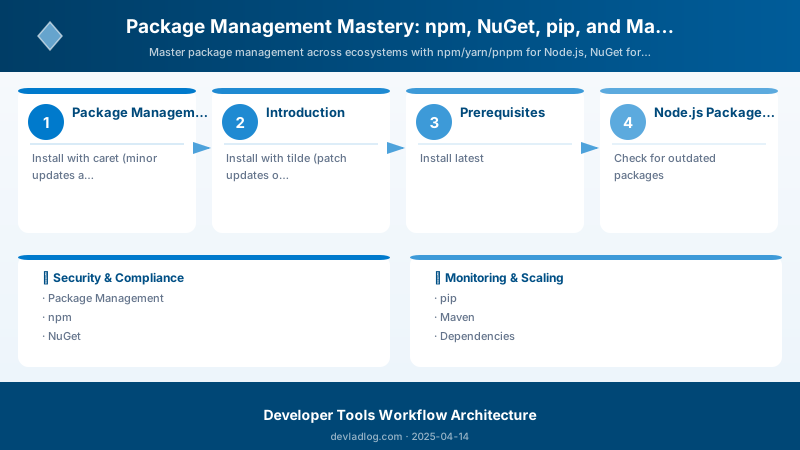
Figure: Configuration and management dashboard with status overview.
build.gradle.kts (Kotlin DSL):
plugins {
```text
id("org.springframework.boot") version "3.2.0"
id("io.spring.dependency-management") version "1.1.4"
kotlin("jvm") version "1.9.21"
kotlin("plugin.spring") version "1.9.21"```
}

group = "com.contoso"
version = "1.0.0"
java.sourceCompatibility = JavaVersion.VERSION_21

repositories {
```text
mavenCentral()```
}

dependencies {
```text
implementation("org.springframework.boot:spring-boot-starter-web")
implementation("org.springframework.boot:spring-boot-starter-data-jpa")
implementation("com.fasterxml.jackson.module:jackson-module-kotlin")

runtimeOnly("org.postgresql:postgresql")

testImplementation("org.springframework.boot:spring-boot-starter-test")
testImplementation("org.junit.jupiter:junit-jupiter:5.10.1")```
}

tasks.withType<Test> {
```text
useJUnitPlatform()```
}
Gradle Commands:
## Build project
./gradlew build

## Run tests
./gradlew test

## Run application
./gradlew bootRun


## Dependency report
./gradlew dependencies


## Check for updates
./gradlew dependencyUpdates

## Clean build
./gradlew clean build

## Assemble without tests
./gradlew assemble


## Publish to repository
./gradlew publish
Dependency Security
GitHub Dependabot
.github/dependabot.yml:
version: 2
updates:
  - package-ecosystem: "npm"
```yaml
directory: "/"
schedule:
  interval: "weekly"
  day: "monday"
open-pull-requests-limit: 10
reviewers:
  - "security-team"
labels:
  - "dependencies"
  - "security"
commit-message:
  prefix: "chore"
  include: "scope"
- package-ecosystem: "nuget"
directory: "/"
schedule:
  interval: "weekly"
ignore:
  - dependency-name: "Microsoft.EntityFrameworkCore"
    versions: ["7.x"]
- package-ecosystem: "pip"
directory: "/"
schedule:
  interval: "daily"
- package-ecosystem: "maven"
directory: "/"
schedule:
  interval: "weekly"
### Snyk Security Scanning

**GitHub Actions:**

```yaml
name: Security Scan

on:
  push:
```yaml
branches: [main]```
  pull_request:

jobs:
  snyk:
```yaml
runs-on: ubuntu-latest
steps:
  - uses: actions/checkout@v4

  - name: Run Snyk to check for vulnerabilities
    uses: snyk/actions/node@master
    env:
      SNYK_TOKEN: ${{ secrets.SNYK_TOKEN }}
    with:
      args: --severity-threshold=high --fail-on=upgradable
### OWASP Dependency Check

**Maven Plugin:**

```xml
<plugin>
  <groupId>org.owasp</groupId>
  <artifactId>dependency-check-maven</artifactId>
  <version>9.0.7</version>
  <configuration>
```text
<failBuildOnCVSS>7</failBuildOnCVSS>
<suppressionFiles>
  <suppressionFile>dependency-check-suppression.xml</suppressionFile>
</suppressionFiles>```
  </configuration>
</plugin>
Lockfile Best Practices
Commit Lockfiles
Always commit:
package-lock.json(npm)yarn.lock(Yarn)pnpm-lock.yaml(pnpm)poetry.lock(Poetry)Pipfile.lock(pipenv)
Do not commit:
node_modules/(use.gitignore).venv/orvenv/(Python virtual environments)
Lockfile Conflicts
## npm: Regenerate lockfile
rm package-lock.json
npm install


## Yarn: Resolve conflicts
yarn install


## Poetry: Update lock
poetry lock --no-update


## pnpm: Regenerate
pnpm install --force
Expected output:
added 245 packages in 8s
found 0 vulnerabilities

Best Practices
- Pin Major Versions: Use
^for libraries, exact versions for critical dependencies - Regular Updates: Weekly dependency updates prevent large breaking changes
- Security Audits: Automate vulnerability scanning in CI/CD
- Lockfile Discipline: Always commit lockfiles, review lockfile changes in PRs
- Private Registries: Use private package registries for proprietary code
- Minimize Dependencies: Fewer dependencies = smaller attack surface
- License Compliance: Check licenses before adding dependencies
Troubleshooting
npm Install Fails:
## Clear cache
npm cache clean --force
rm -rf node_modules package-lock.json
npm install
Expected output:
added 245 packages in 8s
found 0 vulnerabilities

NuGet Restore Issues:
## Clear NuGet cache
dotnet nuget locals all --clear
dotnet restore --force
pip Installation Errors:
## Upgrade pip
python -m pip install --upgrade pip


## Install with no cache
pip install --no-cache-dir -r requirements.txt
Architecture Decision and Tradeoffs
When designing development workflow solutions with Developer Tools, consider these key architectural trade-offs:
| Approach | Best For | Tradeoff |
|---|---|---|
| Managed / platform service | Rapid delivery, reduced ops burden | Less customisation, potential vendor lock-in |
| Custom / self-hosted | Full control, advanced tuning | Higher operational overhead and cost |
Recommendation: Start with the managed approach for most workloads and move to custom only when specific requirements demand it.
Validation and Versioning
- Last validated: April 2026
- Validate examples against your tenant, region, and SKU constraints before production rollout.
- Keep module, CLI, and SDK versions pinned in automation pipelines and review quarterly.
Security and Governance Considerations
- Apply least-privilege access using RBAC roles and just-in-time elevation for admin tasks.
- Store secrets in managed secret stores and avoid embedding credentials in scripts or source files.
- Enable audit logging, data protection policies, and periodic access reviews for regulated workloads.
Cost and Performance Notes
- Define budgets and alerts, then monitor usage and cost trends continuously after go-live.
- Baseline performance with synthetic and real-user checks before and after major changes.
- Scale resources with measured thresholds and revisit sizing after usage pattern changes.
Official Microsoft References
- https://learn.microsoft.com/visualstudio/
- https://learn.microsoft.com/azure/devops/
- https://learn.microsoft.com/github/
Public Examples from Official Sources
- These examples are sourced from official public Microsoft documentation and sample repositories.
- Documentation examples: https://learn.microsoft.com/visualstudio/
- Sample repositories: https://github.com/microsoft/vscode-extension-samples
- Prefer adapting these examples to your tenant, subscriptions, and governance requirements before production use.
Key Takeaways
- Each ecosystem has unique package management tools with different strengths
- Lockfiles ensure reproducible builds across environments
- Automated security scanning catches vulnerabilities early
- Central package version management simplifies updates in monorepos
- Regular dependency updates prevent technical debt accumulation
Next Steps
- Set up private package registry (Azure Artifacts, GitHub Packages, JFrog Artifactory)
- Implement automated dependency updates with Dependabot or Renovate
- Configure license compliance scanning with FOSSA or WhiteSource
- Establish dependency approval workflow for new package additions
Additional Resources
Dependencies managed, security assured.
Discussion