
Database DevOps: Version Control, CI/CD, and Automated Deployments
CREATE TABLE [dbo].[Customers] (
[CustomerID] INT IDENTITY(1,1) NOT NULL,
[CustomerName] NVARCHAR(100) NOT NULL,
[Email] NVARCHAR(100) NOT NULL,
[Phone] NVARCHAR(20) NULL,
[CreatedDate] DATETIME NOT NULL DEFAULT(GETUTCDATE()),
[ModifiedDate] DATETIME NOT NULL DEFAULT(GETUTCDATE()),
CONSTRAINT [PK_Customers] PRIMARY KEY CLUSTERED ([CustomerID] ASC),
CONSTRAINT [UQ_Customers_Email] UNIQUE ([Email]),
CONSTRAINT [CK_Customers_Email] CHECK ([Email] LIKE '%@%.%')```
);
GO

CREATE INDEX [IX_Customers_Email]
ON [dbo].[Customers]([Email])
INCLUDE ([CustomerName]);
GO
sp_GetCustomerOrders.sql:
CREATE PROCEDURE [dbo].[sp_GetCustomerOrders]
```text
@CustomerID INT```
AS
BEGIN
```sql
SET NOCOUNT ON;

SELECT
    o.OrderID,
    o.OrderDate,
    o.TotalAmount,
    o.Status
FROM dbo.Orders o
WHERE o.CustomerID = @CustomerID
ORDER BY o.OrderDate DESC;```
END;
GO
Code Reviews for Database Changes
Pull Request Template:
## Database Changes

### Tables
- [ ] Added Customers table with email validation constraint
- [ ] Added index on Email column


### Stored Procedures
- [ ] Added sp_GetCustomerOrders for order retrieval

### Backward Compatibility
- [ ] Changes are backward compatible
- [ ] No breaking changes to existing procedures

### Testing
- [ ] Unit tests added/updated
- [ ] Performance tested with realistic data volume
- [ ] Rollback script prepared

### Deployment Notes
- Estimated deployment time: 2 minutes
- Downtime required: None
- Pre-deployment backup: Required
DACPAC Deployment
Creating DACPAC with SSDT
Visual Studio → New Project → SQL Server Database Project
Project Settings:
- Target Platform: SQL Server 2019
- Output Type: Database (.dacpac)
Build Project:
## Build DACPAC from command line
"C:\Program Files\Microsoft Visual Studio\2022\Enterprise\MSBuild\Current\Bin\MSBuild.exe" `
```text
C:\Projects\DatabaseProject\DatabaseProject.sqlproj `
/t:Build `
/p:Configuration=Release `
/p:OutputPath=C:\Output
**DACPAC Output:** `C:\Output\DatabaseProject.dacpac`

## Publish Profiles

**DatabaseProject.publish.xml:**


```xml
<?xml version="1.0" encoding="utf-8"?>
<Project ToolsVersion="Current" xmlns="http://schemas.microsoft.com/developer/msbuild/2003">
  <PropertyGroup>
```text
<TargetDatabaseName>AdventureWorks</TargetDatabaseName>
<TargetConnectionString>Data Source=localhost;Integrated Security=True;Persist Security Info=False;Pooling=False;MultipleActiveResultSets=False;Connect Timeout=60;Encrypt=False;TrustServerCertificate=True</TargetConnectionString>

<!-- Deployment Options -->
<BlockOnPossibleDataLoss>True</BlockOnPossibleDataLoss>
<DropObjectsNotInSource>False</DropObjectsNotInSource>
<DropIndexesNotInSource>False</DropIndexesNotInSource>
<IgnoreExtendedProperties>False</IgnoreExtendedProperties>
<BackupDatabaseBeforeChanges>True</BackupDatabaseBeforeChanges>
<ScriptDatabaseOptions>True</ScriptDatabaseOptions>

<!-- Pre/Post Deployment Scripts -->
<IncludeCompositeObjects>True</IncludeCompositeObjects>```
  </PropertyGroup>
</Project>
Deploy DACPAC:
## Using SqlPackage.exe
& "C:\Program Files\Microsoft SQL Server\160\DAC\bin\SqlPackage.exe" `
```text
/Action:Publish `
/SourceFile:"C:\Output\DatabaseProject.dacpac" `
/TargetServerName:"localhost" `
/TargetDatabaseName:"AdventureWorks" `
/Profile:"DatabaseProject.publish.xml"
## Pre/Post Deployment Scripts

**Script.PreDeployment.sql:**


```sql
/*
 Pre-Deployment Script
 - Runs before schema changes
 - Use for data preservation, table renames
*/

-- Preserve data before table rebuild
IF OBJECT_ID('dbo.Customers_Backup', 'U') IS NOT NULL
```text
DROP TABLE dbo.Customers_Backup;
IF OBJECT_ID('dbo.Customers', 'U') IS NOT NULL BEGIN
SELECT * INTO dbo.Customers_Backup FROM dbo.Customers;
PRINT 'Customers data backed up';```
END;
GO
Script.PostDeployment.sql:
/*
 Post-Deployment Script
 - Runs after schema changes
 - Use for reference data, default values
*/

-- Insert default categories
IF NOT EXISTS (SELECT 1 FROM dbo.Categories WHERE CategoryName = 'Electronics')
BEGIN
```sql
INSERT INTO dbo.Categories (CategoryName, Description)
VALUES
    ('Electronics', 'Electronic devices and accessories'),
    ('Clothing', 'Apparel and fashion items'),
    ('Books', 'Physical and digital books');

PRINT 'Default categories inserted';```
END;
GO

-- Restore preserved data
IF OBJECT_ID('dbo.Customers_Backup', 'U') IS NOT NULL
BEGIN
```sql
MERGE dbo.Customers AS target
USING dbo.Customers_Backup AS source
ON target.CustomerID = source.CustomerID
WHEN NOT MATCHED THEN
    INSERT (CustomerID, CustomerName, Email, Phone)
    VALUES (source.CustomerID, source.CustomerName, source.Email, source.Phone);

DROP TABLE dbo.Customers_Backup;
PRINT 'Customer data restored';```
END;
GO
Drift Detection
## Compare database to DACPAC
& "C:\Program Files\Microsoft SQL Server\160\DAC\bin\SqlPackage.exe" `
```text
/Action:Script `
/SourceFile:"C:\Output\DatabaseProject.dacpac" `
/TargetServerName:"localhost" `
/TargetDatabaseName:"AdventureWorks" `
/OutputPath:"C:\Output\DriftReport.sql"
Review DriftReport.sql for schema differences
Figure: Table designer – columns, data types, constraints, and relationships.
## SQL Server Data Tools (SSDT)

### Schema Compare


**Visual Studio → Tools → SQL Server → New Schema Comparison**

1. **Source:** Database project (DatabaseProject.sqlproj)
2. **Target:** Database (localhost → AdventureWorks)
3. **Compare**


**Results:**

- Objects only in source (new additions)
- Objects only in target (manual changes)
- Objects with differences (drift)


**Generate Update Script:**

- Select objects to deploy
- Generate Script → Review → Update Target


### Data Compare

**Visual Studio → Tools → SQL Server → New Data Comparison**

1. **Source:** Development database
2. **Target:** Production database
3. **Tables:** Select reference data tables only


**Use Cases:**

- Sync lookup tables
- Copy test data to development
- Verify data consistency


### Static Code Analysis

**Project → Properties → Code Analysis:**

Enable rules:

- Microsoft.Rules.Data (SQL best practices)
- Naming conventions
- Performance rules
- Security rules


**Build Output:**

```csharp
Warning SQL71006: Table 'Customers' should have primary key
Warning SQL71502: Procedure 'sp_GetOrders' uses SELECT *
Warning SQL46010: Avoid using NOLOCK hint
Unit Testing with tSQLt
Install tSQLt Framework:
-- Download tSQLt.zip from https://tsqlt.org/
-- Extract tSQLt.class.sql

-- Install in test database
USE AdventureWorks_Test;
GO


-- Run tSQLt.class.sql script
Create Test Class:
EXEC tSQLt.NewTestClass 'CustomerTests';
GO
Write Unit Test:
CREATE PROCEDURE CustomerTests.[test sp_GetCustomerOrders returns orders for valid customer]
AS
BEGIN
```sql
-- Arrange
EXEC tSQLt.FakeTable 'dbo.Orders';

INSERT INTO dbo.Orders (CustomerID, OrderDate, TotalAmount, Status)
VALUES
    (1001, '2025-01-01', 100.00, 'Completed'),
    (1001, '2025-01-15', 200.00, 'Completed'),
    (1002, '2025-01-20', 150.00, 'Pending');

-- Act
CREATE TABLE #Actual (
    OrderID INT,
    OrderDate DATE,
    TotalAmount DECIMAL(10,2),
    Status NVARCHAR(20)
);

INSERT INTO #Actual
EXEC dbo.sp_GetCustomerOrders @CustomerID = 1001;

-- Assert
EXEC tSQLt.AssertEquals 2, (SELECT COUNT(*) FROM #Actual);
EXEC tSQLt.AssertEquals 'Completed', (SELECT TOP 1 Status FROM #Actual);```
END;
GO

-- Run all tests
EXEC tSQLt.RunAll;

-- Run specific test class
EXEC tSQLt.Run 'CustomerTests';
Azure DevOps CI/CD Pipelines
Build Pipeline (YAML)
azure-pipelines-build.yml:
trigger:
  branches:
```yaml
include:
- main
- develop```
  paths:
```yaml
include:
- Schemas/**
- Scripts/**
- DatabaseProject.sqlproj
pool: vmImage: 'windows-latest'
variables: solution: '**/*.sqlproj' buildPlatform: 'Any CPU' buildConfiguration: 'Release'
steps:
- task: VSBuild@1 displayName: 'Build Database Project' inputs:
solution: '$(solution)'
platform: '$(buildPlatform)'
configuration: '$(buildConfiguration)'
msbuildArgs: '/p:OutDir=$(Build.ArtifactStagingDirectory)'
- task: tSQLtRunner@1 displayName: 'Run tSQLt Unit Tests' inputs:
connectionString: 'Server=localhost;Database=AdventureWorks_Test;Integrated Security=true;'
testClass: 'CustomerTests'
- task: PublishBuildArtifacts@1 displayName: 'Publish DACPAC Artifact' inputs:
PathtoPublish: '$(Build.ArtifactStagingDirectory)'
ArtifactName: 'dacpac'
publishLocation: 'Container'
### Release Pipeline (YAML)

**azure-pipelines-release.yml:**

```yaml
stages:
- stage: DeployDev
  displayName: 'Deploy to Development'
  jobs:
  - deployment: DeployDatabase
```yaml
displayName: 'Deploy Database to Dev'
environment: 'Development'
strategy:
  runOnce:
    deploy:
      steps:
      - task: SqlAzureDacpacDeployment@1
        displayName: 'Deploy DACPAC to Dev'
        inputs:
          azureSubscription: 'Azure Subscription'
          AuthenticationType: 'servicePrincipal'
          ServerName: 'dev-sql-server.database.windows.net'
          DatabaseName: 'AdventureWorks'
          deployType: 'DacpacTask'
          DeploymentAction: 'Publish'
          DacpacFile: '$(Pipeline.Workspace)/dacpac/DatabaseProject.dacpac'
          AdditionalArguments: '/p:BlockOnPossibleDataLoss=True /p:BackupDatabaseBeforeChanges=True'
- stage: DeployProd
displayName: 'Deploy to Production'
dependsOn: DeployDev
condition: succeeded()
jobs:
- deployment: DeployDatabase
displayName: 'Deploy Database to Prod'
environment: 'Production'
strategy:
  runOnce:
    deploy:
      steps:
      - task: ManualValidation@0
        displayName: 'Manual Approval Required'
        inputs:
          instructions: 'Review deployment to production. Verify dev deployment successful.'

      - task: SqlAzureDacpacDeployment@1
        displayName: 'Backup Production Database'
        inputs:
          azureSubscription: 'Azure Subscription'
          ServerName: 'prod-sql-server.database.windows.net'
          DatabaseName: 'AdventureWorks'
          deployType: 'SqlTask'
          SqlFile: '$(Pipeline.Workspace)/dacpac/Scripts/BackupDatabase.sql'

      - task: SqlAzureDacpacDeployment@1
        displayName: 'Deploy DACPAC to Prod'
        inputs:
          azureSubscription: 'Azure Subscription'
          ServerName: 'prod-sql-server.database.windows.net'
          DatabaseName: 'AdventureWorks'
          deployType: 'DacpacTask'
          DeploymentAction: 'Publish'
          DacpacFile: '$(Pipeline.Workspace)/dacpac/DatabaseProject.dacpac'
          AdditionalArguments: '/p:BlockOnPossibleDataLoss=True'
### GitHub Actions Workflow

**.github/workflows/database-deploy.yml:**

```yaml
name: Database CI/CD

on:
  push:
```yaml
branches: [ main ]```
  pull_request:
```yaml
branches: [ main ]
jobs: build:
runs-on: windows-latest

steps:
- uses: actions/checkout@v3

- name: Setup MSBuild
  uses: microsoft/setup-msbuild@v1

- name: Build DACPAC
  run: |
    msbuild DatabaseProject.sqlproj `
      /p:Configuration=Release `
      /p:OutputPath=${{ github.workspace }}/output

- name: Upload DACPAC
  uses: actions/upload-artifact@v3
  with:
    name: dacpac
    path: ${{ github.workspace }}/output/*.dacpac
deploy-dev:
needs: build
runs-on: windows-latest
if: github.ref == 'refs/heads/main'

steps:
- name: Download DACPAC
  uses: actions/download-artifact@v3
  with:
    name: dacpac

- name: Deploy to Development
  run: |
    SqlPackage.exe `
      /Action:Publish `
      /SourceFile:DatabaseProject.dacpac `
      /TargetServerName:${{ secrets.DEV_SQL_SERVER }} `
      /TargetDatabaseName:AdventureWorks `
      /TargetUser:${{ secrets.SQL_USER }} `
      /TargetPassword:${{ secrets.SQL_PASSWORD }}
## Migration Scripts

### Idempotent Scripts


```sql
-- Safe to run multiple times
IF NOT EXISTS (SELECT 1 FROM sys.tables WHERE name = 'Customers')
BEGIN
```sql
CREATE TABLE dbo.Customers (
    CustomerID INT PRIMARY KEY IDENTITY,
    CustomerName NVARCHAR(100) NOT NULL,
    Email NVARCHAR(100) NOT NULL
);
PRINT 'Customers table created';```
END;
GO

IF NOT EXISTS (SELECT 1 FROM sys.columns WHERE object_id = OBJECT_ID('dbo.Customers') AND name = 'Phone')
BEGIN
```text
ALTER TABLE dbo.Customers
ADD Phone NVARCHAR(20) NULL;
PRINT 'Phone column added';```
END;
GO

IF NOT EXISTS (SELECT 1 FROM sys.indexes WHERE name = 'IX_Customers_Email')
BEGIN
```text
CREATE INDEX IX_Customers_Email ON dbo.Customers(Email);
PRINT 'Email index created';```
END;
GO
State-Based vs Migration-Based
State-Based (DACPAC):
- Define desired end state
- Tool generates migration script
- Pros: Simple, declarative
- Cons: May lose data if not careful
Migration-Based (Flyway, DbUp):
- Write explicit migration scripts
- Numbered/versioned (V001, V002, etc.)
- Pros: Full control, explicit
- Cons: More manual work
DbUp Example:
// C# console application with DbUp
using DbUp;

var connectionString = "Server=localhost;Database=AdventureWorks;Integrated Security=true;";

var upgrader = DeployChanges.To
```text
.SqlDatabase(connectionString)
.WithScriptsFromFileSystem(@"C:\Migrations")
.LogToConsole()
.Build();
var result = upgrader.PerformUpgrade();
if (!result.Successful) {
Console.ForegroundColor = ConsoleColor.Red;
Console.WriteLine(result.Error);
return -1;```
}

Console.ForegroundColor = ConsoleColor.Green;
Console.WriteLine("Success!");
return 0;
Migration Script (V001__CreateCustomersTable.sql):
CREATE TABLE dbo.Customers (
```text
CustomerID INT PRIMARY KEY IDENTITY,
CustomerName NVARCHAR(100) NOT NULL,
Email NVARCHAR(100) NOT NULL,
CreatedDate DATETIME NOT NULL DEFAULT(GETUTCDATE())```
);
GO
Rollback Strategies
Transaction-Based Rollback
BEGIN TRY
```sql
BEGIN TRANSACTION;

-- Schema changes
ALTER TABLE dbo.Customers ADD Phone NVARCHAR(20) NULL;
CREATE INDEX IX_Customers_Phone ON dbo.Customers(Phone);

-- Validation
IF NOT EXISTS (SELECT 1 FROM sys.columns WHERE object_id = OBJECT_ID('dbo.Customers') AND name = 'Phone')
BEGIN
    THROW 50001, 'Column not created successfully', 1;
END;

COMMIT TRANSACTION;
PRINT 'Deployment successful';```
END TRY
BEGIN CATCH
```text
IF @@TRANCOUNT > 0
    ROLLBACK TRANSACTION;

PRINT 'Deployment failed: ' + ERROR_MESSAGE();
THROW;```
END CATCH;
Backup-Based Rollback
## Pre-deployment backup
$timestamp = Get-Date -Format "yyyyMMdd_HHmmss"
$backupFile = "C:\Backup\AdventureWorks_PreDeploy_$timestamp.bak"


Invoke-Sqlcmd -Query @"
BACKUP DATABASE AdventureWorks
TO DISK = '$backupFile'
WITH COMPRESSION, CHECKSUM;
"@ -ServerInstance "localhost"

## Deploy changes


## ...


## Rollback if needed
if ($deploymentFailed) {
```sql
Invoke-Sqlcmd -Query @"
USE master;
ALTER DATABASE AdventureWorks SET SINGLE_USER WITH ROLLBACK IMMEDIATE;
RESTORE DATABASE AdventureWorks FROM DISK = '$backupFile' WITH REPLACE;
ALTER DATABASE AdventureWorks SET MULTI_USER;```
"@ -ServerInstance "localhost"
}
Blue-Green Deployment
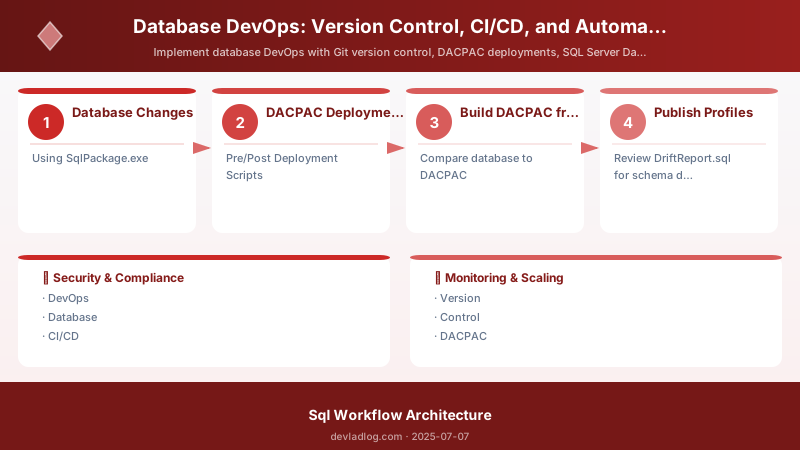
Figure: CI/CD pipeline – build, test, staging, and production stages.
-- Create green database (new version)
RESTORE DATABASE AdventureWorks_Green
FROM DISK = 'C:\Backup\AdventureWorks.bak'
WITH MOVE 'AdventureWorks' TO 'C:\Data\AdventureWorks_Green.mdf',
     MOVE 'AdventureWorks_log' TO 'C:\Data\AdventureWorks_Green_log.ldf',
     REPLACE;


-- Deploy changes to green
-- ...

-- Switch alias to green (zero downtime)
-- Update DNS/load balancer to point to green

-- Keep blue for rollback
-- After validation, drop blue database
Architecture Decision and Tradeoffs
When designing data management solutions with SQL Server, consider these key architectural trade-offs:
| Approach | Best For | Tradeoff |
|---|---|---|
| Managed / platform service | Rapid delivery, reduced ops burden | Less customisation, potential vendor lock-in |
| Custom / self-hosted | Full control, advanced tuning | Higher operational overhead and cost |
Recommendation: Start with the managed approach for most workloads and move to custom only when specific requirements demand it.
Validation and Versioning
- Last validated: April 2026
- Validate examples against your tenant, region, and SKU constraints before production rollout.
- Keep module, CLI, and SDK versions pinned in automation pipelines and review quarterly.
Security and Governance Considerations
- Apply least-privilege access using RBAC roles and just-in-time elevation for admin tasks.
- Store secrets in managed secret stores and avoid embedding credentials in scripts or source files.
- Enable audit logging, data protection policies, and periodic access reviews for regulated workloads.
Cost and Performance Notes
- Define budgets and alerts, then monitor usage and cost trends continuously after go-live.
- Baseline performance with synthetic and real-user checks before and after major changes.
- Scale resources with measured thresholds and revisit sizing after usage pattern changes.
Official Microsoft References
- https://learn.microsoft.com/sql/
- https://learn.microsoft.com/azure/azure-sql/
- https://learn.microsoft.com/fabric/database/
Public Examples from Official Sources
- These examples are sourced from official public Microsoft documentation and sample repositories.
- Documentation examples: https://learn.microsoft.com/sql/
- Sample repositories: https://github.com/microsoft/sql-server-samples
- Prefer adapting these examples to your tenant, subscriptions, and governance requirements before production use.
Key Takeaways
- Version control database schema with Git
- Use DACPAC for declarative deployments
- Implement pre/post deployment scripts for data preservation
- Write unit tests with tSQLt framework
- Automate deployments with Azure DevOps or GitHub Actions
- Use idempotent migration scripts
- Always backup before production deployments
- Implement approval gates for production
- Monitor deployments with logs and alerts
- Practice rollback procedures regularly
Next Steps
- Create SSDT project for existing database
- Set up Azure DevOps CI/CD pipeline
- Write first tSQLt unit tests
- Implement pre-deployment backup strategy
- Document rollback procedures
Additional Resources
Version. Build. Test. Deploy. Repeat.
Discussion