
T-SQL Programming Essentials: Procedures, Functions, and Triggers
@EventData.value('(/EVENT_INSTANCE/EventType)[1]', 'NVARCHAR(100)'), @EventData.value('(/EVENT_INSTANCE/ObjectName)[1]', 'NVARCHAR(256)'), @EventData.value('(/EVENT_INSTANCE/DatabaseName)[1]', 'NVARCHAR(256)'), @EventData.value('(/EVENT_INSTANCE/TSQLCommand)[1]', 'NVARCHAR(MAX)'), SUSER_SNAME(), GETUTCDATE() );``` END; GO
## Transactions and Locking

### Transaction Management
```sql
CREATE PROCEDURE dbo.ProcessOrder
```text
@OrderID INT```
AS
BEGIN
```sql
SET NOCOUNT ON;
BEGIN TRY
BEGIN TRANSACTION;
-- Update order status
UPDATE dbo.Orders
SET Status = 'Processing',
ProcessedDate = GETUTCDATE()
WHERE OrderID = @OrderID;
-- Decrement inventory
UPDATE p
SET p.StockQuantity = p.StockQuantity - od.Quantity
FROM dbo.Products p
INNER JOIN dbo.OrderDetails od ON p.ProductID = od.ProductID
WHERE od.OrderID = @OrderID;
-- Check for negative inventory
IF EXISTS (
SELECT 1 FROM dbo.Products p
INNER JOIN dbo.OrderDetails od ON p.ProductID = od.ProductID
WHERE od.OrderID = @OrderID AND p.StockQuantity < 0
)
BEGIN
THROW 50004, 'Insufficient inventory', 1;
END;
-- Create shipment record
INSERT INTO dbo.Shipments (OrderID, ShipDate, Status)
VALUES (@OrderID, GETUTCDATE(), 'Pending');
COMMIT TRANSACTION;
END TRY
BEGIN CATCH
IF @@TRANCOUNT > 0
ROLLBACK TRANSACTION;
THROW;
END CATCH;```
END;
GO
Isolation Levels
-- Read Committed (default)
SET TRANSACTION ISOLATION LEVEL READ COMMITTED;
BEGIN TRANSACTION;
SELECT * FROM dbo.Products WHERE ProductID = 1;
COMMIT;

-- Read Uncommitted (dirty reads)
SET TRANSACTION ISOLATION LEVEL READ UNCOMMITTED;
SELECT * FROM dbo.Products;  -- Can read uncommitted changes

-- Repeatable Read (prevents non-repeatable reads)
SET TRANSACTION ISOLATION LEVEL REPEATABLE READ;
BEGIN TRANSACTION;
SELECT * FROM dbo.Products WHERE ProductID = 1;
-- Row locked until commit
COMMIT;

-- Serializable (prevents phantom reads)
SET TRANSACTION ISOLATION LEVEL SERIALIZABLE;
BEGIN TRANSACTION;
SELECT * FROM dbo.Products WHERE CategoryID = 5;
-- Range locked, no new rows can be inserted
COMMIT;

-- Snapshot (row versioning)
ALTER DATABASE AdventureWorks SET ALLOW_SNAPSHOT_ISOLATION ON;
SET TRANSACTION ISOLATION LEVEL SNAPSHOT;
BEGIN TRANSACTION;
SELECT * FROM dbo.Products;  -- Reads snapshot from start of transaction
COMMIT;
Handling Deadlocks
CREATE PROCEDURE dbo.UpdateInventorySafe
```text
@ProductID INT,
@Quantity INT```
AS


BEGIN
```sql
DECLARE @Retries INT = 3;
DECLARE @RetryCount INT = 0;

WHILE @RetryCount < @Retries
BEGIN
    BEGIN TRY
        BEGIN TRANSACTION;

        -- Update with UPDLOCK hint to reduce deadlocks
        UPDATE dbo.Products WITH (UPDLOCK, ROWLOCK)
        SET StockQuantity = StockQuantity - @Quantity
        WHERE ProductID = @ProductID;

        COMMIT TRANSACTION;
        RETURN 0;  -- Success
    END TRY
    BEGIN CATCH
        IF @@TRANCOUNT > 0
            ROLLBACK TRANSACTION;

        -- Check if deadlock victim
        IF ERROR_NUMBER() = 1205
        BEGIN
            SET @RetryCount = @RetryCount + 1;
            WAITFOR DELAY '00:00:00.100';  -- Wait 100ms before retry

            IF @RetryCount >= @Retries
                THROW;  -- Give up after retries
        END
        ELSE
        BEGIN
            THROW;  -- Re-throw other errors
        END;
    END CATCH;
END;```
END;
GO
Best Practices
Avoid Cursors - Use Set-Based Operations
-- ❌ BAD - Cursor-based approach
DECLARE @ProductID INT;
DECLARE cur CURSOR FOR SELECT ProductID FROM dbo.Products;

OPEN cur;
FETCH NEXT FROM cur INTO @ProductID;

WHILE @@FETCH_STATUS = 0
BEGIN
```sql
UPDATE dbo.Products
SET Price = Price * 1.1
WHERE ProductID = @ProductID;

FETCH NEXT FROM cur INTO @ProductID;```
END;

CLOSE cur;
DEALLOCATE cur;

-- ✅ GOOD - Set-based approach
UPDATE dbo.Products
SET Price = Price * 1.1;
Use Schema Names
-- ❌ BAD
SELECT * FROM Orders;

-- ✅ GOOD
SELECT * FROM dbo.Orders;
Handle Errors Properly
CREATE PROCEDURE dbo.DeleteCustomer
```text
@CustomerID INT```
AS
BEGIN
```sql
SET NOCOUNT ON;

BEGIN TRY
    BEGIN TRANSACTION;

    -- Check if customer has orders
    IF EXISTS (SELECT 1 FROM dbo.Orders WHERE CustomerID = @CustomerID)
    BEGIN
        THROW 50005, 'Cannot delete customer with existing orders', 1;
    END;

    -- Delete customer
    DELETE FROM dbo.Customers WHERE CustomerID = @CustomerID;

    IF @@ROWCOUNT = 0
    BEGIN
        THROW 50006, 'Customer not found', 1;
    END;

    COMMIT TRANSACTION;
    RETURN 0;
END TRY
BEGIN CATCH
    IF @@TRANCOUNT > 0
        ROLLBACK TRANSACTION;

    -- Log and re-throw
    INSERT INTO dbo.ErrorLog (ErrorMessage, ErrorProcedure, ErrorLine)
    VALUES (ERROR_MESSAGE(), ERROR_PROCEDURE(), ERROR_LINE());

    THROW;
END CATCH;```
END;
GO
Avoid SELECT *
-- ❌ BAD
SELECT * FROM dbo.Customers;

-- ✅ GOOD
SELECT CustomerID, FirstName, LastName, Email
FROM dbo.Customers;
Architecture Decision and Tradeoffs
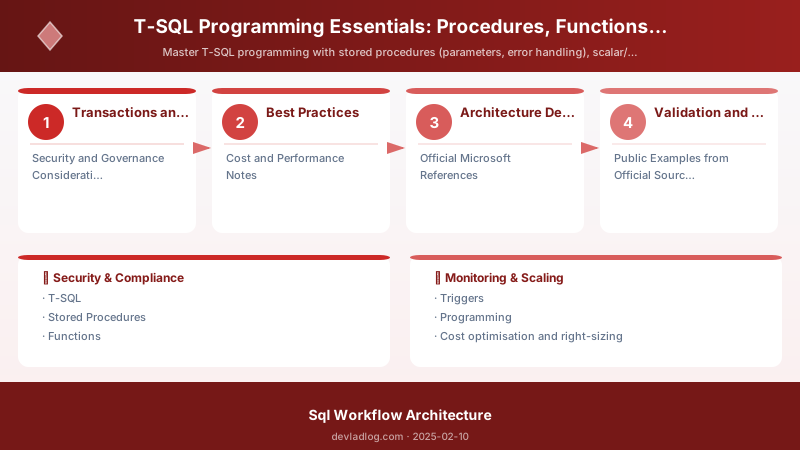
When designing data management solutions with SQL Server, consider these key architectural trade-offs:
| Approach | Best For | Tradeoff |
|---|---|---|
| Managed / platform service | Rapid delivery, reduced ops burden | Less customisation, potential vendor lock-in |
| Custom / self-hosted | Full control, advanced tuning | Higher operational overhead and cost |
Recommendation: Start with the managed approach for most workloads and move to custom only when specific requirements demand it.
Validation and Versioning
- Last validated: April 2026
- Validate examples against your tenant, region, and SKU constraints before production rollout.
- Keep module, CLI, and SDK versions pinned in automation pipelines and review quarterly.
Security and Governance Considerations
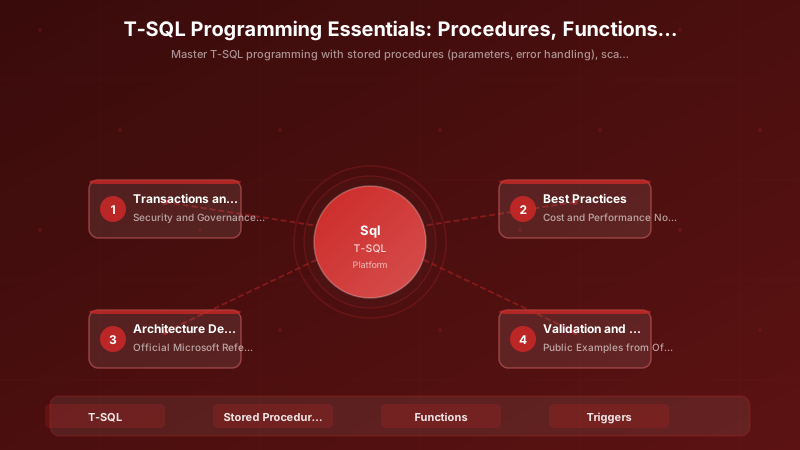
- Apply least-privilege access using RBAC roles and just-in-time elevation for admin tasks.
- Store secrets in managed secret stores and avoid embedding credentials in scripts or source files.
- Enable audit logging, data protection policies, and periodic access reviews for regulated workloads.
Cost and Performance Notes
- Define budgets and alerts, then monitor usage and cost trends continuously after go-live.
- Baseline performance with synthetic and real-user checks before and after major changes.
- Scale resources with measured thresholds and revisit sizing after usage pattern changes.
Official Microsoft References
- https://learn.microsoft.com/sql/
- https://learn.microsoft.com/azure/azure-sql/
- https://learn.microsoft.com/fabric/database/
Public Examples from Official Sources
- These examples are sourced from official public Microsoft documentation and sample repositories.
- Documentation examples: https://learn.microsoft.com/sql/
- Sample repositories: https://github.com/microsoft/sql-server-samples
- Prefer adapting these examples to your tenant, subscriptions, and governance requirements before production use.
Key Takeaways
- Use stored procedures for complex business logic
- Implement proper error handling with TRY-CATCH
- Prefer inline table-valued functions over multi-statement
- Use AFTER triggers for auditing, INSTEAD OF for views
- Manage transactions explicitly with BEGIN/COMMIT/ROLLBACK
- Choose appropriate isolation levels for concurrency
- Avoid cursors - use set-based operations
- Always use schema names and specific column lists
- Handle deadlocks with retry logic
- Test thoroughly with realistic data volumes
Next Steps
- Review existing procedures for error handling
- Convert cursors to set-based operations
- Implement auditing with triggers
- Add transaction management to multi-step operations
- Document all stored procedures and functions
Additional Resources
Write once. Execute everywhere. Maintain forever.
Discussion