
SharePoint Syntex: AI-Powered Document Understanding
Introduction
SharePoint Syntex (now Microsoft Syntex) uses AI to automatically read, tag, and process documents at scale. By creating content understanding models, organizations can transform unstructured content into structured, searchable, and actionable data — eliminating manual document classification and metadata extraction across SharePoint libraries.
This guide covers model types, practical implementation, integration with compliance and records management, and best practices for enterprise document processing.
Core Capabilities
| Feature | Description | Use Case |
|---|---|---|
| Document Understanding | Custom ML models to classify documents and extract entities | Contract analysis, policy review |
| Form Processing | Extract key-value pairs from structured forms | Invoice processing, applications |
| Prebuilt Models | Ready-to-use models for common document types | Invoices, receipts, W-2s |
| Content Assembly | Generate documents from templates | Contracts, proposals, reports |
| Image Tagging | Automatic taxonomy tags from image content | Photo libraries, product images |
Implementation Guide
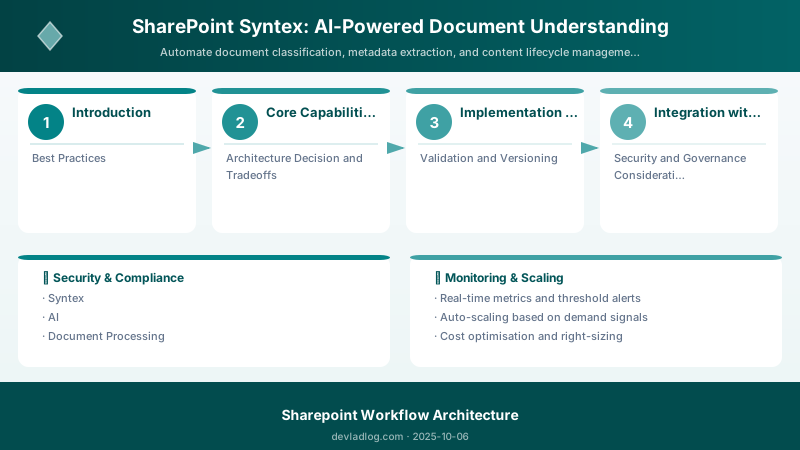
Step 1: Set Up Content Center
# Create a Syntex content center site
Connect-PnPOnline -Url "https://contoso.sharepoint.com" -Interactive

# Enable Syntex features
# Navigate to SharePoint Admin Center > Content services > Syntex
# Or use PowerShell:
Set-PnPSite -Identity "https://contoso.sharepoint.com/sites/ContentCenter" \
    -ContentCenterEnabled:$true
Expected output:
Connected to https://contoso.sharepoint.com

Step 2: Create a Document Understanding Model
- Navigate to the Content Center site
- Select "Create a model" > "Teaching method"
- Name the model (e.g., "Contract Classifier")
- Upload 5-10 example files (mix of positive and negative examples)
- Label the training files:
- Mark which files ARE contracts (positive examples)
- Mark which files are NOT contracts (negative examples)
- Train the classifier
Step 3: Add Extractors
For each piece of information to extract:
Architecture Overview: Model: Contract Classifier
Step 4: Apply Model to Libraries
# Apply the trained model to a document library
# This enables automatic classification and extraction for all new uploads

# Via UI:
# 1. Go to model > Apply model
# 2. Select target site and library
# 3. Model processes existing + new documents

# Monitor processing
Get-PnPListItem -List "Documents" -Fields "ContentType","ContractDate","Counterparty"
Expected output:
Title           ItemCount  Url
-----           ---------  ---
Documents       156        /Shared Documents

Step 5: Use Extracted Data
# Query extracted metadata with PnP PowerShell
$contracts = Get-PnPListItem -List "Contracts" -Fields "ContractDate","Counterparty","ContractValue","ExpirationDate" |
    Where-Object { $_["ExpirationDate"] -lt (Get-Date).AddDays(90) } |
    Select-Object @{N="File";E={$_["FileLeafRef"]}},
                  @{N="Counterparty";E={$_["Counterparty"]}},
                  @{N="Expires";E={$_["ExpirationDate"]}},
                  @{N="Value";E={$_["ContractValue"]}}

# Export expiring contracts report
$contracts | Export-Csv -Path "expiring-contracts.csv" -NoTypeInformation
Expected output:
Title           ItemCount  Url
-----           ---------  ---
Documents       156        /Shared Documents

Integration with Compliance
- Retention Labels: Automatically apply retention policies based on Syntex classification
- Sensitivity Labels: Tag documents containing PII or confidential information
- Records Management: Declare records based on document type classification
- eDiscovery: Searchable metadata improves legal discovery accuracy
Best Practices
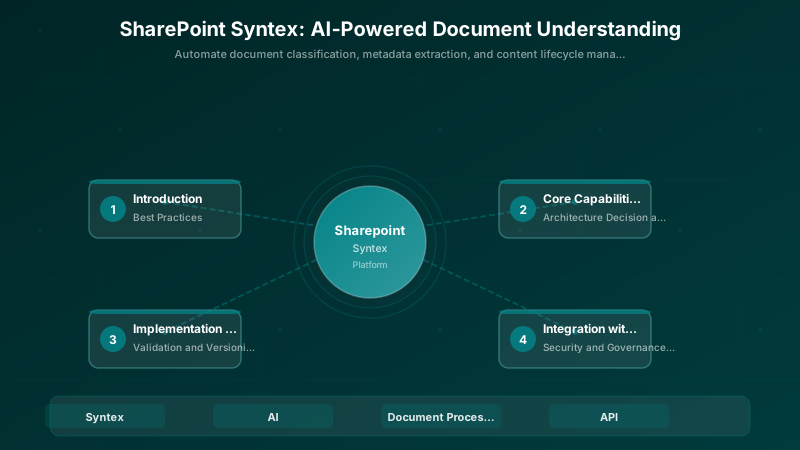
- Start with High-Volume Document Types: Focus on documents your organization processes most frequently
- Quality Training Data: Use clear, representative examples — poor training data creates poor models
- Iterate and Improve: Review model accuracy regularly, add training examples for misclassifications
- Combine with Power Automate: Trigger workflows based on Syntex classifications (e.g., route contracts for review)
- Monitor Processing: Track model accuracy metrics and processing throughput in the content center
Architecture Decision and Tradeoffs
When designing content management and collaboration solutions with SharePoint, consider these key architectural trade-offs:
| Approach | Best For | Tradeoff |
|---|---|---|
| Managed / platform service | Rapid delivery, reduced ops burden | Less customisation, potential vendor lock-in |
| Custom / self-hosted | Full control, advanced tuning | Higher operational overhead and cost |
Recommendation: Start with the managed approach for most workloads and move to custom only when specific requirements demand it.
Validation and Versioning
- Last validated: April 2026
- Validate examples against your tenant, region, and SKU constraints before production rollout.
- Keep module, CLI, and SDK versions pinned in automation pipelines and review quarterly.
Security and Governance Considerations
- Apply least-privilege access using RBAC roles and just-in-time elevation for admin tasks.
- Store secrets in managed secret stores and avoid embedding credentials in scripts or source files.
- Enable audit logging, data protection policies, and periodic access reviews for regulated workloads.
Cost and Performance Notes
- Define budgets and alerts, then monitor usage and cost trends continuously after go-live.
- Baseline performance with synthetic and real-user checks before and after major changes.
- Scale resources with measured thresholds and revisit sizing after usage pattern changes.
Official Microsoft References
- https://learn.microsoft.com/sharepoint/
- https://learn.microsoft.com/microsoft-365/enterprise/
- https://learn.microsoft.com/purview/
Public Examples from Official Sources
- These examples are sourced from official public Microsoft documentation and sample repositories.
- Documentation examples: https://learn.microsoft.com/sharepoint/dev/
- Sample repositories: https://github.com/SharePoint/sp-dev-docs
- Prefer adapting these examples to your tenant, subscriptions, and governance requirements before production use.
Key Takeaways
- ✅ Microsoft Syntex automates document classification and metadata extraction at scale
- ✅ Document understanding models learn from examples — no coding required
- ✅ Extracted metadata enables powerful search, compliance, and workflow automation
- ✅ Integration with Microsoft 365 compliance features strengthens governance
- ✅ Start small, prove value, then expand to additional document types
Discussion