
"title": "Site Request: @{triggerOutputs()?['entity/Title']}", "details": "Business Justification: @{triggerOutputs()?['entity/Justification']}\nOwner: @{triggerOutputs()?['entity/Owner/DisplayName']}\nTemplate: @{triggerOutputs()?['entity/Template']}" }, { "type": "Condition", "if": "Approval outcome equals 'Approve'", "then": [ { "type": "HTTP", "method": "POST", "uri": "https://contoso.sharepoint.com/sites/hr/_api/SPSiteManager/create", "headers": { "Accept": "application/json", "Content-Type": "application/json" }, "body": { "request": { "Title": "@{triggerOutputs()?['entity/Title']}", "Url": "https://contoso.sharepoint.com/sites/@{triggerOutputs()?['entity/Alias']}", "Owner": "@{triggerOutputs()?['entity/Owner/Email']}", "WebTemplate": "@{triggerOutputs()?['entity/Template']}" } } }, { "type": "Apply site template", "site": "@{outputs('HTTP')?['body/d/SiteUrl']}", "template": "@{triggerOutputs()?['entity/Template']}.pnp" }, { "type": "Send email", "to": "@{triggerOutputs()?['entity/Owner/Email']}", "subject": "Site Created: @{triggerOutputs()?['entity/Title']}", "body": "Your SharePoint site has been created.\n\nURL: @{outputs('HTTP')?['body/d/SiteUrl']}\n\nPlease review the governance guidelines: https://intranet.contoso.com/governance" }, { "type": "Update item", "fields": { "Status": "Approved", "SiteURL": "@{outputs('HTTP')?['body/d/SiteUrl']}", "CreatedDate": "@{utcNow()}" } } ], "else": [ { "type": "Update item", "fields": { "Status": "Rejected", "Comments": "@{outputs('Start_and_wait_for_an_approval')?['body/responses'][0]/comments]}" } }, { "type": "Send email", "to": "@{triggerOutputs()?['entity/Owner/Email']}", "subject": "Site Request Rejected", "body": "Your site request was not approved.\n\nReason: @{outputs('Start_and_wait_for_an_approval')?['body/responses'][0]/comments]}" } ] }``` ] }
### PnP Site Templates

Create standardized templates:

```powershell
# Extract template from existing site
Connect-PnPOnline -Url "https://contoso.sharepoint.com/sites/template" -Interactive

Get-PnPSiteTemplate -Out "ProjectSiteTemplate.xml" `
                    -Handlers Lists,ContentTypes,Fields,Navigation,Pages,SiteSecurity

## Apply template to new site
Connect-PnPOnline -Url "https://contoso.sharepoint.com/sites/newproject" -Interactive
Invoke-PnPSiteTemplate -Path "ProjectSiteTemplate.xml"
Expected output:
Connected to https://contoso.sharepoint.com

Template Components:
- List and library structures
- Content types and site columns
- Navigation configuration
- Default pages and web parts
- Permission groups
- Site settings
Site Design and Site Scripts
Figure: SharePoint hub site – connected sites navigation and news web parts.
{
  "verb": "createSPList",
  "listName": "Project Tasks",
  "templateType": 171,
  "subactions": [
```json
{
  "verb": "setDescription",
  "description": "Track project tasks and milestones"
},
{
  "verb": "addSPField",


  "fieldType": "Choice",
  "displayName": "Priority",
  "choices": ["High", "Medium", "Low"],
  "isRequired": true
},
{
  "verb": "addSPField",
  "fieldType": "User",
  "displayName": "Assigned To",
  "isRequired": true
}```
  ]
}
Apply site design:
## Register site script
$script = Get-Content "site-script.json" -Raw
Add-PnPSiteScript -Title "Project Site Configuration" -Content $script


## Create site design
Add-PnPSiteDesign -Title "Standard Project Site" `
                  -SiteScriptIds $scriptId `
                  -WebTemplate "64" `
                  -Description "Standardized project collaboration site"


## Apply to existing site
Invoke-PnPSiteDesign -Identity "Standard Project Site" -WebUrl "https://contoso.sharepoint.com/sites/project1"
Site Lifecycle Management
Lifecycle Stages
- Requested - Site request submitted
- Active - Site in use
- Archived - Read-only, retained for compliance
- Deleted - Soft-deleted (93-day retention)
- Permanently Deleted - Removed from recycle bin
Inactive Site Policy
Identify and manage inactive sites:
## Get sites with last activity > 90 days ago
$cutoffDate = (Get-Date).AddDays(-90)


$inactiveSites = Get-PnPTenantSite | Where-Object {
```powershell
$_.LastContentModifiedDate -lt $cutoffDate -and
$_.Template -ne "RedirectSite#0"```
}

$report = @()
foreach ($site in $inactiveSites) {
```powershell
$siteOwners = Get-PnPSiteCollectionAdmin -Connection (Connect-PnPOnline -Url $site.Url -ReturnConnection)

$report += [PSCustomObject]@{
    Title = $site.Title
    URL = $site.Url
    LastActivity = $site.LastContentModifiedDate
    DaysSinceActivity = ((Get-Date) - $site.LastContentModifiedDate).Days
    StorageUsed = $site.StorageUsageCurrent
    Owners = ($siteOwners.Email -join "; ")
}```
}

$report | Export-Csv "InactiveSites.csv" -NoTypeInformation
Expected output:
Connected to https://contoso.sharepoint.com

Automated Site Archival
Figure: SharePoint hub site – connected sites navigation and news web parts.
{
  "trigger": {
```text
"type": "Recurrence",
"frequency": "Month",
"interval": 1```
  },
  "actions": [
```json
{
  "type": "HTTP",
  "method": "GET",


  "uri": "https://graph.microsoft.com/v1.0/sites?$filter=lastModifiedDateTime lt @{addDays(utcNow(), -180)}"
},
{
  "type": "Apply to each",
  "items": "@{outputs('HTTP')?['body/value']}",
  "actions": [
    {
      "type": "Send email",
      "to": "@{item()?['owner/email']}",
      "subject": "Site Archival Notice: @{item()?['displayName']}",
      "body": "Your site @{item()?['displayName']} has been inactive for 6 months.\n\nIf you still need this site, click here to keep it active.\nOtherwise, it will be archived on @{addDays(utcNow(), 30)}."
    },
    {
      "type": "Create item",
      "list": "Site Lifecycle Tracking",
      "fields": {
        "SiteTitle": "@{item()?['displayName']}",
        "SiteURL": "@{item()?['webUrl']}",
        "Status": "Pending Archival",
        "NotificationSent": "@{utcNow()}",
        "ArchivalDate": "@{addDays(utcNow(), 30)}"
      }
    }
  ]
}```
  ]
}
Site Storage Limits
## Set storage quota for site
Set-PnPSite -Identity "https://contoso.sharepoint.com/sites/project1" `
            -StorageMaximumLevel 5000 `
            -StorageWarningLevel 4500


## Get sites exceeding storage quota
$sites = Get-PnPTenantSite
$overQuota = $sites | Where-Object {
```powershell
$_.StorageUsageCurrent -gt ($_.StorageMaximumLevel * 0.9)```
}


foreach ($site in $overQuota) {
```text
Write-Host "$($site.Title): $($site.StorageUsageCurrent) MB of $($site.StorageMaximumLevel) MB"```
}
Retention Policies
Retention Labels
Create retention policy:
## Connect to Security & Compliance Center
Connect-IPPSSession


## Create retention label (retain 7 years)
New-ComplianceTag -Name "Financial Records - 7 Years" `
                  -Comment "Financial documents retained for 7 years" `
                  -RetentionAction Keep `
                  -RetentionDuration 2555 `
                  -RetentionType ModificationAgeInDays


## Create retention label (delete after 1 year)
New-ComplianceTag -Name "Temporary Documents - 1 Year" `
                  -RetentionAction DeleteAndRecordRetention `
                  -RetentionDuration 365 `
                  -RetentionType CreationAgeInDays


## Publish retention labels
New-RetentionCompliancePolicy -Name "Document Retention Policy" `
                               -SharePointLocation "https://contoso.sharepoint.com/sites/finance"


New-RetentionComplianceRule -Policy "Document Retention Policy" `
                             -ContentMatchQuery "ContentType:'Financial Document'" `
                             -ComplianceTag "Financial Records - 7 Years"
Auto-Apply Retention Labels
Figure: Purview retention labels – policies applied to SharePoint libraries.
## Auto-apply based on content type
New-AutoSensitivityLabelPolicy -Name "Auto-Apply Financial Retention" `
                                -SharePointLocation "All" `
                                -ApplySensitivityLabel "Financial Records - 7 Years" `
                                -Conditions @{
                                    ContentType = "Financial Document"
                                }


## Auto-apply based on keywords
New-AutoSensitivityLabelPolicy -Name "Auto-Apply Contract Retention" `
                                -SharePointLocation "https://contoso.sharepoint.com/sites/legal" `
                                -ApplySensitivityLabel "Contracts - 10 Years" `
                                -Conditions @{
                                    ContentContains = @("contract", "agreement", "NDA")
                                }
Document Deletion Policy
Figure: SharePoint document library – metadata columns, views, and filter panel.
## Create policy to delete documents after 3 years
New-RetentionCompliancePolicy -Name "3 Year Deletion Policy" `
                               -SharePointLocation "https://contoso.sharepoint.com/sites/archive"


New-RetentionComplianceRule -Policy "3 Year Deletion Policy" `
                             -ContentMatchQuery "FileExtension:docx OR FileExtension:pdf" `
                             -RetentionComplianceAction Delete `
                             -RetentionDuration 1095 `
                             -RetentionDurationType CreationAgeInDays
Data Loss Prevention (DLP)
Create DLP Policy
## DLP policy to prevent sharing documents with credit card numbers
New-DlpCompliancePolicy -Name "Prevent Credit Card Sharing" `
                        -SharePointLocation "All" `
                        -Mode Enable


New-DlpComplianceRule -Policy "Prevent Credit Card Sharing" `
                       -ContentContainsSensitiveInformation @{
                           Name = "Credit Card Number"
                           MinCount = 1
                       } `
                       -BlockAccess $true `
                       -NotifyUser Owner `
                       -NotifyUserType NotSet
DLP for External Sharing
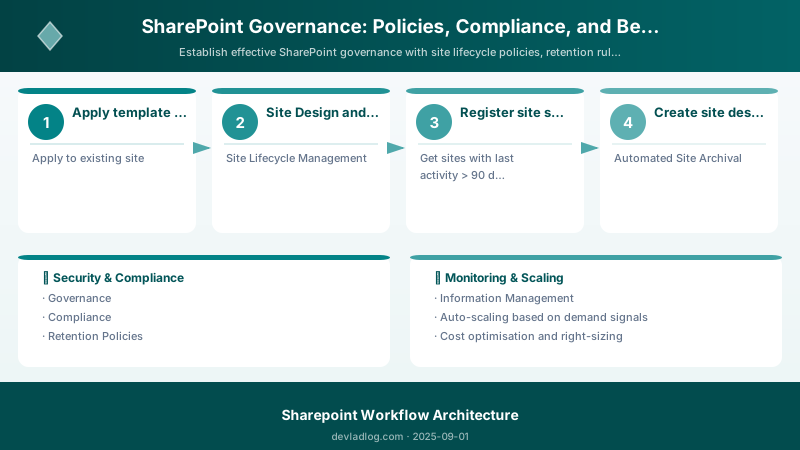
Figure: Site permissions – groups, external sharing, and access request settings.
## Block external sharing of files containing SSNs
New-DlpComplianceRule -Policy "Protect PII" `
                       -ContentContainsSensitiveInformation @{
                           Name = "U.S. Social Security Number (SSN)"
                           MinCount = 1
                       } `
                       -BlockAccess $true `
                       -BlockAccessScope All `
                       -NotifyUser Owner,SiteAdmin
DLP Policy Testing
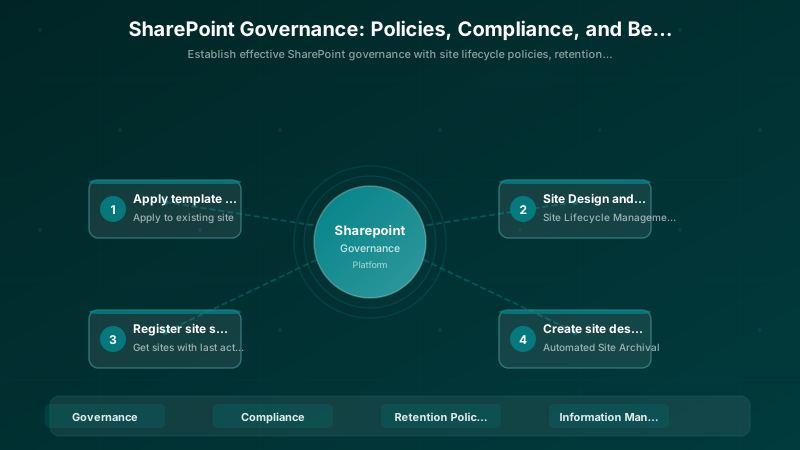
Figure: Azure Policy compliance dashboard – initiative scores and remediation tasks.
## Set policy to test mode (audit only)
Set-DlpCompliancePolicy -Identity "Prevent Credit Card Sharing" -Mode TestWithNotifications


## After testing, enable enforcement
Set-DlpCompliancePolicy -Identity "Prevent Credit Card Sharing" -Mode Enable
Sensitivity Labels
Create Sensitivity Labels
## Connect to Security & Compliance
Connect-IPPSSession


## Create sensitivity labels
New-Label -DisplayName "Public" `
          -Name "Public" `
          -Comment "Information suitable for public disclosure"


New-Label -DisplayName "Internal" `
          -Name "Internal" `
          -Comment "Internal business information" `
          -EncryptionEnabled $true `
          -EncryptionRightsDefinitions "contoso.com:VIEW,EDIT"

New-Label -DisplayName "Confidential" `
          -Name "Confidential" `
          -Comment "Sensitive business information" `
          -EncryptionEnabled $true `
          -EncryptionRightsDefinitions "ConfidentialGroup@contoso.com:VIEW,EDIT"

New-Label -DisplayName "Highly Confidential" `
          -Name "HighlyConfidential" `
          -Comment "Highly sensitive information" `
          -EncryptionEnabled $true `
          -EncryptionRightsDefinitions "ExecutiveTeam@contoso.com:VIEW,EDIT" `
          -SiteAndGroupProtectionEnabled $true `
          -SiteAndGroupProtectionPrivacy Private
Publish Sensitivity Labels
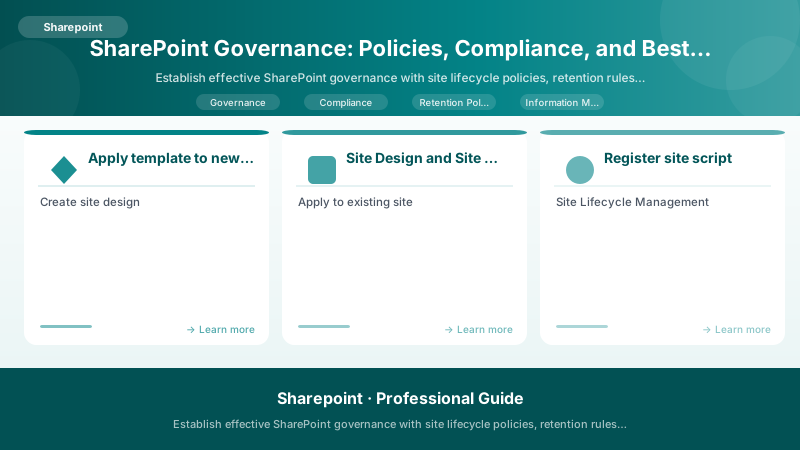
Figure: Purview retention labels – policies applied to SharePoint libraries.
## Create label policy
New-LabelPolicy -Name "Company Sensitivity Policy" `
                -Labels "Public","Internal","Confidential","HighlyConfidential" `
                -SharePointLocation "All"
Apply Labels Programmatically
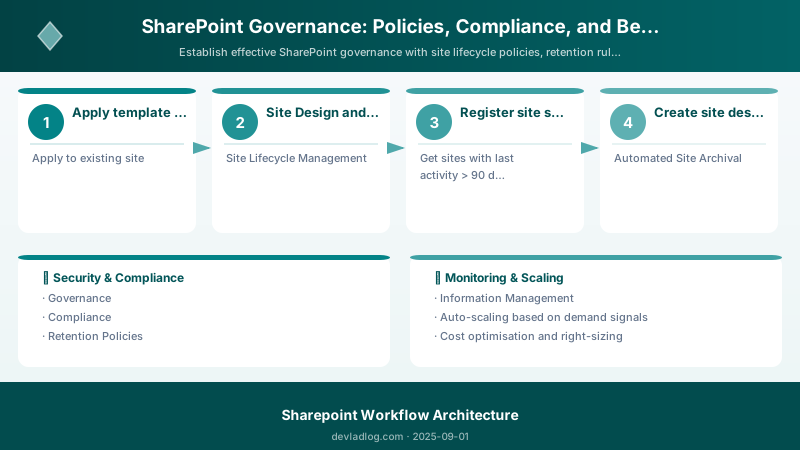
Figure: Purview retention labels – policies applied to SharePoint libraries.
## Apply sensitivity label to document
Set-PnPFileSensitivityLabel -Url "/sites/finance/Shared Documents/Q4Report.docx" `
                             -SensitivityLabel "Confidential"


## Apply to all documents in library
$files = Get-PnPListItem -List "Documents" -Fields "FileLeafRef"
foreach ($file in $files) {
```powershell
Set-PnPFileSensitivityLabel -Url $file["FileRef"] -SensitivityLabel "Internal"```
}
Expected output:
Title           ItemCount  Url
-----           ---------  ---
Documents       156        /Shared Documents

Access Governance
Permission Review Process
## Generate permission report
$sites = Get-PnPTenantSite


$permissionReport = @()
foreach ($site in $sites) {
```powershell
Connect-PnPOnline -Url $site.Url -Interactive

$groups = Get-PnPGroup
foreach ($group in $groups) {
    $users = Get-PnPGroupMember -Identity $group.LoginName

    foreach ($user in $users) {
        $permissionReport += [PSCustomObject]@{
            Site = $site.Title
            SiteURL = $site.Url
            Group = $group.Title
            User = $user.Email
            UserTitle = $user.Title
        }
    }
}```
}

$permissionReport | Export-Csv "PermissionAudit.csv" -NoTypeInformation
Expected output:
Connected to https://contoso.sharepoint.com

Quarterly Access Review
Figure: Site permissions – groups, external sharing, and access request settings.
{
  "trigger": {
```text
"type": "Recurrence",
"frequency": "Month",
"interval": 3```
  },
  "actions": [
```json
{
  "type": "HTTP",
  "method": "POST",


  "uri": "https://contoso.com/api/generatePermissionReport"
},
{
  "type": "Apply to each",
  "items": "@{outputs('HTTP')?['body/siteOwners']}",
  "actions": [
    {
      "type": "Send email",
      "to": "@{item()?['email']}",
      "subject": "Quarterly Permission Review Required",
      "body": "Please review the attached permission report for your site and confirm or remove access.\n\nDeadline: @{addDays(utcNow(), 14)}"
    }
  ]
}```
  ]
}
Remove External Users
## List all external users
$externalUsers = Get-PnPExternalUser


## Remove external user access
Remove-PnPExternalUser -UniqueIds $externalUsers[0].UniqueId
Monitoring and Auditing
SharePoint Audit Log
## Enable auditing
Set-PnPAuditing -EnableAll


## Search audit log
Search-UnifiedAuditLog -StartDate (Get-Date).AddDays(-30) `
                        -EndDate (Get-Date) `
                        -RecordType SharePointFileOperation `
                        -Operations FileDeleted,FileDownloaded
Usage Analytics
Figure: Configuration and management dashboard with status overview.
## Get site usage analytics
$usage = Get-PnPSiteAnalyticsData -Identity "https://contoso.sharepoint.com/sites/project1"


Write-Host "Page Views: $($usage.PageViews)"
Write-Host "Unique Visitors: $($usage.UniqueVisitors)"
Write-Host "Files Viewed: $($usage.FilesViewed)"
Best Practices
Site Naming Conventions
[Department]-[ProjectName]-[Year]

Examples:
- HR-Onboarding-2025
- Finance-BudgetPlanning-2025
- IT-Infrastructure-2025
Metadata Standards
Define required metadata for all documents:
- Document Type (Contract, Invoice, Report)
- Department (Finance, HR, IT)
- Status (Draft, Review, Final)
- Retention Category (Temporary, Standard, Long-term)
Training and Communication
- New User Onboarding - Governance overview
- Site Owner Training - Responsibilities and policies
- Quarterly Updates - Policy changes and reminders
- Help Documentation - Self-service governance guide
Architecture Decision and Tradeoffs
When designing content management and collaboration solutions with SharePoint, consider these key architectural trade-offs:
| Approach | Best For | Tradeoff |
|---|---|---|
| Managed / platform service | Rapid delivery, reduced ops burden | Less customisation, potential vendor lock-in |
| Custom / self-hosted | Full control, advanced tuning | Higher operational overhead and cost |
Recommendation: Start with the managed approach for most workloads and move to custom only when specific requirements demand it.
Validation and Versioning
- Last validated: April 2026
- Validate examples against your tenant, region, and SKU constraints before production rollout.
- Keep module, CLI, and SDK versions pinned in automation pipelines and review quarterly.
Security and Governance Considerations
- Apply least-privilege access using RBAC roles and just-in-time elevation for admin tasks.
- Store secrets in managed secret stores and avoid embedding credentials in scripts or source files.
- Enable audit logging, data protection policies, and periodic access reviews for regulated workloads.
Cost and Performance Notes
- Define budgets and alerts, then monitor usage and cost trends continuously after go-live.
- Baseline performance with synthetic and real-user checks before and after major changes.
- Scale resources with measured thresholds and revisit sizing after usage pattern changes.
Official Microsoft References
- https://learn.microsoft.com/sharepoint/
- https://learn.microsoft.com/microsoft-365/enterprise/
- https://learn.microsoft.com/purview/
Public Examples from Official Sources
- These examples are sourced from official public Microsoft documentation and sample repositories.
- Documentation examples: https://learn.microsoft.com/sharepoint/dev/
- Sample repositories: https://github.com/SharePoint/sp-dev-docs
- Prefer adapting these examples to your tenant, subscriptions, and governance requirements before production use.
Key Takeaways
- Governance prevents site sprawl and ensures compliance
- Site templates standardize structure and configuration
- Lifecycle management includes archival and deletion policies
- Retention labels automate compliance requirements
- DLP policies prevent data leakage
- Regular access reviews maintain security
- Monitoring and auditing provide visibility
Next Steps
- Document governance policies and procedures
- Implement site provisioning approval workflow
- Deploy PnP site templates for consistency
- Configure retention policies for compliance
- Train site owners on governance responsibilities
Additional Resources
Govern wisely. Scale securely.
Discussion