
JavaScript Modern Features: ES2024 and Beyond
!Architecture Overview
JavaScript Modern Features: ES2024 and Beyond
Introduction
Prerequisites
| Requirement | Details |
|---|---|
| Basic setup and tooling | Basic setup and tooling |
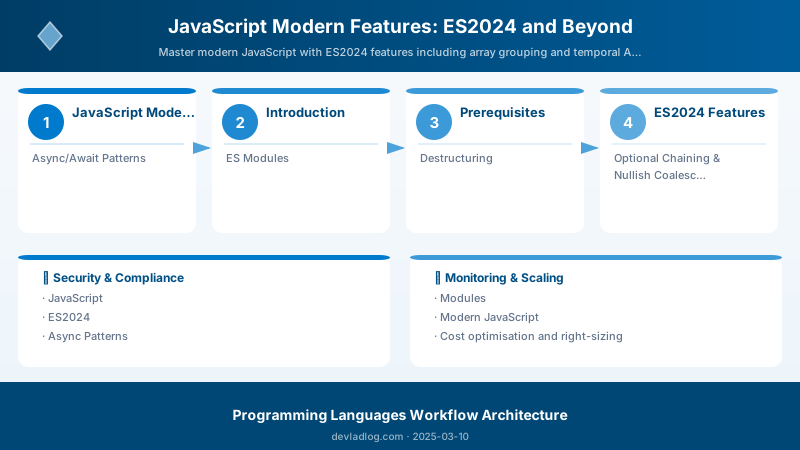
Figure: Code pattern examples for javascript modern features—syntax comparison, idiomatic approaches, performance characteristics, and common pitfalls.
Figure: Best practices implementation for javascript modern features—error handling, testing strategies, maintainability patterns, and documentation standards.
Figure: Production readiness checklist for javascript modern features—logging, monitoring, performance tuning, and security hardening.
JavaScript evolves rapidly—ES2024 brings array grouping and Temporal API, while ES2023 added findLast and toSorted. This guide covers essential modern features: async/await patterns, ES modules, destructuring, optional chaining, nullish coalescing, array methods, promises, and functional programming for production JavaScript.
ES2024 Features
Array Grouping
Object.groupBy() for categorization:
// ES2024: Group array items by property
const products = [
```json
{ id: 1, name: "Laptop", category: "Electronics", price: 999 },
{ id: 2, name: "Desk", category: "Furniture", price: 299 },
{ id: 3, name: "Phone", category: "Electronics", price: 699 },
{ id: 4, name: "Chair", category: "Furniture", price: 199 },```
];

// Group by category
const byCategory = Object.groupBy(products, product => product.category);
console.log(byCategory);
/*
{
```yaml
Electronics: [
    { id: 1, name: "Laptop", ... },
    { id: 3, name: "Phone", ... }
],
Furniture: [
    { id: 2, name: "Desk", ... },
    { id: 4, name: "Chair", ... }
]```
}
*/

// Group by price range
const byPriceRange = Object.groupBy(products, product => {
```text
if (product.price < 300) return "Budget";
if (product.price < 700) return "Mid-range";
return "Premium";```
});

// ❌ Old way (verbose)
const grouped = products.reduce((acc, product) => {
```javascript
const key = product.category;
if (!acc[key]) acc[key] = [];
acc[key].push(product);
return acc;```
}, {});
Map.groupBy() for non-string keys:
// Group by object keys
const users = [
```json
{ name: "Alice", manager: { id: 1, name: "Bob" } },
{ name: "Charlie", manager: { id: 1, name: "Bob" } },
{ name: "David", manager: { id: 2, name: "Eve" } },```
];

const byManager = Map.groupBy(users, user => user.manager);
// Returns Map with object keys (preserves object identity)

// Access grouped users
for (const [manager, employees] of byManager) {
```javascript
console.log(`${manager.name} manages: ${employees.map(e => e.name).join(", ")}`);```
}
// Output:
// Bob manages: Alice, Charlie
// Eve manages: David
Temporal API (Stage 3)
Modern date/time handling:
// Current approach with Date (problematic)
const now = new Date();  // Mutable, timezone issues, poor API

// Temporal (immutable, timezone-aware)
import { Temporal } from "@js-temporal/polyfill";

// Current instant
const now = Temporal.Now.instant();
console.log(now.toString());  // 2025-03-10T14:30:00.000Z

// Plain date (no timezone)
const date = Temporal.PlainDate.from("2025-03-10");
console.log(date.dayOfWeek);  // 1 (Monday)
console.log(date.daysInMonth);  // 31

// Add duration
const nextWeek = date.add({ days: 7 });
console.log(nextWeek.toString());  // 2025-03-17

// Time calculations
const start = Temporal.PlainDateTime.from("2025-03-10T09:00:00");
const end = Temporal.PlainDateTime.from("2025-03-10T17:30:00");
const duration = start.until(end);
console.log(duration.hours);  // 8
console.log(duration.minutes);  // 30

// Timezone handling
const zonedNow = Temporal.Now.zonedDateTimeISO("America/New_York");
const tokyo = zonedNow.withTimeZone("Asia/Tokyo");
console.log(zonedNow.toString());  // 2025-03-10T09:30:00-05:00[America/New_York]
console.log(tokyo.toString());      // 2025-03-10T23:30:00+09:00[Asia/Tokyo]
Async/Await Patterns
Modern Async Code
Basic async/await:
// ❌ Old way: Callback hell
fetchUser(userId, (error, user) => {
```javascript
if (error) return handleError(error);
fetchOrders(user.id, (error, orders) => {
    if (error) return handleError(error);
    processOrders(orders, (error, result) => {
        if (error) return handleError(error);
        console.log(result);
    });
});```
});

// ✅ Modern: async/await
async function processUserOrders(userId) {
```javascript
try {
    const user = await fetchUser(userId);
    const orders = await fetchOrders(user.id);
    const result = await processOrders(orders);
    console.log(result);
} catch (error) {
    handleError(error);
}```
}
Parallel execution:
// ❌ Sequential (slow: 6 seconds total)
async function fetchAllData() {
```javascript
const users = await fetchUsers();      // 2 seconds
const products = await fetchProducts(); // 2 seconds
const orders = await fetchOrders();     // 2 seconds
return { users, products, orders };```
}

// ✅ Parallel (fast: 2 seconds total)
async function fetchAllData() {
```javascript
const [users, products, orders] = await Promise.all([
    fetchUsers(),
    fetchProducts(),
    fetchOrders()
]);
return { users, products, orders };```
}

// Promise.allSettled (continue even if some fail)
async function fetchDataRobust() {
```javascript
const results = await Promise.allSettled([
    fetchUsers(),
    fetchProducts(),
    fetchOrders()
]);

const users = results[0].status === "fulfilled" ? results[0].value : [];
const products = results[1].status === "fulfilled" ? results[1].value : [];
const orders = results[2].status === "fulfilled" ? results[2].value : [];

return { users, products, orders };```
}
Race conditions:
// Promise.race (first to complete wins)
async function fetchWithTimeout(url, timeout = 5000) {
```javascript
return Promise.race([
    fetch(url),
    new Promise((_, reject) =>
        setTimeout(() => reject(new Error("Timeout")), timeout)
    )
]);```
}

// Promise.any (first to succeed wins)
async function fetchFromMirrors(urls) {
```javascript
try {
    return await Promise.any(urls.map(url => fetch(url)));
} catch (error) {
    throw new Error("All mirrors failed");
}```
}

// Usage
const data = await fetchFromMirrors([
```text
"https://api1.contoso.com/data",
"https://api2.contoso.com/data",
"https://api3.contoso.com/data"```
]);
Async Iteration
for await...of loop:
// Async generator
async function* fetchPages(url) {
```javascript
let page = 1;
let hasMore = true;

while (hasMore) {
    const response = await fetch(`${url}?page=${page}`);
    const data = await response.json();

    yield data.items;

    hasMore = data.hasNextPage;
    page++;
}```
}

// Consume async iterator
async function processAllPages() {
```python
for await (const items of fetchPages("/api/products")) {
    console.log(`Processing ${items.length} items from page`);
    await processItems(items);
}```
}

// Stream processing
async function* readFileInChunks(file) {
```javascript
const reader = file.stream().getReader();

while (true) {
    const { done, value } = await reader.read();
    if (done) break;
    yield value;
}```
}

for await (const chunk of readFileInChunks(file)) {
```text
await processChunk(chunk);```
}
ES Modules
Import/Export Syntax
Named exports:
// utils.js
export function formatCurrency(amount) {
```text
return new Intl.NumberFormat("en-US", {
    style: "currency",
    currency: "USD"
}).format(amount);```
}

export function formatDate(date) {
```text
return new Intl.DateTimeFormat("en-US").format(date);```
}

export const TAX_RATE = 0.08;

// main.js
import { formatCurrency, formatDate, TAX_RATE } from "./utils.js";

console.log(formatCurrency(1234.56));  // $1,234.56
console.log(formatDate(new Date()));   // 3/10/2025
console.log(TAX_RATE);                 // 0.08
Default exports:
// Calculator.js
export default class Calculator {
```text
add(a, b) {
    return a + b;
}

subtract(a, b) {
    return a - b;
}```
}

// main.js
import Calculator from "./Calculator.js";

const calc = new Calculator();
console.log(calc.add(5, 3));  // 8
Mixed exports:
// api.js
export default class ApiClient {
```text
async get(url) { /* ... */ }```
}

export function handleError(error) {
```text
console.error(error);```
}

export const API_BASE_URL = "https://api.contoso.com";

// main.js
import ApiClient, { handleError, API_BASE_URL } from "./api.js";
Dynamic imports:
// Lazy load module when needed
async function loadChart() {
```javascript
const { Chart } = await import("./chart.js");
const chart = new Chart("#canvas");
chart.render();```
}

// Conditional import
if (user.isPremium) {
```javascript
const { AdvancedFeatures } = await import("./premium.js");
const features = new AdvancedFeatures();
features.enable();```
}

// Import JSON
const config = await import("./config.json", { assert: { type: "json" } });
console.log(config.default);
Destructuring
Object Destructuring
Basic extraction:
const user = {
```yaml
id: 1,
name: "Alice",
email: "alice@contoso.com",
address: {
    city: "New York",
    zip: "10001"
}```
};

// Extract properties
const { name, email } = user;
console.log(name);   // "Alice"
console.log(email);  // "alice@contoso.com"

// Rename variables
const { name: userName, email: userEmail } = user;
console.log(userName);   // "Alice"
console.log(userEmail);  // "alice@contoso.com"

// Default values
const { role = "guest", name } = user;
console.log(role);  // "guest" (not in user object)

// Nested destructuring
const { address: { city, zip } } = user;
console.log(city);  // "New York"
console.log(zip);   // "10001"
Function parameters:
// ❌ Old way
function createUser(options) {
```javascript
const name = options.name;
const email = options.email;
const role = options.role || "user";
// ...```
}

// ✅ Modern: Destructured parameters
function createUser({ name, email, role = "user" }) {
```javascript
console.log(`Creating ${role}: ${name} (${email})`);```
}

createUser({ name: "Alice", email: "alice@contoso.com" });
// Output: Creating user: Alice (alice@contoso.com)

// Rest properties
function updateUser(userId, { name, email, ...otherFields }) {
```javascript
console.log(`Updating user ${userId}`);
console.log(`Name: ${name}, Email: ${email}`);
console.log("Other fields:", otherFields);```
}

updateUser(1, {
```yaml
name: "Alice",
email: "alice@contoso.com",
phone: "555-1234",
address: "123 Main St"```
});
// Other fields: { phone: "555-1234", address: "123 Main St" }
Array Destructuring
Basic extraction:
const colors = ["red", "green", "blue", "yellow"];

// Extract items
const [first, second] = colors;
console.log(first);   // "red"
console.log(second);  // "green"

// Skip items
const [, , third] = colors;
console.log(third);  // "blue"

// Rest elements
const [primary, ...secondary] = colors;
console.log(primary);    // "red"
console.log(secondary);  // ["green", "blue", "yellow"]

// Default values
const [a, b, c, d, e = "orange"] = colors;
console.log(e);  // "orange" (colors[4] is undefined)
Swapping variables:
let a = 1;
let b = 2;

// ❌ Old way
const temp = a;
a = b;
b = temp;

// ✅ Modern: Destructuring swap
[a, b] = [b, a];
console.log(a, b);  // 2, 1
Optional Chaining & Nullish Coalescing
Optional Chaining (?.)
Safe property access:
const user = {
```yaml
name: "Alice",
address: {
    city: "New York"
}```
};

// ❌ Old way (verbose)
const zip = user && user.address && user.address.zip;

// ✅ Modern: Optional chaining
const zip = user?.address?.zip;
console.log(zip);  // undefined (no error)

// Optional method call
const result = user.getProfile?.();
// Calls getProfile() if it exists, otherwise returns undefined

// Optional array access
const firstOrder = user.orders?.[0];
API response handling:
async function fetchUserData(userId) {
```javascript
try {
    const response = await fetch(`/api/users/${userId}`);
    const data = await response.json();

    // Safely access nested data
    const city = data?.user?.address?.city;
    const phone = data?.user?.contact?.phone;
    const orders = data?.user?.orders?.length ?? 0;

    return {
        city: city ?? "Unknown",
        phone: phone ?? "N/A",
        orderCount: orders
    };
} catch (error) {
    return null;
}```
}
Nullish Coalescing (??)
Default values:
// ❌ Old way with || (treats 0, false, "" as falsy)
const count = user.orderCount || 0;
// Problem: If orderCount is 0, returns 0 anyway, but looks like default

const isActive = user.isActive || true;
// Problem: If isActive is false, returns true instead

// ✅ Modern: Nullish coalescing (only null/undefined trigger default)
const count = user.orderCount ?? 0;
// If orderCount is 0, returns 0 (correct)
// If orderCount is null/undefined, returns 0 (default)

const isActive = user.isActive ?? true;
// If isActive is false, returns false (correct)
// If isActive is null/undefined, returns true (default)

// Config with defaults
const config = {
```yaml
port: settings.port ?? 3000,
host: settings.host ?? "localhost",
debug: settings.debug ?? false,  // Works correctly even if debug = false```
};
Logical nullish assignment (??=):
// Assign only if null/undefined
let user = {};

user.role ??= "guest";
console.log(user.role);  // "guest"

user.role ??= "admin";   // No change (role already set)
console.log(user.role);  // "guest"

// Lazy initialization
class Cache {
```javascript
constructor() {
    this._data = null;
}

get data() {
    // Initialize only on first access
    this._data ??= this.loadData();
    return this._data;
}

loadData() {
    console.log("Loading data...");
    return { /* heavy computation */ };
}```
}
Array Methods
Modern Array Operations
ES2023: findLast() and findLastIndex():
const numbers = [1, 5, 10, 15, 20, 25];

// Find last element matching condition
const lastEven = numbers.findLast(n => n % 2 === 0);
console.log(lastEven);  // 20

const lastIndex = numbers.findLastIndex(n => n % 2 === 0);
console.log(lastIndex);  // 4
ES2023: toSorted(), toReversed(), toSpliced() (immutable):
const numbers = [3, 1, 4, 1, 5];

// ❌ Old way (mutates array)
const sorted = numbers.sort();
console.log(numbers);  // [1, 1, 3, 4, 5] - original mutated!

// ✅ Modern: Immutable operations
const sorted = numbers.toSorted();
console.log(numbers);  // [3, 1, 4, 1, 5] - original unchanged
console.log(sorted);   // [1, 1, 3, 4, 5]

const reversed = numbers.toReversed();
console.log(reversed);  // [5, 1, 4, 1, 3]

// toSpliced (immutable splice)
const colors = ["red", "green", "blue"];
const newColors = colors.toSpliced(1, 1, "yellow", "orange");
console.log(colors);     // ["red", "green", "blue"] - unchanged
console.log(newColors);  // ["red", "yellow", "orange", "blue"]
Functional array methods:
const products = [
```json
{ name: "Laptop", price: 999, category: "Electronics" },
{ name: "Desk", price: 299, category: "Furniture" },
{ name: "Phone", price: 699, category: "Electronics" },```
];

// map: Transform each element
const prices = products.map(p => p.price);
// [999, 299, 699]

// filter: Keep elements matching condition
const electronics = products.filter(p => p.category === "Electronics");
// [{ name: "Laptop", ... }, { name: "Phone", ... }]

// reduce: Aggregate to single value
const totalPrice = products.reduce((sum, p) => sum + p.price, 0);
// 1997

// Method chaining
const expensiveElectronics = products
```javascript
.filter(p => p.category === "Electronics")
.filter(p => p.price > 700)
.map(p => p.name);```
// ["Laptop"]

// every: All elements match condition
const allExpensive = products.every(p => p.price > 100);  // true

// some: At least one element matches
const hasFurniture = products.some(p => p.category === "Furniture");  // true
flatMap and flat:
// flatMap: Map then flatten by one level
const users = [
```json
{ name: "Alice", orders: [101, 102] },
{ name: "Bob", orders: [201] },
{ name: "Charlie", orders: [301, 302, 303] }```
];

const allOrders = users.flatMap(u => u.orders);
// [101, 102, 201, 301, 302, 303]

// flat: Flatten nested arrays
const nested = [1, [2, 3], [4, [5, 6]]];
console.log(nested.flat());     // [1, 2, 3, 4, [5, 6]]
console.log(nested.flat(2));    // [1, 2, 3, 4, 5, 6] (2 levels deep)
console.log(nested.flat(Infinity));  // [1, 2, 3, 4, 5, 6] (all levels)
Functional Programming
Pure Functions
Immutability and no side effects:
// ❌ Impure: Modifies external state
let total = 0;
function addToTotal(amount) {
```text
total += amount;  // Side effect
return total;```
}

// ✅ Pure: No side effects, same input = same output
function add(a, b) {
```text
return a + b;```
}

// Immutable data operations
const user = { name: "Alice", age: 30 };

// ❌ Mutates original
function incrementAge(user) {
```text
user.age++;
return user;```
}

// ✅ Returns new object
function incrementAge(user) {
```text
return { ...user, age: user.age + 1 };```
}

const updatedUser = incrementAge(user);
console.log(user.age);         // 30 (unchanged)
console.log(updatedUser.age);  // 31
Higher-Order Functions
Functions as arguments:
// Reusable filtering
function filterBy(array, predicate) {
```text
return array.filter(predicate);```
}

const numbers = [1, 2, 3, 4, 5, 6];

const evens = filterBy(numbers, n => n % 2 === 0);
const greaterThan3 = filterBy(numbers, n => n > 3);

// Function factory
function createMultiplier(factor) {
```text
return function(number) {
    return number * factor;
};```
}

const double = createMultiplier(2);
const triple = createMultiplier(3);

console.log(double(5));  // 10
console.log(triple(5));  // 15
Function Composition
Combine functions:
// Compose functions right-to-left
const compose = (...fns) => x =>
```javascript
fns.reduceRight((acc, fn) => fn(acc), x);
// Pipe functions left-to-right const pipe = (...fns) => x =>
fns.reduce((acc, fn) => fn(acc), x);
// Example functions
const addTax = price => price * 1.08;
const applyDiscount = price => price * 0.9;
const formatCurrency = price => $${price.toFixed(2)};
// Compose (right-to-left: discount -> tax -> format) const calculatePrice = compose(
formatCurrency,
addTax,
applyDiscount```
);

console.log(calculatePrice(100));  // "$97.20"

// Pipe (left-to-right: discount -> tax -> format)
const calculatePrice2 = pipe(
```text
applyDiscount,
addTax,
formatCurrency```
);

console.log(calculatePrice2(100));  // "$97.20"
Best Practices
- Async: Use async/await over callbacks, Promise.all for parallel execution
- Modules: Use ES modules (import/export), avoid global scope pollution
- Destructuring: Extract properties directly in function parameters
- Optional Chaining: Use ?. for safe property access, ?? for defaults
- Immutability: Prefer toSorted/toReversed over sort/reverse
- Functional: Write pure functions, avoid side effects, use composition
Architecture Decision and Tradeoffs
When designing software development solutions with Programming Languages, consider these key architectural trade-offs:
| Approach | Best For | Tradeoff |
|---|---|---|
| Managed / platform service | Rapid delivery, reduced ops burden | Less customisation, potential vendor lock-in |
| Custom / self-hosted | Full control, advanced tuning | Higher operational overhead and cost |
Recommendation: Start with the managed approach for most workloads and move to custom only when specific requirements demand it.
Validation and Versioning
- Last validated: April 2026
- Validate examples against your tenant, region, and SKU constraints before production rollout.
- Keep module, CLI, and SDK versions pinned in automation pipelines and review quarterly.
Security and Governance Considerations
- Apply least-privilege access using RBAC roles and just-in-time elevation for admin tasks.
- Store secrets in managed secret stores and avoid embedding credentials in scripts or source files.
- Enable audit logging, data protection policies, and periodic access reviews for regulated workloads.
Cost and Performance Notes
- Define budgets and alerts, then monitor usage and cost trends continuously after go-live.
- Baseline performance with synthetic and real-user checks before and after major changes.
- Scale resources with measured thresholds and revisit sizing after usage pattern changes.
Official Microsoft References
- https://learn.microsoft.com/
- https://learn.microsoft.com/azure/
- https://learn.microsoft.com/power-platform/
- https://learn.microsoft.com/microsoft-365/
Public Examples from Official Sources
- These examples are sourced from official public Microsoft documentation and sample repositories.
- Documentation examples: https://learn.microsoft.com/training/
- Sample repositories: https://github.com/microsoft
- Prefer adapting these examples to your tenant, subscriptions, and governance requirements before production use.
Key Takeaways
- ES2024 array grouping simplifies categorization without reduce boilerplate
- Async/await with Promise.all enables clean parallel execution
- ES modules provide proper dependency management and tree-shaking
- Optional chaining (?.) prevents null reference errors
- Nullish coalescing (??) handles 0/false/empty string correctly
- Modern array methods (toSorted, findLast) maintain immutability
Next Steps
- Explore TypeScript for static typing and enhanced IDE support
- Learn Web Workers for CPU-intensive tasks off main thread
- Master Proxy and Reflect for metaprogramming
- Study WeakMap/WeakSet for memory-efficient caching
Additional Resources
Modern JavaScript: Less code, more clarity.
Discussion