
Introduction
Every Power Apps project starts with the same question: Model-Driven or Canvas? The Microsoft documentation gives you feature lists. Blog posts give you opinions. What most guides skip is the honest, battle-tested decision framework that comes from building dozens of enterprise applications across both paradigms.
This guide is not about marketing talking points. It is about real architectural trade-offs, the scenarios where each approach shines, and the hybrid patterns that most enterprise projects actually end up using.
The Fundamental Difference (In 30 Seconds)
| Aspect | Canvas Apps | Model-Driven Apps |
|---|---|---|
| Design Philosophy | Pixel-perfect, designer-first | Data-first, schema-driven |
| Data Source | Any connector (400+) | Dataverse (primarily) |
| UI Control | Total — you place every element | Framework-generated from data model |
| Best For | Custom UX, mobile, external users | CRUD-heavy, data management, internal ops |
| Learning Curve | Power Fx + layout design | Dataverse modeling + configuration |
| Offline | Supported natively | Limited |
| Cost | Per-app or per-user license | Per-user license (Dataverse required) |
But this table only scratches the surface. The real decision depends on your data model, user personas, integration requirements, and long-term maintenance strategy.
When Canvas Apps Win (Unambiguously)
Scenario 1: Mobile-First Field Applications
When your users are in the field — inspectors, delivery drivers, maintenance technicians — Canvas apps are the clear winner. You control every pixel, optimize for thumb-friendly navigation, and leverage device capabilities like camera, GPS, and barcode scanning.
// Canvas App: Field Inspection Form with camera + GPS
// OnSelect of "Capture Photo" button

Set(varInspectionPhoto, Camera1.Photo);
Set(varCurrentLocation, Location.Latitude & ", " & Location.Longitude);

// Save inspection with geo-tagged photo
Patch(
    Inspections,
    Defaults(Inspections),
    {
        Title: txtInspectionTitle.Text,
        Location: varCurrentLocation,
        Photo: varInspectionPhoto,
        Inspector: User().FullName,
        InspectedOn: Now(),
        Status: "Pending Review",
        SiteId: drpSite.Selected.Id
    }
);

// Navigate to confirmation screen
Navigate(scrConfirmation, ScreenTransition.Fade);
Notify("Inspection saved successfully", NotificationType.Success);
Scenario 2: External-Facing or Customer-Facing Apps
Canvas apps can be embedded in Power Pages portals, Teams tabs, or SharePoint pages with a custom UI that matches your brand. Model-Driven apps always look like Model-Driven apps — and that is fine for internal users, but not for customer portals.
Scenario 3: Simple Single-Purpose Tools
A QR code scanner, a meeting room booking kiosk, a simple calculator — these do not need a full Dataverse schema. Connect to SharePoint or Excel, build in an afternoon, deploy by lunch.
// Canvas App: Meeting Room Availability Checker
// OnSelect of room gallery item

ClearCollect(
    colBookings,
    Filter(
        RoomBookings,
        RoomId = ThisItem.Id,
        BookingDate = dpDate.SelectedDate,
        Status <> "Cancelled"
    )
);

Set(
    varAvailableSlots,
    ForAll(
        Sequence(9, 9),  // 9 AM to 5 PM
        {
            Hour: Value,
            TimeSlot: Text(Value, "00") & ":00 - " & Text(Value + 1, "00") & ":00",
            IsBooked: CountRows(
                Filter(colBookings, StartHour = Value)
            ) > 0
        }
    )
);
When Model-Driven Apps Win (Unambiguously)
Scenario 1: Complex Data Relationships
When your application manages interconnected entities — customers, orders, products, invoices, support tickets — Model-Driven apps generate the navigation, forms, and views from your Dataverse schema automatically. You would spend weeks building this in Canvas; you get it in hours with Model-Driven.
Architecture Overview: "dataverse_schema_example": {
Scenario 2: Business Process Flows
Model-Driven apps have native Business Process Flows (BPF) that guide users through multi-stage workflows with validation gates. Recreating this in Canvas requires significant custom development.
Scenario 3: Security at the Row Level
Dataverse row-level security, team-based access, and column-level security are built into Model-Driven apps. If your application requires that users only see records they own, or that managers see their team's records, Model-Driven + Dataverse is the natural fit.
# Dataverse Security Role Configuration
# Row-level security example for a Case Management app

$securityRoles = @{
    "Case Agent" = @{
        "Case" = @{
            Create = "BusinessUnit"
            Read = "User"         # Only see own cases
            Write = "User"
            Delete = "None"
        }
    }
    "Case Manager" = @{
        "Case" = @{
            Create = "BusinessUnit"
            Read = "BusinessUnit"  # See all BU cases
            Write = "BusinessUnit"
            Delete = "User"
        }
    }
    "Case Admin" = @{
        "Case" = @{
            Create = "Organization"
            Read = "Organization"  # See ALL cases
            Write = "Organization"
            Delete = "Organization"
        }
    }
}

foreach ($role in $securityRoles.Keys) {
    Write-Host "Role: $role" -ForegroundColor Cyan
    foreach ($entity in $securityRoles[$role].Keys) {
        $privs = $securityRoles[$role][$entity]
        Write-Host "  $entity -> Read: $($privs.Read) | Write: $($privs.Write) | Delete: $($privs.Delete)"
    }
}
The Hybrid Pattern: What Real Projects Actually Use
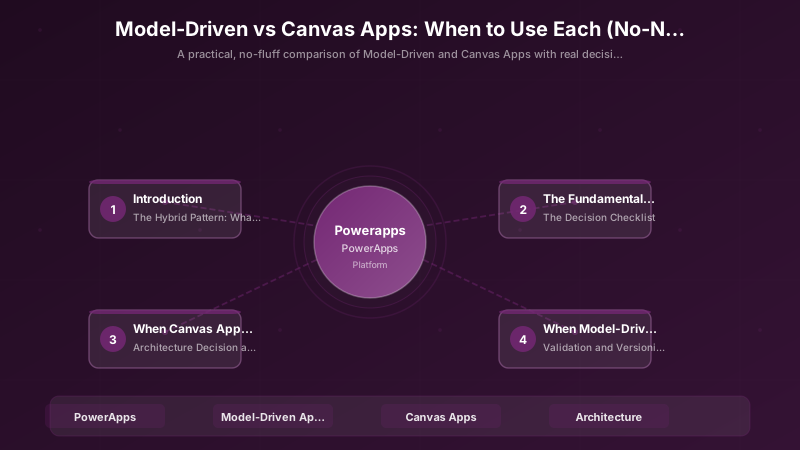
Here is the truth that Microsoft marketing does not emphasize enough: most enterprise projects use both. The pattern looks like this:
Architecture Overview: HYBRID ARCHITECTURE
Embedding Canvas in Model-Driven
One of the most powerful patterns is embedding Canvas app components inside Model-Driven forms. You get the data management framework of Model-Driven with the pixel-perfect UI control of Canvas for specific sections:
// Canvas component embedded in Model-Driven form
// Reads the record ID from the host Model-Driven app

Set(varRecordId, Param("recordId"));

// Load related data with custom visualization
ClearCollect(
    colTimeline,
    SortByColumns(
        Filter(Activities, RegardingObjectId = GUID(varRecordId)),
        "CreatedOn",
        SortOrder.Descending
    )
);

// Custom visual timeline that Model-Driven cannot do natively
ForAll(
    colTimeline,
    {
        DisplayDate: Text(CreatedOn, "MMM DD, YYYY"),
        Icon: Switch(
            ActivityType,
            "Email", "📧",
            "Phone", "📱",
            "Meeting", "📅",
            "Task", "✅",
            "📌"
        ),
        Summary: Left(Description, 120) & "..."
    }
)
The Decision Checklist
Before every project, run through this checklist:
| Question | Canvas If... | Model-Driven If... |
|---|---|---|
| Who are the users? | External, mobile, or occasional | Internal, daily, data-heavy |
| How many entities? | 1–5, loosely related | 5+, deeply interconnected |
| UI customization needed? | Brand-specific, pixel-perfect | Standard business app is acceptable |
| Offline required? | Yes | No or minimal |
| Security model? | Simple (app-level) | Complex (row/column/team-level) |
| Business process flows? | Not critical | Core requirement |
| Existing Dataverse investment? | None or minimal | Already in use |
| Integration complexity? | Multiple non-Microsoft sources | Primarily Microsoft stack |
| Maintenance team? | Business analysts | IT admins / pro devs |
Architecture Decision and Tradeoffs
When designing low-code development solutions with Power Apps, consider these key architectural trade-offs:
| Approach | Best For | Tradeoff |
|---|---|---|
| Managed / platform service | Rapid delivery, reduced ops burden | Less customisation, potential vendor lock-in |
| Custom / self-hosted | Full control, advanced tuning | Higher operational overhead and cost |
Recommendation: Start with the managed approach for most workloads and move to custom only when specific requirements demand it.
Validation and Versioning
- Last validated: April 2026
- Validate examples against your tenant, region, and SKU constraints before production rollout.
- Keep module, CLI, and SDK versions pinned in automation pipelines and review quarterly.
Security and Governance Considerations
- Apply least-privilege access using RBAC roles and just-in-time elevation for admin tasks.
- Store secrets in managed secret stores and avoid embedding credentials in scripts or source files.
- Enable audit logging, data protection policies, and periodic access reviews for regulated workloads.
Cost and Performance Notes
- Define budgets and alerts, then monitor usage and cost trends continuously after go-live.
- Baseline performance with synthetic and real-user checks before and after major changes.
- Scale resources with measured thresholds and revisit sizing after usage pattern changes.
Official Microsoft References
- https://learn.microsoft.com/power-apps/
- https://learn.microsoft.com/power-platform/admin/
- https://learn.microsoft.com/power-platform/guidance/
Public Examples from Official Sources
- These examples are sourced from official public Microsoft documentation and sample repositories.
- Documentation examples: https://learn.microsoft.com/power-apps/
- Sample repositories: https://github.com/microsoft/PowerApps-Samples
- Prefer adapting these examples to your tenant, subscriptions, and governance requirements before production use.
Key Takeaways
- Canvas apps give you total UI control but require you to build everything manually — choose them for mobile, external-facing, and brand-specific experiences
- Model-Driven apps generate 80% of your application from the data model — choose them for CRUD-heavy internal applications with complex relationships and security requirements
- Most real enterprise projects end up hybrid — Model-Driven for back-office operations, Canvas for mobile capture and custom UX components
- Embedding Canvas components inside Model-Driven forms gives you the best of both worlds
- The data layer decision (Dataverse vs. external sources) often drives the app type decision more than UI preferences
- Do not let familiarity bias drive the decision — teams comfortable with Canvas will over-use it where Model-Driven would save weeks of development
Discussion