
Power Platform ALM: DevOps for Citizen Developers
Introduction
Citizen developers move fast; production systems need control. Application lifecycle management (ALM) for Power Platform creates a safe path from Dev to Test to Prod using Solutions, pipelines, managed deployments, and lightweight governance. Makers keep iterating quickly while platform admins enforce consistency, compliance, and rollback capabilities.
This guide shows a pragmatic ALM flow using either in-product Power Platform Pipelines or Azure DevOps/GitHub. We’ll use connection references and environment variables so imports don’t break, and we’ll finish with governance and troubleshooting checklists.
Prerequisites
- Power Platform environments (Dev, Test, Prod)
- Access to Power Platform Admin Center
ALM Architecture Overview
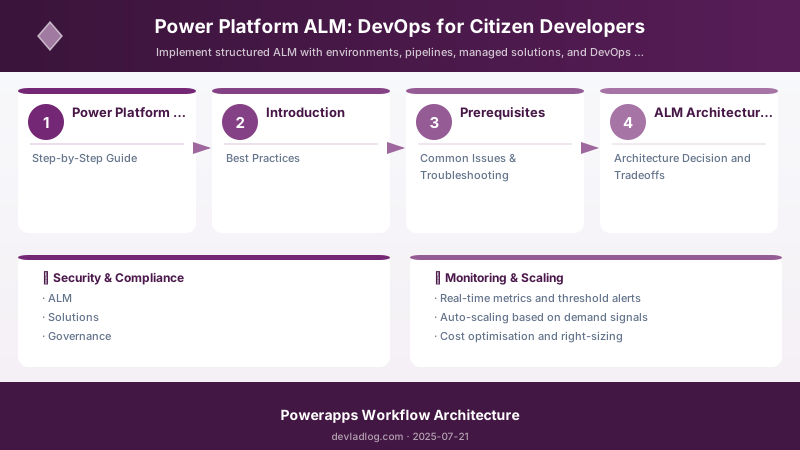
Figure: Systematic workflow from development through production deployment
| Layer | Purpose | Tools |
|---|---|---|
| Dev | Iterative build | Maker portal |
| Test | Validation & QA | Pipelines, manual testers |
| Prod | Stable release | Change control |
| Governance | Policy & compliance | DLP policies, audit |
Step-by-Step Guide
Step 1: Environment Strategy
Create at least Dev, Test, and Prod per business unit or app portfolio. Adopt consistent naming (e.g., Contoso-Dev, Contoso-Test, Contoso-Prod) and region placement. Restrict Maker role in Test/Prod; grant Environment Admins/System Admins only to platform team. Enable audit and set retention aligned to compliance.
Step 2: Solution Structuring
Build in an unmanaged Solution in Dev. Keep the core solution small and modular (App, Flows, Tables, Choice sets, Components). In Test/Prod import as Managed to protect metadata. Use publisher prefixes (e.g., ctso_) and solution segmentation (export only changed components) to speed deployments.
Step 3: Connection References & Environment Variables
Define environment variables for API base URLs and feature flags. Use connection references for connectors (Dataverse, SharePoint, HTTP) so promotion swaps connections without editing artifacts. Map them during import or via pipelines.
Example environment variable definitions (portal):
ctso.ApiBaseUrl(Text): https://api.contoso.comctso.SearchEnabled(Boolean): true
Step 4: Pipelines Configuration
Option A: Power Platform Pipelines (no-code)
- Create a pipeline in Dev and register Test/Prod stages.
- Define approvers and connection mappings per stage.
- Require Solution Checker to pass before promotion.
Option B: Azure DevOps/GitHub CI/CD
- Use Power Platform Build Tools/Actions to export unmanaged from Dev, check into source, and import managed to Test/Prod.
- Store authentication with a Service Principal; grant it the correct Dataverse roles.
Step 5: Managed Solution Deployment
Use semantic versioning (1.4.0 → new features; 2.0.0 → breaking). Validate imports in Test before Prod and enable backups before install.
Pack, export, and import with PAC CLI:
# Export unmanaged from Dev
pac solution export --path .\out --name Contoso.Sales --include data --managed false

# Pack into a single zip for source control
pac solution pack --path .\src --zipFile .\dist\Contoso.Sales_1_4_0_unmanaged.zip

# Import as managed into Test
pac solution import --path .\dist\Contoso.Sales_1_4_0_managed.zip --targetEnvironment Test
Step 6: Compliance & DLP Policies
Apply tenant-level baseline DLP to block risky combinations (e.g., Business vs Non-Business connector leakage). Add environment-level DLP for stricter prod boundaries. Avoid ad-hoc HTTP connectors in Prod; prefer vetted custom connectors.
Step 7: Monitoring & Audit
Enable Power Platform analytics; track app usage, flow runs, and errors. Use Solution History and Audit logs for change traceability. The CoE Starter Kit adds rich inventory, governance dashboards, and cleanup automations.
Best Practices
- Keep core solution small & modular
- Prefix components for discoverability
- Automate solution versioning
- Store auth in Service Principal; avoid personal connections for pipelines
- Use connection references everywhere; never hardcode endpoints
- Import managed only to Test/Prod; keep Dev unmanaged
- Require approvals and Solution Checker before promotion
Common Issues & Troubleshooting
Issue: Connection references break on import
Solution: Ensure environment variables mapped and references exist
Issue: Missing dependency on solution deploy
Solution: Run solution checker; add required component
Issue: Pipeline can’t import to Test/Prod
Solution: Grant the Service Principal Environment Maker/System Admin as appropriate and Dataverse app access; verify DLP doesn’t block connectors used in the solution.
Issue: Environment variables not updated per stage
Solution: In pipelines, define overrides for each stage; for manual imports, set values during import wizard or via pac env var set.
Issue: Custom connector not present in target environment
Solution: Include the connector inside the solution and ensure its connection reference is created in the pipeline stage.
Architecture Decision and Tradeoffs
When designing low-code development solutions with Power Apps, consider these key architectural trade-offs:
| Approach | Best For | Tradeoff |
|---|---|---|
| Managed / platform service | Rapid delivery, reduced ops burden | Less customisation, potential vendor lock-in |
| Custom / self-hosted | Full control, advanced tuning | Higher operational overhead and cost |
Recommendation: Start with the managed approach for most workloads and move to custom only when specific requirements demand it.
Validation and Versioning
- Last validated: April 2026
- Validate examples against your tenant, region, and SKU constraints before production rollout.
- Keep module, CLI, and SDK versions pinned in automation pipelines and review quarterly.
Security and Governance Considerations
- Apply least-privilege access using RBAC roles and just-in-time elevation for admin tasks.
- Store secrets in managed secret stores and avoid embedding credentials in scripts or source files.
- Enable audit logging, data protection policies, and periodic access reviews for regulated workloads.
Cost and Performance Notes
- Define budgets and alerts, then monitor usage and cost trends continuously after go-live.
- Baseline performance with synthetic and real-user checks before and after major changes.
- Scale resources with measured thresholds and revisit sizing after usage pattern changes.
Official Microsoft References
- https://learn.microsoft.com/power-apps/
- https://learn.microsoft.com/power-platform/admin/
- https://learn.microsoft.com/power-platform/guidance/
Public Examples from Official Sources
- These examples are sourced from official public Microsoft documentation and sample repositories.
- Documentation examples: https://learn.microsoft.com/power-apps/
- Sample repositories: https://github.com/microsoft/PowerApps-Samples
- Prefer adapting these examples to your tenant, subscriptions, and governance requirements before production use.
Key Takeaways
- Structured environments enable predictable releases.
- Managed solutions enforce integrity in production.
- Governance layers protect data compliance posture.
- Pipelines plus connection references remove brittle manual steps.
Next Steps
- Integrate ALM with Azure DevOps boards
- Add automated regression testing via test harness apps
- Install the CoE Starter Kit for inventory/governance
- Pilot in-product Pipelines, then scale to ADO/GitHub when needed
Additional Resources
Ready to formalize deployment governance further?
Discussion