
Custom Connectors in PowerApps: Extending Beyond the Basics
"servers": [{ "url": "https://api.contoso.com" }], "paths": { "/orders": { "get": { "operationId": "ListOrders", "parameters": [ {"name": "page", "in": "query", "schema": {"type": "integer", "minimum": 1}}, {"name": "pageSize", "in": "query", "schema": {"type": "integer", "maximum": 200}} ], "responses": { "200": { "description": "OK", "content": {"application/json": {"schema": {"$ref": "#/components/schemas/PagedOrders"}}} } } } } }, "components": { "schemas": { "PagedOrders": { "type": "object", "properties": { "items": {"type": "array", "items": {"$ref": "#/components/schemas/Order"}}, "nextLink": {"type": "string", "nullable": true} } }, "Order": {"type": "object", "required": ["id"], "properties": {"id": {"type": "string"}, "total": {"type": "number"}}} } } }
Architecture Overview: ### Step 2: Create Connector (Portal)
Set( resp, WithError( MyConnector.ListOrders({ page: 1, pageSize: 50 }) ) ); If( IsError(resp), Notify(Coalesce( resp.Error.Message, "Request failed" ), NotificationType.Error), ClearCollect(colOrders, resp.Result.items) );
Architecture Overview: ### Step 5: Versioning Strategy
pac solution pack --path .\src --zipFile .\dist\Contoso.Sales.Connector_1_1_0.zip pac solution import --path .\dist\Contoso.Sales.Connector_1_1_0.zip --targetEnvironment Test
## Best Practices

- Prefer OpenAPI for maintainability
- Enforce consistent error envelope
- Document throttling & retry guidance
 - Use policies to set headers, rewrite URLs, and enforce retry/backoff
 - Implement pagination (nextLink/cursor) to avoid large payloads
 - Turn on “Secure inputs/outputs” for sensitive operations
 - Limit scopes/permissions (least privilege); avoid user-impersonation if service principals suffice
 - Centralize secrets in connections; never embed in connector definition
 - Capture telemetry (request ID, correlation ID) and expose as outputs


## Common Issues & Troubleshooting

**Issue:** 401 unauthorized
**Solution:** Re-authenticate connector; verify OAuth scope mapping


**Issue:** Timeouts
**Solution:** Reduce payload or add backend caching layer

**Issue:** CORS error during Test tab
**Solution:** CORS is not enforced for server-to-server calls during runtime; if proxying via APIM, enable allowed origins for portal testing only.

**Issue:** 429 throttling from backend
**Solution:** Add retry with exponential backoff in policy; document limits to app makers; consider APIM rate-limiting.

**Issue:** Pagination not returning all items
**Solution:** Surface `nextLink` in response and loop in app/flow; verify connector response schema maps the continuation token.

**Issue:** Date/time or number format mismatches
**Solution:** Normalize to ISO 8601 for dates and invariant culture numbers in the connector response.

## Architecture Decision and Tradeoffs

When designing low-code development solutions with Power Apps, consider these key architectural trade-offs:

| Approach | Best For | Tradeoff |
|----------|----------|----------|
| Managed / platform service | Rapid delivery, reduced ops burden | Less customisation, potential vendor lock-in |
| Custom / self-hosted | Full control, advanced tuning | Higher operational overhead and cost |

> **Recommendation:** Start with the managed approach for most workloads and move to custom only when specific requirements demand it.

## Validation and Versioning

- Last validated: April 2026
- Validate examples against your tenant, region, and SKU constraints before production rollout.
- Keep module, CLI, and SDK versions pinned in automation pipelines and review quarterly.

## Security and Governance Considerations

- Apply least-privilege access using RBAC roles and just-in-time elevation for admin tasks.
- Store secrets in managed secret stores and avoid embedding credentials in scripts or source files.
- Enable audit logging, data protection policies, and periodic access reviews for regulated workloads.

## Cost and Performance Notes

- Define budgets and alerts, then monitor usage and cost trends continuously after go-live.
- Baseline performance with synthetic and real-user checks before and after major changes.
- Scale resources with measured thresholds and revisit sizing after usage pattern changes.

## Official Microsoft References

- https://learn.microsoft.com/power-apps/
- https://learn.microsoft.com/power-platform/admin/
- https://learn.microsoft.com/power-platform/guidance/

## Key Takeaways

- Custom connectors unify API consumption.
- Governance (versioning + auth) prevents breaking changes.
- Standard error contracts improve resilience.
 - Policies and OpenAPI-first design reduce drift and boost reuse.
 - Solutions + connection references enable clean ALM across environments.


## Next Steps

- Integrate API Management + policy (rate limit)
- Add telemetry enrichment via Azure Application Insights
 - Add pagination to long-running list operations and surface continuation tokens
 - Create a governance checklist for new connectors (auth, scopes, throttling, error schema)


## Additional Resources

- [Custom Connectors Overview](https://learn.microsoft.com/power-apps/maker/connectors/custom-connectors/)
- [OpenAPI Specification](https://spec.openapis.org/oas/latest.html)
- [API Management Policies](https://learn.microsoft.com/azure/api-management/api-management-policies)


---

*Which integration required a custom connector in your environment?*


## Background


Power Apps accelerates app development with low-code capabilities. Enterprise patterns help teams manage ALM, data integration, and security while delivering scalable canvas and model-driven apps.


## Use Cases

- Field data capture with offline sync
- Approvals with Dataverse and Power Automate
- Model-driven apps for standardized processes


## Public Examples from Official Sources

- These examples are sourced from official public Microsoft documentation and sample repositories.
- Documentation examples: https://learn.microsoft.com/power-apps/
- Sample repositories: https://github.com/microsoft/PowerApps-Samples
- Prefer adapting these examples to your tenant, subscriptions, and governance requirements before production use.


With({ apiUrl: "https://api.contoso.com" }, Set(varAuth, true))
pac auth create --environment prod
Background
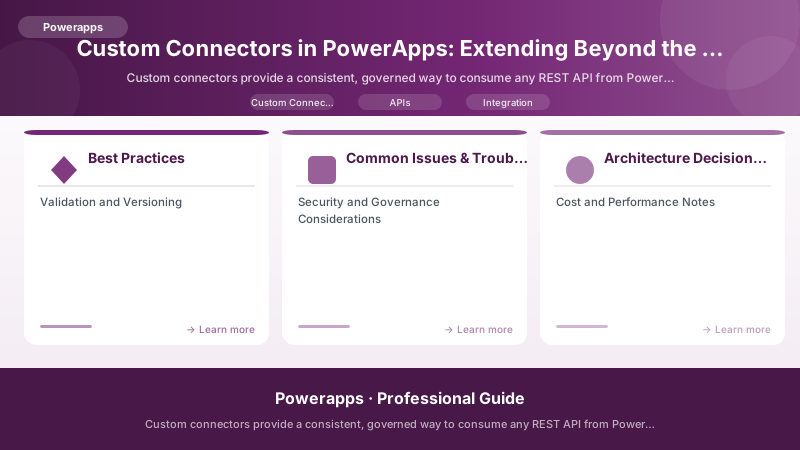
Figure: Configuration and management dashboard with status overview.
Power Apps accelerates app development with low-code capabilities. Enterprise patterns help teams manage ALM, data integration, and security while delivering scalable canvas and model-driven apps.
Use Cases
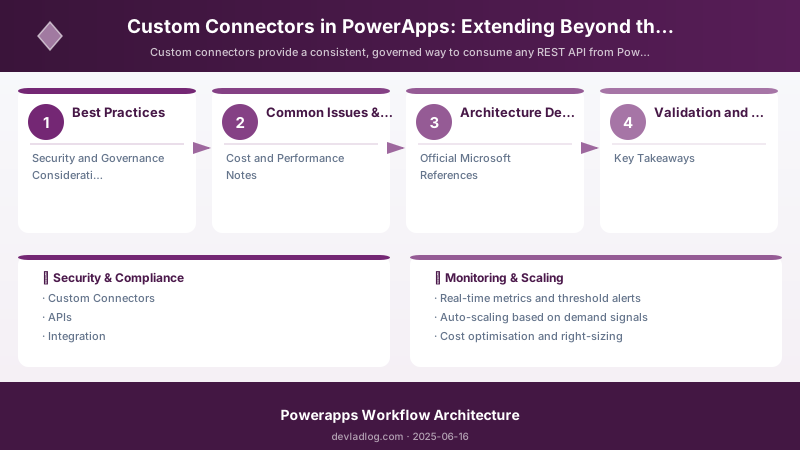
Figure: Configuration and management dashboard with status overview.
- Field data capture with offline sync
- Approvals with Dataverse and Power Automate
- Model-driven apps for standardized processes
Public Examples from Official Sources
- These examples are sourced from official public Microsoft documentation and sample repositories.
- Documentation examples: https://learn.microsoft.com/power-apps/
- Sample repositories: https://github.com/microsoft/PowerApps-Samples
- Prefer adapting these examples to your tenant, subscriptions, and governance requirements before production use.
Figure: Configuration and management dashboard with status overview.
With({ apiUrl: "https://api.contoso.com" }, Set(varAuth, true))
pac auth create --environment prod
Discussion