
On-Premises Data Gateway: Configuration and Management
[int]$DurationMinutes = 60 )
$counters = @( "\Processor(_Total)% Processor Time", "\Memory\Available MBytes", "\Process(PBIEgwService)\Private Bytes", "\Process(PBIEgwService)% Processor Time", "\Process(PBIEgwService)\Thread Count" )
Write-Host "Collecting gateway performance data for $DurationMinutes minutes..." -ForegroundColor Cyan
$samples = Get-Counter -Counter $counters -SampleInterval 60 -MaxSamples $DurationMinutes
Calculate statistics
foreach ($counter in $counters) { $values = $samples.CounterSamples | Where-Object { $_.Path -like "$counter" } | Select-Object -ExpandProperty CookedValue $avg = ($values | Measure-Object -Average).Average $max = ($values | Measure-Object -Maximum).Maximum
Write-Host "$counter" Write-Host " Average: $([math]::Round($avg, 2))" Write-Host " Maximum: $([math]::Round($max, 2))" }``` }
Run performance monitoring
Get-GatewayPerformance -DurationMinutes 5
## Query Performance Tuning

```text
Performance Optimization Checklist:


☑ Data Source Optimization:
  ☐ Add indexes on frequently filtered columns
  ☐ Update statistics on large tables
  ☐ Implement query folding in Power Query
  ☐ Avoid SELECT * queries (specify columns)
  ☐ Use stored procedures for complex logic

☑ Gateway Configuration:
  ☐ Increase connection pool size (default: 10)
```yaml
Edit: GatewayCore.dll.config
<add key="Microsoft.Mashup.Container.NetFX45.MaxConnections" value="20"/>
☐ Adjust query timeout (default: 30 minutes)
<add key="QueryTimeout" value="3600"/>
☐ Enable query result caching
<add key="EnableQueryResultCache" value="true"/>
☑ Network Optimization: ☐ Place gateway server close to data sources (low latency) ☐ Use wired gigabit connection (not WiFi) ☐ Monitor network utilization during peak times ☐ Consider ExpressRoute for Azure hybrid scenarios
☑ Refresh Scheduling: ☐ Stagger refresh schedules (avoid concurrent large refreshes) ☐ Schedule heavy refreshes during off-peak hours ☐ Use incremental refresh for large datasets ☐ Monitor refresh queue depth
### Connection Pooling Configuration

```xml
<!-- Edit: C:\Program Files\On-premises data gateway\Microsoft.PowerBI.DataMovement.Pipeline.GatewayCore.dll.config -->

<configuration>
  <appSettings>
```text
<!-- Increase max connections per data source -->
<add key="Microsoft.Mashup.Container.NetFX45.MaxConnections" value="20"/>

<!-- Increase HTTP request timeout -->
<add key="HttpRequestTimeout" value="00:30:00"/>

<!-- Enable aggressive connection pooling -->
<add key="PoolIdleTimeout" value="00:05:00"/>

<!-- Query execution timeout (seconds) -->
<add key="QueryTimeout" value="3600"/>```
  </appSettings>
</configuration>
Monitoring and Alerting
Automated Health Check Script
## Gateway health monitoring script (run via scheduled task every 5 minutes)

function Test-GatewayHealth {
```powershell
param(
    [string]$EmailTo = "ops@contoso.com",
    [string]$SmtpServer = "smtp.contoso.com"
)


$report = @{
    Timestamp = Get-Date
    ServerName = $env:COMPUTERNAME
    Checks = @()
    OverallStatus = "Healthy"
}

## Check 1: Gateway service running
$service = Get-Service -Name "PBIEgwService" -ErrorAction SilentlyContinue
$serviceCheck = @{
    Name = "Gateway Service"
    Status = if ($service -and $service.Status -eq "Running") { "✅ Pass" } else { "❌ Fail" }
    Details = "Status: $($service.Status)"
}
$report.Checks += $serviceCheck


if ($serviceCheck.Status -like "*Fail*") {
    $report.OverallStatus = "Unhealthy"
}

## Check 2: CPU usage
$cpu = (Get-Counter "\Processor(_Total)\% Processor Time").CounterSamples[0].CookedValue
$cpuCheck = @{
    Name = "CPU Usage"
    Status = if ($cpu -lt 80) { "✅ Pass" } else { "⚠️ Warning" }
    Details = "$([math]::Round($cpu, 1))%"
}
$report.Checks += $cpuCheck


if ($cpu -gt 90) {
    $report.OverallStatus = "Warning"
}

## Check 3: Available memory
$memAvailMB = (Get-Counter "\Memory\Available MBytes").CounterSamples[0].CookedValue
$memCheck = @{
    Name = "Available Memory"
    Status = if ($memAvailMB -gt 2048) { "✅ Pass" } else { "⚠️ Warning" }
    Details = "$([math]::Round($memAvailMB, 0)) MB"
}
$report.Checks += $memCheck


if ($memAvailMB -lt 1024) {
    $report.OverallStatus = "Warning"
}

## Check 4: Gateway log errors (last hour)
$logPath = "C:\Users\*\AppData\Local\Microsoft\On-premises data gateway\Gateway*.log"
$logs = Get-ChildItem $logPath | Sort-Object LastWriteTime -Descending | Select-Object -First 1


if ($logs) {
    $recentErrors = Get-Content $logs.FullName -Tail 1000 |
        Where-Object { $_ -match "ERROR|FATAL" } |
        Where-Object { (Get-Date) - [datetime]::Parse(($_ -split '\|')[0]) -lt (New-TimeSpan -Hours 1) }

    $errorCheck = @{
        Name = "Recent Errors"
        Status = if ($recentErrors.Count -eq 0) { "✅ Pass" } else { "⚠️ Warning" }
        Details = "$($recentErrors.Count) errors in last hour"
    }
    $report.Checks += $errorCheck

    if ($recentErrors.Count -gt 10) {
        $report.OverallStatus = "Warning"
    }
}

## Check 5: Disk space
$disk = Get-WmiObject Win32_LogicalDisk -Filter "DeviceID='C:'"
$freeSpaceGB = [math]::Round($disk.FreeSpace / 1GB, 2)
$diskCheck = @{
    Name = "Disk Space (C:)"
    Status = if ($freeSpaceGB -gt 10) { "✅ Pass" } else { "⚠️ Warning" }
    Details = "$freeSpaceGB GB free"
}
$report.Checks += $diskCheck


if ($freeSpaceGB -lt 5) {
    $report.OverallStatus = "Warning"
}

## Generate report
$emailBody = @"```
<html>
<head><style>
table { border-collapse: collapse; width: 100%; }
th, td { border: 1px solid #ddd; padding: 8px; text-align: left; }
th { background-color: #4CAF50; color: white; }
.pass { color: green; }
.warning { color: orange; }
.fail { color: red; }
</style></head>
<body>
<h2>Gateway Health Report - $($report.ServerName)</h2>
<p><strong>Timestamp:</strong> $($report.Timestamp)</p>
<p><strong>Overall Status:</strong> <span class="$($report.OverallStatus.ToLower())">$($report.OverallStatus)</span></p>


<table>
<tr><th>Check</th><th>Status</th><th>Details</th></tr>
"@

```text
foreach ($check in $report.Checks) {
    $emailBody += "<tr><td>$($check.Name)</td><td>$($check.Status)</td><td>$($check.Details)</td></tr>"
}

$emailBody += @"```
</table>
</body>
</html>
"@

```text
## Send email if unhealthy or warning
if ($report.OverallStatus -ne "Healthy") {
    $subject = "⚠️ Gateway Health Alert - $($report.ServerName) - $($report.OverallStatus)"
    Send-MailMessage -To $EmailTo -From "gateway-monitor@contoso.com" -Subject $subject `
        -Body $emailBody -BodyAsHtml -SmtpServer $SmtpServer


    Write-Host "Alert sent: $subject" -ForegroundColor Yellow
} else {
    Write-Host "✅ Gateway health check passed" -ForegroundColor Green
}

return $report```
}

## Run health check
Test-GatewayHealth
Log Analysis Automation
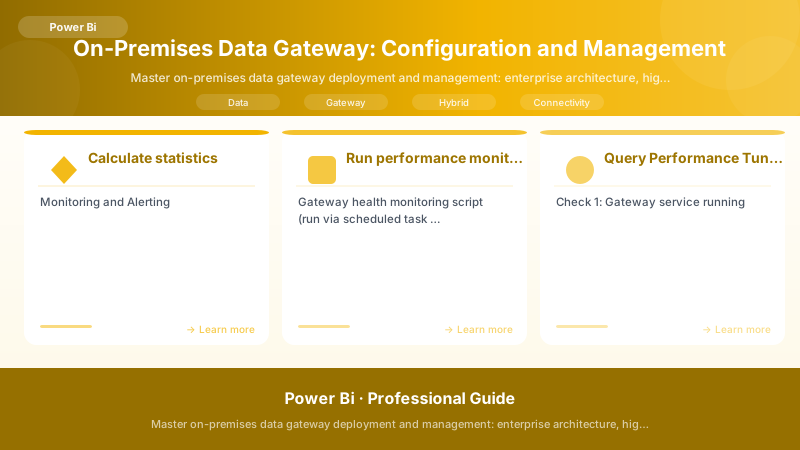
Figure: Test Studio – recorded test cases, assertions, and execution results.
## Analyze gateway logs for patterns and issues

function Analyze-GatewayLogs {

> **Architecture Overview:** param(


## Security Hardening

### Security Configuration Checklist


> **Architecture Overview:** Gateway Security Hardening:


### Enforce TLS 1.2

```powershell
## Disable TLS 1.0 and 1.1, enforce TLS 1.2


## Disable TLS 1.0
New-Item -Path 'HKLM:\SYSTEM\CurrentControlSet\Control\SecurityProviders\SCHANNEL\Protocols\TLS 1.0\Server' -Force
New-Item -Path 'HKLM:\SYSTEM\CurrentControlSet\Control\SecurityProviders\SCHANNEL\Protocols\TLS 1.0\Client' -Force
New-ItemProperty -Path 'HKLM:\SYSTEM\CurrentControlSet\Control\SecurityProviders\SCHANNEL\Protocols\TLS 1.0\Server' -Name 'Enabled' -Value '0' -PropertyType 'DWord' -Force
New-ItemProperty -Path 'HKLM:\SYSTEM\CurrentControlSet\Control\SecurityProviders\SCHANNEL\Protocols\TLS 1.0\Client' -Name 'Enabled' -Value '0' -PropertyType 'DWord' -Force


## Disable TLS 1.1
New-Item -Path 'HKLM:\SYSTEM\CurrentControlSet\Control\SecurityProviders\SCHANNEL\Protocols\TLS 1.1\Server' -Force
New-Item -Path 'HKLM:\SYSTEM\CurrentControlSet\Control\SecurityProviders\SCHANNEL\Protocols\TLS 1.1\Client' -Force
New-ItemProperty -Path 'HKLM:\SYSTEM\CurrentControlSet\Control\SecurityProviders\SCHANNEL\Protocols\TLS 1.1\Server' -Name 'Enabled' -Value '0' -PropertyType 'DWord' -Force
New-ItemProperty -Path 'HKLM:\SYSTEM\CurrentControlSet\Control\SecurityProviders\SCHANNEL\Protocols\TLS 1.1\Client' -Name 'Enabled' -Value '0' -PropertyType 'DWord' -Force


## Enable TLS 1.2
New-Item -Path 'HKLM:\SYSTEM\CurrentControlSet\Control\SecurityProviders\SCHANNEL\Protocols\TLS 1.2\Server' -Force
New-Item -Path 'HKLM:\SYSTEM\CurrentControlSet\Control\SecurityProviders\SCHANNEL\Protocols\TLS 1.2\Client' -Force
New-ItemProperty -Path 'HKLM:\SYSTEM\CurrentControlSet\Control\SecurityProviders\SCHANNEL\Protocols\TLS 1.2\Server' -Name 'Enabled' -Value '1' -PropertyType 'DWord' -Force
New-ItemProperty -Path 'HKLM:\SYSTEM\CurrentControlSet\Control\SecurityProviders\SCHANNEL\Protocols\TLS 1.2\Client' -Name 'Enabled' -Value '1' -PropertyType 'DWord' -Force


## Enable strong cryptography for .NET Framework
Set-ItemProperty -Path 'HKLM:\SOFTWARE\Microsoft\.NetFramework\v4.0.30319' -Name 'SchUseStrongCrypto' -Value '1' -Type DWord
Set-ItemProperty -Path 'HKLM:\SOFTWARE\Wow6432Node\Microsoft\.NetFramework\v4.0.30319' -Name 'SchUseStrongCrypto' -Value '1' -Type DWord


Write-Host "✅ TLS 1.2 enforced. Restart required." -ForegroundColor Green
Gateway Updates and Maintenance
Automated Update Deployment
## Script to check for and install gateway updates

function Update-Gateway {
```powershell
param(
    [switch]$AutoRestart
)


Write-Host "Checking for gateway updates..." -ForegroundColor Cyan

## Get current gateway version
$gatewayExe = "C:\Program Files\On-premises data gateway\EnterpriseGatewayConfigurator.exe"
if (-not (Test-Path $gatewayExe)) {
    Write-Host "❌ Gateway not found" -ForegroundColor Red
    return
}


$currentVersion = (Get-Item $gatewayExe).VersionInfo.FileVersion
Write-Host "Current version: $currentVersion" -ForegroundColor White

## Download latest installer
$downloadUrl = "https://download.microsoft.com/download/D/A/1/DA1FDDB8-6DA8-4F50-B4D0-18019591E182/GatewayInstall.exe"
$installerPath = "$env:TEMP\GatewayInstall_$(Get-Date -Format 'yyyyMMdd').exe"


Write-Host "Downloading latest installer..." -ForegroundColor Cyan
Invoke-WebRequest -Uri $downloadUrl -OutFile $installerPath

$newVersion = (Get-Item $installerPath).VersionInfo.FileVersion
Write-Host "Latest version: $newVersion" -ForegroundColor White

if ($currentVersion -eq $newVersion) {
    Write-Host "✅ Gateway is up to date" -ForegroundColor Green
    return
}

Write-Host "Update available: $currentVersion → $newVersion" -ForegroundColor Yellow

## Create pre-update backup
$backupPath = "C:\Gateway-Backups\Pre-Update-$(Get-Date -Format 'yyyyMMdd-HHmmss')"
New-Item -Path $backupPath -ItemType Directory -Force | Out-Null


## Backup config files
Copy-Item -Path "C:\Program Files\On-premises data gateway\*.config" -Destination $backupPath -Force
Write-Host "Config backed up to: $backupPath" -ForegroundColor Cyan


## Install update
Write-Host "Installing gateway update..." -ForegroundColor Cyan
$logPath = "C:\Logs\GatewayUpdate-$(Get-Date -Format 'yyyyMMdd-HHmmss').log"


Start-Process -FilePath $installerPath -ArgumentList "-quiet", "-norestart", "-log", $logPath -Wait -NoNewWindow

Write-Host "✅ Gateway updated successfully" -ForegroundColor Green
Write-Host "Log: $logPath"

if ($AutoRestart) {
    Write-Host "Restarting gateway service..." -ForegroundColor Yellow
    Restart-Service -Name "PBIEgwService"
    Start-Sleep -Seconds 10

    $service = Get-Service -Name "PBIEgwService"
    if ($service.Status -eq "Running") {
        Write-Host "✅ Gateway service restarted successfully" -ForegroundColor Green
    } else {
        Write-Host "❌ Gateway service failed to restart" -ForegroundColor Red
    }
} else {
    Write-Host "⚠️ Manual restart required" -ForegroundColor Yellow
}```
}

## Run update (with auto-restart)
Update-Gateway -AutoRestart
Maintenance Window Schedule
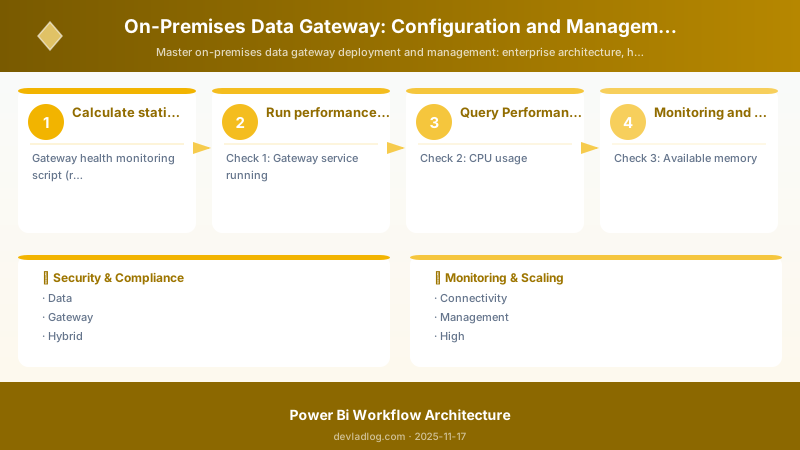
Figure: Scheduled flow – recurrence trigger with time zone options.
Gateway Maintenance Schedule:


Monthly Maintenance Window:
  - Timing: 2nd Sunday of month, 2:00 AM - 6:00 AM
  - Duration: 4 hours
  - Activities:

> **Architecture Overview:** ☐ Apply Windows updates

Pre-Maintenance Checklist:
  ☐ Notify users of maintenance window (7 days advance)
  ☐ Backup gateway configuration
  ☐ Verify cluster health (if applicable)
  ☐ Document current version and config
  ☐ Prepare rollback plan
  ☐ Stage updates on test environment first

Post-Maintenance Verification:
  ☐ Gateway service running
  ☐ Test data source connections
  ☐ Verify report refreshes
  ☐ Check error logs
  ☐ Confirm cluster synchronization
  ☐ Update change log

```powershell

## Troubleshooting Guide

### Issue 1: Gateway Service Won't Start


**Symptoms:**

- Gateway service fails to start
- Event Viewer shows service crash


**Diagnosis:**

```powershell
## Check service status and recent errors
Get-Service -Name "PBIEgwService" | Format-List *


## Check Event Viewer
Get-EventLog -LogName Application -Source "On-premises data gateway" -Newest 20 | Format-Table -AutoSize
Common Causes & Resolutions:
-
Corrupted configuration
- Delete:
C:\Users\<ServiceAccount>\AppData\Local\Microsoft\On-premises data gateway\GatewaySettings.json - Reconfigure gateway
- Delete:
-
Port conflict
- Gateway uses port 443 outbound
- Check firewall rules:
netstat -ano | findstr ":443"
-
.NET Framework issues
- Reinstall .NET Framework 4.7.2+
- Run:
sfc /scannowto repair system files
Issue 2: Data Source Connection Failures
Symptoms:
- "Can't connect to data source" errors
- Intermittent connectivity
Diagnosis:
## Test connectivity from gateway server
Test-NetConnection -ComputerName sql-server.contoso.com -Port 1433


## Check Kerberos authentication
klist tickets


## Check DNS resolution
Resolve-DnsName sql-server.contoso.com


> **Architecture Overview:** **Resolutions:**

## Monitor gateway process
Get-Process PBIEgwService | Format-List *


## Check concurrent queries
$logs = Get-ChildItem "C:\Users\*\AppData\Local\Microsoft\On-premises data gateway\Gateway*.log" -Recurse | Sort-Object LastWriteTime -Descending | Select-Object -First 1
Get-Content $logs.FullName -Tail 1000 | Select-String "Executing query"
Resolutions:
-
Optimize queries
- Implement query folding
- Add indexes on data sources
- Reduce data volume returned
-
Scale out
- Add more gateway nodes to cluster
- Distribute load across nodes
-
Adjust refresh schedules
- Stagger large refreshes
- Move to off-peak hours
Issue 4: Cluster Synchronization Problems
Symptoms:
- Nodes out of sync
- Inconsistent routing
- Some nodes not receiving requests
Diagnosis:
## Check cluster membership
Import-Module DataGateway
Login-DataGatewayServiceAccount


$cluster = Get-DataGatewayCluster -Name "Production-Gateway-Cluster"
$cluster.Members | Format-Table MachineName, Status, Version
Resolutions:
-
Version mismatch
- Ensure all nodes on same gateway version
- Update lagging nodes
-
Network connectivity between nodes
- Verify nodes can reach Azure Service Bus
- Check for proxy misconfigurations
-
Remove and re-add node
- Uninstall gateway from problematic node
- Reinstall and rejoin cluster
Best Practices Summary
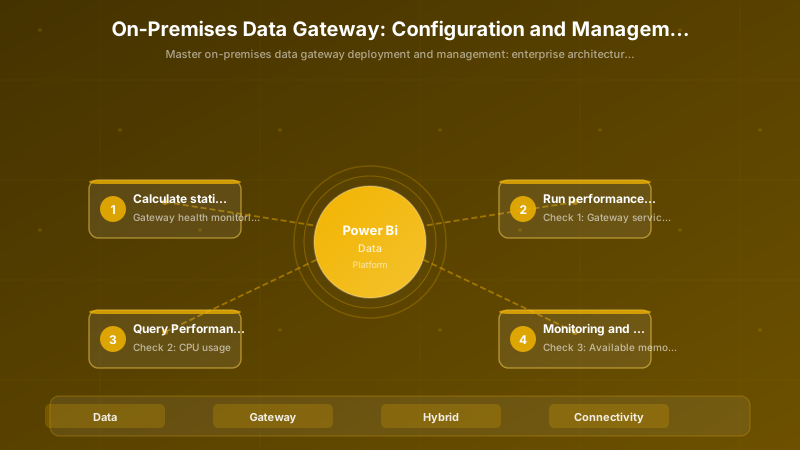
Figure: Configuration and management dashboard with status overview.
☑ Architecture:
  ☐ Dedicated gateway servers (no shared workloads)
  ☐ High availability cluster (2+ nodes) for production
  ☐ Co-locate gateway near data sources (low latency)
  ☐ Separate dev/test/prod gateway clusters


☑ Configuration:
  ☐ Use domain service accounts (not local accounts)
  ☐ Configure Kerberos for Windows authentication
  ☐ Optimize connection pooling for workload
  ☐ Document all data source mappings

☑ Security:
  ☐ Enforce TLS 1.2+ only
  ☐ Apply principle of least privilege
  ☐ Regular security patching (monthly)
  ☐ Audit access quarterly

☑ Monitoring:
  ☐ Automated health checks every 5 minutes
  ☐ Alert on service failures within 2 minutes
  ☐ Daily log analysis for patterns
  ☐ Monthly performance trend reviews

☑ Maintenance:
  ☐ Monthly update schedule (2nd Sunday)
  ☐ Test updates in non-prod first
  ☐ Backup config before changes
  ☐ Documented rollback procedures

☑ Performance:
  ☐ Monitor CPU/memory/disk utilization
  ☐ Optimize slow queries at source
  ☐ Stagger refresh schedules
  ☐ Implement incremental refresh for large datasets

☑ Disaster Recovery:
  ☐ Recovery key stored in vault
  ☐ Config files backed up daily
  ☐ Documented restore procedures
  ☐ Quarterly DR drills
Architecture Decision and Tradeoffs
When designing business intelligence solutions with Power BI, consider these key architectural trade-offs:
| Approach | Best For | Tradeoff |
|---|---|---|
| Managed / platform service | Rapid delivery, reduced ops burden | Less customisation, potential vendor lock-in |
| Custom / self-hosted | Full control, advanced tuning | Higher operational overhead and cost |
Recommendation: Start with the managed approach for most workloads and move to custom only when specific requirements demand it.
Validation and Versioning
- Last validated: April 2026
- Validate examples against your tenant, region, and SKU constraints before production rollout.
- Keep module, CLI, and SDK versions pinned in automation pipelines and review quarterly.
Security and Governance Considerations
- Apply least-privilege access using RBAC roles and just-in-time elevation for admin tasks.
- Store secrets in managed secret stores and avoid embedding credentials in scripts or source files.
- Enable audit logging, data protection policies, and periodic access reviews for regulated workloads.
Cost and Performance Notes
- Define budgets and alerts, then monitor usage and cost trends continuously after go-live.
- Baseline performance with synthetic and real-user checks before and after major changes.
- Scale resources with measured thresholds and revisit sizing after usage pattern changes.
Official Microsoft References
- https://learn.microsoft.com/power-bi/
- https://learn.microsoft.com/power-bi/guidance/
- https://learn.microsoft.com/fabric/
Public Examples from Official Sources
- These examples are sourced from official public Microsoft documentation and sample repositories.
- Documentation examples: https://learn.microsoft.com/power-bi/
- Sample repositories: https://github.com/microsoft/PowerBI-Developer-Samples
- Prefer adapting these examples to your tenant, subscriptions, and governance requirements before production use.
Key Takeaways
- Gateway is mission-critical infrastructure—treat it with the same rigor as production databases
- High availability clustering is essential for production workloads to prevent single points of failure
- Kerberos configuration requires careful SPN management and delegation settings
- Performance tuning focuses on query optimization, connection pooling, and refresh scheduling
- Automated monitoring catches issues before they impact users
- Security hardening includes TLS 1.2 enforcement, least privilege, and regular patching
- Maintenance windows should be scheduled monthly with comprehensive pre/post-checks
- Troubleshooting requires systematic approach: logs, connectivity tests, performance metrics
Next Steps
- Assess current gateway deployment (single node or cluster?)
- Plan high availability implementation (if not already clustered)
- Configure Kerberos authentication for Windows auth scenarios
- Implement automated monitoring with health check scripts
- Establish maintenance schedule with documented procedures
- Security hardening audit (TLS, service accounts, access controls)
- Performance baseline and optimization based on actual workload
- Document disaster recovery procedures and test quarterly
- Train operations team on troubleshooting common issues
- Regular capacity planning reviews (CPU, memory, query load trends)
Additional Resources
- On-Premises Data Gateway Documentation
- Gateway High Availability and Disaster Recovery
- Troubleshooting the Gateway
- Kerberos-based SSO Configuration
- Gateway Performance Best Practices
- Gateway REST API
- PowerShell DataGateway Module
Reliable. Secure. Scalable.
Discussion