
Standard Format: [Department]-[Function]-[Environment]
Examples: ✅ Sales-Analytics-Dev ✅ Finance-Reporting-Prod ✅ HR-Metrics-Test ✅ Marketing-DataPlatform-Prod
Avoid: ❌ Johns Workspace ❌ Test123 ❌ New Workspace (1) ❌ Copy of Sales Reports
### Workspace Configuration Script

```powershell
# Automated workspace creation with governance
function New-GovernedWorkspace {
```powershell
param(
    [string]$Department,
    [string]$Function,
    [string]$Environment,
    [string]$AdminGroupId,
    [string]$ContributorGroupId = $null
)

$workspaceName = "$Department-$Function-$Environment"

## Create workspace
$workspace = New-PowerBIWorkspace -Name $workspaceName


## Add admin group
Add-PowerBIWorkspaceUser -Id $workspace.Id `
    -UserPrincipalName $AdminGroupId `
    -AccessRight Admin `
    -PrincipalType Group


## Add contributors if provided
if ($ContributorGroupId) {
    Add-PowerBIWorkspaceUser -Id $workspace.Id `
        -UserPrincipalName $ContributorGroupId `
        -AccessRight Contributor `
        -PrincipalType Group
}


## Tag workspace with metadata
$tags = @{
    Department = $Department
    Environment = $Environment
    CreatedDate = (Get-Date).ToString("yyyy-MM-dd")
    Owner = $AdminGroupId
}


## Store tags (using naming convention or external database)
Write-Host "Created workspace: $workspaceName"
Write-Host "Tags: $($tags | ConvertTo-Json)"


return $workspace```
}

## Create workspace structure for a department
New-GovernedWorkspace -Department "Sales" -Function "Analytics" -Environment "Dev" `
```text
-AdminGroupId "sales-analytics-admins@contoso.com" `
-ContributorGroupId "sales-analysts@contoso.com"
New-GovernedWorkspace -Department "Sales" -Function "Analytics" -Environment "Test" `
-AdminGroupId "sales-analytics-admins@contoso.com"
New-GovernedWorkspace -Department "Sales" -Function "Analytics" -Environment "Prod" `
-AdminGroupId "sales-analytics-admins@contoso.com"
Diagram: See the official Microsoft documentation for architecture details.
### Creating and Publishing Apps

```powershell
## Create Power BI App from workspace
function Publish-PowerBIApp {
```powershell
param(
    [string]$WorkspaceId,
    [string]$AppName,
    [string]$Description,
    [string[]]$AudienceGroups,
    [hashtable]$Navigation
)


## App configuration
$appConfig = @{
    name = $AppName
    description = $Description
    publishedState = "Published"
    audiences = @()
    navigation = @{
        sections = @()
    }
}


## Configure audiences
foreach ($group in $AudienceGroups) {
    $appConfig.audiences += @{
        groupObjectId = $group
        name = "Audience-$group"
    }
}


## Configure navigation sections
foreach ($section in $Navigation.Keys) {
    $appConfig.navigation.sections += @{
        name = $section
        reports = $Navigation[$section]
    }
}


$body = $appConfig | ConvertTo-Json -Depth 10

## Publish app via REST API
$app = Invoke-PowerBIRestMethod -Url "groups/$WorkspaceId/apps" `
    -Method Post -Body $body


Write-Host "Published app: $AppName"
return $app```
}

## Example: Publish Sales Analytics app
$navigation = @{
```text
"Executive Dashboard" = @("sales-overview-report-id", "key-metrics-report-id")
"Regional Performance" = @("na-report-id", "emea-report-id", "apac-report-id")
"Product Analysis" = @("product-perf-report-id", "inventory-report-id")```
}


Publish-PowerBIApp `
```text
-WorkspaceId "workspace-id" `
-AppName "Sales Analytics" `
-Description "Official sales reporting and analytics for all regions" `
-AudienceGroups @("sales-team-group-id", "executives-group-id") `
-Navigation $navigation
## Audience Segmentation Strategy

```powershell


## Configure app audiences for role-based content access
function Set-AppAudiences {
```powershell
param(
    [string]$AppId,
    [array]$Audiences
)


## Example audience configuration:


## Executives: See only high-level dashboards


## Regional Managers: See regional + executive content


## Analysts: See all content

$audienceConfig = @{
    audiences = @(
        @{
            groupObjectId = "executives-group-id"
            name = "Executives"
            sections = @("Executive Dashboard")
        },
        @{
            groupObjectId = "regional-managers-group-id"
            name = "Regional Managers"
            sections = @("Executive Dashboard", "Regional Performance")
        },
        @{


            groupObjectId = "all-analysts-group-id"
            name = "All Analysts"
            sections = @("Executive Dashboard", "Regional Performance", "Product Analysis")
        }
    )
}

$body = $audienceConfig | ConvertTo-Json -Depth 10

Invoke-PowerBIRestMethod -Url "apps/$AppId/audiences" `
    -Method Put -Body $body

Write-Host "Configured audiences for app: $AppId"```
}
Audience Best Practices:
- Use Azure AD security groups, not individual users
- Keep audience names descriptive and tied to business roles
- Document which groups see which content
- Review audience membership quarterly
- Avoid creating too many audiences (max 3-5 per app)
Dataset Refresh Orchestration
Refresh Scheduling Strategy
Diagram: See the official Microsoft documentation for architecture details.
Automated Refresh Configuration
## Configure dataset refresh schedule
function Set-DatasetRefreshSchedule {
```powershell
param(
    [string]$DatasetId,
    [string]$WorkspaceId,
    [array]$RefreshTimes,  # e.g., @("06:00", "12:00", "18:00")
    [array]$Days = @("Sunday", "Monday", "Tuesday", "Wednesday", "Thursday", "Friday", "Saturday"),
    [string]$TimeZone = "UTC",
    [bool]$Enabled = $true,
    [bool]$NotifyOnFailure = $true
)


$scheduleConfig = @{
    value = @{
        days = $Days
        times = $RefreshTimes
        enabled = $Enabled
        localTimeZoneId = $TimeZone
        NotifyOption = if ($NotifyOnFailure) { "MailOnFailure" } else { "NoNotification" }
    }
}

$body = $scheduleConfig | ConvertTo-Json -Depth 5

Invoke-PowerBIRestMethod `
    -Url "groups/$WorkspaceId/datasets/$DatasetId/refreshSchedule" `
    -Method Patch -Body $body

Write-Host "Configured refresh schedule for dataset: $DatasetId"```
}

## Example: Configure tiered refresh schedule


## Master data: Once daily at 2 AM
Set-DatasetRefreshSchedule `
```powershell
-DatasetId "master-data-dataset-id" `
-WorkspaceId "data-workspace-id" `
-RefreshTimes @("02:00") `
-TimeZone "Eastern Standard Time"
Sales data: 4 times daily
Set-DatasetRefreshSchedule `
-DatasetId "sales-dataset-id" `
-WorkspaceId "sales-workspace-id" `
-RefreshTimes @("06:00", "12:00", "18:00", "23:00") `
-TimeZone "Eastern Standard Time"
Executive dashboard: Once daily at 8 AM
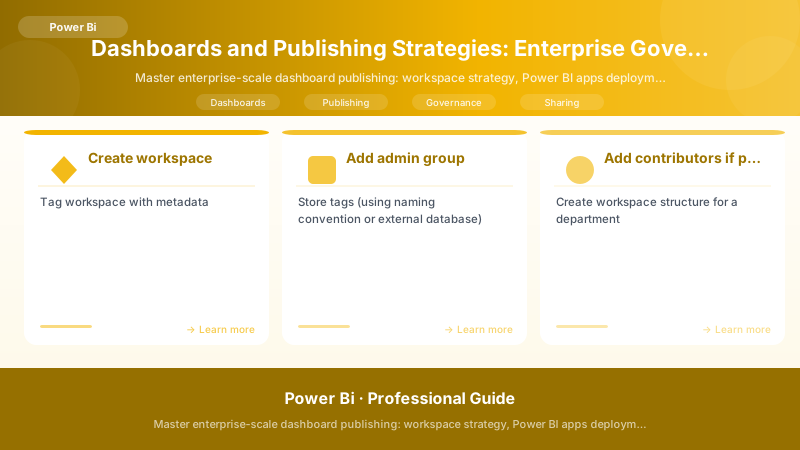
Figure: Power BI Service dashboard – pinned tiles, Q&A, and natural language.
Set-DatasetRefreshSchedule `
-DatasetId "executive-dashboard-dataset-id" `
-WorkspaceId "exec-workspace-id" `
-RefreshTimes @("08:00") `
-Days @("Monday", "Tuesday", "Wednesday", "Thursday", "Friday") `
-TimeZone "Eastern Standard Time"
## Refresh Monitoring and Alerting

```powershell


## Monitor refresh operations and send alerts
function Monitor-DatasetRefreshes {
```powershell
param(
    [int]$LookbackDays = 1,
    [string]$AlertEmail = "biops@contoso.com"
)


$failures = @()

## Get all workspaces
$workspaces = Get-PowerBIWorkspace -Scope Organization


foreach ($workspace in $workspaces) {
    $datasets = Get-PowerBIDataset -WorkspaceId $workspace.Id

    foreach ($dataset in $datasets) {
        if ($dataset.IsRefreshable) {
            # Get refresh history
            $refreshHistory = Get-PowerBIDatasetRefreshHistory `
                -DatasetId $dataset.Id `
                -WorkspaceId $workspace.Id `
                -Top 10

            # Check for recent failures
            $recentFailures = $refreshHistory | Where-Object {
                $_.Status -eq "Failed" -and
                $_.StartTime -gt (Get-Date).AddDays(-$LookbackDays)
            }

            if ($recentFailures) {
                foreach ($failure in $recentFailures) {
                    $failures += [PSCustomObject]@{
                        Workspace = $workspace.Name
                        Dataset = $dataset.Name
                        FailureTime = $failure.EndTime
                        Error = ($failure.ServiceExceptionJson | ConvertFrom-Json).errorDescription
                        Duration = ($failure.EndTime - $failure.StartTime).TotalMinutes
                    }
                }
            }
        }
    }
}

## Generate alert report
if ($failures.Count -gt 0) {
    $htmlReport = $failures | ConvertTo-Html -Title "Power BI Refresh Failures" -PreContent "<h2>Refresh Failures in Last $LookbackDays Day(s)</h2>"


    Send-MailMessage `
        -To $AlertEmail `
        -Subject "Power BI Refresh Failures Detected: $($failures.Count) Failed Refreshes" `
        -Body ($htmlReport | Out-String) `
        -BodyAsHtml `
        -SmtpServer "smtp.contoso.com" `
        -From "powerbi-alerts@contoso.com"

    Write-Host "Sent alert email for $($failures.Count) refresh failures"
} else {
    Write-Host "No refresh failures detected in last $LookbackDays days"
}

return $failures```
}

## Schedule this script to run daily
Monitor-DatasetRefreshes -LookbackDays 1 -AlertEmail "biops@contoso.com"
Refresh Dependency Management
## Orchestrate refresh with dependencies
function Start-DependentRefresh {
```powershell
param(
    [string]$DatasetId,
    [string]$WorkspaceId,
    [array]$DependencyDatasetIds,
    [int]$MaxWaitMinutes = 60
)


Write-Host "Checking dependencies for dataset: $DatasetId"

## Wait for all dependencies to complete
foreach ($depId in $DependencyDatasetIds) {
    $startTime = Get-Date
    $completed = $false


    while (-not $completed -and ((Get-Date) - $startTime).TotalMinutes -lt $MaxWaitMinutes) {
        $refreshHistory = Get-PowerBIDatasetRefreshHistory `
            -DatasetId $depId `
            -WorkspaceId $WorkspaceId `
            -Top 1

        if ($refreshHistory.Status -eq "Completed") {
            Write-Host "  Dependency $depId completed successfully"
            $completed = $true
        } elseif ($refreshHistory.Status -eq "Failed") {
            Write-Error "  Dependency $depId failed! Aborting refresh of $DatasetId"
            return $false
        } else {
            Write-Host "  Waiting for dependency $depId (Status: $($refreshHistory.Status))..."
            Start-Sleep -Seconds 30
        }
    }

    if (-not $completed) {
        Write-Error "  Dependency $depId timed out after $MaxWaitMinutes minutes"
        return $false
    }
}


## All dependencies completed, start refresh
Write-Host "All dependencies completed. Starting refresh of dataset: $DatasetId"


Invoke-PowerBIRestMethod `
    -Url "groups/$WorkspaceId/datasets/$DatasetId/refreshes" `
    -Method Post

return $true```
}

## Example: Refresh executive dashboard after all dependencies complete
Start-DependentRefresh `
```text
-DatasetId "executive-dashboard-id" `
-WorkspaceId "exec-workspace-id" `
-DependencyDatasetIds @("master-data-id", "sales-id", "inventory-id") `
-MaxWaitMinutes 120
## Dataset Certification and Endorsement

### Certification Workflow


> **Architecture Overview:** Dataset Lifecycle:


### Endorsement Configuration

```powershell
## Endorse (Promote or Certify) a dataset
function Set-DatasetEndorsement {
```powershell
param(
    [string]$DatasetId,
    [string]$WorkspaceId,
    [ValidateSet("None", "Promoted", "Certified")]
    [string]$Endorsement
)


$body = @{
    endorsement = $Endorsement
} | ConvertTo-Json

Invoke-PowerBIRestMethod `
    -Url "groups/$WorkspaceId/datasets/$DatasetId" `
    -Method Patch -Body $body

Write-Host "Set endorsement to '$Endorsement' for dataset: $DatasetId"```
}

## Promote dataset after testing
Set-DatasetEndorsement `
```powershell
-DatasetId "sales-dataset-id" `
-WorkspaceId "sales-workspace-id" `
-Endorsement "Promoted"
Certify dataset after governance approval
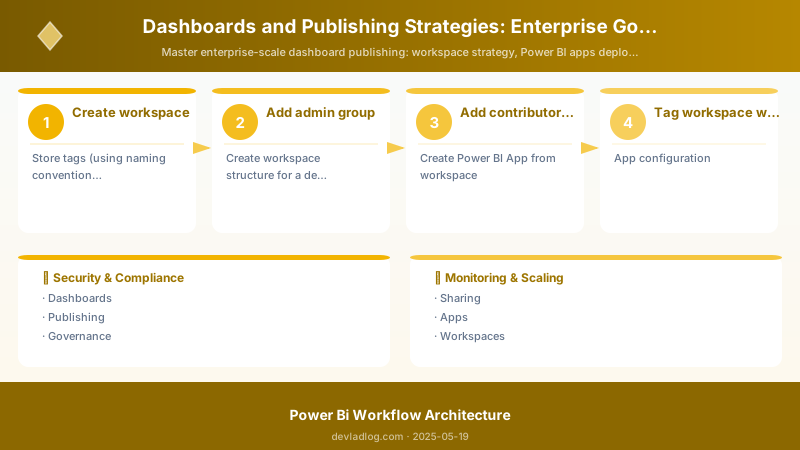
Figure: Dataset settings – scheduled refresh, gateway, and credentials.
Set-DatasetEndorsement `
-DatasetId "sales-dataset-id" `
-WorkspaceId "sales-workspace-id" `
-Endorsement "Certified"
## Certification Audit Report

```powershell


## Generate dataset certification status report
function Get-DatasetCertificationReport {
```powershell
$report = @()


$workspaces = Get-PowerBIWorkspace -Scope Organization

foreach ($workspace in $workspaces) {
    $datasets = Get-PowerBIDataset -WorkspaceId $workspace.Id

    foreach ($dataset in $datasets) {
        $report += [PSCustomObject]@{
            Workspace = $workspace.Name
            Dataset = $dataset.Name
            Endorsement = $dataset.Endorsement
            IsRefreshable = $dataset.IsRefreshable
            Owner = $dataset.ConfiguredBy
            LastRefresh = $dataset.RefreshSchedule.LastRefresh
        }
    }
}

## Summary statistics
$summary = $report | Group-Object Endorsement | Select-Object Name, Count


Write-Host "`nDataset Certification Summary:"
$summary | Format-Table -AutoSize

## Export detailed report
$report | Export-Csv "Dataset-Certification-Report-$(Get-Date -Format 'yyyy-MM-dd').csv" -NoTypeInformation


return $report```
}

Get-DatasetCertificationReport
Change Management and Release Process
Release Notes Template
## Power BI Release Notes - [App/Workspace Name]

**Release Date**: 2025-11-23
**Version**: 2.4.0
**Release Type**: Minor Update

![Power BI Release Notes - [App/Workspace Name]](/images/articles/power-bi/2025-05-19-dashboards-publishing-strategies-governance-sec45-pipeline.jpg)


## What's New
- Added new "Customer Lifetime Value" report to Executive Dashboard section
- Implemented drill-through from Sales Overview to Customer Details
- Added year-over-year comparison visuals to Regional Performance


## Enhancements
- Improved loading performance for Product Analysis reports (50% faster)
- Updated color scheme to match new corporate branding
- Added tooltips with contextual help to key metrics


## Bug Fixes
- Fixed date filter issue in EMEA report showing incorrect fiscal year
- Corrected currency conversion for international sales
- Resolved dashboard tile refresh issue


## Data Updates
- Added new product categories: "Smart Home" and "Wearables"
- Historical data extended back to 2018 (previously 2020)
- Improved data quality checks for customer addresses


## Breaking Changes
None


## Known Issues
- [Minor] Export to PDF may show slight formatting differences
- [Minor] Custom theme may not apply to all embedded visuals


## Upcoming Features (Next Release)
- Mobile-optimized layouts for all reports
- Predictive analytics for sales forecasting
- Integration with Dynamics 365 data


## Support
Questions? Contact: sales-analytics@contoso.com
Documentation: https://intranet.contoso.com/powerbi/sales-analytics
Automated Release Communication
## Send release notification to app users
function Send-ReleaseNotification {
```powershell
param(
    [string]$AppName,
    [string]$Version,
    [string]$ReleaseNotesPath,
    [string]$TeamsWebhookUrl
)


$releaseNotes = Get-Content $ReleaseNotesPath -Raw

## Create Teams adaptive card
$card = @{
    type = "message"
    attachments = @(
        @{
            contentType = "application/vnd.microsoft.card.adaptive"
            content = @{
                type = "AdaptiveCard"
                body = @(
                    @{
                        type = "TextBlock"
                        text = "🚀 $AppName Updated"
                        size = "Large"
                        weight = "Bolder"
                    },


                    @{
                        type = "TextBlock"
                        text = "Version $Version is now available"
                        isSubtle = $true
                    },
                    @{
                        type = "TextBlock"
                        text = $releaseNotes
                        wrap = $true
                    }
                )
                actions = @(
                    @{
                        type = "Action.OpenUrl"
                        title = "Open App"
                        url = "https://app.powerbi.com/groups/me/apps/$AppName"
                    },
                    @{
                        type = "Action.OpenUrl"
                        title = "View Full Release Notes"
                        url = "https://intranet.contoso.com/powerbi/releases/$Version"
                    }
                )
            }
        }
    )
} | ConvertTo-Json -Depth 20

Invoke-RestMethod -Uri $TeamsWebhookUrl -Method Post -Body $card -ContentType "application/json"

Write-Host "Release notification sent for $AppName v$Version"```
}

## Send notification
Send-ReleaseNotification `
```text
-AppName "Sales Analytics" `
-Version "2.4.0" `
-ReleaseNotesPath "C:\Releases\SalesAnalytics-v2.4.0-ReleaseNotes.md" `
-TeamsWebhookUrl "https://contoso.webhook.office.com/webhookb2/..."
Architecture Overview: 
Audit and enforce app-first distribution
function Audit-WorkspaceDirectAccess {
Architecture Overview: $violations = @()
Governance Controls and Policies
Workspace Governance Policies
Architecture Overview: Governance Policy Document:
Automated Governance Checks
## Daily governance check script
function Invoke-GovernanceChecks {
```powershell
$report = @{
    Date = Get-Date -Format "yyyy-MM-dd"
    Violations = @()
    Warnings = @()
    Passed = @()
}


## Check 1: Uncertified datasets in production apps
$prodWorkspaces = Get-PowerBIWorkspace -Scope Organization -Filter "name like '%-Prod'"
foreach ($workspace in $prodWorkspaces) {
    $datasets = Get-PowerBIDataset -WorkspaceId $workspace.Id
    $uncertified = $datasets | Where-Object {$_.Endorsement -ne "Certified"}


    if ($uncertified.Count -gt 0) {
        $report.Warnings += "Workspace '$($workspace.Name)' has $($uncertified.Count) uncertified datasets"
    }
}

## Check 2: Workspaces without recent activity
$allWorkspaces = Get-PowerBIWorkspace -Scope Organization
foreach ($workspace in $allWorkspaces) {
    if ($workspace.Name -like "*-Dev" -and
        (Get-Date) - $workspace.OnPremisesLastSyncDateTime -gt (New-TimeSpan -Days 90)) {
        $report.Violations += "Dev workspace '$($workspace.Name)' inactive for >90 days - candidate for deletion"
    }
}


## Check 3: Direct user access to production workspaces
$directAccessViolations = Audit-WorkspaceDirectAccess
if ($directAccessViolations.Count -gt 0) {
    $report.Warnings += "$($directAccessViolations.Count) production workspaces have direct user access"
}


## Check 4: Refresh failures in last 24 hours
$refreshFailures = Monitor-DatasetRefreshes -LookbackDays 1
if ($refreshFailures.Count -gt 0) {
    $report.Violations += "$($refreshFailures.Count) dataset refresh failures in last 24 hours"
}


## Check 5: Orphaned workspaces (no admin)
foreach ($workspace in $allWorkspaces) {
    $users = Get-PowerBIWorkspaceUser -WorkspaceId $workspace.Id
    $admins = $users | Where-Object {$_.AccessRight -eq "Admin"}


    if ($admins.Count -eq 0) {
        $report.Violations += "Workspace '$($workspace.Name)' has NO ADMINS - critical issue"
    }
}

## Generate summary
Write-Host "`n=== Power BI Governance Report ==="
Write-Host "Date: $($report.Date)"
Write-Host "Violations: $($report.Violations.Count)"
Write-Host "Warnings: $($report.Warnings.Count)"


if ($report.Violations.Count -gt 0) {
    Write-Host "`n❌ VIOLATIONS:"
    $report.Violations | ForEach-Object { Write-Host "  - $_" }
}

if ($report.Warnings.Count -gt 0) {
    Write-Host "`n⚠️ WARNINGS:"
    $report.Warnings | ForEach-Object { Write-Host "  - $_" }
}

## Export report
$report | ConvertTo-Json -Depth 5 | Out-File "Governance-Report-$(Get-Date -Format 'yyyy-MM-dd').json"


return $report```
}

## Schedule to run daily at 8 AM
Invoke-GovernanceChecks


> **Architecture Overview:** ## Best Practices Summary

## Check if user has access to app
$appId = "app-id"
$userEmail = "user@contoso.com"


## Get app audiences
$app = Invoke-PowerBIRestMethod -Url "apps/$appId" -Method Get | ConvertFrom-Json


## Check if user's group is in audience
$audiences = $app.audiences
$audiences | Format-Table groupObjectId, name
Resolution:
- Verify user is in correct Azure AD group
- Check app audience configuration
- Ensure app is published (not in draft)
- Configure auto-install for user's group
- Have user refresh https://app.powerbi.com/
Issue 2: Stale Data in Reports
Symptoms:
- Reports showing yesterday's data at 10 AM
- "Last refreshed" timestamp is old
Diagnosis:
## Check refresh history
$datasetId = "dataset-id"
$workspaceId = "workspace-id"


$refreshHistory = Get-PowerBIDatasetRefreshHistory -DatasetId $datasetId -WorkspaceId $workspaceId -Top 5
$refreshHistory | Format-Table Status, StartTime, EndTime, @{N='Duration';E={($ _.EndTime - $_.StartTime).TotalMinutes}}
Resolution:
- If Status = Failed: Review error message, check gateway connectivity, verify credentials
- If Status = Disabled: Re-enable refresh schedule
- If no recent refreshes: Check if refresh schedule is configured
- If refresh completes but data old: Verify source system has new data, check Power Query filters
Issue 3: Workspace Sprawl
Symptoms:
- Hundreds of workspaces with unclear purposes
- Duplicate content across workspaces
- Users creating ad-hoc workspaces
Diagnosis:
## Identify workspace sprawl
$workspaces = Get-PowerBIWorkspace -Scope Organization
$devWorkspaces = $workspaces | Where-Object {$_.Name -like "*-Dev"}
$testWorkspaces = $workspaces | Where-Object {$_.Name -like "*-Test"}
$prodWorkspaces = $workspaces | Where-Object {$_.Name -like "*-Prod"}
$uncategorized = $workspaces | Where-Object {$_.Name -notlike "*-Dev" -and $_.Name -notlike "*-Test" -and $_.Name -notlike "*-Prod"}


Write-Host "Total Workspaces: $($workspaces.Count)"
Write-Host "  Dev: $($devWorkspaces.Count)"
Write-Host "  Test: $($testWorkspaces.Count)"
Write-Host "  Prod: $($prodWorkspaces.Count)"
Write-Host "  Uncategorized: $($uncategorized.Count) ⚠️"


> **Architecture Overview:** **Resolution**:
Architecture Decision and Tradeoffs
When designing business intelligence solutions with Power BI, consider these key architectural trade-offs:
| Approach | Best For | Tradeoff |
|---|---|---|
| Managed / platform service | Rapid delivery, reduced ops burden | Less customisation, potential vendor lock-in |
| Custom / self-hosted | Full control, advanced tuning | Higher operational overhead and cost |
Recommendation: Start with the managed approach for most workloads and move to custom only when specific requirements demand it.
Security and Governance Considerations
- Least Privilege: Grant only the permissions required for each role
- Secret Management: Store credentials in Azure Key Vault or equivalent; never hard-code secrets
- Audit Logging: Enable diagnostic and activity logs for compliance and forensic analysis
- Data Protection: Encrypt data at rest and in transit; classify data with sensitivity labels where applicable
Cost and Performance Notes
- Primary Cost Drivers: Compute tier, storage volume, and network egress
- Optimization Levers: Right-size resources, use reserved instances or savings plans, and review Azure Advisor recommendations regularly
- Performance Baseline: Define SLAs, latency targets, and throughput thresholds before going live
- Scaling Strategy: Use auto-scale rules and monitor utilisation to balance cost and responsiveness
Validation and Versioning
- Last Validated: April 2026
- Tested With: Current generally-available Power BI APIs and SDKs
- Known Constraints: Check regional availability and service limits before production deployment
Official Microsoft References
Public Examples from Official Sources
Discussion