
"inputs": "@triggerBody()?['email']", "type": "Compose"``` }, "Compose_2": {
"inputs": "@toLower(outputs('Compose_1'))",
"type": "Compose"```
  },
  "Compose_3": {
```text
"inputs": "@split(outputs('Compose_2'), '@')[0]",
"type": "Compose"```
  },
  "Send_email": {
```text
"inputs": {
  "to": "@outputs('Compose_3')",
  "subject": "Welcome"
}```
  }
}
✅ Optimized Pattern (1 action):
{
  "Send_email": {
```text
"inputs": {
  "to": "@split(toLower(triggerBody()?['email']), '@')[0]",
  "subject": "Welcome"
}```
  }
}
Impact: -4 actions per run, 60% faster execution, eliminates unnecessary variable storage.
Use Select and Filter Instead of Apply to Each
❌ Inefficient Pattern (Loop with Condition):
{
  "Apply_to_each": {
```text
"foreach": "@body('List_items')?['value']",
"actions": {
  "Condition": {
    "expression": "@greater(item()?['Price'], 100)",
    "actions": {
      "Compose_Item": {
        "inputs": {
          "Name": "@item()?['Title']",
          "Price": "@item()?['Price']"
        }
      }
    }
  }
}```
  }
}
Cost: For 1,000 items: 1 List + 1 Loop + 1,000 Conditions + 500 Composes = 1,502 actions
✅ Optimized Pattern (Filter + Select):
{
  "Filter_array": {
```text
"type": "Query",
"inputs": {
  "from": "@body('List_items')?['value']",
  "where": "@greater(item()?['Price'], 100)"
}```
  },
  "Select": {
```text
"type": "Select",
"inputs": {
  "from": "@body('Filter_array')",
  "select": {
    "Name": "@item()?['Title']",
    "Price": "@item()?['Price']"
  }
}```
  }
}
Cost: For 1,000 items: 1 List + 1 Filter + 1 Select = 3 actions (99.8% reduction!)
Consolidate Conditions with Logical Operators
❌ Inefficient Pattern (Nested Conditions):
{
  "Condition_1": {
```text
"expression": "@equals(triggerBody()?['Status'], 'Approved')",
"actions": {
  "Condition_2": {
    "expression": "@greater(triggerBody()?['Amount'], 1000)",
    "actions": {
      "Condition_3": {
        "expression": "@contains(triggerBody()?['Department'], 'Finance')",
        "actions": {
          "Send_approval": {}
        }
      }
    }
  }
}```
  }
}
Cost: 3 condition actions + 1 send action = 4 actions
✅ Optimized Pattern (Single Condition):
{
  "Condition": {
```text
"expression": {
  "and": [
    {"equals": ["@triggerBody()?['Status']", "Approved"]},
    {"greater": ["@triggerBody()?['Amount']", 1000]},
    {"contains": ["@triggerBody()?['Department']", "Finance"]}
  ]
},
"actions": {
  "Send_approval": {}
}```
  }
}
Cost: 1 condition action + 1 send action = 2 actions (50% reduction)
Eliminate Redundant Initialize Variable Actions
Pattern: Initialize variables at the beginning only if they'll be updated in loops or require scope-level access. Use @variables('varName') expressions instead of Compose actions for reusability.
{
  "Initialize_UserEmail": {
```text
"type": "InitializeVariable",
"inputs": {
  "variables": [{
    "name": "UserEmail",
    "type": "string",
    "value": "@toLower(triggerBody()?['email'])"
  }]
}```
  },
  "Initialize_UserDomain": {
```text
"type": "InitializeVariable",
"inputs": {
  "variables": [{
    "name": "UserDomain",
    "type": "string",
    "value": "@split(variables('UserEmail'), '@')[1]"
  }]
}```
  }
}
Best Practice: Initialize multiple variables in a single action (Premium feature) or use direct expressions where variables aren't updated.
Concurrency and Parallelism Patterns
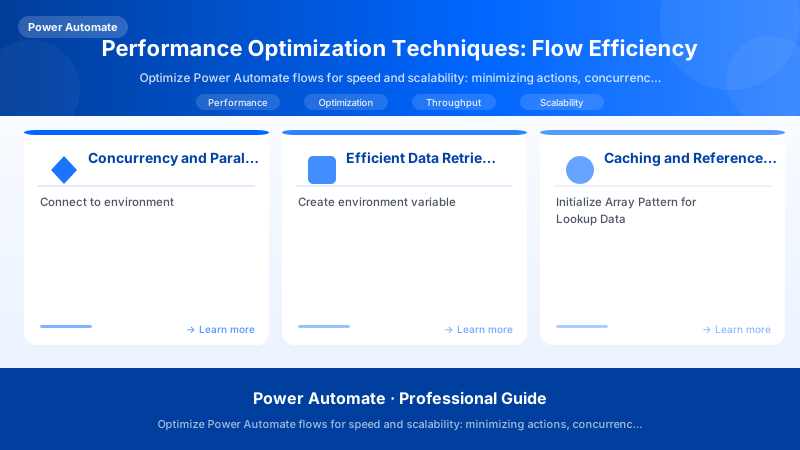
Power Automate executes actions sequentially by default. Enabling parallelism can reduce execution time by 40-80% for multi-item processing or independent tasks.
Apply to Each: Concurrency Control
Default Behavior: Processes items one at a time (degree of parallelism = 1).
Concurrency Settings:
- Degree of Parallelism (DoP): 1-50 (default: 20 when enabled)
- Pagination: Auto-enabled with concurrency, processes batches of items
Configuration in Flow JSON:
{
  "Apply_to_each": {
```text
"foreach": "@body('List_items')?['value']",
"actions": {
  "Update_item": {
    "type": "ApiConnection",
    "inputs": {
      "host": {"connectionName": "shared_sharepointonline"},
      "method": "patch",
      "path": "/datasets/@{encodeURIComponent('https://contoso.sharepoint.com/sites/HR')}/tables/@{encodeURIComponent('Employees')}/items/@{item()?['ID']}",
      "body": {"Status": "Processed"}
    }
  }
},
"runtimeConfiguration": {
  "concurrency": {
    "repetitions": 20
  }
}```
  }
}
Performance Impact Example:
- Sequential (DoP=1): 1,000 items × 500ms = 500 seconds (8.3 minutes)
- Parallel (DoP=20): 1,000 items ÷ 20 × 500ms = 25 seconds (95% faster!)
When to Use Concurrency
✅ Use concurrency when:
- Items are independent (no dependencies between iterations)
- Order doesn't matter (e.g., sending notifications, updating status)
- Downstream API supports parallel requests (check rate limits)
- Processing >100 items
❌ Avoid concurrency when:
- Order matters (sequential processing required)
- Target API has strict rate limits (e.g., 5 requests/second)
- Items have dependencies (item N depends on item N-1 result)
- Race conditions possible (e.g., updating shared counters)
Rate Limit Management
Problem: Concurrency can trigger throttling (HTTP 429) if target API has rate limits.
Solution: Adaptive Concurrency with Retry
{
  "Apply_to_each": {
```text
"runtimeConfiguration": {
  "concurrency": {
    "repetitions": 10
  }
},
"actions": {
  "Scope_WithRetry": {
    "type": "Scope",
    "actions": {
      "HTTP_CallAPI": {
        "type": "Http",
        "inputs": {
          "method": "POST",
          "uri": "https://api.contoso.com/process",
          "body": "@item()"
        },
        "retryPolicy": {
          "type": "exponential",
          "count": 4,
          "interval": "PT10S",
          "maximumInterval": "PT1H",
          "minimumInterval": "PT5S"
        }
      }
    },
    "runAfter": {}
  }
}```
  }
}
Best Practice: Start with DoP=5, monitor for throttling, incrementally increase to DoP=10, 20 if no errors.
Parallel Branches for Independent Tasks
Use parallel branches when you have independent tasks that can run simultaneously (e.g., send notification + log to database + update record).
❌ Sequential Pattern (3 seconds total):
Architecture Overview: Trigger → Send Email (1s) → Insert Log (1s) → Update SharePoint (1s)
✅ Parallel Pattern (1 second total):
Architecture Overview: → Send Email (1s)
Implementation:
- After trigger/action, click "+ New step"
- Click "..." (three dots) → "Add a parallel branch"
- Add actions to each branch
Flow JSON:
{
  "Parallel_Branch_1": {
```text
"actions": {
  "Send_email": {
    "type": "ApiConnection",
    "inputs": {
      "host": {"connectionName": "shared_office365"},
      "method": "post",
      "path": "/v2/Mail",
      "body": {
        "To": "@triggerBody()?['RequestorEmail']",
        "Subject": "Request Approved"
      }
    }
  }
},
"runAfter": {"Trigger": ["Succeeded"]}```
  },
  "Parallel_Branch_2": {
```text
"actions": {
  "Insert_log": {
    "type": "ApiConnection",
    "inputs": {
      "host": {"connectionName": "shared_sql"},
      "method": "post",
      "path": "/datasets/default/tables/AuditLog/items",
      "body": {
        "Action": "Approved",
        "Timestamp": "@utcNow()",
        "UserId": "@triggerBody()?['RequestorId']"
      }
    }
  }
},
"runAfter": {"Trigger": ["Succeeded"]}```
  },
  "Parallel_Branch_3": {
```text
"actions": {
  "Update_item": {
    "type": "ApiConnection",
    "inputs": {
      "host": {"connectionName": "shared_sharepointonline"},
      "method": "patch",
      "path": "/datasets/@{encodeURIComponent('https://contoso.sharepoint.com/sites/Requests')}/tables/@{encodeURIComponent('Requests')}/items/@{triggerBody()?['ID']}",
      "body": {"Status": "Approved", "ApprovedDate": "@utcNow()"}
    }
  }
},
"runAfter": {"Trigger": ["Succeeded"]}```
  }
}
Error Handling in Parallel Branches:
- By default, flow succeeds if ANY branch succeeds
- Use Scope actions to group parallel branches, then check
result('Scope_Name')to ensure all succeeded - Configure dependencies:
"runAfter": {"ParallelBranch1": ["Succeeded"], "ParallelBranch2": ["Succeeded"]}
Efficient Data Retrieval: Pagination and Filtering
Pagination Best Practices
Most Power Automate connectors have default page size limits (100-5000 items). Proper pagination prevents timeouts and memory issues.
SharePoint List Rows (Top 5000 Limit):
{
  "List_rows": {
```text
"type": "ApiConnection",
"inputs": {
  "host": {"connectionName": "shared_sharepointonline"},
  "method": "get",
  "path": "/datasets/@{encodeURIComponent('https://contoso.sharepoint.com/sites/HR')}/tables/@{encodeURIComponent('Employees')}/items",
  "queries": {
    "top": 5000,
    "$select": "ID,Title,Email,Department",
    "$filter": "Status eq 'Active'",
    "$orderby": "Modified desc"
  }
}```
  }
}
Dataverse List Rows (Automatic Pagination):
{
  "List_rows": {
```text
"type": "ApiConnection",
"inputs": {
  "host": {"connectionName": "shared_commondataserviceforapps"},
  "method": "get",
  "path": "/v2/datasets/@{encodeURIComponent('org.crm.dynamics.com')}/tables/@{encodeURIComponent('accounts')}/items",
  "queries": {
    "$top": 5000,
    "$select": "accountid,name,revenue,industry",
    "$filter": "revenue gt 1000000",
    "$orderby": "createdon desc"
  }
},
"pagination": {
  "enabled": true,
  "threshold": 100000
}```
  }
}
Manual Pagination Pattern (Custom APIs):
{
  "Initialize_PageNumber": {
```text
"type": "InitializeVariable",
"inputs": {
  "variables": [{
    "name": "PageNumber",
    "type": "integer",
    "value": 1
  }]
}```
  },
  "Initialize_HasMoreData": {
```text
"type": "InitializeVariable",
"inputs": {
  "variables": [{
    "name": "HasMoreData",
    "type": "boolean",
    "value": true
  }]
}```
  },
  "Do_until_NoMoreData": {
```text
"type": "Until",
"expression": "@equals(variables('HasMoreData'), false)",
"limit": {
  "count": 100,
  "timeout": "PT1H"
},
"actions": {
  "HTTP_GetPage": {
    "type": "Http",
    "inputs": {
      "method": "GET",
      "uri": "https://api.contoso.com/data?page=@{variables('PageNumber')}&pageSize=1000"
    }
  },
  "Parse_JSON": {
    "type": "ParseJson",
    "inputs": {
      "content": "@body('HTTP_GetPage')",
      "schema": {
        "type": "object",
        "properties": {
          "data": {"type": "array"},
          "hasMore": {"type": "boolean"},
          "nextPage": {"type": "integer"}
        }
      }
    },
    "runAfter": {"HTTP_GetPage": ["Succeeded"]}
  },
  "Process_Items": {
    "type": "Apply_to_each",
    "foreach": "@body('Parse_JSON')?['data']",
    "actions": {
      "ProcessItem": {}
    },
    "runAfter": {"Parse_JSON": ["Succeeded"]}
  },
  "Increment_PageNumber": {
    "type": "IncrementVariable",
    "inputs": {
      "name": "PageNumber",
      "value": 1
    },
    "runAfter": {"Process_Items": ["Succeeded"]}
  },
  "Set_HasMoreData": {
    "type": "SetVariable",
    "inputs": {
      "name": "HasMoreData",
      "value": "@body('Parse_JSON')?['hasMore']"
    },
    "runAfter": {"Increment_PageNumber": ["Succeeded"]}
  }
}```
  }
}
Field Selection (Query Projection)
Impact: Retrieving only needed fields reduces:
- Network transfer time (30-70% faster)
- Memory consumption (smaller payloads)
- JSON parsing overhead
❌ Bad Practice (Retrieve All Columns):
{
  "List_rows": {
```text
"type": "ApiConnection",
"inputs": {
  "host": {"connectionName": "shared_sharepointonline"},
  "method": "get",
  "path": "/datasets/@{encodeURIComponent('https://contoso.sharepoint.com/sites/HR')}/tables/@{encodeURIComponent('Employees')}/items"
}```
  }
}
Result: Returns 50+ columns including large text fields, attachments, metadata = 5-10 MB payload
✅ Good Practice (Select Specific Columns):
{
  "List_rows": {
```text
"type": "ApiConnection",
"inputs": {
  "host": {"connectionName": "shared_sharepointonline"},
  "method": "get",
  "path": "/datasets/@{encodeURIComponent('https://contoso.sharepoint.com/sites/HR')}/tables/@{encodeURIComponent('Employees')}/items",
  "queries": {
    "$select": "ID,Title,Email,Department,HireDate"
  }
}```
  }
}
Result: Returns 5 columns only = 200-500 KB payload (90% reduction!)
Server-Side Filtering
Always filter data at the source (database, API) rather than in Power Automate. Reduces data transfer and processing time.
❌ Client-Side Filtering (Inefficient):
{
  "List_all_items": {
```text
"type": "ApiConnection",
"inputs": {
  "host": {"connectionName": "shared_sharepointonline"},
  "method": "get",
  "path": "/datasets/@{encodeURIComponent('https://contoso.sharepoint.com/sites/Sales')}/tables/@{encodeURIComponent('Orders')}/items"
}```
  },
  "Filter_array": {
```text
"type": "Query",
"inputs": {
  "from": "@body('List_all_items')?['value']",
  "where": "@and(greater(item()?['Amount'], 1000), equals(item()?['Status'], 'Pending'))"
},
"runAfter": {"List_all_items": ["Succeeded"]}```
  }
}
Cost: Retrieves ALL orders (10,000 items), then filters locally = Slow + High Memory
✅ Server-Side Filtering (Efficient):
{
  "List_filtered_items": {
```text
"type": "ApiConnection",
"inputs": {
  "host": {"connectionName": "shared_sharepointonline"},
  "method": "get",
  "path": "/datasets/@{encodeURIComponent('https://contoso.sharepoint.com/sites/Sales')}/tables/@{encodeURIComponent('Orders')}/items",
  "queries": {
    "$filter": "Amount gt 1000 and Status eq 'Pending'",
    "$select": "ID,OrderNumber,Amount,Status,CustomerName"
  }
}```
  }
}
Cost: Retrieves only matching orders (200 items) = Fast + Low Memory
Batch Operations
Use batch APIs when available to reduce action count and round trips.
Dataverse Batch Request Example (Up to 1000 operations per batch):
{
  "Send_batch_request": {
```text
"type": "ApiConnection",
"inputs": {
  "host": {"connectionName": "shared_commondataserviceforapps"},
  "method": "post",
  "path": "/v2/datasets/@{encodeURIComponent('org.crm.dynamics.com')}/$batch",
  "body": {
    "requests": [
      {
        "id": "1",
        "method": "PATCH",
        "url": "/accounts(guid1)",
        "body": {"name": "Updated Name 1"},
        "headers": {"Content-Type": "application/json"}
      },
      {
        "id": "2",
        "method": "PATCH",
        "url": "/accounts(guid2)",
        "body": {"name": "Updated Name 2"},
        "headers": {"Content-Type": "application/json"}
      }
    ]
  }
}```
  }
}
Impact: 1 batch request vs 1,000 individual update requests = 99.9% action reduction!
Caching and Reference Data Management
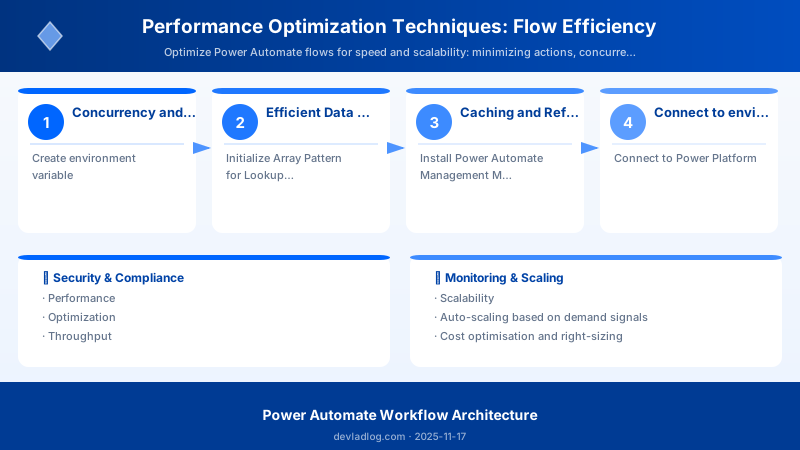
Caching reduces repeated API calls for static or slowly-changing data (currency rates, tax codes, product catalogs).
Environment Variables for Static Data
Store configuration values in environment variables to avoid hardcoding and repeated initialization.
Setup (PowerShell - Power Platform CLI):
# Install Power Platform CLI
Install-Module -Name Microsoft.PowerApps.Administration.PowerShell -Scope CurrentUser
## Connect to environment
Add-PowerAppsAccount
## Create environment variable

New-AdminPowerAppEnvironmentVariable `
```text
-EnvironmentName "env-id" `
-DisplayName "TaxRateUS" `
-SchemaName "contoso_TaxRateUS" `
-Type "Decimal" `
-Value "0.0875"
**Usage in Flow:**

```json
{
  "Calculate_Tax": {
```text
"type": "Compose",
"inputs": "@mul(variables('OrderAmount'), decimal(environmentVariables('contoso_TaxRateUS')))"```
  }
}
Initialize Array Pattern for Lookup Data
For small reference datasets (<1000 items), initialize as array variable once per flow run.
❌ Inefficient Pattern (Lookup per Item):
{
  "Apply_to_each_Order": {
```text
"foreach": "@body('List_orders')?['value']",
"actions": {
  "Get_Product": {
    "type": "ApiConnection",
    "inputs": {
      "host": {"connectionName": "shared_commondataserviceforapps"},
      "method": "get",
      "path": "/v2/datasets/@{encodeURIComponent('org.crm.dynamics.com')}/tables/@{encodeURIComponent('products')}/items/@{item()?['ProductId']}"
    }
  },
  "Use_Product_Price": {
    "type": "Compose",
    "inputs": "@body('Get_Product')?['price']"
  }
}```
  }
}
Cost: For 1,000 orders: 1,000 product lookups = 1,000 actions
✅ Efficient Pattern (Cache Products, Use Array Lookup):
{
  "List_All_Products": {
```text
"type": "ApiConnection",
"inputs": {
  "host": {"connectionName": "shared_commondataserviceforapps"},
  "method": "get",
  "path": "/v2/datasets/@{encodeURIComponent('org.crm.dynamics.com')}/tables/@{encodeURIComponent('products')}/items",
  "queries": {
    "$select": "productid,name,price"
  }
}```
  },
  "Initialize_ProductCache": {
```text
"type": "InitializeVariable",
"inputs": {
  "variables": [{
    "name": "ProductCache",
    "type": "array",
    "value": "@body('List_All_Products')?['value']"
  }]
},
"runAfter": {"List_All_Products": ["Succeeded"]}```
  },
  "Apply_to_each_Order": {
```text
"foreach": "@body('List_orders')?['value']",
"actions": {
  "Find_Product": {
    "type": "Compose",
    "inputs": "@first(filter(variables('ProductCache'), equals(item()?['productid'], items('Apply_to_each_Order')?['ProductId'])))"
  },
  "Use_Product_Price": {
    "type": "Compose",
    "inputs": "@outputs('Find_Product')?['price']"
  }
},
"runAfter": {"Initialize_ProductCache": ["Succeeded"]}```
  }
}
Cost: 1 list products + 1 initialize + 0 lookups in loop = 2 actions (99.8% reduction!)
HTTP Caching with Azure Key Vault or Dataverse
For dynamic reference data that changes infrequently (daily exchange rates, regional settings), cache in Dataverse or Key Vault.
Pattern: Daily Exchange Rate Cache
{
  "Get_ExchangeRate_FromCache": {
```text
"type": "ApiConnection",
"inputs": {
  "host": {"connectionName": "shared_commondataserviceforapps"},
  "method": "get",
  "path": "/v2/datasets/@{encodeURIComponent('org.crm.dynamics.com')}/tables/@{encodeURIComponent('contoso_exchangeratecache')}/items",
  "queries": {
    "$filter": "contoso_date eq '@{formatDateTime(utcNow(), 'yyyy-MM-dd')}' and contoso_currency eq 'EUR'",
    "$top": 1
  }
}```
  },
  "Condition_CacheExists": {
```text
"type": "If",
"expression": "@greater(length(body('Get_ExchangeRate_FromCache')?['value']), 0)",
"actions": {
  "Use_CachedRate": {
    "type": "Compose",
    "inputs": "@first(body('Get_ExchangeRate_FromCache')?['value'])?['contoso_rate']"
  }
},
"else": {
  "actions": {
    "HTTP_FetchRateFromAPI": {
      "type": "Http",
      "inputs": {
        "method": "GET",
        "uri": "https://api.exchangerate.com/v1/latest?base=USD&symbols=EUR"
      }
    },
    "Parse_Rate": {
      "type": "ParseJson",
      "inputs": {
        "content": "@body('HTTP_FetchRateFromAPI')",
        "schema": {}
      }
    },
    "Create_CacheEntry": {
      "type": "ApiConnection",
      "inputs": {
        "host": {"connectionName": "shared_commondataserviceforapps"},
        "method": "post",
        "path": "/v2/datasets/@{encodeURIComponent('org.crm.dynamics.com')}/tables/@{encodeURIComponent('contoso_exchangeratecache')}/items",
        "body": {
          "contoso_date": "@formatDateTime(utcNow(), 'yyyy-MM-dd')",
          "contoso_currency": "EUR",
          "contoso_rate": "@body('Parse_Rate')?['rates']?['EUR']"
        }
      }
    },
    "Use_FetchedRate": {
      "type": "Compose",
      "inputs": "@body('Parse_Rate')?['rates']?['EUR']"
    }
  }
},
"runAfter": {"Get_ExchangeRate_FromCache": ["Succeeded"]}```
  }
}


> **Architecture Overview:** **Impact:** First flow run calls external API (1 HTTP action), subsequent runs use cache (0 HTTP actions). For 10,000 currency conversions per day: 1 API call vs 10,000 = 99.99% reduction!

## Install Power Automate Management Module
Install-Module -Name Microsoft.PowerApps.Administration.PowerShell -Scope CurrentUser
Install-Module -Name Microsoft.PowerApps.PowerShell -AllowClobber -Scope CurrentUser


## Connect to Power Platform
Add-PowerAppsAccount


## Get all flows in environment
$envId = "env-guid-here"
$flows = Get-AdminFlow -EnvironmentName $envId


## Get run history for specific flow (last 30 days)
$flowName = "flow-guid-here"
$runs = Get-FlowRun -EnvironmentName $envId -FlowName $flowName


## Analyze performance
$performanceReport = $runs | Select-Object -First 1000 | ForEach-Object {
```powershell
$startTime = [DateTime]::Parse($_.properties.startTime)
$endTime = if ($_.properties.endTime) { [DateTime]::Parse($_.properties.endTime) } else { Get-Date }
$duration = ($endTime - $startTime).TotalSeconds


[PSCustomObject]@{
    RunId = $_.name
    Status = $_.properties.status
    StartTime = $startTime
    Duration_Seconds = [math]::Round($duration, 2)
    TriggerType = $_.properties.trigger.name
    Error = if ($_.properties.error) { $_.properties.error.message } else { $null }
}```
}

## Statistics
$stats = $performanceReport | Measure-Object -Property Duration_Seconds -Average -Minimum -Maximum
$successRate = ($performanceReport | Where-Object { $_.Status -eq 'Succeeded' }).Count / $performanceReport.Count * 100


Write-Host "=== Flow Performance Report ===" -ForegroundColor Cyan
Write-Host "Total Runs: $($performanceReport.Count)"
Write-Host "Success Rate: $([math]::Round($successRate, 2))%"
Write-Host "Average Duration: $([math]::Round($stats.Average, 2))s"
Write-Host "Min Duration: $([math]::Round($stats.Minimum, 2))s"
Write-Host "Max Duration: $([math]::Round($stats.Maximum, 2))s"

## Export to CSV
$performanceReport | Export-Csv -Path "C:\Reports\FlowPerformance_$(Get-Date -Format 'yyyyMMdd').csv" -NoTypeInformation


## Identify slow runs (>90th percentile)
$p90 = ($performanceReport | Measure-Object -Property Duration_Seconds -Maximum -Minimum |
```text
Select-Object -ExpandProperty Maximum) * 0.9```
$slowRuns = $performanceReport | Where-Object { $_.Duration_Seconds -gt $p90 }


Write-Host "`nSlow Runs (>$([math]::Round($p90, 2))s): $($slowRuns.Count)" -ForegroundColor Yellow
$slowRuns | Select-Object -First 10 | Format-Table RunId, Duration_Seconds, StartTime
Expected output:
Package installed successfully.

Application Insights Integration
For advanced monitoring, integrate flows with Azure Application Insights using HTTP actions to send custom telemetry.
Setup:
- Create Application Insights resource in Azure
- Get Instrumentation Key from Azure Portal
- Add HTTP action to log telemetry
Custom Telemetry Logging:
{
  "HTTP_LogTelemetry": {
```text
"type": "Http",
"inputs": {
  "method": "POST",
  "uri": "https://dc.services.visualstudio.com/v2/track",
  "headers": {
    "Content-Type": "application/json"
  },
  "body": {
    "name": "Microsoft.ApplicationInsights.Event",
    "time": "@{utcNow()}",
    "iKey": "your-instrumentation-key",
    "data": {
      "baseType": "EventData",
      "baseData": {
        "name": "FlowExecution",
        "properties": {
          "FlowName": "@{workflow().name}",
          "RunId": "@{workflow().run.name}",
          "TriggerType": "@{trigger().name}",
          "Duration": "@{variables('ExecutionDuration')}",
          "ActionCount": "@{variables('ActionCount')}",
          "Status": "Success"
        },
        "measurements": {
          "ItemsProcessed": "@{length(body('List_items')?['value'])}",
          "ApiCallDuration": "@{variables('ApiDuration')}"
        }
      }
    }
  }
}```
  }
}
Query Telemetry in Application Insights (KQL):
customEvents
| where name == "FlowExecution"
| extend FlowName = tostring(customDimensions.FlowName),
         Duration = todouble(customDimensions.Duration),
         ItemsProcessed = toint(customMeasurements.ItemsProcessed)
| summarize AvgDuration = avg(Duration),
           P95Duration = percentile(Duration, 95),
           TotalRuns = count(),
           AvgItemsProcessed = avg(ItemsProcessed)
```text
by FlowName```
| order by AvgDuration desc
Alerting Strategy
Setup Alerts for:
- Duration Alert: Flow execution time >2× baseline for 3 consecutive runs
- Failure Rate Alert: Success rate drops below 90% in 15-minute window
- Throttling Alert: 5+ HTTP 429 errors in 1 hour
- Cost Alert: Daily action consumption exceeds 10,000 actions (premium connector cost monitoring)
Email Alert Action (Triggered by Condition):
{
  "Condition_PerformanceDegradation": {

> **Architecture Overview:** "type": "If",


## Performance Design Review Checklist

Use this checklist during design reviews and quarterly performance audits:


### Trigger Optimization

| Check | Description | Impact |
|-------|-------------|--------|
| **Trigger Frequency** | Is trigger polling more frequently than necessary? | High (cost + API quota) |
| **Trigger Conditions** | Using trigger conditions to filter unwanted runs? | High (prevents unnecessary runs) |
| **Recurrence Schedule** | Can recurrence be reduced (hourly → daily)? | Medium (reduces runs) |
| **Webhooks vs Polling** | Can polling trigger be replaced with webhook? | High (instant + no polling overhead) |

**Example Trigger Condition (Only run for high-value items):**

```json
{
  "When_an_item_is_created": {
```text
"type": "ApiConnection",
"inputs": {
  "host": {"connectionName": "shared_sharepointonline"},
  "method": "get",
  "path": "/datasets/@{encodeURIComponent('https://contoso.sharepoint.com/sites/Sales')}/tables/@{encodeURIComponent('Orders')}/onnewitems"
},
"conditions": [
  {
    "expression": "@greater(triggerBody()?['Amount'], 1000)"
  }
]```
  }
}
Loop Optimization
| Check | Description | Impact |
|---|---|---|
| Nested Loops | Are there nested loops (>2 levels)? | Critical (exponential complexity) |
| Loop Alternatives | Can Select/Filter replace Apply to Each? | High (99% action reduction) |
| Concurrency | Is concurrency enabled for independent items? | High (40-90% faster) |
| Batch Processing | Can items be batched (Dataverse $batch)? | Critical (99% action reduction) |
Data Retrieval Optimization
| Check | Description | Impact |
|---|---|---|
| Field Selection | Using $select to retrieve only needed columns? | High (30-70% faster) |
| Server Filtering | Using $filter at source vs client-side? | High (reduces data transfer) |
| Pagination | Handling large datasets with pagination? | Critical (prevents timeouts) |
| Caching | Caching static/reference data? | High (eliminates repeated calls) |
Action Optimization
| Check | Description | Impact |
|---|---|---|
| Compose Actions | Are Compose actions necessary or can expressions be inline? | Medium (reduces action count) |
| Parallel Branches | Can independent tasks run in parallel? | High (40-80% faster) |
| HTTP Actions | Using batch/bulk APIs instead of individual calls? | Critical (99% action reduction) |
| Variable Usage | Are variables reused or recreated unnecessarily? | Low (minor performance) |
Error Handling
| Check | Description | Impact |
|---|---|---|
| Retry Policies | Using exponential backoff for transient failures? | High (prevents cascading failures) |
| Scope Actions | Grouping related actions in scopes for error handling? | Medium (improves reliability) |
| Timeout Configuration | Appropriate timeout values (not too aggressive)? | Medium (prevents premature failures) |
Cost Awareness and Optimization
Power Automate licensing costs are driven by:
- Action consumption (premium connectors)
- Power Platform request limits (API calls)
- Dataverse storage (for audit/log data)
Action Cost Analysis
Premium Connectors (requires Power Automate Premium license):
- HTTP (custom APIs)
- SQL Server
- Dataverse (beyond included actions)
- Custom Connectors
- Azure (Logic Apps connectors)
Cost Per Action: ~$0.0006 per action (varies by region/plan)
Example Cost Calculation:
Flow runs 10,000 times/day with 50 premium actions per run
= 10,000 × 50 = 500,000 actions/day
= 15,000,000 actions/month
= 15M × $0.0006 = $9,000/month


> **Architecture Overview:** **Optimization Impact:**

{
  "status": 429,
  "error": {
```text
"code": "TooManyRequests",
"message": "Rate limit is exceeded. Try again in X seconds."```
  }
}
Mitigation Strategy:
- Implement Retry Logic (exponential backoff)
- Batch Operations (reduce API calls)
- Spread Load (schedule flows during off-peak hours)
- Service Principal (dedicated identity with separate quota)
Performance Best Practices Summary
Design Phase
✅ Do:
- Design for concurrency from the start (independent actions)
- Plan data retrieval strategy (pagination, filtering, field selection)
- Cache reference data in variables or Dataverse
- Use server-side filtering and aggregation
- Document performance assumptions and constraints
❌ Don't:
- Use nested loops >2 levels deep
- Retrieve all columns when only few are needed
- Poll external APIs repeatedly for static data
- Create separate flows for similar processes
- Ignore API rate limits
Development Phase
✅ Do:
- Use Select and Filter for array operations
- Inline simple expressions instead of Compose actions
- Consolidate conditions with logical operators (and, or)
- Enable concurrency for independent item processing
- Implement error handling with retry policies
- Use parallel branches for independent tasks
❌ Don't:
- Use Apply to Each for simple transformations
- Create multiple Compose actions for chained expressions
- Nest conditions when logical operators can combine them
- Process items sequentially when they're independent
- Ignore transient failures (implement retry logic)
- Chain sequential actions that could run in parallel
Testing Phase
✅ Do:
- Test with production-like data volumes (1,000+ items)
- Measure baseline performance metrics
- Validate concurrency behavior (no race conditions)
- Test throttling scenarios (simulate rate limits)
- Profile action count and execution time
- Verify retry logic with simulated failures
❌ Don't:
- Test only with small datasets (<10 items)
- Assume performance scales linearly
- Ignore throttling errors during testing
- Skip load testing for high-volume flows
- Forget to test failure scenarios
Operations Phase
✅ Do:
- Monitor average run duration, action count, success rate
- Set up alerts for performance degradation
- Review top 10 slowest flows monthly
- Analyze action consumption trends
- Conduct quarterly performance audits
- Refactor when baseline degrades >20%
❌ Don't:
- Deploy without monitoring setup
- Ignore performance alerts
- Let flows degrade over time without review
- Neglect cost analysis for premium connectors
- Skip documentation of optimization decisions
String Concatenation Performance
❌ Inefficient (Iterative Concatenation):
{
  "Initialize_Result": {
```text
"type": "InitializeVariable",
"inputs": {
  "variables": [{"name": "Result", "type": "string", "value": ""}]
}```
  },
  "Apply_to_each": {
```text
"foreach": "@body('List_items')?['value']",
"actions": {
  "Append_to_string": {
    "type": "AppendToStringVariable",
    "inputs": {
      "name": "Result",
      "value": "@{item()?['Name']}, "
    }
  }
}```
  }
}
Cost: 1,000 items = 1,000 Append actions
✅ Efficient (Array Join):
{
  "Select_Names": {
```text
"type": "Select",
"inputs": {
  "from": "@body('List_items')?['value']",
  "select": "@item()?['Name']"
}```
  },
  "Compose_Result": {
```text
"type": "Compose",
"inputs": "@join(body('Select_Names'), ', ')"```
  }
}
Cost: 2 actions total (99.8% reduction!)
Variable Reuse Pattern
Best Practice: Initialize variables at flow start, reuse throughout flow execution.
{
  "Initialize_Multiple_Variables": {
```text
"type": "InitializeVariable",
"inputs": {
  "variables": [
    {"name": "UserEmail", "type": "string", "value": "@toLower(triggerBody()?['email'])"},
    {"name": "RequestDate", "type": "string", "value": "@formatDateTime(utcNow(), 'yyyy-MM-dd')"},
    {"name": "Counter", "type": "integer", "value": 0}
  ]
}```
  }
}
Throughout flow: Use @variables('UserEmail'), @variables('RequestDate'), etc.
Documentation and Audit
Maintain a Performance Log for each flow:
## Flow: Order Processing Automation


## Performance Baseline (Established: 2025-01-15)
- Average Duration: 12.5s
- Action Count: 25 actions per run
- Average Items Processed: 150 items/run
- Success Rate: 98.7%


## Optimization History
### 2025-02-20: Implemented Concurrency
- Duration: 12.5s → 3.2s (74% faster)
- Enabled DoP=20 in Apply to Each
- Validated: No race conditions


### 2025-03-10: Replaced Loop with Select/Filter
- Action Count: 25 → 8 actions (68% reduction)
- Replaced Apply to Each with Select for name extraction
- Cost savings: ~$400/month

## Current Performance (2025-11-23)
- Average Duration: 3.1s
- Action Count: 8 actions per run
- Success Rate: 99.2%
- Monthly Cost: $200 (premium connectors)
Performance Troubleshooting Guide
Issue 1: Slow Flow Execution (>2× Baseline)
Symptoms:
- Flow run duration increased significantly
- Users reporting delays
- Dashboard shows increased average duration
Diagnosis:
## Get recent run history
$runs = Get-FlowRun -EnvironmentName "env-id" -FlowName "flow-id" | Select-Object -First 100
$avgDuration = ($runs | Measure-Object -Property Duration_Seconds -Average).Average
Write-Host "Average Duration: $avgDuration seconds"
## Identify slowest actions (view in Flow Run Details → View raw outputs)
## Look for actions with duration >5 seconds
> **Architecture Overview:** 
{
"error": {
```text
"code": "TooManyRequests",
"message": "Rate limit is exceeded. Try again in 30 seconds.",
"retry-after": 30```
}
}
Common Causes:
- High Concurrency: DoP set too high (>20) for target API
- No Retry Logic: Single attempt, immediate failure
- Burst Traffic: Multiple flows calling same API simultaneously
- API Limits: SharePoint: 600 calls/min, Dataverse: varies by license
Resolutions:
{
  "HTTP_Action": {
```text
"type": "Http",
"inputs": {
  "method": "GET",
  "uri": "https://api.contoso.com/data"
},
"retryPolicy": {
  "type": "exponential",
  "count": 4,
  "interval": "PT10S",
  "minimumInterval": "PT5S",
  "maximumInterval": "PT1H"
}```
  }
}


> **Architecture Overview:** **Reduce Concurrency:** Lower DoP from 20 → 10 → 5

{
  "Apply_to_each_Batch": {
```text
"foreach": "@variables('Batches')",
"actions": {
  "Run_Child_Flow": {
    "type": "Workflow",
    "inputs": {
      "host": {
        "workflowReferenceName": "ChildFlow_ProcessBatch"
      },
      "body": {
        "Batch": "@item()"
      }
    }
  }
}```
  }
}
Issue 4: High Action Consumption / Cost
Symptoms:
- Monthly premium connector costs exceeding budget
- Action count >100,000/day
- Multiple flows performing similar tasks
Diagnosis:
## Calculate action consumption
$actionCount = 0
$flows = Get-AdminFlow -EnvironmentName "env-id"
foreach ($flow in $flows) {
```powershell
$runs = Get-FlowRun -EnvironmentName "env-id" -FlowName $flow.FlowName | Select-Object -First 100
$avgActions = ($runs | Measure-Object -Property ActionCount -Average).Average
$dailyRuns = ($runs | Where-Object { $_.StartTime -gt (Get-Date).AddDays(-1) }).Count
$dailyActions = $avgActions * $dailyRuns * 24


Write-Host "$($flow.DisplayName): ~$dailyActions actions/day"
$actionCount += $dailyActions```
}
Write-Host "Total Estimated Daily Actions: $actionCount"
Common Causes:
- Inefficient Loops: Apply to Each instead of Select/Filter
- Multiple Composes: Chained Compose actions for simple expressions
- Redundant Flows: 5+ flows doing similar processing
- No Caching: Repeated API calls for static data
Resolutions:
- Replace Loops: Use Select/Filter (99% action reduction)
- Inline Expressions: Remove unnecessary Compose actions
- Consolidate Flows: Merge similar flows into single flow with conditions
- Implement Caching: Store reference data in variables or Dataverse
- Batch Operations: Use $batch APIs (99.9% action reduction)
Issue 5: Memory/Payload Size Errors
Symptoms:
- Error: "The payload size exceeded the limit"
- Flow fails when processing large arrays (>100 MB)
- Out of memory errors
Diagnosis: Check flow run details for:
- Array variables with >50,000 items
- Large JSON objects (>10 MB)
- String concatenation in loops (unbounded growth)
Common Causes:
- Unbounded Array Growth: Appending to array in long loop
- No Pagination: Retrieving entire dataset (100,000+ items) at once
- Large Response Bodies: External API returning >50 MB payload
Resolutions:
- Implement Pagination: Process data in chunks (1,000-5,000 items)
- Use Select for Projection: Retrieve only needed fields
- Child Flows: Offload processing to separate flow runs
- Database Direct Write: Write results directly to database instead of accumulating in array
Real-World Optimization Case Studies
Case Study 1: Order Processing Automation
Original Implementation:
- Trigger: When item created in Orders list
- Loop through all line items (Apply to Each)
- Lookup product details for each line item (SQL query per item)
- Calculate totals
- Update order status
Performance:
- 500 orders/day, average 10 line items per order = 5,000 product lookups
- Duration: 45 seconds per order
- Action count: 65 actions per run
- Cost: $1,950/month
Optimized Implementation:
- Cache all products in variable at flow start (1 SQL query for all products)
- Use Select to extract line item IDs
- Use Filter on cached products array (no additional SQL queries)
- Parallel branches for total calculation + status update
Results:
- Duration: 8 seconds per order (82% faster)
- Action count: 12 actions per run (82% reduction)
- Cost: $360/month (82% savings = $1,590/month saved)
Case Study 2: Daily Report Generation
Original Implementation:
- Scheduled trigger (daily at 8 AM)
- Loop through 50 departments (Apply to Each)
- For each department, query transactions (SQL)
- For each transaction, lookup customer details (HTTP API)
- Generate report (nested loops)
- Email report
Performance:
- Duration: 25 minutes (often timed out at 30 min limit)
- Action count: 15,000+ actions per run
- Throttling errors: 20-30 per run
- Success rate: 65%
Optimized Implementation:
- Parallel branch for each department (DoP=10)
- Single SQL query with JOIN to get transactions + customer details
- Select/Filter for report data transformation
- Batch email (1 email with 50 attachments vs 50 separate emails)
Results:
- Duration: 4 minutes (84% faster)
- Action count: 150 actions per run (99% reduction)
- Throttling errors: 0
- Success rate: 100%
Architecture Decision and Tradeoffs
When designing process automation solutions with Power Automate, consider these key architectural trade-offs:
| Approach | Best For | Tradeoff |
|---|---|---|
| Managed / platform service | Rapid delivery, reduced ops burden | Less customisation, potential vendor lock-in |
| Custom / self-hosted | Full control, advanced tuning | Higher operational overhead and cost |
Recommendation: Start with the managed approach for most workloads and move to custom only when specific requirements demand it.
Validation and Versioning
- Last validated: April 2026
- Validate examples against your tenant, region, and SKU constraints before production rollout.
- Keep module, CLI, and SDK versions pinned in automation pipelines and review quarterly.
Security and Governance Considerations
- Apply least-privilege access using RBAC roles and just-in-time elevation for admin tasks.
- Store secrets in managed secret stores and avoid embedding credentials in scripts or source files.
- Enable audit logging, data protection policies, and periodic access reviews for regulated workloads.
Cost and Performance Notes
- Define budgets and alerts, then monitor usage and cost trends continuously after go-live.
- Baseline performance with synthetic and real-user checks before and after major changes.
- Scale resources with measured thresholds and revisit sizing after usage pattern changes.
Official Microsoft References
- https://learn.microsoft.com/power-automate/
- https://learn.microsoft.com/power-platform/admin/
- https://learn.microsoft.com/power-platform/guidance/
Public Examples from Official Sources
- These examples are sourced from official public Microsoft documentation and sample repositories.
- Documentation examples: https://learn.microsoft.com/power-automate/
- Sample repositories: https://github.com/microsoft/PowerPlatformConnectors
- Prefer adapting these examples to your tenant, subscriptions, and governance requirements before production use.
Key Takeaways
- Action minimization is the highest-impact optimization: Replace Apply to Each with Select/Filter for 99% action reduction
- Concurrency dramatically improves throughput: Enable DoP=10-20 for independent item processing (40-90% faster)
- Caching eliminates repeated API calls: Store reference data in variables, cache daily rates in Dataverse
- Server-side filtering reduces data transfer: Use $filter and $select to retrieve only needed data (30-70% faster)
- Batch operations are game-changers: Use $batch APIs for bulk updates (99.9% action reduction)
- Monitoring is essential: Track duration, action count, throttling rate, and set up alerts for degradation
- Cost awareness matters: Premium connector costs can exceed $10,000/month for inefficient flows
- Design for scale from the start: Test with production-like data volumes (1,000+ items)
- Document optimization decisions: Maintain performance baselines and optimization history for audits
- Quarterly performance reviews: Proactively identify and fix degrading flows before they impact users
Next Steps
- Audit existing flows: Run PowerShell script to identify top 10 slowest or highest-action flows
- Establish baselines: Document current duration, action count, success rate for each critical flow
- Implement quick wins: Enable concurrency, replace simple loops with Select/Filter
- Set up monitoring: Configure Application Insights or Power Automate Analytics
- Create alerts: Set thresholds for duration (>2× baseline), throttling (>5 errors/hour)
- Schedule reviews: Quarterly performance audits to identify optimization opportunities
- Build optimization playbook: Document standard patterns and anti-patterns for your organization
- Train team: Share best practices with flow creators, include performance in code reviews
- Measure ROI: Track cost savings and performance improvements quarterly
- Continuously improve: Apply learnings to new flows, refactor existing flows iteratively
Additional Resources
- Power Automate Limits and Configuration
- Power Platform Request Limits
- Concurrency, Looping, and Debatching
- Power Automate Best Practices
- Dataverse API Limits
- Application Insights for Power Automate
Discussion