
Dynamics 365 Security Model: Roles, Permissions, and Access Control
Architecture Overview: Annual Income (systemuser)
Profile: "Manager Salary View"
Architecture Overview: Annual Income (systemuser)
**Behavior:**

- Users **without** profile membership: Field appears blank, cannot update
- Users **with Read** permission: See field value
- Users **with Update** permission: Can modify field


### Programmatic Field Security

**Check field access in plugin:**

```csharp
public void Execute(IServiceProvider serviceProvider)
{
```sql
var context = (IPluginExecutionContext)serviceProvider.GetService(typeof(IPluginExecutionContext));
var service = ((IOrganizationServiceFactory)serviceProvider.GetService(typeof(IOrganizationServiceFactory)))
    .CreateOrganizationService(context.UserId);

if (context.MessageName == "Update" && context.InputParameters.Contains("Target"))
{
    var target = (Entity)context.InputParameters["Target"];

    if (target.Contains("annualincome"))
    {
        // Check if user has field security permission
        var query = new QueryExpression("fieldpermission");
        query.Criteria.AddCondition("systemuserid", ConditionOperator.Equal, context.UserId);
        query.Criteria.AddCondition("fieldsecurityprofileid", ConditionOperator.NotNull);
        query.Criteria.AddCondition("canupdate", ConditionOperator.Equal, true);
        query.Criteria.AddCondition("attributelogicalname", ConditionOperator.Equal, "annualincome");

        var results = service.RetrieveMultiple(query);

        if (results.Entities.Count == 0)
        {
            throw new InvalidPluginExecutionException("You do not have permission to update the Annual Income field.");
        }
    }
}```
}
Hierarchy Security
Manager Access Configuration
Enable position hierarchy:
Architecture Overview: Settings → System Settings → General Tab
Diagram: See the official Microsoft documentation for architecture details.
With Hierarchy Security:
- CEO sees: All records (own + 3 levels down)
- VP Sales sees: Own + Sales Manager NA/EMEA + Sales Rep 1 records
- Sales Manager NA sees: Own + Sales Rep 1 records
- Sales Rep 1 sees: Only own records
Diagram: See the official Microsoft documentation for architecture details.
Diagram: See the official Microsoft documentation for architecture details.
Behavior:
- Records assigned to team (not individual users)
- All members have role privileges on team-owned records
- Used for shared ownership (support queues, regional accounts)
Diagram: See the official Microsoft documentation for architecture details.
Access Rights (via Access Team Template):
- Jane: Read, Write, Append
- Bob: Read
- Alice: Read
Behavior:
- No explicit assignment, just shared access
- Different permissions per member
- Used for collaboration without changing ownership
Diagram: See the official Microsoft documentation for architecture details.
## Record Sharing

### Manual Sharing


**Share opportunity with another user:**

```csharp
var grantAccessRequest = new GrantAccessRequest
{
```text
Target = new EntityReference("opportunity", opportunityId),
PrincipalAccess = new PrincipalAccess
{
    Principal = new EntityReference("systemuser", userId),
    AccessMask = AccessRights.ReadAccess | AccessRights.WriteAccess
}```
};

service.Execute(grantAccessRequest);
UI: Share button on record:
Diagram: See the official Microsoft documentation for architecture details.
Programmatic Sharing in Workflows
Power Automate: Share account with sales team:
Diagram: See the official Microsoft documentation for architecture details.
Per-entity:
Diagram: See the official Microsoft documentation for architecture details.
Best Practices
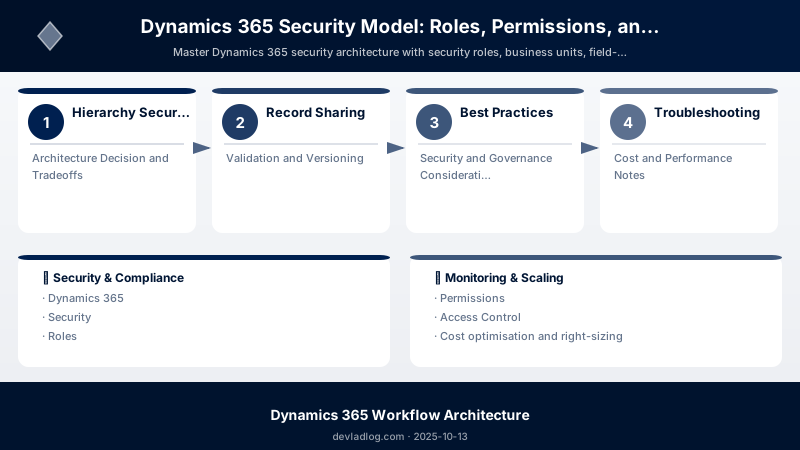
- Principle of Least Privilege: Grant minimum necessary access
- Role Composition: Build modular roles, avoid duplicating base permissions
- Team Ownership: Use for shared queues and regional accounts
- Field Security: Protect PII, financial data, and sensitive fields
- Hierarchy Security: Enable for management visibility without role elevation
- Regular Audits: Review user access quarterly
- Document Roles: Maintain spreadsheet of role → permission mappings
Troubleshooting
User cannot see records they should access:
- Verify security role assignment (user may have multiple roles)
- Check business unit (user in wrong BU?)
- Confirm privilege depth (User vs. Business Unit vs. Organization)
- Review field-level security (field appears blank = no FLS permission)
"Access Denied" error in plugin:
- Plugin runs as calling user by default (limited by user's security)
- Use
CreateOrganizationService(null)to run as SYSTEM (full access) - Or register plugin step as "Run in User Context" = specific user
Architecture Decision and Tradeoffs
When designing business applications solutions with Dynamics 365, consider these key architectural trade-offs:
| Approach | Best For | Tradeoff |
|---|---|---|
| Managed / platform service | Rapid delivery, reduced ops burden | Less customisation, potential vendor lock-in |
| Custom / self-hosted | Full control, advanced tuning | Higher operational overhead and cost |
Recommendation: Start with the managed approach for most workloads and move to custom only when specific requirements demand it.
Validation and Versioning
- Last validated: April 2026
- Validate examples against your tenant, region, and SKU constraints before production rollout.
- Keep module, CLI, and SDK versions pinned in automation pipelines and review quarterly.
Security and Governance Considerations
- Apply least-privilege access using RBAC roles and just-in-time elevation for admin tasks.
- Store secrets in managed secret stores and avoid embedding credentials in scripts or source files.
- Enable audit logging, data protection policies, and periodic access reviews for regulated workloads.
Cost and Performance Notes
- Define budgets and alerts, then monitor usage and cost trends continuously after go-live.
- Baseline performance with synthetic and real-user checks before and after major changes.
- Scale resources with measured thresholds and revisit sizing after usage pattern changes.
Official Microsoft References
- https://learn.microsoft.com/dynamics365/
- https://learn.microsoft.com/power-platform/admin/
- https://learn.microsoft.com/power-platform/alm/
Public Examples from Official Sources
- These examples are sourced from official public Microsoft documentation and sample repositories.
- Documentation examples: https://learn.microsoft.com/dynamics365/
- Sample repositories: https://github.com/microsoft/PowerApps-Samples
- Prefer adapting these examples to your tenant, subscriptions, and governance requirements before production use.
Key Takeaways
- Business units partition organizational data ownership
- Security roles define CRUD privileges with scoped depth (User/BU/Org)
- Field-level security restricts sensitive column access
- Hierarchy security enables manager visibility without role changes
- Teams enable shared ownership and collaborative access
- Audit logging tracks all data access and changes for compliance
Next Steps
- Implement Azure AD security groups for role assignment automation
- Configure data loss prevention policies
- Enable customer lockbox for Microsoft support access
- Use privileged access workstations for admin tasks
Additional Resources
Secure by design, collaborative by nature.
Discussion