
if (context.InputParameters.Contains("Target") && context.InputParameters["Target"] is Entity entity) { // Business logic here entity["description"] = "Processed by plugin"; } }``` }
### Step 2: Register Plugin with Plugin Registration Tool

**Step 2a: Register Assembly**
Plugin Registration Tool:
- Connect to Dataverse environment
- Register → Register New Assembly
- Select compiled DLL
- Isolation Mode: Sandbox (recommended)
- Location: Database (for cloud deployments)
**Step 2b: Register Step**
Step Configuration: Message: Create, Update, Delete, or custom message Primary Entity: Account, Contact, Opportunity, etc. Event Pipeline Stage: PreValidation (10), PreOperation (20), PostOperation (40) Execution Mode: Synchronous or Asynchronous Execution Order: 1 (default, lower = earlier execution)
Filtering Attributes (Update only): ✓ name, revenue, ownerid
- Plugin executes only when these fields change
- Performance optimization: skip plugin if unrelated fields updated
Execution Context: User's Context: Plugin runs with user's permissions Calling User: Plugin runs with calling user's permissions Specific User: Plugin runs with service account permissions (impersonation)
**Step 2c: Configure Images**
Pre-Image (before operation): Name: PreImage Attributes: name, revenue, ownerid (fields you need to compare) Use Case: Detect what changed in Update operation
Post-Image (after operation): Name: PostImage Attributes: accountid, name, revenue Use Case: Access final values after database commit
Example: Track revenue changes Pre-Operation plugin with PreImage Compare: PreImage["revenue"] vs Target["revenue"] If increased by > 50%, trigger approval workflow
**PowerShell: Automated Registration (CI/CD)**
```powershell
# Install PAC CLI
pac tool install Microsoft.CrmSdk.CoreTools

# Register assembly
pac plugin push `
  --environment "https://contoso.crm.dynamics.com" `
  --assembly "bin\Release\Contoso.Plugins.dll" `
  --solution "ContosoCustomizations"

# Register step via API
$stepConfig = @{
  name = "Account Create Plugin"
  plugintypeid = @{plugintypeid = "<plugin-type-id>"}
  sdkmessageid = @{sdkmessageid = "<create-message-id>"}  # Create message
  stage = 40  # Post-operation
  mode = 0    # Synchronous
  rank = 1
  supporteddeployment = 0  # Server only
}

Invoke-RestMethod -Uri "$envUrl/api/data/v9.2/sdkmessageprocessingsteps" `
  -Method Post -Body ($stepConfig | ConvertTo-Json) -Headers $headers
Step 3: Custom Workflow Activity
using Microsoft.Xrm.Sdk.Workflow;
using System.Activities;

public class GenerateInvoiceNumber : CodeActivity
{
```text
[Input("Prefix")]
public InArgument<string> Prefix { get; set; }

[Output("Invoice Number")]
public OutArgument<string> InvoiceNumber { get; set; }

protected override void Execute(CodeActivityContext context)
{
    var prefix = Prefix.Get(context);
    var number = $"{prefix}-{DateTime.Now:yyyyMMdd}-{Guid.NewGuid().ToString().Substring(0, 8).ToUpper()}";
    InvoiceNumber.Set(context, number);
}```
}
Step 4: Error Handling & Logging
Production Error Handling Pattern:
using Microsoft.Xrm.Sdk;
using System;

public class AccountValidationPlugin : IPlugin
{
    public void Execute(IServiceProvider serviceProvider)
    {
        ITracingService tracingService = null;
        IPluginExecutionContext context = null;

        try
        {
            // Get services
            tracingService = (ITracingService)serviceProvider.GetService(typeof(ITracingService));
            context = (IPluginExecutionContext)serviceProvider.GetService(typeof(IPluginExecutionContext));
            var serviceFactory = (IOrganizationServiceFactory)serviceProvider.GetService(typeof(IOrganizationServiceFactory));
            var service = serviceFactory.CreateOrganizationService(context.UserId);

            tracingService.Trace($"Plugin started. Depth: {context.Depth}, MessageName: {context.MessageName}");

            // Depth check to prevent infinite loops
            if (context.Depth > 2)
            {
                tracingService.Trace("Exiting plugin due to depth limit");
                return;
            }

            // Validate input parameters
            if (!context.InputParameters.Contains("Target") || !(context.InputParameters["Target"] is Entity))
            {
                tracingService.Trace("Target entity not found in input parameters");
                return;
            }

            Entity target = (Entity)context.InputParameters["Target"];
            tracingService.Trace($"Processing entity: {target.LogicalName}, ID: {target.Id}");

            // Business logic
            ValidateBusinessRules(target, service, tracingService);

            tracingService.Trace("Plugin completed successfully");
        }
        catch (InvalidPluginExecutionException)
        {
            // Already formatted for user, just rethrow
            throw;
        }
        catch (Exception ex)
        {
            // Log detailed exception
            tracingService?.Trace($"Unexpected error: {ex.ToString()}");

            // Throw user-friendly message
            throw new InvalidPluginExecutionException(
                $"An error occurred in the account validation plugin. Please contact your administrator. Error ID: {context.CorrelationId}",
                ex
            );
        }
    }

    private void ValidateBusinessRules(Entity target, IOrganizationService service, ITracingService tracingService)
    {
        // Example: Validate revenue field
        if (target.Contains("revenue"))
        {
            decimal revenue = target.GetAttributeValue<Money>("revenue").Value;
            tracingService.Trace($"Revenue value: {revenue}");

            if (revenue < 0)
            {
                throw new InvalidPluginExecutionException("Revenue cannot be negative.");
            }

            if (revenue > 1000000000)  // 1 billion
            {
                throw new InvalidPluginExecutionException("Revenue exceeds maximum allowed value. Please contact finance for approval.");
            }
        }
    }
}
Application Insights Integration:
using Microsoft.ApplicationInsights;
using Microsoft.ApplicationInsights.Extensibility;

public class TelemetryPlugin : IPlugin
{
    private static TelemetryClient telemetryClient;

    static TelemetryPlugin()
    {
        var config = new TelemetryConfiguration
        {
            InstrumentationKey = "<your-app-insights-key>"  // Store in secure config
        };
        telemetryClient = new TelemetryClient(config);
    }

    public void Execute(IServiceProvider serviceProvider)
    {
        var context = (IPluginExecutionContext)serviceProvider.GetService(typeof(IPluginExecutionContext));
        var sw = System.Diagnostics.Stopwatch.StartNew();

        try
        {
            // Plugin logic
            ProcessAccount(serviceProvider);

            sw.Stop();
            telemetryClient.TrackEvent("PluginExecution",
                properties: new Dictionary<string, string>
                {
                    { "PluginName", this.GetType().Name },
                    { "MessageName", context.MessageName },
                    { "EntityName", context.PrimaryEntityName },
                    { "CorrelationId", context.CorrelationId.ToString() }
                },
                metrics: new Dictionary<string, double>
                {
                    { "ExecutionTimeMs", sw.ElapsedMilliseconds }
                }
            );
        }
        catch (Exception ex)
        {
            sw.Stop();
            telemetryClient.TrackException(ex, new Dictionary<string, string>
            {
                { "PluginName", this.GetType().Name },
                { "CorrelationId", context.CorrelationId.ToString() }
            });
            throw;
        }


    }
}
Step 5: Testing & Debugging
[Attach Visual Studio debugger via Plugin Registration Tool profiler; test in sandbox environment]
Step 6: Deployment Pipeline
Automate plugin deployment using Azure DevOps or GitHub Actions for consistency and traceability:
# azure-pipelines.yml - Plugin deployment pipeline
trigger:
  branches:
    include: [main]
  paths:
    include: ['src/Plugins/**']

stages:
  - stage: Build
    jobs:
      - job: BuildPlugins
        steps:
          - task: NuGetRestore@2
          - task: VSBuild@1
            inputs:
              solution: 'src/Plugins/Plugins.sln'
              configuration: 'Release'
          - task: PublishBuildArtifacts@1

  - stage: Deploy
    jobs:
      - job: RegisterPlugins
        steps:
          - task: PowerShell@2
            inputs:
              targetType: 'inline'
              script: |
                # Use Plugin Registration Tool via PowerShell
                Install-Module -Name Microsoft.Xrm.Tooling.CrmConnector.PowerShell -Force
                $conn = Get-CrmConnection -ConnectionString $env:CRM_CONNECTION_STRING

                # Register or update plugin assembly
                $assemblyPath = "$(Build.ArtifactStagingDirectory)/Plugins.dll"
                Register-CrmPluginAssembly -Connection $conn -AssemblyPath $assemblyPath -IsolationMode Sandbox
Assembly versioning: Use semantic versioning (Major.Minor.Patch.Build) in AssemblyInfo.cs and automate build number increments in the pipeline. Store assembly version in a Dataverse custom table for audit tracking.
Best Practices
- Keep plugins lightweight; offload long operations to async jobs
- Use early-bound entities for type safety
- Implement retry logic for external calls
- Version assemblies for rollback capability
Troubleshooting
Figure: Configuration and management dashboard with status overview.
Issue: Plugin execution timeout (exceeds 2 minutes sync / 10 minutes async)
// Problem: Heavy processing in synchronous plugin
public void Execute(IServiceProvider serviceProvider)
{
    var service = GetOrganizationService(serviceProvider);


    // BAD: Processing 10,000 records synchronously
    var query = new QueryExpression("contact");
    var contacts = service.RetrieveMultiple(query).Entities;
    foreach (var contact in contacts)  // Times out!
    {
        ProcessContact(contact, service);
    }
}

// Solution 1: Convert to asynchronous plugin
// Registration: Change Execution Mode to "Asynchronous"
// Gives 10-minute timeout, runs in background

// Solution 2: Offload to Azure Function
public void Execute(IServiceProvider serviceProvider)
{
    var context = GetPluginContext(serviceProvider);
    var target = (Entity)context.InputParameters["Target"];

    // Trigger Azure Function for heavy processing
    var httpClient = new HttpClient();
    var payload = new { accountId = target.Id, action = "ProcessContacts" };
    await httpClient.PostAsJsonAsync("https://contoso-functions.azurewebsites.net/api/ProcessAccount", payload);

    // Plugin completes immediately, Azure Function handles bulk work
}
Issue: Insufficient permissions error
Architecture Overview: Error: "Principal user is missing prvReadAccount privilege"
Issue: Plugin not firing
Architecture Overview: Diagnostic Steps:
Issue: Infinite loop (plugin triggers itself recursively)
// Problem: Update plugin that updates same entity
public void Execute(IServiceProvider serviceProvider)
{
    var context = GetPluginContext(serviceProvider);
    var service = GetOrganizationService(serviceProvider);
    var target = (Entity)context.InputParameters["Target"];

    // Update triggers same plugin again = infinite loop!
    var update = new Entity("account", target.Id);
    update["description"] = "Updated by plugin";
    service.Update(update);  // Triggers this plugin again!
}

// Solution 1: Depth check
if (context.Depth > 1)  // Limit to first execution only
{
    tracingService.Trace("Exiting due to depth check");
    return;
}

// Solution 2: Shared variable (within transaction)
if (context.SharedVariables.Contains("AlreadyProcessed"))
{
    return;
}
context.SharedVariables.Add("AlreadyProcessed", true);

// Solution 3: Update within same transaction (modify Target directly)
public void Execute(IServiceProvider serviceProvider)
{
    var context = GetPluginContext(serviceProvider);

    if (context.Stage == 20)  // Pre-Operation
    {
        var target = (Entity)context.InputParameters["Target"];
        target["description"] = "Updated by plugin";  // Modifies before save, no extra update!
    }
}
Issue: Plugin works in Dev, fails in Production
Common Causes:
1. Missing dependent records (lookups point to non-existent records)
2. Security role differences between environments
3. Missing solution components (custom entities, fields)
4. Hardcoded GUIDs (entity IDs differ between environments)

Solution: Environment-agnostic code
// BAD: Hardcoded GUID
var teamId = new Guid("12345678-1234-1234-1234-123456789012");

// GOOD: Query by name
var query = new QueryExpression("team")
{
    ColumnSet = new ColumnSet("teamid"),
    Criteria = new FilterExpression()
};
query.Criteria.AddCondition("name", ConditionOperator.Equal, "Sales Team");
var team = service.RetrieveMultiple(query).Entities.FirstOrDefault();
var teamId = team?.Id ?? Guid.Empty;
Advanced Plugin Patterns
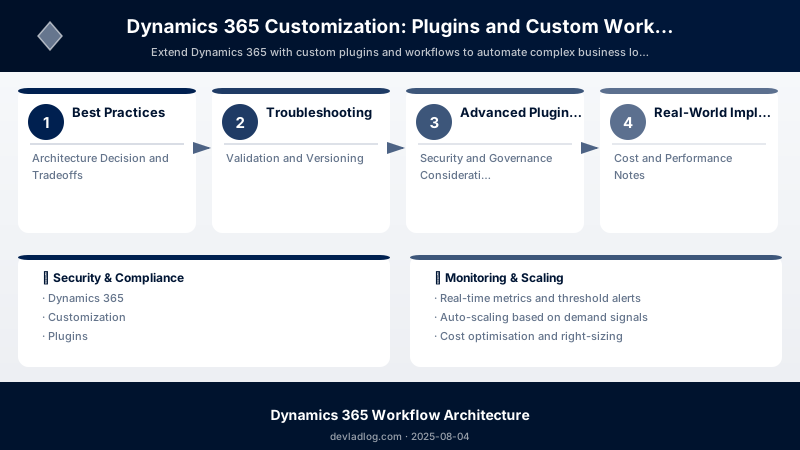
Figure: Plugin Registration Tool – registered steps and message pipeline.
Pattern 1: External API Integration (Synchronous)
public void Execute(IServiceProvider serviceProvider)
{
    var context = GetPluginContext(serviceProvider);
    var target = (Entity)context.InputParameters["Target"];


    // Call external credit check API when opportunity created
    if (context.MessageName == "Create" && target.LogicalName == "opportunity")
    {
        var accountId = target.GetAttributeValue<EntityReference>("customerid")?.Id;
        if (accountId != null)
        {
            var creditScore = CheckCreditScore(accountId.Value);

            // Block opportunity if credit score too low
            if (creditScore < 600)
            {
                throw new InvalidPluginExecutionException(
                    "Customer credit score is below threshold. Please contact finance for approval."
                );
            }

            target["contoso_creditscore"] = creditScore;
        }
    }
}

private int CheckCreditScore(Guid accountId)
{
    using (var client = new HttpClient())
    {
        client.Timeout = TimeSpan.FromSeconds(30);  // Respect 2-minute plugin timeout
        var response = client.GetAsync($"https://api.creditcheck.com/score?accountId={accountId}").Result;
        var json = response.Content.ReadAsStringAsync().Result;
        return JsonConvert.DeserializeObject<CreditResponse>(json).Score;
    }
}
Pattern 2: Calculated Fields with Related Entities
// Update Account revenue when Opportunity closes
public void Execute(IServiceProvider serviceProvider)
{
    var context = GetPluginContext(serviceProvider);
    var service = GetOrganizationService(serviceProvider);
    var target = (Entity)context.InputParameters["Target"];

    // Check if status changed to "Won"
    if (target.Contains("statecode") && target.GetAttributeValue<OptionSetValue>("statecode").Value == 1)
    {
        var opportunityId = context.PrimaryEntityId;

        // Get opportunity with account reference
        var opportunity = service.Retrieve("opportunity", opportunityId,
            new ColumnSet("customerid", "estimatedvalue"));

        var accountRef = opportunity.GetAttributeValue<EntityReference>("customerid");
        if (accountRef != null)
        {
            // Calculate total won opportunities for account
            var query = new QueryExpression("opportunity")
            {
                ColumnSet = new ColumnSet("estimatedvalue"),
                Criteria = new FilterExpression()
            };
            query.Criteria.AddCondition("customerid", ConditionOperator.Equal, accountRef.Id);
            query.Criteria.AddCondition("statecode", ConditionOperator.Equal, 1);  // Won

            var wonOpps = service.RetrieveMultiple(query).Entities;
            var totalRevenue = wonOpps.Sum(o => o.GetAttributeValue<Money>("estimatedvalue")?.Value ?? 0);

            // Update account
            var accountUpdate = new Entity("account", accountRef.Id);
            accountUpdate["revenue"] = new Money(totalRevenue);
            service.Update(accountUpdate);
        }
    }
}
Real-World Implementation Examples
Example 1: Healthcare System (HIPAA Compliance)
- Challenge: Audit every patient record access for compliance
- Solution:
- Post-Operation plugin on Patient entity (Read, Update, Delete)
- Logs: User, timestamp, IP address, fields accessed to audit table
- Async execution to avoid blocking UI
- Result: Complete audit trail, passed HIPAA compliance audit
Example 2: Financial Services (Loan Approval Workflow)
- Challenge: Complex approval rules (credit score, income verification, fraud check)
- Solution:
- Pre-Operation plugin on Loan Application (Create)
- Synchronously calls 3 external APIs: credit bureau, income verification, fraud detection
- Blocks application if any check fails, populates risk score fields
- Triggers multi-level approval workflow based on loan amount
- Result: 95% faster approval process, zero fraudulent loans approved
Example 3: Manufacturing (Inventory Integration)
- Challenge: Sync Dynamics 365 orders with external ERP inventory system
- Solution:
- Post-Operation async plugin on Order (Create, Update)
- Calls ERP REST API to reserve inventory
- Custom workflow activity for inventory check (reusable in multiple flows)
- Retry logic with exponential backoff for API failures
- Result: Real-time inventory visibility, eliminated overselling
Architecture Decision and Tradeoffs
When designing business applications solutions with Dynamics 365, consider these key architectural trade-offs:
| Approach | Best For | Tradeoff |
|---|---|---|
| Managed / platform service | Rapid delivery, reduced ops burden | Less customisation, potential vendor lock-in |
| Custom / self-hosted | Full control, advanced tuning | Higher operational overhead and cost |
Recommendation: Start with the managed approach for most workloads and move to custom only when specific requirements demand it.
Validation and Versioning
- Last validated: April 2026
- Validate examples against your tenant, region, and SKU constraints before production rollout.
- Keep module, CLI, and SDK versions pinned in automation pipelines and review quarterly.
Security and Governance Considerations
- Apply least-privilege access using RBAC roles and just-in-time elevation for admin tasks.
- Store secrets in managed secret stores and avoid embedding credentials in scripts or source files.
- Enable audit logging, data protection policies, and periodic access reviews for regulated workloads.
Cost and Performance Notes
- Define budgets and alerts, then monitor usage and cost trends continuously after go-live.
- Baseline performance with synthetic and real-user checks before and after major changes.
- Scale resources with measured thresholds and revisit sizing after usage pattern changes.
Official Microsoft References
- https://learn.microsoft.com/dynamics365/
- https://learn.microsoft.com/power-platform/admin/
- https://learn.microsoft.com/power-platform/alm/
Public Examples from Official Sources
- These examples are sourced from official public Microsoft documentation and sample repositories.
- Documentation examples: https://learn.microsoft.com/dynamics365/
- Sample repositories: https://github.com/microsoft/PowerApps-Samples
- Prefer adapting these examples to your tenant, subscriptions, and governance requirements before production use.
Key Takeaways
- Plugins execute server-side for every operation (UI, API, import), unlike client scripts that run only in UI
- Pre-Operation plugins run in database transaction, can modify Target entity and rollback on error
- Post-Operation async plugins enable long-running processes (10-minute timeout) without blocking users
- Depth checks prevent infinite loops when plugins trigger additional operations
- Impersonation contexts allow plugins to run with elevated permissions regardless of user security role
- Filtering attributes optimize performance by executing Update plugins only when specific fields change
- InvalidPluginExecutionException provides user-friendly error messages instead of technical stack traces
- Application Insights integration enables production telemetry and performance monitoring
Next Steps
Immediate Actions (Week 1-2):
- Set up Visual Studio project with Dataverse SDK NuGet packages
- Install Plugin Registration Tool from NuGet (pac tool install)
- Create first simple plugin: validation logic on Account create
- Test in sandbox environment with trace logging enabled
Short-Term (Month 1-2):
- Implement comprehensive error handling with ITracingService
- Add depth checks and shared variables to prevent infinite loops
- Create custom workflow activity for common business logic (e.g., generate unique ID)
- Set up automated plugin registration in CI/CD pipeline (Azure DevOps)
Medium-Term (Month 3-6):
- Integrate Application Insights for production telemetry
- Build reusable plugin base classes for logging, error handling, common patterns
- Implement external API integration patterns with retry logic
- Create plugin unit tests with mocked IOrganizationService (FakeXrmEasy framework)
- Establish plugin performance baseline: 90% execute < 500ms
Long-Term (6-12 months):
- Migrate long-running plugins to Azure Functions with Dataverse API calls
- Implement advanced patterns: saga orchestration, event sourcing, CQRS
- Build plugin monitoring dashboard: execution times, error rates, top failures
- Establish plugin governance: code review standards, performance SLAs, security scanning
Additional Resources
Which business process will you automate first?
Discussion