
Dynamics 365 Finance & Operations: Core Modules and Implementation Fundamentals
}
### Recurring Data Import/Export

**Data management framework:**

```yaml
Data Project: Daily Sales Orders Import
  Source: CSV File (Azure Blob Storage)
  Format: CSV
  Entity: Sales Order Headers V2

  Mapping:

> **Architecture Overview:** Source Column → Target Field

  Execution:
```yaml
Type: Recurring Batch Job
Schedule: Daily at 6:00 AM UTC
Error Handling: Continue on error, log to staging
Notification: Email on completion/failure
### Dual-Write Integration

**Synchronizing with Dataverse:**

```yaml
Dual-Write Map: Customers
  F&O Table: CustTable
  Dataverse Table: account

  Field Mappings:

> **Architecture Overview:** CustTable.AccountNum → account.accountnumber

  Synchronization:
```yaml
Direction: Bidirectional
Initial Sync: F&O to Dataverse
Change Tracking: Real-time
Conflict Resolution: Last write wins
## Batch Job Framework

### Creating Batch Jobs
**X++ batch job example:**
```csharp
class InventCountBatchJob extends RunBaseBatch
{
```sql
InventSiteId siteId;
InventLocationId locationId;
protected void run()
{
InventTable inventTable;
InventSum inventSum;
while select inventTable
join inventSum
where inventSum.ItemId == inventTable.ItemId
&& inventSum.InventSiteId == this.siteId
&& inventSum.InventLocationId == this.locationId
{
this.processItem(inventTable, inventSum);
}
}
private void processItem(InventTable _inventTable, InventSum _inventSum)
{
// Batch job logic
info(strFmt("Processing item %1: Quantity %2",
_inventTable.ItemId,
_inventSum.availPhysical()));
}
public static void main(Args _args)
{
InventCountBatchJob job = new InventCountBatchJob();
if (job.prompt())
{
job.runOperation();
}
}```
}
Batch job configuration:
Batch Job: Inventory Count
  Batch Group: Inventory Processing
  Description: Daily inventory count reconciliation

  Schedule:
```text
Start Date/Time: 2025-01-01 02:00 AM
Recurrence: Daily
End Date: No end date
Runtime:
Company: CUSA
User: BatchUser
Priority: Normal
Maximum Retries: 3
Dependencies:
Wait for: Inventory Closing
Runs after: Cost Calculation
## Deployment and Environments

### Lifecycle Services (LCS)


**Environment types:**

```yaml
Environment Topology:
  Development:
```yaml
Type: Cloud-hosted (Tier 1)
Purpose: Developer sandboxes, code development
Visual Studio: Integrated
Database: Azure SQL (small)
Build/Test:
Type: Cloud-hosted (Tier 1)
Purpose: Build validation, automated testing
Azure DevOps: Connected
Database: Azure SQL (medium)
UAT (User Acceptance Testing):
Type: Standard Acceptance Test (Tier 2)
Purpose: User testing, training
High Availability: No
Database: Azure SQL (large)
Production:
Type: Production (Tier 3+)
Purpose: Live operations
High Availability: Yes (99.9% SLA)
Database: Azure SQL (premium)
Disaster Recovery: Geo-redundant backup
### Application Lifecycle Management

**Code deployment process:**


> **Architecture Overview:** Developer → Feature Branch

↓```
Pull Request → Code Review

> **Architecture Overview:** ↓```

↓```
Automated Tests (Unit + Integration)

> **Architecture Overview:** ↓ Pass```

↓```
Deploy to Build Environment

> **Architecture Overview:** ↓ Validated```

↓ Approved```
Deploy to Production (Maintenance Window)
Best Practices
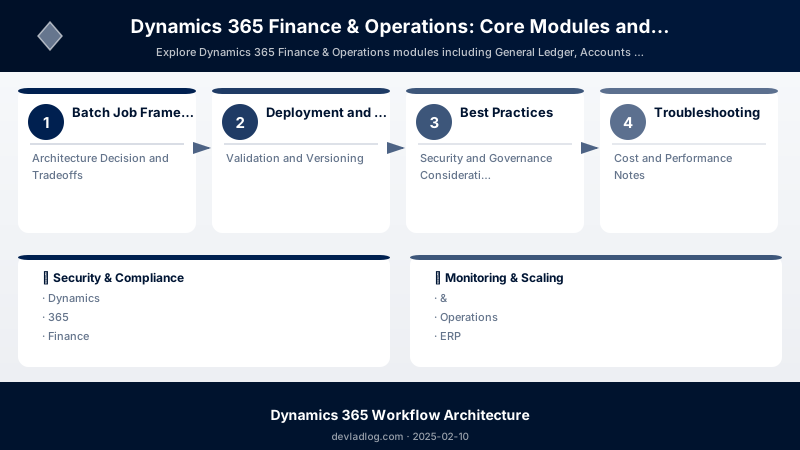
- Master Data First: Configure legal entities, number sequences, and chart of accounts before transactions
- Data Entities for Integration: Use data entities instead of direct table access
- Batch Jobs for Heavy Processing: Don't run long operations synchronously
- Extensions Over Overlayering: Prefer extension models for customizations
- Environment Strategy: Maintain separate Dev, Test, UAT, and Production environments
- Security Roles: Use duty-based security roles aligned with job functions
- Performance Testing: Test batch jobs and integrations with production-like data volumes
Troubleshooting
Data entity import failures:
Error: "Field validation failed for field CustomerAccount"
Solution: Check field length and format in staging table
  - Navigate to Data Management workspace
  - View execution history
  - Review staging table errors
  - Correct source data and re-import
Batch job not executing:
Issue: Job scheduled but not running
Check:
  1. Batch server configured and running
  2. User has appropriate security permissions
  3. Company context is correct
  4. No dependency conflicts with other jobs
Architecture Decision and Tradeoffs
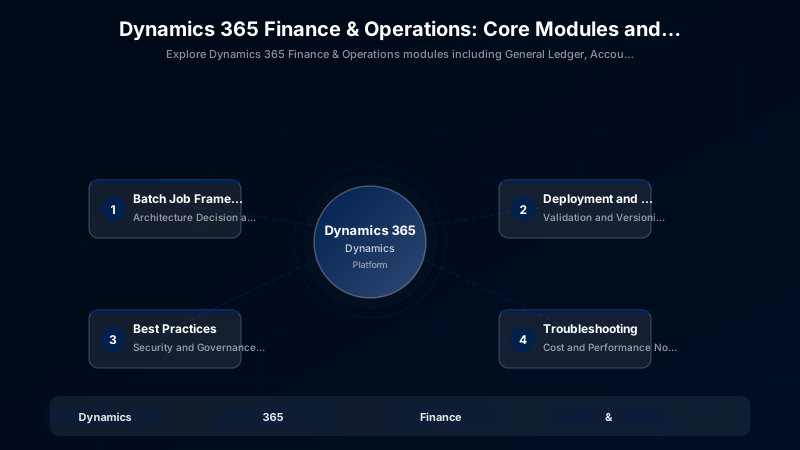
When designing business applications solutions with Dynamics 365, consider these key architectural trade-offs:
| Approach | Best For | Tradeoff |
|---|---|---|
| Managed / platform service | Rapid delivery, reduced ops burden | Less customisation, potential vendor lock-in |
| Custom / self-hosted | Full control, advanced tuning | Higher operational overhead and cost |
Recommendation: Start with the managed approach for most workloads and move to custom only when specific requirements demand it.
Validation and Versioning
- Last validated: April 2026
- Validate examples against your tenant, region, and SKU constraints before production rollout.
- Keep module, CLI, and SDK versions pinned in automation pipelines and review quarterly.
Security and Governance Considerations
- Apply least-privilege access using RBAC roles and just-in-time elevation for admin tasks.
- Store secrets in managed secret stores and avoid embedding credentials in scripts or source files.
- Enable audit logging, data protection policies, and periodic access reviews for regulated workloads.
Cost and Performance Notes
- Define budgets and alerts, then monitor usage and cost trends continuously after go-live.
- Baseline performance with synthetic and real-user checks before and after major changes.
- Scale resources with measured thresholds and revisit sizing after usage pattern changes.
Official Microsoft References
- https://learn.microsoft.com/dynamics365/
- https://learn.microsoft.com/power-platform/admin/
- https://learn.microsoft.com/power-platform/alm/
Public Examples from Official Sources
- These examples are sourced from official public Microsoft documentation and sample repositories.
- Documentation examples: https://learn.microsoft.com/dynamics365/
- Sample repositories: https://github.com/microsoft/PowerApps-Samples
- Prefer adapting these examples to your tenant, subscriptions, and governance requirements before production use.
Key Takeaways
- Dynamics 365 F&O is purpose-built for high-volume ERP operations
- General Ledger with financial dimensions provides flexible reporting
- Supply chain modules integrate procurement, inventory, and warehouse management
- Data entities enable robust integration with external systems
- Batch framework handles heavy processing outside user sessions
- Lifecycle Services (LCS) manages environments and deployments
Next Steps
- Explore Product Information Management (PIM) for complex product catalogs
- Implement Advanced Warehouse Management with mobile devices
- Configure Manufacturing modules for production planning
- Set up Budget Planning and forecasting
Additional Resources
- Dynamics 365 Finance & Operations Documentation
- X++ Language Reference
- Data Entities Overview
- Lifecycle Services Portal
Operations excellence, financial precision.
Discussion