
SignalR: Building Real-Time Web Applications with .NET
Introduction
ASP.NET Core SignalR enables real-time, bidirectional communication between server and client, making it the go-to technology for live dashboards, chat applications, collaborative editing, notifications, and IoT data streaming in the .NET ecosystem. Unlike traditional HTTP request-response patterns, SignalR maintains persistent connections that allow the server to push updates to clients instantly.
This guide covers SignalR architecture, hub implementation, client integration, scaling with Azure SignalR Service, and production best practices.
Architecture Overview
Figure: Interactive dashboard – charts, lists, and global filter controls.
Architecture Overview: Load Balancer
Implementation
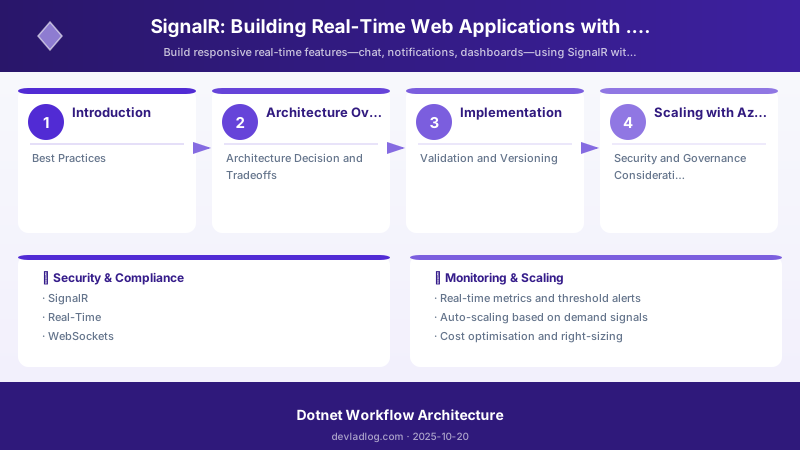
Figure: Configuration and management dashboard with status overview.
Step 1: Configure SignalR Server
// Program.cs
var builder = WebApplication.CreateBuilder(args);

// Add SignalR with Azure SignalR Service for scaling
builder.Services.AddSignalR()
    .AddAzureSignalR(); // Comment out for local development

// Add authentication
builder.Services.AddAuthentication(JwtBearerDefaults.AuthenticationScheme)
    .AddMicrosoftIdentityWebApi(builder.Configuration.GetSection("AzureAd"));

var app = builder.Build();
app.UseAuthentication();
app.UseAuthorization();

app.MapHub<NotificationHub>("/hubs/notifications");
app.MapHub<ChatHub>("/hubs/chat");

app.Run();
Step 2: Create the Hub
using Microsoft.AspNetCore.Authorization;
using Microsoft.AspNetCore.SignalR;

[Authorize]
public class ChatHub : Hub
{
    private readonly ILogger<ChatHub> _logger;

    public ChatHub(ILogger<ChatHub> logger)
    {
        _logger = logger;
    }

    public override async Task OnConnectedAsync()
    {
        var userId = Context.UserIdentifier;
        _logger.LogInformation("User {UserId} connected", userId);

        // Add to user's groups
        await Groups.AddToGroupAsync(Context.ConnectionId, "general");
        await Clients.Group("general").SendAsync("UserJoined", userId);

        await base.OnConnectedAsync();
    }

    public async Task SendMessage(string roomId, string message)
    {
        var userId = Context.UserIdentifier;
        _logger.LogInformation("Message from {User} in {Room}", userId, roomId);

        await Clients.Group(roomId).SendAsync("ReceiveMessage", new
        {
            UserId = userId,
            Message = message,
            Timestamp = DateTime.UtcNow
        });
    }

    public async Task JoinRoom(string roomId)
    {
        await Groups.AddToGroupAsync(Context.ConnectionId, roomId);
        await Clients.Group(roomId).SendAsync("UserJoined",
            Context.UserIdentifier, roomId);
    }

    public override async Task OnDisconnectedAsync(Exception? exception)
    {
        _logger.LogInformation("User {UserId} disconnected",
            Context.UserIdentifier);
        await base.OnDisconnectedAsync(exception);
    }
}
Step 3: JavaScript Client
import * as signalR from "@microsoft/signalr";

const connection = new signalR.HubConnectionBuilder()
    .withUrl("/hubs/chat", {
        accessTokenFactory: () => getAccessToken()
    })
    .withAutomaticReconnect([0, 2000, 5000, 10000, 30000])
    .configureLogging(signalR.LogLevel.Information)
    .build();

// Handle incoming messages
connection.on("ReceiveMessage", (message) => {
    console.log("New message:", message);
    appendMessageToUI(message);
});

connection.on("UserJoined", (userId, roomId) => {
    console.log(userId + " joined " + roomId);
});

// Connection lifecycle
connection.onreconnecting((error) => {
    console.warn("Reconnecting...", error);
    updateConnectionStatus("reconnecting");
});

connection.onreconnected((connectionId) => {
    console.log("Reconnected:", connectionId);
    updateConnectionStatus("connected");
});

connection.onclose((error) => {
    console.error("Connection closed:", error);
    updateConnectionStatus("disconnected");
});

// Start connection
async function startConnection() {
    try {
        await connection.start();
        console.log("Connected to SignalR hub");
        await connection.invoke("JoinRoom", "general");
    } catch (err) {
        console.error("Connection failed:", err);
        setTimeout(startConnection, 5000);
    }
}

// Send message
async function sendMessage(roomId, message) {
    await connection.invoke("SendMessage", roomId, message);
}

startConnection();
Scaling with Azure SignalR Service
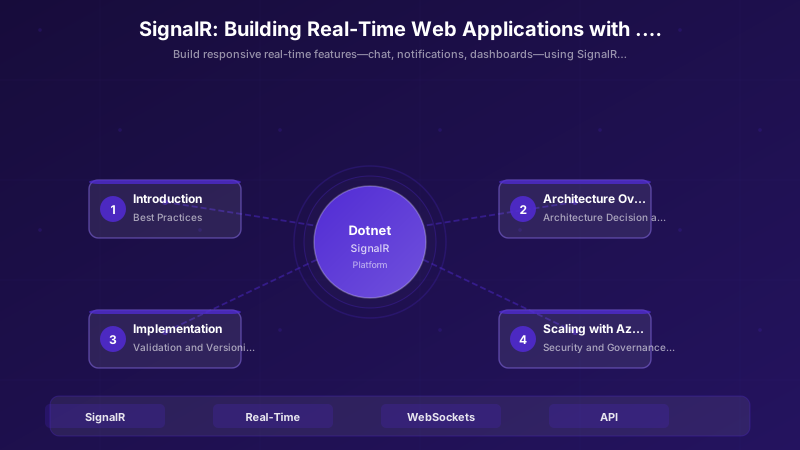
Figure: Program.cs – service registration with IntelliSense for DI lifetimes.
# Create Azure SignalR Service
az signalr create \
  --name mycompany-signalr \
  --resource-group rg-signalr-demo \
  --sku Standard_S1 \
  --unit-count 1 \
  --service-mode Default


# Get connection string
az signalr key list \
  --name mycompany-signalr \
  --resource-group rg-signalr-demo \
  --query primaryConnectionString \
  --output tsv
Best Practices
- Use Strongly-Typed Hubs: Define client interfaces for compile-time safety
- Implement Reconnection Logic: Always use
withAutomaticReconnecton clients - Group Management: Use groups for targeted messaging instead of broadcasting to all
- Keep Hub Methods Lightweight: Offload heavy processing to background services
- Monitor Connection Count: Set alerts for connection limits approaching tier thresholds
- Use MessagePack Protocol: Switch from JSON to MessagePack for 30-50% message size reduction
Architecture Decision and Tradeoffs
When designing application development solutions with .NET, consider these key architectural trade-offs:
| Approach | Best For | Tradeoff |
|---|---|---|
| Managed / platform service | Rapid delivery, reduced ops burden | Less customisation, potential vendor lock-in |
| Custom / self-hosted | Full control, advanced tuning | Higher operational overhead and cost |
Recommendation: Start with the managed approach for most workloads and move to custom only when specific requirements demand it.
Validation and Versioning
- Last validated: April 2026
- Validate examples against your tenant, region, and SKU constraints before production rollout.
- Keep module, CLI, and SDK versions pinned in automation pipelines and review quarterly.
Security and Governance Considerations
- Apply least-privilege access using RBAC roles and just-in-time elevation for admin tasks.
- Store secrets in managed secret stores and avoid embedding credentials in scripts or source files.
- Enable audit logging, data protection policies, and periodic access reviews for regulated workloads.
Cost and Performance Notes
- Define budgets and alerts, then monitor usage and cost trends continuously after go-live.
- Baseline performance with synthetic and real-user checks before and after major changes.
- Scale resources with measured thresholds and revisit sizing after usage pattern changes.
Official Microsoft References
- https://learn.microsoft.com/dotnet/
- https://learn.microsoft.com/aspnet/core/
- https://learn.microsoft.com/azure/developer/dotnet/
Public Examples from Official Sources
- These examples are sourced from official public Microsoft documentation and sample repositories.
- Documentation examples: https://learn.microsoft.com/dotnet/
- Sample repositories: https://github.com/dotnet/samples
- Prefer adapting these examples to your tenant, subscriptions, and governance requirements before production use.
Key Takeaways
- ✅ SignalR abstracts WebSocket complexity while providing fallback transports
- ✅ Azure SignalR Service handles scaling, connection management, and cross-server communication
- ✅ Automatic reconnection with backoff ensures resilient client connections
- ✅ Groups and user-targeted messaging enable efficient, scoped communication
- ✅ Production deployments should use Azure SignalR Service for reliability at scale
Discussion