
Minimal APIs in .NET: Building Lightweight Web Services
Figure: Swagger UI – API endpoints with HTTP methods, schemas, and try-it-out.
Introduction
Minimal APIs (introduced in .NET 6, matured in .NET 8) reduce boilerplate for HTTP services by eliminating controllers, attribute routing, and action filters. You define endpoints inline with lambda expressions, inject dependencies directly into route handlers, and leverage implicit model binding—resulting in 70% less ceremony for simple CRUD services. This makes Minimal APIs ideal for microservices, Azure Functions-like workloads, or serverless containers where startup time and memory footprint matter.
This guide walks through creating a Minimal API project, organizing endpoints with route groups, adding validation with endpoint filters, implementing authentication/authorization, configuring OpenAPI documentation, optimizing performance with output caching, and deploying to Azure Container Apps.
Prerequisites
- .NET 8+ SDK
- Basic HTTP/REST knowledge
Core Concepts
| Feature | Minimal API | Controller-based |
|---|---|---|
| Routing | Inline lambda | Attribute routing |
| Dependency Injection | Method parameter | Constructor injection |
| Model Binding | Implicit | Explicit attributes |
| Filters | Endpoint filters | Action/global filters |
Step-by-Step Guide
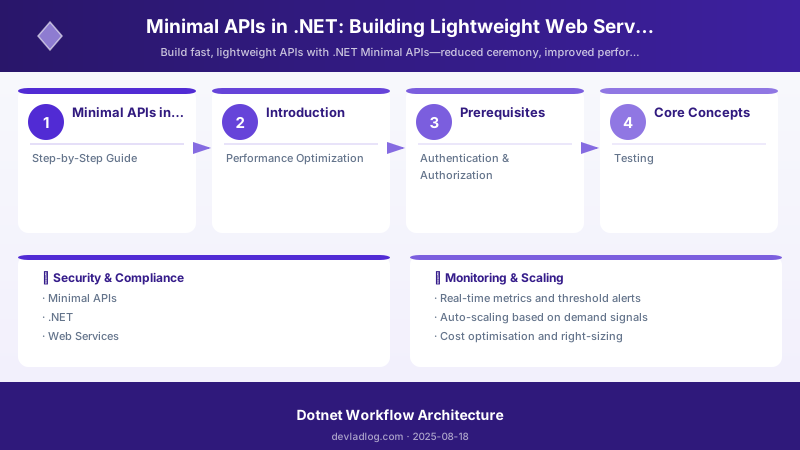
Figure: Configuration and management dashboard with status overview.
Step 1: Create Minimal API Project
dotnet new web -n MinimalApiDemo
cd MinimalApiDemo
Expected output:
The template "ASP.NET Core Web API" was created successfully.
Restore succeeded.

Step 2: Define Endpoints
var builder = WebApplication.CreateBuilder(args);
builder.Services.AddEndpointsApiExplorer();
builder.Services.AddSwaggerGen();

var app = builder.Build();

app.MapGet("/products", async (IProductRepository repo) =>
    await repo.GetAllAsync());

app.MapGet("/products/{id:int}", async (int id, IProductRepository repo) =>
    await repo.GetByIdAsync(id) is Product product
        ? Results.Ok(product)
        : Results.NotFound());

app.MapPost("/products", async (Product product, IProductRepository repo) =>
{
    await repo.AddAsync(product);
    return Results.Created($"/products/{product.Id}", product);
});

app.MapPut("/products/{id:int}", async (int id, Product product, IProductRepository repo) =>
{
    if (id != product.Id) return Results.BadRequest();
    await repo.UpdateAsync(product);
    return Results.NoContent();
});

app.MapDelete("/products/{id:int}", async (int id, IProductRepository repo) =>
{
    await repo.DeleteAsync(id);
    return Results.NoContent();
});

app.Run();
Key patterns:
- Route constraints (
{id:int}) for type safety - Pattern matching with
isfor null checks Results.*helpers for typed HTTP responses (Ok, NotFound, Created, NoContent, BadRequest)
Step 3: Group Related Endpoints
var products = app.MapGroup("/api/v1/products")
    .WithTags("Products")
    .RequireAuthorization();

products.MapGet("/", async (IProductRepository repo) => await repo.GetAllAsync())
    .WithName("GetProducts")
    .Produces<List<Product>>(200);

products.MapGet("/{id:int}", async (int id, IProductRepository repo) =>
    await repo.GetByIdAsync(id) is Product product
        ? Results.Ok(product)
        : Results.NotFound())
    .WithName("GetProductById")
    .Produces<Product>(200)
    .Produces(404);

products.MapPost("/", async (Product product, IProductRepository repo) =>
{
    await repo.AddAsync(product);
    return Results.CreatedAtRoute("GetProductById", new { id = product.Id }, product);
})
    .WithName("CreateProduct")
    .Produces<Product>(201);
Benefits of route groups:
- Shared prefix (
/api/v1/products) - Common authorization policies
- OpenAPI tags for Swagger organization
- Centralized metadata (CORS, rate limiting)
Step 4: Add Validation & Filters
Manual validation:
app.MapPost("/products", async (Product product, IProductRepository repo) =>
{
    var errors = new Dictionary<string, string[]>();
    if (string.IsNullOrWhiteSpace(product.Name))
        errors["Name"] = new[] { "Name is required" };
    if (product.Price <= 0)
        errors["Price"] = new[] { "Price must be positive" };

    if (errors.Any())
        return Results.ValidationProblem(errors);

    await repo.AddAsync(product);
    return Results.Created($"/products/{product.Id}", product);
});
Endpoint filter for logging:
products.AddEndpointFilter(async (context, next) =>
{
    var logger = context.HttpContext.RequestServices.GetRequiredService<ILogger<Program>>();
    logger.LogInformation("Executing {Path}", context.HttpContext.Request.Path);
    var result = await next(context);
    logger.LogInformation("Completed {Path}", context.HttpContext.Request.Path);
    return result;
});
FluentValidation integration:
builder.Services.AddValidatorsFromAssemblyContaining<ProductValidator>();

products.MapPost("/", async (Product product, IValidator<Product> validator, IProductRepository repo) =>
{
    var validation = await validator.ValidateAsync(product);
    if (!validation.IsValid)
        return Results.ValidationProblem(validation.ToDictionary());

    await repo.AddAsync(product);
    return Results.Created($"/products/{product.Id}", product);
});
Step 5: OpenAPI Documentation
builder.Services.AddEndpointsApiExplorer();
builder.Services.AddSwaggerGen(options =>
{
    options.SwaggerDoc("v1", new OpenApiInfo
    {
        Title = "Product API",
        Version = "v1",
        Description = "Lightweight CRUD API for products"
    });
    options.AddSecurityDefinition("Bearer", new OpenApiSecurityScheme
    {
        Type = SecuritySchemeType.Http,
        Scheme = "bearer",
        BearerFormat = "JWT"
    });
});

app.UseSwagger();
app.UseSwaggerUI(options =>
{
    options.SwaggerEndpoint("/swagger/v1/swagger.json", "Product API v1");
});
Access Swagger UI:
dotnet run
# Navigate to https://localhost:5001/swagger
Expected output:
info: Now listening on: https://localhost:5001
info: Application started. Press Ctrl+C to shut down.

Step 6: Error Handling & Health Checks
Global exception handler with ProblemDetails:
builder.Services.AddProblemDetails();

app.UseExceptionHandler(exceptionHandlerApp =>
{
    exceptionHandlerApp.Run(async context =>
    {
        var exception = context.Features.Get<IExceptionHandlerFeature>()?.Error;
        var problemDetails = new ProblemDetails
        {
            Status = 500,
            Title = "Internal Server Error",
            Detail = exception?.Message
        };
        context.Response.StatusCode = 500;
        await context.Response.WriteAsJsonAsync(problemDetails);
    });
});
Health checks:
builder.Services.AddHealthChecks()
    .AddCheck<DatabaseHealthCheck>("database")
    .AddCheck<CacheHealthCheck>("cache");

app.MapHealthChecks("/health");
Performance Optimization
Figure: Power Apps form control – edit form with validation rules and error handling.
Output caching:
builder.Services.AddOutputCache(options =>
{
    options.AddBasePolicy(builder => builder.Expire(TimeSpan.FromMinutes(5)));
});
app.UseOutputCache();


app.MapGet("/products", async (IProductRepository repo) => await repo.GetAllAsync())
    .CacheOutput(policy => policy.Tag("products").Expire(TimeSpan.FromMinutes(10)));
Rate limiting:
builder.Services.AddRateLimiter(options =>
{
    options.GlobalLimiter = PartitionedRateLimiter.Create<HttpContext, string>(context =>
        RateLimitPartition.GetFixedWindowLimiter(
            partitionKey: context.User.Identity?.Name ?? context.Request.Headers.Host.ToString(),
            factory: partition => new FixedWindowRateLimiterOptions
            {
                PermitLimit = 100,
                Window = TimeSpan.FromMinutes(1)
            }));
});
app.UseRateLimiter();
JSON source generator for AOT:
[JsonSerializable(typeof(Product))]
[JsonSerializable(typeof(List<Product>))]
internal partial class AppJsonSerializerContext : JsonSerializerContext { }

builder.Services.ConfigureHttpJsonOptions(options =>
{
    options.SerializerOptions.TypeInfoResolverChain.Insert(0, AppJsonSerializerContext.Default);
});
Authentication & Authorization
Figure: JWT token inspector – claims, roles, and expiration details.
JWT Bearer authentication:
builder.Services.AddAuthentication(JwtBearerDefaults.AuthenticationScheme)
    .AddJwtBearer(options =>
    {
        options.Authority = "https://login.microsoftonline.com/{tenantId}";
        options.Audience = "api://product-api";
    });


builder.Services.AddAuthorization(options =>
{
    options.AddPolicy("AdminPolicy", policy => policy.RequireRole("Admin"));
    options.AddPolicy("ManagerPolicy", policy => policy.RequireClaim("department", "Management"));
});

app.UseAuthentication();
app.UseAuthorization();

app.MapGet("/admin", () => "Admin only")
    .RequireAuthorization("AdminPolicy");

app.MapGet("/me", (ClaimsPrincipal user) =>
    Results.Ok(new { Name = user.Identity?.Name, Claims = user.Claims.Select(c => new { c.Type, c.Value }) }))
    .RequireAuthorization();
Testing
Figure: Test Explorer – categorized results with green/red pass/fail indicators.
Integration test with WebApplicationFactory:
public class ProductApiTests : IClassFixture<WebApplicationFactory<Program>>
{
    private readonly HttpClient _client;


    public ProductApiTests(WebApplicationFactory<Program> factory)
    {
        _client = factory.WithWebHostBuilder(builder =>
        {
            builder.ConfigureServices(services =>
            {
                // Replace IProductRepository with test doubles
                services.RemoveAll<IProductRepository>();
                services.AddSingleton<IProductRepository, FakeProductRepository>();
            });
        }).CreateClient();
    }

    [Fact]
    public async Task GetProducts_ReturnsOk()
    {
        var response = await _client.GetAsync("/api/v1/products");
        response.EnsureSuccessStatusCode();
        var products = await response.Content.ReadFromJsonAsync<List<Product>>();
        Assert.NotNull(products);
    }

    [Fact]
    public async Task CreateProduct_ReturnsCreated()
    {
        var product = new Product { Name = "Widget", Price = 9.99m };
        var response = await _client.PostAsJsonAsync("/api/v1/products", product);
        Assert.Equal(HttpStatusCode.Created, response.StatusCode);
    }
}
Troubleshooting
Issue: Route not matching
Solution: Check route constraints ({id:int}), parameter order, and overlapping patterns (e.g., /{id} vs /all).
Issue: Dependency not injected
Solution: Verify service registration in builder.Services; ensure scoped/transient lifetime matches usage; check constructor signature.
Issue: JSON serialization error
Solution: Configure JsonSerializerOptions in builder.Services.ConfigureHttpJsonOptions(); use [JsonPropertyName] for property mapping; verify source generator includes all types.
Issue: 401 Unauthorized on authenticated endpoints
Solution: Verify JWT token in Authorization: Bearer {token} header; check Authority, Audience, and issuer claims; inspect middleware order (UseAuthentication() before UseAuthorization()).
Issue: Output cache not invalidating
Solution: Use cache tags and evict via IOutputCacheStore.EvictByTagAsync("products", CancellationToken.None) after POST/PUT/DELETE.
Issue: Rate limiter rejecting all requests
Solution: Check partition key logic (user identity or IP); verify PermitLimit and Window configuration; inspect HTTP 429 responses with Retry-After header.
Best Practices
- Use Route Groups to Organize Endpoints: Group by resource (
/api/v1/products) and apply shared policies (auth, CORS, rate limiting). - Apply Endpoint Filters for Cross-Cutting Concerns: Logging, request ID propagation, tenant resolution—avoid inline repetition.
- Leverage Built-In Results Helpers:
Results.Ok(),Results.NotFound(),Results.Created(),Results.ValidationProblem()for consistent responses. - Document with OpenAPI/Swagger: Add
.Produces<T>(),.WithName(),.WithTags()for rich metadata. - Version Your APIs: Use route prefixes (
/api/v1,/api/v2) or headers; plan deprecation paths. - Use ProblemDetails for Errors: Standardize error responses per RFC 7807.
- Enable Health Checks: Monitor database, cache, external dependencies; expose
/healthendpoint. - Optimize for AOT and Containers: Use JSON source generators; minimize reflection; leverage output caching and rate limiting.
Architecture Decision and Tradeoffs
When designing application development solutions with .NET, consider these key architectural trade-offs:
| Approach | Best For | Tradeoff |
|---|---|---|
| Managed / platform service | Rapid delivery, reduced ops burden | Less customisation, potential vendor lock-in |
| Custom / self-hosted | Full control, advanced tuning | Higher operational overhead and cost |
Recommendation: Start with the managed approach for most workloads and move to custom only when specific requirements demand it.
Validation and Versioning
- Last validated: April 2026
- Validate examples against your tenant, region, and SKU constraints before production rollout.
- Keep module, CLI, and SDK versions pinned in automation pipelines and review quarterly.
Security and Governance Considerations
- Apply least-privilege access using RBAC roles and just-in-time elevation for admin tasks.
- Store secrets in managed secret stores and avoid embedding credentials in scripts or source files.
- Enable audit logging, data protection policies, and periodic access reviews for regulated workloads.
Cost and Performance Notes
- Define budgets and alerts, then monitor usage and cost trends continuously after go-live.
- Baseline performance with synthetic and real-user checks before and after major changes.
- Scale resources with measured thresholds and revisit sizing after usage pattern changes.
Official Microsoft References
- https://learn.microsoft.com/dotnet/
- https://learn.microsoft.com/aspnet/core/
- https://learn.microsoft.com/azure/developer/dotnet/
Public Examples from Official Sources
- These examples are sourced from official public Microsoft documentation and sample repositories.
- Documentation examples: https://learn.microsoft.com/dotnet/
- Sample repositories: https://github.com/dotnet/samples
- Prefer adapting these examples to your tenant, subscriptions, and governance requirements before production use.
Key Takeaways
- Minimal APIs Reduce Boilerplate: 70% less code compared to controller-based APIs for CRUD operations.
- Built-In DI, Routing, and Model Binding: Inject dependencies directly into route handlers; leverage route constraints for type safety.
- Endpoint Filters Replace Traditional Middleware: Apply targeted logic (logging, validation) without global pipeline overhead.
- Performance Improvements: Faster startup, lower memory footprint—ideal for serverless (Azure Container Apps, AWS Lambda) and sidecar patterns.
Next Steps
- Migrate legacy MVC APIs to Minimal APIs (focus on single-responsibility endpoints first)
- Deploy to Azure Container Apps with managed identity for Key Vault secrets
- Add distributed tracing with OpenTelemetry (Application Insights or Jaeger)
- Implement CQRS with MediatR for complex command/query separation
- Pilot AOT compilation for sub-100ms startup times
Additional Resources
Which API will you simplify first?
Discussion