
Blazor WebAssembly vs Blazor Server: Choosing the Right Architecture
Blazor WebAssembly vs Blazor Server: Choosing the Right Architecture
Introduction
Choosing between Blazor WebAssembly and Blazor Server shapes your app's latency profile, server footprint, offline capability, and security boundary. WebAssembly runs the .NET runtime in the browser via WebAssembly, keeping the server stateless and delivering client-side interactivity at the cost of a larger initial download. Blazor Server maintains a SignalR circuit to the server, rendering UI server-side and streaming deltas—great for real-time collaboration and secure logic, but requires always-on connectivity and scales per-connection.
This guide provides a pragmatic decision matrix, deployment patterns, security considerations, observability hooks, and performance tuning for both models. You'll leave with clear criteria to match your workload requirements to the right architecture.
Prerequisites
- .NET 8+ SDK installed
- VS Code or Visual Studio
- Azure subscription (for deployment)
Core Differences
Blazor WebAssembly (WASM)
- .NET runtime runs in browser via WebAssembly; all UI logic client-side.
- Initial load includes runtime + app assemblies (~1-3 MB compressed).
- Stateless server; scales horizontally with CDN or static hosting.
- Offline scenarios possible with Service Workers and local storage.
- Security: Client code is public; secrets must stay in APIs.
Blazor Server
- UI renders server-side; SignalR circuit streams DOM updates.
- Thin initial load; interactive immediately after handshake.
- Server maintains per-user state; memory and CPU per connection.
- Real-time updates native; shared circuits enable collaboration.
- Security: Business logic protected server-side; audit centralized.
Comparative Flow
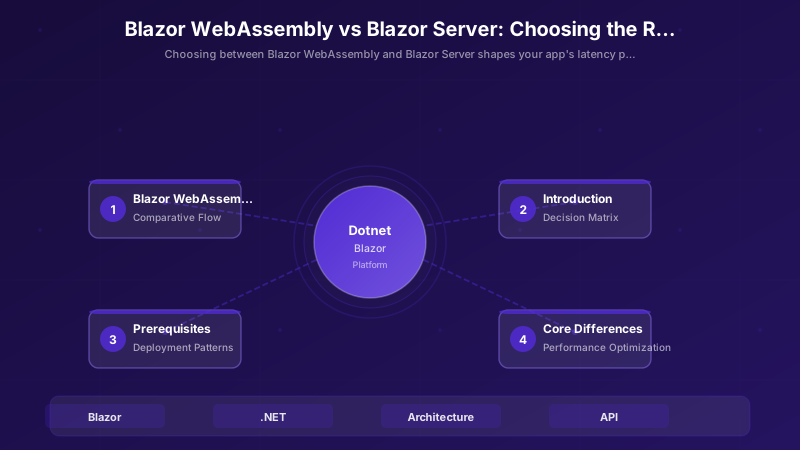
WASM: Browser → (first load: runtime + app DLLs) → client-side render → HTTP calls to API → UI updates in browser.
Server: Browser → SignalR connect → server-side render → DOM diff over SignalR → UI updates pushed from server.
Decision Matrix
| Criterion | WebAssembly | Server |
|---|---|---|
| Initial Load | Larger | Smaller |
| Interaction Latency | Client-side | Round-trip |
| Real-Time | Add SignalR | Native |
| Offline | Limited caching | No |
| Security Code Visibility | Public assemblies | Server protected |
Deployment Patterns
1. Hybrid (WASM + API microservices)
Host WASM on Azure Static Web Apps or CDN; APIs in Azure Functions/Container Apps. Best for global reach with regional APIs.
2. Monolithic Blazor Server (App Service)
Single deployment unit on Azure App Service with sticky sessions. Simple for line-of-business apps with controlled user base.
3. WASM + GraphQL gateway
WASM client queries unified GraphQL endpoint (Azure API Management or Hasura). Reduces API surface; enables schema-first development.
4. Real-Time Collaboration (Server + Redis backplane)
Blazor Server with Azure SignalR Service or Redis backplane. Scales circuits across instances; shared state for collaborative features.
Performance Optimization
WebAssembly
IL Trimming & Compression
Enable aggressive trimming in .csproj and serve pre-compressed assets:
<PropertyGroup>
  <PublishTrimmed>true</PublishTrimmed>
  <TrimMode>full</TrimMode>
</PropertyGroup>
Lazy Load Assemblies
Define lazy routes to load page-specific DLLs on demand:
<Router AppAssembly="@typeof(App).Assembly" AdditionalAssemblies="new[] { typeof(LazyComponent).Assembly }">
Cache Static Assets
Set Cache-Control headers for long-lived assets; use Service Workers for offline support.
Server
Minimize Render Cycles
Use ShouldRender() overrides and @key directives to avoid unnecessary re-renders:
protected override bool ShouldRender() => _stateChanged;
Azure SignalR Service for Scale
Offload circuit management to Azure SignalR; add sticky sessions at load balancer.
Async Data Access & Caching
Use distributed cache (Redis) for shared state; keep heavy queries async with cancellation tokens.
Security & Identity
Blazor WebAssembly
Use MSAL.js or Microsoft.Authentication.WebAssembly.Msal for Entra ID (Azure AD) flows. Store tokens in browser storage; never embed secrets in client bundles. Call protected APIs with bearer tokens:
builder.Services.AddMsalAuthentication(options =>
{
    builder.Configuration.Bind("AzureAd", options.ProviderOptions.Authentication);
    options.ProviderOptions.DefaultAccessTokenScopes.Add("api://myapi/.default");
});
Blazor Server
Use OIDC middleware (AddAuthentication().AddOpenIdConnect()) and keep tokens server-side. Centralized audit logging via ASP.NET Core middleware; use secure cookies with SameSite=Strict:
services.AddAuthentication(OpenIdConnectDefaults.AuthenticationScheme)
    .AddOpenIdConnect(options =>
    {
        options.Authority = "https://login.microsoftonline.com/{tenantId}";
        options.ClientId = configuration["AzureAd:ClientId"];
        options.ClientSecret = configuration["AzureAd:ClientSecret"];
        options.ResponseType = OpenIdConnectResponseType.Code;
    });
Observability
OpenTelemetry Traces
Instrument both hosting models with OpenTelemetry for distributed tracing. Export to Azure Monitor (Application Insights) or Jaeger:
builder.Services.AddOpenTelemetry()
    .WithTracing(b => b
        .AddAspNetCoreInstrumentation()
        .AddHttpClientInstrumentation()
        .AddAzureMonitorTraceExporter(options => options.ConnectionString = "InstrumentationKey=..."));
Custom UI Interaction Events
Log user actions (button clicks, navigation) with custom activity sources. In WASM, batch events and send to API. In Server, emit directly to telemetry provider.
## CI/CD Example (GitHub Actions)

```yaml
name: build-blazor
on: [push]
jobs:
  build:
    runs-on: ubuntu-latest
    steps:
      - uses: actions/checkout@v4
      - uses: actions/setup-dotnet@v4
        with:
          dotnet-version: '8.0.x'
      - run: dotnet restore
      - run: dotnet build -c Release --no-restore


      - run: dotnet publish -c Release -o ./publish
      - name: Deploy WASM to Azure Static Web Apps
        uses: Azure/static-web-apps-deploy@v1
        with:
          azure_static_web_apps_api_token: ${{ secrets.AZURE_STATIC_WEB_APPS_API_TOKEN }}
          app_location: "./publish/wwwroot"
Expected output:
Build succeeded.
    0 Warning(s)
    0 Error(s)
Time Elapsed 00:00:04.12

Troubleshooting
| Issue | Cause | Fix |
|---|---|---|
| Large WASM payload | Untrimmed assemblies | Enable trimming & compression |
| Latency in Server | Excessive re-render | Profile components |
| SignalR disconnects | Idle timeout | Adjust keep-alive settings |
| Auth failures | Token config mismatch | Validate Entra ID app settings |
Best Practices
- Prototype Both Models Early: Build a representative slice in both to measure load times, latency, and developer experience.
- Centralize Configuration & Secrets: Use Azure Key Vault or App Configuration; avoid embedding secrets in WASM bundles.
- Automate Performance Benchmarks: Use BenchmarkDotNet for component render cycles; run load tests with K6 or Artillery for SignalR circuits.
- Design for Eventual Consistency: In Server, accept brief lag on circuit re-establishment; in WASM, handle stale data with versioning.
- Enable Compression & Caching: Serve WASM with Brotli; set long cache headers and use ETags.
- Monitor Circuit Health: Track SignalR connection metrics, reconnects, and memory per circuit in Azure Monitor.
- Use Shared Razor Class Libraries: Share components, models, and validation logic between hosting models for hybrid or migration scenarios.
Architecture Decision and Tradeoffs
When designing application development solutions with .NET, consider these key architectural trade-offs:
| Approach | Best For | Tradeoff |
|---|---|---|
| Managed / platform service | Rapid delivery, reduced ops burden | Less customisation, potential vendor lock-in |
| Custom / self-hosted | Full control, advanced tuning | Higher operational overhead and cost |
Recommendation: Start with the managed approach for most workloads and move to custom only when specific requirements demand it.
Validation and Versioning
- Last validated: April 2026
- Validate examples against your tenant, region, and SKU constraints before production rollout.
- Keep module, CLI, and SDK versions pinned in automation pipelines and review quarterly.
Security and Governance Considerations
- Apply least-privilege access using RBAC roles and just-in-time elevation for admin tasks.
- Store secrets in managed secret stores and avoid embedding credentials in scripts or source files.
- Enable audit logging, data protection policies, and periodic access reviews for regulated workloads.
Cost and Performance Notes
- Define budgets and alerts, then monitor usage and cost trends continuously after go-live.
- Baseline performance with synthetic and real-user checks before and after major changes.
- Scale resources with measured thresholds and revisit sizing after usage pattern changes.
Official Microsoft References
- https://learn.microsoft.com/dotnet/
- https://learn.microsoft.com/aspnet/core/
- https://learn.microsoft.com/azure/developer/dotnet/
Public Examples from Official Sources
- These examples are sourced from official public Microsoft documentation and sample repositories.
- Documentation examples: https://learn.microsoft.com/dotnet/
- Sample repositories: https://github.com/dotnet/samples
- Prefer adapting these examples to your tenant, subscriptions, and governance requirements before production use.
Key Takeaways
- Blazor Server excels for secure, line-of-business real-time workflows with controlled user bases and low latency to the server.
- Blazor WebAssembly fits globally distributed scenarios with offline capability and minimal server overhead.
- Hybrid patterns (WASM frontend + APIs, or auto-render in .NET 8+) unlock targeted optimization and incremental migration.
- Security boundaries differ: Server protects logic server-side; WASM requires API gateways and proper token flows.
- Observability and performance tuning are model-specific—measure early and often.
Additional Resources
Which hosting model fits your workload best?
Discussion