
Getting Started with ASP.NET Core Web APIs
builder.Services.AddDbContext
Migration:

```powershell
dotnet ef migrations add InitialCreate
dotnet ef database update
Expected output:
Build succeeded.
Done. To undo this action, use 'ef migrations remove'

Authentication (JWT / Entra ID)
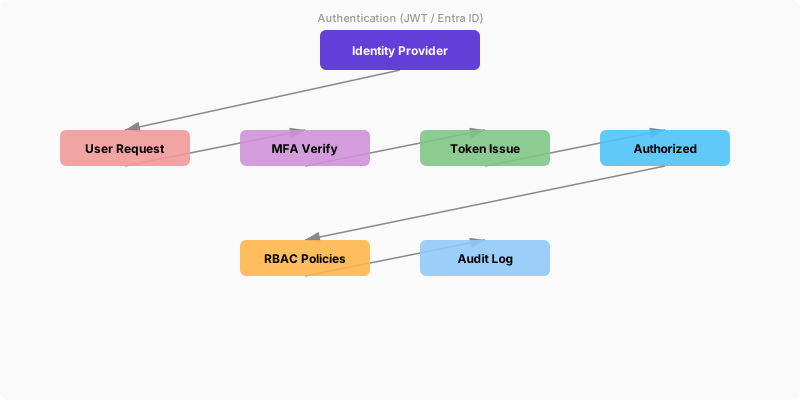
Figure: JWT token inspector – claims, roles, and expiration details.
dotnet add package Microsoft.Identity.Web
dotnet add package Microsoft.Identity.Web.MicrosoftGraph
builder.Services.AddAuthentication(JwtBearerDefaults.AuthenticationScheme)
```text
.AddMicrosoftIdentityWebApi(builder.Configuration, "AzureAd");```
app.UseAuthentication();
app.UseAuthorization();
Protected endpoint:
app.MapGet("/profile", [Authorize] (ClaimsPrincipal user) => new { user.Identity?.Name });
Authorization & Policies
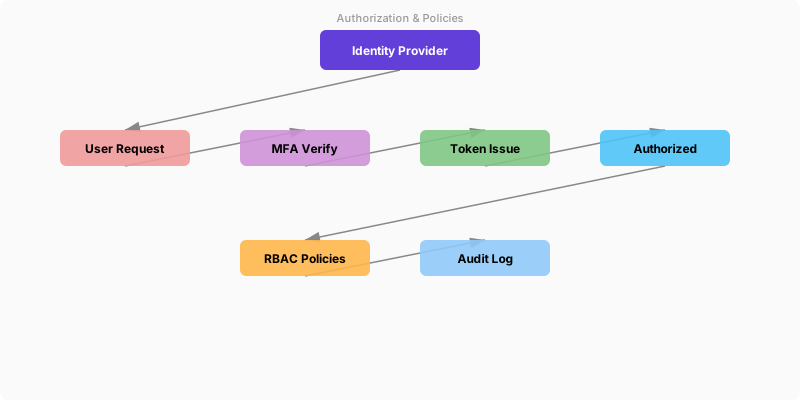
Figure: JWT token inspector – claims, roles, and expiration details.
builder.Services.AddAuthorization(o =>
{
```javascript
o.AddPolicy("CanWrite", p => p.RequireClaim("scope", "api.write"));```
});
app.MapPost("/secure-products", [Authorize(Policy="CanWrite")] (CreateProductRequest req) => {/*...*/});
OpenAPI & Versioning
Figure: Swagger UI – API endpoints with HTTP methods, schemas, and try-it-out.
dotnet add package Swashbuckle.AspNetCore
dotnet add package Asp.Versioning.Http
builder.Services.AddEndpointsApiExplorer();
builder.Services.AddSwaggerGen();
builder.Services.AddApiVersioning(o => { o.DefaultApiVersion = new ApiVersion(1,0); o.AssumeDefaultVersionWhenUnspecified=true; });
app.UseSwagger();
app.UseSwaggerUI();
Performance Enhancements
Figure: Power Apps form control – edit form with validation rules and error handling.
builder.Services.AddResponseCompression();
app.UseResponseCompression();
Caching example:
app.MapGet("/products/{id}", async (int id, AppDbContext db, IMemoryCache cache) => {
```text
if(cache.TryGetValue(id, out Product p)) return p;
p = await db.Products.FindAsync(id);
if(p!=null) cache.Set(id, p, TimeSpan.FromMinutes(5));
return p is null ? Results.NotFound() : Results.Ok(p);```
});
Resilience (Polly)
Figure: Configuration and management dashboard with status overview.
dotnet add package Polly.Extensions.Http
builder.Services.AddHttpClient("crm")
```text
.AddPolicyHandler(HttpPolicyExtensions
    .HandleTransientHttpError()
    .WaitAndRetryAsync(new[]{TimeSpan.FromSeconds(1),TimeSpan.FromSeconds(2),TimeSpan.FromSeconds(4)}));
## Logging & Telemetry

```powershell
dotnet add package OpenTelemetry.Extensions.Hosting
builder.Services.AddOpenTelemetry().WithTracing(b => b
```text
.AddAspNetCoreInstrumentation()
.AddHttpClientInstrumentation());
Kusto Query (slow requests):

```kusto
requests
| where duration > 5000
| summarize count() by operation_Name
Testing
Figure: Test Explorer – categorized results with green/red pass/fail indicators.
dotnet new xunit -n Contoso.Api.Tests
public class ProductTests
{
```text
[Fact]
public void Price_MustBePositive()
{
    var validator = new CreateProductValidator();
    var result = validator.Validate(new CreateProductRequest("Test", -5));
    Assert.False(result.IsValid);
}```
}
CI/CD (GitHub Actions)
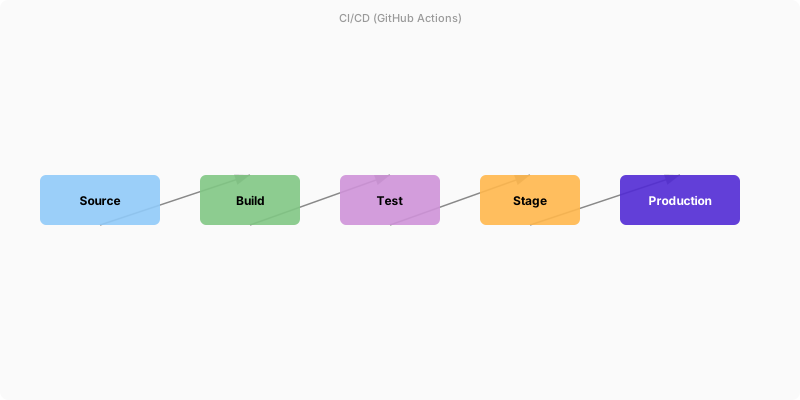
Figure: Azure DevOps pipeline – stages, deployment gates, and artifact publishing.
name: build-api
on:
  push:
```yaml
branches: [ main ]```
jobs:
  build-test:
```yaml
runs-on: ubuntu-latest
steps:
  - uses: actions/checkout@v4
  - uses: actions/setup-dotnet@v4


    with:
      dotnet-version: '8.0.x'
  - name: Restore
    run: dotnet restore Contoso.Api/Contoso.Api.csproj
  - name: Build
    run: dotnet build Contoso.Api/Contoso.Api.csproj -c Release --no-restore
  - name: Test
    run: dotnet test Contoso.Api.Tests/Contoso.Api.Tests.csproj -c Release --no-build --logger trx
  - name: Publish
    run: dotnet publish Contoso.Api/Contoso.Api.csproj -c Release -o publish
  - name: Deploy (WebApp)
    uses: azure/webapps-deploy@v3
    with:
      app-name: contoso-api-prod
      package: publish
## Troubleshooting Matrix
| Symptom | Cause | Diagnosis | Resolution |
|---------|-------|-----------|------------|
| 500 errors | Unhandled exceptions | App Insights traces | Add global exception middleware |
| High latency | N+1 DB queries | EF Profiler / logs | Introduce projection + caching |
| 404 versioned route | Missing version mapping | Swagger doc review | Add ApiVersion attribute |
| Auth failures | Invalid token scopes | JWT validation logs | Adjust app registration scopes |
| Memory growth | Large caches | Metrics / dotnet-counters | Evict & size TTLs |
## Image References

## References
- [ASP.NET Core Overview](https://learn.microsoft.com/aspnet/core/introduction)
- [Minimal APIs](https://learn.microsoft.com/aspnet/core/fundamentals/minimal-apis)
- [Authentication & Authorization](https://learn.microsoft.com/aspnet/core/security/)
- [EF Core Docs](https://learn.microsoft.com/ef/core/)
- [API Versioning](https://github.com/dotnet/aspnet-api-versioning)
- [OpenTelemetry .NET](https://learn.microsoft.com/azure/azure-monitor/app/opentelemetry-enable)
- [Polly](https://github.com/App-vNext/Polly)
## Architecture Decision and Tradeoffs
When designing application development solutions with .NET, consider these key architectural trade-offs:
| Approach | Best For | Tradeoff |
|----------|----------|----------|
| Managed / platform service | Rapid delivery, reduced ops burden | Less customisation, potential vendor lock-in |
| Custom / self-hosted | Full control, advanced tuning | Higher operational overhead and cost |
> **Recommendation:** Start with the managed approach for most workloads and move to custom only when specific requirements demand it.
## Validation and Versioning
- Last validated: April 2026
- Validate examples against your tenant, region, and SKU constraints before production rollout.
- Keep module, CLI, and SDK versions pinned in automation pipelines and review quarterly.
## Security and Governance Considerations
- Apply least-privilege access using RBAC roles and just-in-time elevation for admin tasks.
- Store secrets in managed secret stores and avoid embedding credentials in scripts or source files.
- Enable audit logging, data protection policies, and periodic access reviews for regulated workloads.
## Cost and Performance Notes
- Define budgets and alerts, then monitor usage and cost trends continuously after go-live.
- Baseline performance with synthetic and real-user checks before and after major changes.
- Scale resources with measured thresholds and revisit sizing after usage pattern changes.
## Official Microsoft References
- https://learn.microsoft.com/dotnet/
- https://learn.microsoft.com/aspnet/core/
- https://learn.microsoft.com/azure/developer/dotnet/
## Public Examples from Official Sources
- These examples are sourced from official public Microsoft documentation and sample repositories.
- Documentation examples: https://learn.microsoft.com/dotnet/
- Sample repositories: https://github.com/dotnet/samples
- Prefer adapting these examples to your tenant, subscriptions, and governance requirements before production use.
## Key Takeaways
- Use DI and background services
- Implement resilient APIs and middleware
- Test with xUnit and integration patterns
Discussion