
Azure Security Center and Defender for Cloud: Securing Your Workloads
--query "[?properties.status.code=='Unhealthy'].{Name:name, Severity:properties.metadata.severity, Resource:properties.resourceDetails.Id}"
--output table
**PowerShell: Get Security Score:**

```powershell
Get-AzSecuritySecureScore | Select-Object DisplayName, CurrentScore, MaxScore, Percentage
Top Recommendations:
// Log Analytics query
SecurityRecommendation
| where TimeGenerated > ago(7d)
| where RecommendationState == "Active"
| summarize count() by RecommendationDisplayName, RecommendationSeverity
| order by count_ desc
| take 10
Step 3: Implement Security Recommendations
Example: Enable disk encryption
az vm encryption enable \
  --resource-group rg-vms \
  --name vm-web-01 \
  --disk-encryption-keyvault /subscriptions/.../vaults/keyvault-encryption \
  --volume-type All
Example: Enable storage encryption
az storage account update \
  --name contosostorage \
  --resource-group rg-storage \
  --encryption-services blob file \
  --encryption-key-source Microsoft.Storage
Example: Configure NSG rules
## Remove overly permissive rule

az network nsg rule delete \
--resource-group rg-network \
--nsg-name nsg-web \
--name AllowAnyInbound
## Add restrictive rule
az network nsg rule create \
--resource-group rg-network \
--nsg-name nsg-web \
--name AllowHTTPS \
--priority 100 \
--source-address-prefixes Internet \
--destination-port-ranges 443 \
--access Allow \
--protocol Tcp
Step 4: Compliance Dashboard
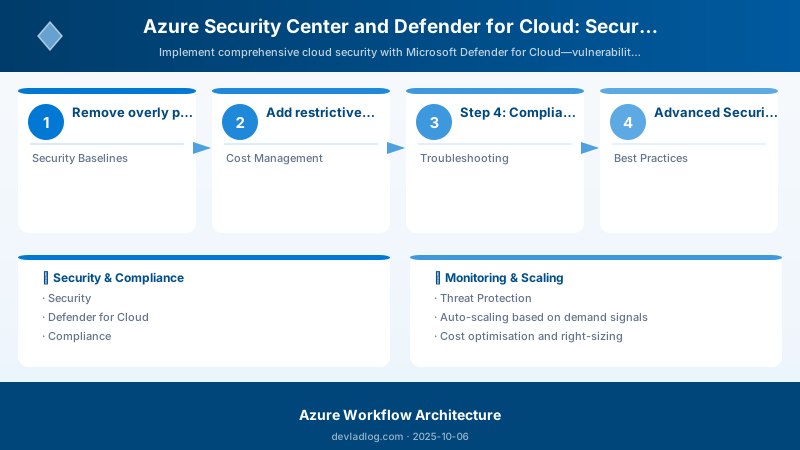
Assign Regulatory Compliance Standard:
az security regulatory-compliance-control list \
  --standard-name "Azure-CIS-1.3.0" \
  --query "[].{Control:name, State:properties.state}" \
  --output table
PowerShell: Check Compliance:
$compliance = Get-AzPolicyState | Where-Object { $_.ComplianceState -eq 'NonCompliant' }
$compliance | Group-Object PolicyDefinitionName | Select Name, Count | Sort Count -Descending
Custom Policy Assignment:
{
  "properties": {
```text
"displayName": "Enforce HTTPS for storage accounts",
"policyDefinitionId": "/providers/Microsoft.Authorization/policyDefinitions/404c3081-a854-4457-ae30-26a93ef643f9",
"parameters": {},
"enforcementMode": "Default"```
  }
}
az policy assignment create \
  --name enforce-storage-https \
  --policy /providers/Microsoft.Authorization/policyDefinitions/404c3081-a854-4457-ae30-26a93ef643f9 \
  --scope /subscriptions/<subscription-id>
Expected output:
{ "displayName": "Require tags on resources", "enforcementMode": "Default" }

Step 5: Vulnerability Assessment
Enable Qualys Scanner for VMs:
az security va-solution create \
  --resource-group rg-vms \
  --vm-name vm-web-01 \
  --va-solution-name Qualys
Review Vulnerabilities:
SecurityVulnerability
| where TimeGenerated > ago(7d)
| where Severity in ("High", "Critical")
| summarize count() by CVE, AffectedSoftware, Severity
| order by count_ desc
SQL Vulnerability Assessment:
az sql server ad-admin create \
  --resource-group rg-sql \
  --server-name contososql \
  --display-name "SQL Admin" \
  --object-id <aad-group-object-id>

az sql db threat-policy update \
  --resource-group rg-sql \
  --server contososql \
  --database ContosoDb \
  --state Enabled \
  --storage-account sqlaudit \
  --storage-endpoint https://sqlaudit.blob.core.windows.net \
  --retention-days 90
Step 6: Threat Detection & Alerts
Configure Security Alerts:
az security contact create \
  --email security@contoso.com \
  --phone "+1-555-0100" \
  --alert-notifications On \
  --alerts-admins On
View Security Alerts:
SecurityAlert
| where TimeGenerated > ago(30d)
| where AlertSeverity in ("High", "Medium")
| summarize count() by AlertName, AlertSeverity
| order by count_ desc
Common Alert Types:
- Suspicious PowerShell execution: Unusual cmdlets detected
- Brute force attack: Multiple failed login attempts
- Cryptocurrency mining: CPU spike with suspicious process
- Lateral movement: Unusual access patterns between VMs
- Data exfiltration: Large outbound data transfer
Step 7: Just-in-Time VM Access
Enable JIT:
az security jit-policy create \
  --resource-group rg-vms \
  --name vm-web-01 \
  --location eastus \
  --virtual-machines /subscriptions/.../resourceGroups/rg-vms/providers/Microsoft.Compute/virtualMachines/vm-web-01 \
  --ports '[{"number":22,"protocol":"TCP","allowedSourceAddressPrefix":"*","maxRequestAccessDuration":"PT3H"}]'
Request JIT Access:
az security jit-policy request \
  --resource-group rg-vms \
  --name vm-web-01 \
  --virtual-machines vm-web-01 \
  --ports 22 \
  --duration PT2H
PowerShell: Audit JIT Requests:
Search-AzGraph -Query "
securityresources
| where type == 'microsoft.security/locations/jitnetworkaccesspolicies'
| mv-expand requests = properties.requests
| project VMName = properties.virtualMachines[0].id, RequestTime = requests.startTimeUtc, User = requests.requestor
"
Step 8: Container Security (AKS)
Enable Defender for Containers:
az security pricing create \
  --name Containers \
  --tier Standard

az aks update \
  --resource-group rg-aks \
  --name aks-prod \
  --enable-defender
Image Scanning:
az acr task create \
  --registry contosoregistry \
  --name scan-on-push \
  --image-names {{.Run.Registry}}/{{.Run.Repository}}:{{.Run.Tag}} \
  --cmd "az acr check-health --registry contosoregistry" \
  --context /dev/null
Runtime Protection:
SecurityAlert
| where ResourceType == "Kubernetes Cluster"
| where AlertName contains "Suspicious container"
| project TimeGenerated, AlertName, Description, Entities
Advanced Security Patterns
Pattern 1: Automated Remediation with Logic Apps
{
  "trigger": {
```text
"type": "When_a_security_alert_is_triggered"```
  },
  "actions": {
```text
"Parse_alert": {
  "type": "ParseJson",
  "inputs": {
    "content": "@triggerBody()",
    "schema": { ... }
  }
},
"Condition": {
  "type": "If",
  "expression": {
    "equals": ["@body('Parse_alert')?['AlertName']", "NSG rule allows unrestricted SSH"]
  },
  "actions": {
    "Delete_NSG_rule": {
      "type": "Http",
      "inputs": {
        "method": "DELETE",
        "uri": "https://management.azure.com/subscriptions/.../networkSecurityGroups/.../securityRules/AllowSSH?api-version=2021-02-01"
      }
    }
  }
}```
  }
}
Pattern 2: Microsoft Sentinel Integration
az sentinel onboard \
  --resource-group rg-security \
  --workspace-name sentinel-workspace

az sentinel data-connector create \
  --resource-group rg-security \
  --workspace-name sentinel-workspace \
  --data-connector-id AzureSecurityCenter \
  --kind AzureSecurityCenter
KQL: Detect Failed Login Patterns:
SigninLogs
| where TimeGenerated > ago(24h)
| where ResultType != 0
| summarize FailedAttempts = count() by UserPrincipalName, IPAddress, bin(TimeGenerated, 1h)
| where FailedAttempts > 5
Pattern 3: Custom Security Assessments
{
  "properties": {
```text
"displayName": "Custom: MFA enabled for all users",
"description": "Verify all users have MFA configured",
"remediationDescription": "Enable MFA via Azure AD",
"severity": "High",
"category": ["Identity"],
"assessmentType": "CustomPolicy",
"status": {
  "code": "Healthy"
}```
  }
}
Security Baselines
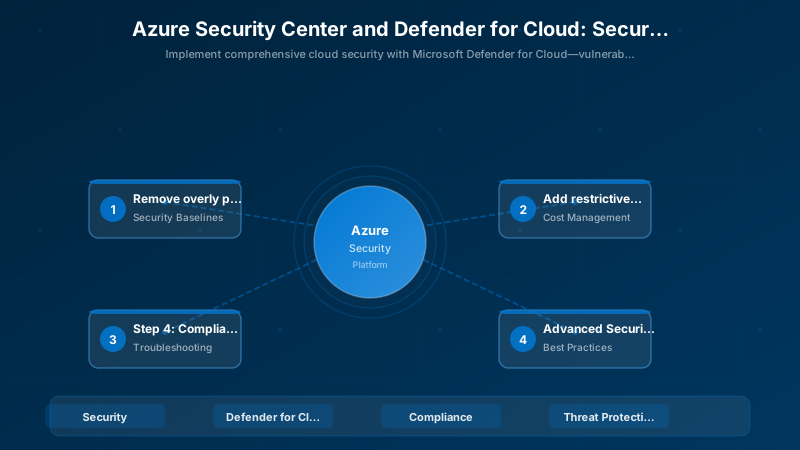
Azure Security Benchmark:
| Control | Requirement | Implementation |
|---|---|---|
| NS-1 | Network segmentation | VNet peering, NSGs, Firewall |
| IM-1 | Identity management | Azure AD, MFA, PIM |
| DP-1 | Data protection | Encryption at rest/transit, Key Vault |
| LT-1 | Logging & threat detection | Defender, Sentinel, diagnostic logs |
| AM-1 | Asset management | Resource tags, CMDB integration |
Cost Management
Defender Pricing (per resource/month):
- Servers: $15/server
- App Services: $15/instance
- SQL Databases: $15/server
- Storage Accounts: $10/10K transactions
- Containers: $7/vCore (AKS)
Optimization Tips:
- Use Standard tier only for production
- Enable selective Defender plans
- Leverage free 30-day trial
Troubleshooting
Issue: Secure Score not improving
Solution: Review recommendation applicability; some may not apply to environment; dismiss irrelevant recommendations
Issue: Defender not detecting threats
Solution: Verify Log Analytics agent installed; check firewall allows agent communication; ensure Defender plan enabled
Issue: Compliance dashboard empty
Solution: Wait 24 hours for initial assessment; verify policy assignments; check resource tags
Best Practices
- Enable all Defender plans for production subscriptions
- Regularly review and remediate high-severity recommendations
- Implement JIT access for all VMs
- Use Azure Policy for preventive controls
- Integrate alerts with SIEM (Sentinel, Splunk)
- Conduct quarterly security reviews
- Enable MFA for all privileged accounts
Architecture Decision and Tradeoffs
When designing cloud infrastructure solutions with Azure, consider these key architectural trade-offs:
| Approach | Best For | Tradeoff |
|---|---|---|
| Managed / platform service | Rapid delivery, reduced ops burden | Less customisation, potential vendor lock-in |
| Custom / self-hosted | Full control, advanced tuning | Higher operational overhead and cost |
Recommendation: Start with the managed approach for most workloads and move to custom only when specific requirements demand it.
Validation and Versioning
- Last validated: April 2026
- Validate examples against your tenant, region, and SKU constraints before production rollout.
- Keep module, CLI, and SDK versions pinned in automation pipelines and review quarterly.
Security and Governance Considerations
- Apply least-privilege access using RBAC roles and just-in-time elevation for admin tasks.
- Store secrets in managed secret stores and avoid embedding credentials in scripts or source files.
- Enable audit logging, data protection policies, and periodic access reviews for regulated workloads.
Cost and Performance Notes
- Define budgets and alerts, then monitor usage and cost trends continuously after go-live.
- Baseline performance with synthetic and real-user checks before and after major changes.
- Scale resources with measured thresholds and revisit sizing after usage pattern changes.
Official Microsoft References
- https://learn.microsoft.com/azure/
- https://learn.microsoft.com/azure/architecture/
- https://learn.microsoft.com/azure/well-architected/
Public Examples from Official Sources
- These examples are sourced from official public Microsoft documentation and sample repositories.
- Documentation examples: https://learn.microsoft.com/azure/architecture/
- Sample repositories: https://github.com/Azure-Samples
- Prefer adapting these examples to your tenant, subscriptions, and governance requirements before production use.
Key Takeaways
- Defender for Cloud provides continuous security posture assessment.
- Secure Score prioritizes remediation efforts.
- Threat protection detects anomalies with behavioral analytics.
- Compliance dashboard simplifies regulatory audits.
Next Steps
- Implement Azure Sentinel for SIEM capabilities
- Configure Defender for DevOps (GitHub, Azure DevOps)
- Explore Microsoft Security Copilot for AI-assisted investigations
Additional Resources
Is your cloud security posture audit-ready?
Discussion