
Computer Vision: Image Analysis and Object Detection
key = os.environ["VISION_KEY"]
client = ImageAnalysisClient(
endpoint=endpoint,
credential=AzureKeyCredential(key)```
)

def comprehensive_image_analysis(image_url: str) -> dict:
```sql
"""
Perform complete image analysis with all visual features
"""
try:
    result = client.analyze_from_url(
        image_url=image_url,
        visual_features=[
            VisualFeatures.CAPTION,           # Dense captioning
            VisualFeatures.DENSE_CAPTIONS,    # Multiple regional captions
            VisualFeatures.TAGS,              # Object/scene tags
            VisualFeatures.OBJECTS,           # Object detection with bounding boxes
            VisualFeatures.PEOPLE,            # People detection
            VisualFeatures.SMART_CROPS,       # Smart cropping for thumbnails
            VisualFeatures.READ               # OCR text extraction
        ],
        language="en",  # Supports 164 languages
        gender_neutral_caption=True  # Responsible AI: avoid gender assumptions
    )

    analysis = {
        'caption': {
            'text': result.caption.text,
            'confidence': result.caption.confidence
        },
        'dense_captions': [
            {
                'text': caption.text,
                'confidence': caption.confidence,
                'bounding_box': {
                    'x': caption.bounding_box.x,
                    'y': caption.bounding_box.y,
                    'w': caption.bounding_box.w,
                    'h': caption.bounding_box.h
                }
            }
            for caption in result.dense_captions.list
        ],
        'tags': [
            {'name': tag.name, 'confidence': tag.confidence}
            for tag in result.tags.list
        ],
        'objects': [
            {
                'name': obj.tags[0].name,
                'confidence': obj.tags[0].confidence,
                'bounding_box': {
                    'x': obj.bounding_box.x,
                    'y': obj.bounding_box.y,
                    'w': obj.bounding_box.w,
                    'h': obj.bounding_box.h
                }
            }
            for obj in result.objects.list
        ],
        'people': [
            {
                'confidence': person.confidence,
                'bounding_box': {
                    'x': person.bounding_box.x,
                    'y': person.bounding_box.y,
                    'w': person.bounding_box.w,
                    'h': person.bounding_box.h
                }
            }
            for person in result.people.list
        ],
        'smart_crops': [
            {
                'aspect_ratio': crop.aspect_ratio,
                'bounding_box': {
                    'x': crop.bounding_box.x,
                    'y': crop.bounding_box.y,
                    'w': crop.bounding_box.w,
                    'h': crop.bounding_box.h
                }
            }
            for crop in result.smart_crops.list
        ],
        'read_results': {
            'blocks': [
                {
                    'lines': [
                        {
                            'text': line.text,
                            'bounding_polygon': line.bounding_polygon,
                            'words': [
                                {
                                    'text': word.text,
                                    'confidence': word.confidence,
                                    'bounding_polygon': word.bounding_polygon
                                }
                                for word in line.words
                            ]
                        }
                        for line in block.lines
                    ]
                }
                for block in result.read.blocks
            ]
        } if result.read else None,
        'metadata': {
            'width': result.metadata.width,
            'height': result.metadata.height
        }
    }

    return {'success': True, 'data': analysis}

except Exception as e:
    return {'success': False, 'error': str(e)}
Example usage
image_url = "https://mycompany.azurewebsites.net/retail-shelf.jpg" result = comprehensive_image_analysis(image_url)
if result['success']:
print(f"Caption: {result['data']['caption']['text']}")
print(f"Objects detected: {len(result['data']['objects'])}")
print(f"People detected: {len(result['data']['people'])}")
print(f"Tags: {', '.join([t['name'] for t in result['data']['tags'][:5]])}")```
else:
```text
print(f"Error: {result['error']}")
**Visual Features Explained:**

| Feature | Use Case | Output | Accuracy |
|---------|----------|--------|----------|
| **CAPTION** | Single overall image description | "A person riding a bicycle on a city street" | 85-90% |
| **DENSE_CAPTIONS** | Regional descriptions with bounding boxes | Multiple captions for different image regions | 80-85% |
| **TAGS** | Object/scene keywords for search/categorization | List of tags: ["outdoor", "bicycle", "person", "street"] | 85-95% |
| **OBJECTS** | Object detection with locations | Bounding boxes + labels for 80+ object classes | 75-85% |
| **PEOPLE** | Person detection (not identification) | Bounding boxes around people (GDPR-compliant) | 85-90% |
| **SMART_CROPS** | Thumbnail generation preserving important content | Optimal crop regions for different aspect ratios | N/A |
| **READ** | Text extraction from images | Text with bounding polygons (164 languages) | 95-98% |

## Image Analysis

```python
from azure.ai.vision.imageanalysis import ImageAnalysisClient
from azure.ai.vision.imageanalysis.models import VisualFeatures
from azure.core.credentials import AzureKeyCredential


client = ImageAnalysisClient(
```text
endpoint="https://<resource>.cognitiveservices.azure.com/",
credential=AzureKeyCredential("<key>")```
)

result = client.analyze_from_url(
```text
image_url="https://mycompany.azurewebsites.net/image.jpg",
visual_features=[
    VisualFeatures.CAPTION,
    VisualFeatures.TAGS,
    VisualFeatures.OBJECTS,
    VisualFeatures.PEOPLE
]```
)

print(f"Caption: {result.caption.text}")
print(f"Tags: {[tag.name for tag in result.tags.list]}")
Batch Processing Pattern
from concurrent.futures import ThreadPoolExecutor, as_completed
from typing import List
import time

def batch_analyze_images(image_urls: List[str], max_workers: int = 10) -> List[dict]:
```python
"""
Process multiple images in parallel with rate limiting
"""
results = []

def analyze_with_retry(url: str, max_retries: int = 3) -> dict:
    for attempt in range(max_retries):
        try:
            result = client.analyze_from_url(
                image_url=url,
                visual_features=[VisualFeatures.CAPTION, VisualFeatures.TAGS, VisualFeatures.OBJECTS]
            )
            return {
                'url': url,
                'success': True,
                'caption': result.caption.text,
                'tags': [tag.name for tag in result.tags.list[:5]],
                'object_count': len(result.objects.list)
            }
        except Exception as e:
            if attempt == max_retries - 1:
                return {'url': url, 'success': False, 'error': str(e)}
            time.sleep(2 ** attempt)  # Exponential backoff

## Process in parallel
with ThreadPoolExecutor(max_workers=max_workers) as executor:
    future_to_url = {executor.submit(analyze_with_retry, url): url for url in image_urls}


    for future in as_completed(future_to_url):
        results.append(future.result())

return results
Example: Process 100 product images
product_urls = [f"https://mycompany.azurewebsites.net/product-{i}.jpg" for i in range(100)] batch_results = batch_analyze_images(product_urls, max_workers=20)
success_count = sum(1 for r in batch_results if r['success']) print(f"Processed {success_count}/{len(batch_results)} images successfully")
## OCR (Optical Character Recognition)

### Read API - Multi-Language Document Processing


Azure's Read API achieves 95-98% accuracy on printed text and 85-90% on handwritten text across 164 languages:

```python
from azure.ai.vision.imageanalysis import ImageAnalysisClient
from azure.ai.vision.imageanalysis.models import VisualFeatures
from typing import Dict, List

def extract_text_from_image(image_url: str, language: str = "en") -> Dict:
```python
"""
Extract all text from image with Read API (OCR)
Supports 164 languages including: ar, de, en, es, fr, it, ja, ko, pt, ru, zh-Hans, zh-Hant
"""
result = client.analyze_from_url(
    image_url=image_url,
    visual_features=[VisualFeatures.READ],
    language=language
)

## Flatten text blocks into structured format
extracted_text = []
full_text = []


if result.read:
    for block_idx, block in enumerate(result.read.blocks):
        for line_idx, line in enumerate(block.lines):
            full_text.append(line.text)

            extracted_text.append({
                'block': block_idx,
                'line': line_idx,
                'text': line.text,
                'bounding_polygon': [
                    {'x': point.x, 'y': point.y}
                    for point in line.bounding_polygon
                ],
                'words': [
                    {
                        'text': word.text,
                        'confidence': word.confidence,
                        'bounding_polygon': [
                            {'x': p.x, 'y': p.y}
                            for p in word.bounding_polygon
                        ]
                    }
                    for word in line.words
                ]
            })

return {
    'full_text': '\n'.join(full_text),
    'structured_data': extracted_text,
    'total_words': sum(len(line['words']) for line in extracted_text),
    'language': language
}
Example: Extract text from scanned invoice
invoice_url = "https://mycompany.azurewebsites.net/invoice-2024-001.jpg" ocr_result = extract_text_from_image(invoice_url, language="en")
print(f"Extracted {ocr_result['total_words']} words:") print(ocr_result['full_text'])
Access structured data for downstream processing
Figure: Site permissions – groups, external sharing, and access request settings.
for line in ocr_result['structured_data']:
if any(keyword in line['text'].lower() for keyword in ['total', 'amount', 'invoice']):
    print(f"Key line: {line['text']}")
## Document Intelligence Integration (Advanced OCR)

For structured documents (invoices, receipts, forms), use Document Intelligence for higher accuracy:


```python
from azure.ai.formrecognizer import DocumentAnalysisClient
from azure.core.credentials import AzureKeyCredential

## Document Intelligence provides pre-built models for common documents
doc_client = DocumentAnalysisClient(
```text
endpoint=os.environ["DOCUMENT_INTELLIGENCE_ENDPOINT"],
credential=AzureKeyCredential(os.environ["DOCUMENT_INTELLIGENCE_KEY"])```
)


def extract_invoice_data(document_url: str) -> dict:
```python
"""
Extract structured data from invoices (pre-built model)
"""
poller = doc_client.begin_analyze_document_from_url(
    "prebuilt-invoice", document_url=document_url
)
result = poller.result()

invoices = []
for doc in result.documents:
    invoice_data = {
        'invoice_id': doc.fields.get('InvoiceId').value if doc.fields.get('InvoiceId') else None,
        'invoice_date': doc.fields.get('InvoiceDate').value if doc.fields.get('InvoiceDate') else None,
        'customer_name': doc.fields.get('CustomerName').value if doc.fields.get('CustomerName') else None,
        'vendor_name': doc.fields.get('VendorName').value if doc.fields.get('VendorName') else None,
        'invoice_total': doc.fields.get('InvoiceTotal').value if doc.fields.get('InvoiceTotal') else None,
        'line_items': []
    }

    # Extract line items
    if doc.fields.get('Items'):
        for item in doc.fields['Items'].value:
            invoice_data['line_items'].append({
                'description': item.value.get('Description').value if item.value.get('Description') else None,
                'quantity': item.value.get('Quantity').value if item.value.get('Quantity') else None,
                'unit_price': item.value.get('UnitPrice').value if item.value.get('UnitPrice') else None,
                'amount': item.value.get('Amount').value if item.value.get('Amount') else None
            })

    invoices.append(invoice_data)

return invoices
Example usage
Figure: Configuration and management dashboard with status overview.
invoice_url = "https://mycompany.azurewebsites.net/invoice.pdf" invoice_data = extract_invoice_data(invoice_url) print(f"Invoice #{invoice_data[0]['invoice_id']}: Total ${invoice_data[0]['invoice_total']}")
## Custom Vision Service

### Custom Image Classification Training


Train models on proprietary datasets when pre-built models don't cover your domain:

```python
from azure.cognitiveservices.vision.customvision.training import CustomVisionTrainingClient
from azure.cognitiveservices.vision.customvision.training.models import ImageFileCreateBatch, ImageFileCreateEntry
from azure.cognitiveservices.vision.customvision.prediction import CustomVisionPredictionClient
from msrest.authentication import ApiKeyCredentials
import time
import os

## Initialize training client
training_endpoint = os.environ["CUSTOM_VISION_TRAINING_ENDPOINT"]
training_key = os.environ["CUSTOM_VISION_TRAINING_KEY"]
prediction_key = os.environ["CUSTOM_VISION_PREDICTION_KEY"]
prediction_resource_id = os.environ["CUSTOM_VISION_PREDICTION_RESOURCE_ID"]


credentials = ApiKeyCredentials(in_headers={"Training-key": training_key})
training_client = CustomVisionTrainingClient(training_endpoint, credentials)

def create_classification_project(project_name: str, domain: str = "General") -> tuple:
```text
"""
Create custom vision classification project
Domains: General, Food, Landmarks, Retail, General (compact) for edge deployment
"""
## Check available domains
domains = training_client.get_domains()
domain_obj = next((d for d in domains if d.name == domain), None)


if not domain_obj:
    domain_obj = domains[0]  # Default to first available

## Create project
project = training_client.create_project(
    name=project_name,
    domain_id=domain_obj.id,
    classification_type="Multiclass"  # Or "Multilabel" for multi-tag classification
)


return project, domain_obj
def upload_training_images(project_id: str, images_folder: str, tag_name: str) -> dict:
"""
Upload and tag training images (batch of 64 max per call)
Minimum: 5 images per tag, Recommended: 50+ for good accuracy
"""
## Create tag
tag = training_client.create_tag(project_id, tag_name)


## Collect image files
image_files = [
    os.path.join(images_folder, f)
    for f in os.listdir(images_folder)
    if f.lower().endswith(('.jpg', '.jpeg', '.png'))
]


## Upload in batches of 64
batch_size = 64
upload_results = []


for i in range(0, len(image_files), batch_size):
    batch = image_files[i:i+batch_size]

    image_list = []
    for img_path in batch:
        with open(img_path, "rb") as img_data:
            image_list.append(ImageFileCreateEntry(
                name=os.path.basename(img_path),
                contents=img_data.read(),
                tag_ids=[tag.id]
            ))

    upload_result = training_client.create_images_from_files(
        project_id,
        ImageFileCreateBatch(images=image_list)
    )
    upload_results.append(upload_result)

    print(f"Uploaded batch {i//batch_size + 1}: {len(batch)} images")

return {
    'tag': tag,
    'images_uploaded': len(image_files),
    'upload_results': upload_results
}
def train_classification_model(project_id: str, wait_for_completion: bool = True) -> dict:
"""
Train custom vision model and optionally wait for completion
"""
print("Starting training...")
iteration = training_client.train_project(project_id)

if wait_for_completion:
    while iteration.status != "Completed":
        iteration = training_client.get_iteration(project_id, iteration.id)
        print(f"Training status: {iteration.status}")
        time.sleep(5)

## Publish iteration for prediction
publish_name = f"model-v{iteration.id}"
training_client.publish_iteration(
    project_id,
    iteration.id,
    publish_name,
    prediction_resource_id
)


return {
    'iteration_id': iteration.id,
    'publish_name': publish_name,
    'status': iteration.status
}
Example: Train product defect classifier
project, domain = create_classification_project("DefectClassifier", domain="General")
Upload training data for each class
upload_training_images(project.id, "./data/defects/scratched", "Scratched") upload_training_images(project.id, "./data/defects/dented", "Dented") upload_training_images(project.id, "./data/defects/good", "Good")
Train model
training_result = train_classification_model(project.id, wait_for_completion=True) print(f"Model published as: {training_result['publish_name']}")
## Custom Model Prediction

```python
from azure.cognitiveservices.vision.customvision.prediction import CustomVisionPredictionClient
from msrest.authentication import ApiKeyCredentials


## Initialize prediction client
pred_credentials = ApiKeyCredentials(in_headers={"Prediction-key": prediction_key})
predictor = CustomVisionPredictionClient(training_endpoint, pred_credentials)


def predict_image_classification(project_id: str, publish_name: str, image_path: str) -> dict:
```csharp
"""
Predict using published custom model
"""
with open(image_path, "rb") as image_data:
    results = predictor.classify_image(
        project_id,
        publish_name,
        image_data
    )

predictions = [
    {
        'tag': prediction.tag_name,
        'probability': prediction.probability
    }
    for prediction in results.predictions
]


## Sort by confidence
predictions.sort(key=lambda x: x['probability'], reverse=True)


return {
    'top_prediction': predictions[0] if predictions else None,
    'all_predictions': predictions,
    'confidence_threshold_met': predictions[0]['probability'] > 0.7 if predictions else False
}
Example usage
Figure: Configuration and management dashboard with status overview.
result = predict_image_classification(
project.id,
training_result['publish_name'],
"./test-images/product-001.jpg"```
)

if result['confidence_threshold_met']:
```text
print(f"Classification: {result['top_prediction']['tag']} ({result['top_prediction']['probability']:.2%})")```
else:
```text
print(f"Low confidence: {result['top_prediction']['probability']:.2%} - Review required")
## Custom Object Detection

```python
def create_object_detection_project(project_name: str) -> tuple:
```text
"""
Create project for custom object detection
"""
domains = training_client.get_domains()
obj_detection_domain = next(d for d in domains if d.type == "ObjectDetection")


project = training_client.create_project(
    name=project_name,
    domain_id=obj_detection_domain.id,
    classification_type="Multiclass"
)

return project, obj_detection_domain
def upload_object_detection_images(project_id: str, annotations: list) -> dict:
"""
Upload images with bounding box annotations
annotations format: [
    {
        'image_path': 'path/to/image.jpg',
        'regions': [
            {'tag': 'person', 'left': 0.1, 'top': 0.2, 'width': 0.3, 'height': 0.4},
            ...
        ]
    },
    ...
]
Coordinates are normalized (0-1)
"""
## Create tags
tags = {}
unique_tags = set()
for annotation in annotations:
    for region in annotation['regions']:
        unique_tags.add(region['tag'])


for tag_name in unique_tags:
    tags[tag_name] = training_client.create_tag(project_id, tag_name)

## Upload images with regions
image_list = []
for annotation in annotations:
    with open(annotation['image_path'], "rb") as img_data:
        regions = []
        for region in annotation['regions']:
            tag_id = tags[region['tag']].id
            regions.append({
                'tagId': tag_id,
                'left': region['left'],
                'top': region['top'],
                'width': region['width'],
                'height': region['height']
            })


        image_list.append(ImageFileCreateEntry(
            name=os.path.basename(annotation['image_path']),
            contents=img_data.read(),
            regions=regions
        ))

## Upload in batches
batch_size = 64
for i in range(0, len(image_list), batch_size):
    batch = image_list[i:i+batch_size]
    training_client.create_images_from_files(
        project_id,
        ImageFileCreateBatch(images=batch)
    )
    print(f"Uploaded batch {i//batch_size + 1}")


return {'tags': tags, 'images_uploaded': len(image_list)}
Example: Train product detector
Figure: Azure ML Studio – training pipeline, metrics, and model registry.
annotations = [
{
    'image_path': './data/shelf-001.jpg',
    'regions': [
        {'tag': 'soda_can', 'left': 0.1, 'top': 0.2, 'width': 0.15, 'height': 0.3},
        {'tag': 'soda_can', 'left': 0.3, 'top': 0.2, 'width': 0.15, 'height': 0.3},
        {'tag': 'juice_box', 'left': 0.5, 'top': 0.25, 'width': 0.2, 'height': 0.25}
    ]
}


## ... more annotated images```
]


det_project, det_domain = create_object_detection_project("ProductDetector")
upload_object_detection_images(det_project.id, annotations)
training_result = train_classification_model(det_project.id)
Real-Time Video Analysis with OpenCV
Webcam Integration with Object Detection
import cv2
import numpy as np
from azure.ai.vision.imageanalysis import ImageAnalysisClient
from azure.ai.vision.imageanalysis.models import VisualFeatures
import time

class RealTimeVisionAnalyzer:
```python
def __init__(self, client: ImageAnalysisClient, fps_limit: int = 5):
    self.client = client
    self.fps_limit = fps_limit
    self.frame_interval = 1.0 / fps_limit
    self.last_analysis_time = 0
    self.cached_result = None

def analyze_frame(self, frame: np.ndarray) -> dict:
    """
    Analyze video frame with rate limiting
    """
    current_time = time.time()

    # Rate limit API calls
    if current_time - self.last_analysis_time < self.frame_interval:
        return self.cached_result

    # Encode frame as JPEG
    _, buffer = cv2.imencode('.jpg', frame, [cv2.IMWRITE_JPEG_QUALITY, 85])
    image_bytes = buffer.tobytes()

    try:
        result = self.client.analyze(
            image_data=image_bytes,
            visual_features=[VisualFeatures.OBJECTS, VisualFeatures.PEOPLE]
        )

        self.cached_result = {
            'objects': [
                {
                    'label': obj.tags[0].name,
                    'confidence': obj.tags[0].confidence,
                    'bbox': (obj.bounding_box.x, obj.bounding_box.y,
                            obj.bounding_box.w, obj.bounding_box.h)
                }
                for obj in result.objects.list
            ],
            'people': [
                {
                    'confidence': person.confidence,
                    'bbox': (person.bounding_box.x, person.bounding_box.y,
                            person.bounding_box.w, person.bounding_box.h)
                }
                for person in result.people.list
            ]
        }

        self.last_analysis_time = current_time
        return self.cached_result

    except Exception as e:
        print(f"Analysis error: {e}")
        return self.cached_result

def draw_detections(self, frame: np.ndarray, results: dict) -> np.ndarray:
    """
    Draw bounding boxes and labels on frame
    """
    if not results:
        return frame

    # Draw objects
    for obj in results.get('objects', []):
        x, y, w, h = obj['bbox']
        confidence = obj['confidence']
        label = obj['label']

        # Only show high-confidence detections
        if confidence > 0.5:
            # Draw bounding box
            cv2.rectangle(frame, (x, y), (x+w, y+h), (0, 255, 0), 2)

            # Draw label background
            label_text = f"{label}: {confidence:.2f}"
            (label_w, label_h), _ = cv2.getTextSize(label_text, cv2.FONT_HERSHEY_SIMPLEX, 0.6, 2)
            cv2.rectangle(frame, (x, y-label_h-10), (x+label_w, y), (0, 255, 0), -1)

            # Draw label text
            cv2.putText(frame, label_text, (x, y-5),
                       cv2.FONT_HERSHEY_SIMPLEX, 0.6, (0, 0, 0), 2)

    # Draw people with different color
    for person in results.get('people', []):
        x, y, w, h = person['bbox']
        cv2.rectangle(frame, (x, y), (x+w, y+h), (255, 0, 0), 2)
        cv2.putText(frame, "Person", (x, y-5),
                   cv2.FONT_HERSHEY_SIMPLEX, 0.6, (255, 0, 0), 2)

    return frame
def run_real_time_detection(video_source: int = 0, display: bool = True):
"""
Run real-time object detection on video stream
video_source: 0 for webcam, or path to video file
"""
analyzer = RealTimeVisionAnalyzer(client, fps_limit=2)  # 2 FPS to reduce API costs
cap = cv2.VideoCapture(video_source)

if not cap.isOpened():
    print("Error: Could not open video source")
    return

print("Starting real-time detection. Press 'q' to quit.")

while True:
    ret, frame = cap.read()
    if not ret:
        break

    # Resize for faster processing
    frame = cv2.resize(frame, (640, 480))

    # Analyze frame
    results = analyzer.analyze_frame(frame)

    # Draw detections
    if results:
        frame = analyzer.draw_detections(frame, results)

    # Display FPS
    fps_text = f"Analysis FPS: {analyzer.fps_limit}"
    cv2.putText(frame, fps_text, (10, 30),
               cv2.FONT_HERSHEY_SIMPLEX, 0.7, (0, 255, 255), 2)

    if display:
        cv2.imshow('Real-Time Object Detection', frame)

    # Exit on 'q'
    if cv2.waitKey(1) & 0xFF == ord('q'):
        break

cap.release()
cv2.destroyAllWindows()
Run detection
run_real_time_detection(video_source=0)
## Transfer Learning for Custom Classification

When Custom Vision doesn't provide enough control, use TensorFlow/PyTorch for advanced customization:


```python
import tensorflow as tf
from tensorflow.keras.applications import EfficientNetB0
from tensorflow.keras.layers import Dense, GlobalAveragePooling2D, Dropout
from tensorflow.keras.models import Model
from tensorflow.keras.preprocessing.image import ImageDataGenerator

def create_transfer_learning_model(num_classes: int, input_shape=(224, 224, 3)) -> Model:
```csharp
"""
Create custom classifier using EfficientNet transfer learning
"""
## Load pre-trained base (ImageNet weights)
base_model = EfficientNetB0(
    weights='imagenet',
    include_top=False,
    input_shape=input_shape
)


## Freeze base model initially
base_model.trainable = False


## Add custom classification head
x = base_model.output
x = GlobalAveragePooling2D()(x)
x = Dense(512, activation='relu')(x)
x = Dropout(0.5)(x)
x = Dense(256, activation='relu')(x)
x = Dropout(0.3)(x)
predictions = Dense(num_classes, activation='softmax')(x)


model = Model(inputs=base_model.input, outputs=predictions)

## Compile
model.compile(
    optimizer=tf.keras.optimizers.Adam(learning_rate=0.001),
    loss='categorical_crossentropy',
    metrics=['accuracy', tf.keras.metrics.TopKCategoricalAccuracy(k=3, name='top_3_accuracy')]
)


return model
def train_custom_classifier(model: Model, train_dir: str, val_dir: str, epochs: int = 50):
"""
Train model with data augmentation
"""
## Data augmentation
train_datagen = ImageDataGenerator(
    rescale=1./255,
    rotation_range=20,
    width_shift_range=0.2,
    height_shift_range=0.2,
    shear_range=0.2,
    zoom_range=0.2,
    horizontal_flip=True,
    fill_mode='nearest'
)


val_datagen = ImageDataGenerator(rescale=1./255)

train_generator = train_datagen.flow_from_directory(
    train_dir,
    target_size=(224, 224),
    batch_size=32,
    class_mode='categorical'
)

val_generator = val_datagen.flow_from_directory(
    val_dir,
    target_size=(224, 224),
    batch_size=32,
    class_mode='categorical'
)

## Callbacks
callbacks = [
    tf.keras.callbacks.EarlyStopping(patience=10, restore_best_weights=True),
    tf.keras.callbacks.ReduceLROnPlateau(factor=0.5, patience=5),
    tf.keras.callbacks.ModelCheckpoint('best_model.h5', save_best_only=True)
]


## Train
history = model.fit(
    train_generator,
    epochs=epochs,
    validation_data=val_generator,
    callbacks=callbacks
)


return history
Example usage
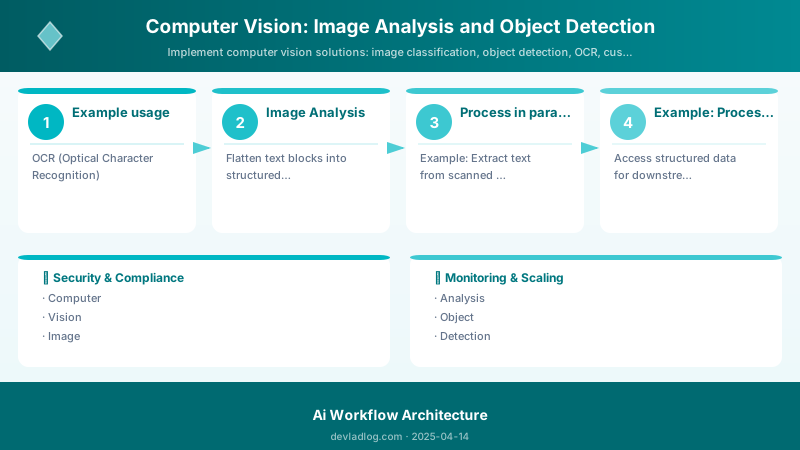
Figure: Configuration and management dashboard with status overview.
model = create_transfer_learning_model(num_classes=10) history = train_custom_classifier(model, './data/train', './data/val')
## Edge Deployment with IoT Edge

Deploy models to edge devices for low-latency, offline operation:


```python
import onnx
import onnxruntime as ort
import numpy as np
from PIL import Image

def export_model_to_onnx(keras_model: Model, output_path: str):
```python
"""
Export TensorFlow/Keras model to ONNX for edge deployment
"""
import tf2onnx

spec = (tf.TensorSpec((None, 224, 224, 3), tf.float32, name="input"),)

model_proto, _ = tf2onnx.convert.from_keras(
    keras_model,
    input_signature=spec,
    opset=13,
    output_path=output_path
)

print(f"Model exported to {output_path}")
def run_onnx_inference(onnx_model_path: str, image_path: str) -> np.ndarray:
"""
Run inference using ONNX Runtime (optimized for edge)
"""
## Load ONNX model
session = ort.InferenceSession(onnx_model_path)


## Preprocess image
img = Image.open(image_path).resize((224, 224))
img_array = np.array(img).astype(np.float32) / 255.0
img_array = np.expand_dims(img_array, axis=0)


## Run inference
input_name = session.get_inputs()[0].name
output_name = session.get_outputs()[0].name


predictions = session.run([output_name], {input_name: img_array})[0]

return predictions
Export and test
export_model_to_onnx(model, "./models/classifier.onnx") predictions = run_onnx_inference("./models/classifier.onnx", "./test-image.jpg") print(f"Top prediction: Class {np.argmax(predictions[0])} ({np.max(predictions[0]):.2%})")
## Performance Optimization & Cost Management

### Caching Strategy


```python
import hashlib
import json
from typing import Optional

class VisionResultCache:
```python
def __init__(self):
    self.cache = {}  # In production: use Redis or Azure Cache for Redis

def get_image_hash(self, image_data: bytes) -> str:
    """Generate unique hash for image"""
    return hashlib.md5(image_data).hexdigest()

def get_cached_result(self, image_data: bytes) -> Optional[dict]:
    """Check cache before API call"""
    image_hash = self.get_image_hash(image_data)
    return self.cache.get(image_hash)

def cache_result(self, image_data: bytes, result: dict, ttl: int = 3600):
    """Cache API result (TTL in seconds)"""
    image_hash = self.get_image_hash(image_data)
    self.cache[image_hash] = {
        'result': result,
        'timestamp': time.time(),
        'ttl': ttl
    }

def analyze_with_cache(self, image_url: str) -> dict:
    """Analyze image with caching (40-60% cost savings)"""
    import requests
    image_data = requests.get(image_url).content

    # Check cache first
    cached = self.get_cached_result(image_data)
    if cached and (time.time() - cached['timestamp']) < cached['ttl']:
        return {'source': 'cache', 'result': cached['result']}

    # Cache miss - call API
    result = client.analyze_from_url(
        image_url=image_url,
        visual_features=[VisualFeatures.CAPTION, VisualFeatures.TAGS]
    )

    # Cache result
    result_dict = {
        'caption': result.caption.text,
        'tags': [tag.name for tag in result.tags.list]
    }
    self.cache_result(image_data, result_dict)

    return {'source': 'api', 'result': result_dict}
40-60% cost savings with caching
cache = VisionResultCache()
## Image Preprocessing for Cost Optimization

```python
from PIL import Image
import io


def optimize_image_for_analysis(image_path: str, max_dimension: int = 1600) -> bytes:
```text
"""
Resize and compress image before sending to API
Reduces costs and improves latency
"""
img = Image.open(image_path)

## Resize if too large
if max(img.size) > max_dimension:
    ratio = max_dimension / max(img.size)
    new_size = tuple(int(dim * ratio) for dim in img.size)
    img = img.resize(new_size, Image.Resampling.LANCZOS)


## Convert to RGB if needed
if img.mode != 'RGB':
    img = img.convert('RGB')


## Compress as JPEG (quality 85 is optimal balance)
buffer = io.BytesIO()
img.save(buffer, format='JPEG', quality=85, optimize=True)


return buffer.getvalue()
## Monitoring & Operations

### Key Performance Indicators (KPIs)


| KPI | Target | Measurement | Alert Threshold |
|-----|--------|-------------|-----------------|
| **Accuracy** | >90% | Precision/recall on validation set | <85% |
| **Precision** | >85% | True positives / (TP + FP) | <80% |
| **Recall** | >85% | True positives / (TP + FN) | <80% |
| **Latency (P95)** | <500ms | Time for image analysis | >1000ms |
| **Throughput** | >100 images/sec | Images processed per second (batch) | <50 images/sec |
| **Cost per Image** | <$0.002 | Total cost / images processed | >$0.005 |
| **False Positive Rate** | <10% | False positives / total predictions | >15% |
| **Model Drift** | <5% accuracy drop | Compare to baseline monthly | >8% drop |
| **Cache Hit Rate** | >40% | Cached / total requests | <30% |

### Production Monitoring Code

```python
from azure.monitor.opentelemetry import configure_azure_monitor
from opentelemetry import trace
from opentelemetry.metrics import get_meter
import time

## Configure Application Insights
configure_azure_monitor(connection_string=os.environ['APPLICATIONINSIGHTS_CONNECTION_STRING'])


tracer = trace.get_tracer(__name__)
meter = get_meter(__name__)

## Define metrics
prediction_counter = meter.create_counter(
```text
name="vision.predictions.total",
description="Total number of predictions",
unit="1"```
)


prediction_latency = meter.create_histogram(
```text
name="vision.predictions.latency",
description="Prediction latency",
unit="ms"```
)

confidence_gauge = meter.create_gauge(
```text
name="vision.predictions.confidence",
description="Prediction confidence score",
unit="1"```
)

def monitored_prediction(image_url: str, confidence_threshold: float = 0.7) -> dict:
```sql
"""
Make prediction with comprehensive monitoring
"""
with tracer.start_as_current_span("vision_prediction") as span:
    start_time = time.time()

    try:
        result = client.analyze_from_url(
            image_url=image_url,
            visual_features=[VisualFeatures.CAPTION, VisualFeatures.OBJECTS]
        )

        latency_ms = (time.time() - start_time) * 1000
        confidence = result.caption.confidence if result.caption else 0.0

        # Record metrics
        prediction_counter.add(1, {"status": "success", "model": "computer_vision_v4"})
        prediction_latency.record(latency_ms)
        confidence_gauge.set(confidence)

        # Add span attributes
        span.set_attribute("vision.objects_detected", len(result.objects.list))
        span.set_attribute("vision.confidence", confidence)
        span.set_attribute("vision.latency_ms", latency_ms)

        # Check quality thresholds
        if confidence < confidence_threshold:
            span.set_attribute("vision.low_confidence", True)
            # Trigger alert or human review

        return {
            'success': True,
            'caption': result.caption.text,
            'confidence': confidence,
            'objects': len(result.objects.list),
            'latency_ms': latency_ms
        }

    except Exception as e:
        prediction_counter.add(1, {"status": "error", "model": "computer_vision_v4"})
        span.set_attribute("error", str(e))
        return {'success': False, 'error': str(e)}
## Computer Vision Maturity Model

### Level 0: Manual Image Processing (Weeks 1-2)


- **Characteristics:** Manual image review, rule-based processing (color thresholds, template matching), no AI
- **Challenges:** Doesn't scale, high error rate (20-30%), sensitive to lighting/perspective changes
- **Capabilities:** Basic image filters, simple pattern matching
- **Limitations:** Breaks with real-world variability
- **Next Steps:** Adopt Azure Computer Vision pre-built APIs for common tasks


### Level 1: Pre-Built API Integration (Months 1-2)

- **Characteristics:** Using Computer Vision v4.0 for tagging, OCR, object detection without customization
- **Challenges:** Generic models may not recognize domain-specific objects, 80-85% accuracy on specialized tasks
- **Capabilities:** Image analysis, OCR (95-98%), object detection (80+ classes), batch processing
- **Success Metrics:** 80-90% accuracy, <1s latency, processing 1K+ images/day
- **Cost:** $1-2 per 1K images
- **Next Steps:** Train Custom Vision models for proprietary products/scenarios


### Level 2: Custom Models (Months 2-6)

- **Characteristics:** Custom Vision trained on domain datasets, achieving 90%+ accuracy on specialized tasks
- **Challenges:** Requires labeled training data (50-500 images/class), model maintenance, retraining workflows
- **Capabilities:** Custom image classification (5-100 classes), custom object detection, confidence thresholds
- **Success Metrics:** 90-95% accuracy, <800ms latency, 10K+ images/day
- **Tools:** Custom Vision Portal, Azure ML SDK for advanced scenarios
- **Next Steps:** Implement caching, batch processing, monitoring dashboards


### Level 3: Optimized Production (Months 6-12)

- **Characteristics:** Cached predictions (40-60% cost savings), batch processing, automated retraining, monitoring dashboards
- **Challenges:** Managing model drift, A/B testing new versions, compliance for sensitive images
- **Capabilities:** Real-time inference (<500ms), edge deployment (IoT Edge), KPI dashboards (accuracy, cost, latency)
- **Success Metrics:** 92-96% accuracy, <500ms latency, 100K+ images/day, cache hit >40%
- **Cost Optimization:** $0.50-1 per 1K images (50% reduction from caching)
- **Next Steps:** Implement drift detection, automated retraining triggers, transfer learning for advanced customization


### Level 4: Advanced CV Platform (Year 1-2)

- **Characteristics:** Multi-model orchestration, transfer learning with TensorFlow/PyTorch, active learning pipelines
- **Challenges:** Managing multiple models, ensuring consistency, advanced ML expertise required
- **Capabilities:** Hybrid cloud/edge deployment, model versioning, A/B testing, automated data labeling (active learning)
- **Success Metrics:** 95-98% accuracy, <300ms latency, 1M+ images/day, drift detection automated
- **Advanced Features:** Explainable AI (LIME/SHAP), fairness testing, multi-modal integration (vision + language)
- **Next Steps:** Research-grade optimizations, custom architectures for unique use cases


### Level 5: AI-Driven Vision System (Year 2+)

- **Characteristics:** Self-improving models with continuous learning, automated data curation, research-grade accuracy
- **Challenges:** Maintaining control over autonomous systems, ethical oversight, managing complexity at scale
- **Capabilities:** Automated model selection, neural architecture search, federated learning, zero-shot capabilities
- **Success Metrics:** 98%+ accuracy, <100ms latency (edge), 10M+ images/day, automated retraining
- **Governance:** Human-in-the-loop for critical decisions, explainability dashboards, bias monitoring
- **R&D:** Custom model architectures, novel training techniques, multi-modal foundation models


**Progression Timeline:** Most teams reach Level 2 within 6 months, Level 3 within 12 months. Level 4+ requires dedicated AI engineering teams.

## Troubleshooting Guide

| Symptom | Root Cause | Diagnostic Steps | Resolution | Prevention |
|---------|------------|------------------|------------|------------|
| **Low confidence (<70%)** | Poor image quality, incorrect lighting, blur | Check image resolution (<100px?), lighting conditions, motion blur | Improve image acquisition (better cameras, lighting), reject low-quality images at ingestion | Set minimum resolution requirements (>640px), use auto-focus cameras |
| **Missing detections** | Occlusion, small objects, unusual angles | Review missed images for patterns (all small? all occluded?) | Retrain with examples covering edge cases, adjust confidence threshold | Diversify training data: multiple angles, lighting, occlusions |
| **False positives** | Background clutter, similar objects | Analyze false positives: any commonpatterns? | Add negative examples to training set, increase confidence threshold (0.7 → 0.85) | Curate high-quality training data, balance classes |
| **Slow processing (>1s)** | Large image sizes, network latency, cold start | Profile: image size? region latency? | Resize images before API call (optimal: 640-1600px), use closer Azure region, implement warm-up requests | Preprocess images, use batch processing, consider edge deployment |
| **High costs (>$5/1K images)** | No caching, redundant analyses, inefficient batching | Check: cache hit rate? duplicate images? | Implement semantic caching (40-60% savings), batch similar images, use reserved capacity | Monitor costs daily, set budgets, optimize preprocessing |
| **Edge deployment failures** | Model size too large, ONNX conversion issues | Check model size (>100MB?), ONNX compatibility | Use compact domain models, quantize weights (FP16), optimize ONNX graph | Test ONNX conversion early, use model optimization tools |
| **Model drift (accuracy drop)** | Distribution shift (new products, different lighting, seasonal changes) | Compare current vs baseline metrics monthly, visualize error patterns | Retrain with recent data, implement active learning (label failures) | Schedule quarterly retraining, monitor drift metrics, maintain diverse training set |
| **Data privacy violations** | Sensitive images processed without consent, GDPR non-compliance | Audit data pipeline: PII detection? consent checks? | Implement pre-processing filters (face detection → anonymization), use Private Link | Data governance policies, GDPR compliance review, audit trails |


**Emergency Runbook:**

1. **API 429 (Rate Limit):** Implement exponential backoff, distribute load across multiple resources, request quota increase
2. **API 5xx (Service Error):** Check Azure status page, retry with backoff, switch to backup region if available
3. **Accuracy sudden drop:** Rollback to previous model version, investigate recent data changes, retrain with expanded dataset


## Best Practices

### DO ✅


1. **Start with pre-built Computer Vision APIs** - Cover 80% of use cases without training (tagging, OCR, object detection)
2. **Resize images before API calls** - Optimal dimensions: 640-1600px (reduces cost 30-50%, improves latency)
3. **Implement semantic caching for repeated images** - 40-60% cost savings on duplicate/similar images
4. **Set confidence thresholds appropriate for risk** - Classification: >0.7, Critical decisions: >0.9
5. **Use Custom Vision for domain-specific objects** - Proprietary products, specialized industries (medical, manufacturing)
6. **Batch process when real-time not required** - 10-100 images per batch for 20-30% cost reduction
7. **Monitor KPIs continuously** - Track accuracy, latency, cost per image daily; alert on degradation
8. **Version custom models with semantic versioning** - v1.2.3 (major.minor.patch), track performance per version
9. **Implement active learning for continuous improvement** - Label low-confidence predictions to expand training set
10. **Use Private Link for sensitive images** - HIPAA/GDPR compliance for medical, personal data


### DON'T ❌

1. **Send raw high-resolution images without preprocessing** - Wastes bandwidth, increases cost, adds latency
2. **Ignore confidence scores** - Low confidence (<0.5) predictions likely incorrect; implement human review
3. **Train custom models with <15 images per class** - Insufficient data leads to overfitting (use 50+ for production)
4. **Deploy without monitoring** - Model drift undetected can degrade accuracy 10-20% over months
5. **Use same confidence threshold across all scenarios** - Tagging (0.5-0.6), Classification (0.7-0.8), Critical (0.9+)
6. **Neglect edge cases in training data** - Occlusions, poor lighting, unusual angles cause production failures
7. **Process sensitive images without anonymization** - GDPR violations, privacy risks; detect and blur faces first
8. **Assume models work indefinitely** - Distribution drift requires retraining every 3-12 months
9. **Over-rely on object detection for small objects** - Objects <32×32 pixels have poor detection rates; use higher resolution
10. **Skip A/B testing when deploying new model versions** - Silent accuracy degradation; test on 10% traffic first


## Frequently Asked Questions (FAQs)

**Q1: When should I use Computer Vision API vs Custom Vision vs building my own model?**
**Computer Vision API:** General objects (cars, people, animals), OCR, tagging - covers 80% of scenarios, no ML expertise needed. **Custom Vision:** Domain-specific objects (proprietary products, specialized equipment), need 90%+ accuracy on your data with minimal setup (1-2 hours). **Build Your Own (TensorFlow/PyTorch):** Unique architectures, research requirements, extreme optimization needs, or when Custom Vision doesn't provide sufficient control. Start with Computer Vision API → move to Custom Vision if needed → consider custom only for advanced scenarios.


**Q2: How do I choose the right confidence threshold for production?**
Depends on use case risk: **Tagging/Search (0.5-0.6):** False positives acceptable, prioritize recall. **Classification (0.7-0.8):** Balance precision/recall for general decisions. **Critical Applications (0.9+):** Medical diagnosis, safety systems - prioritize precision over recall. Measure precision/recall on validation set at different thresholds, choose based on business impact of false positives vs false negatives. Implement human review queue for predictions below threshold.

**Q3: How can I handle occluded or partially visible objects?**
**Training:** Include 20-30% occluded examples in training set (objects partially hidden by other objects, edges cut off, overlapping). **Data Augmentation:** Apply random crops, cutout augmentation to simulate occlusions. **Architecture:** Use object detection (bounding boxes) instead of classification - better at handling partial views. **Multi-angle Capture:** If possible, capture from multiple angles to increase chance of unoccluded view. **Confidence Tuning:** Lower threshold slightly for occluded scenarios (0.6 instead of 0.7), but implement human review for borderline cases.

**Q4: What's the best approach for multi-language OCR?**
Azure Read API supports 164 languages automatically with language auto-detection. **Best Practices:** (1) Specify expected language if known (`language="en"`) for 2-5% accuracy boost, (2) For mixed-language documents, use auto-detect (default), (3) For specialized scripts (handwritten, stylized fonts), consider Document Intelligence pre-built models (invoices, receipts, forms), (4) For languages with complex scripts (Arabic, Chinese, Japanese), ensure image resolution >300 DPI, (5) Achieve 95-98% accuracy on printed text, 85-90% on handwritten.

**Q5: Should I deploy models to the edge or keep them in the cloud?**
**Cloud:** Lower upfront cost, always latest model, easier scaling, no device hardware constraints. **Edge:** Low latency (<100ms vs 500-1000ms cloud), offline operation, data privacy (images never leave device), reduced bandwidth costs. **Decision Factors:** Latency requirements (real-time? edge), connectivity (reliable? cloud), data sensitivity (HIPAA? edge), device capabilities (GPU? edge), scale (1000s devices? cloud). **Hybrid:** Process in cloud normally, fallback to edge model when offline.

**Q6: How do I manage costs for high-volume image processing?**
**Optimization Strategies:** (1) Semantic caching: 40-60% savings for duplicate/similar images, (2) Image preprocessing: resize to 640-1600px (30-50% reduction), compress to JPEG quality 85, (3) Batch processing: 10-100 images per batch (20-30% savings), (4) Regional deployment: use closest region to reduce egress costs, (5) Reserved capacity: commit to volume for 30-40% discount ($0.60/1K instead of $1/1K), (6) Tier selection: Use Computer Vision (cheaper) for common objects, Custom Vision only for specialized, (7) Smart routing: Route simple tasks to cheaper models, complex to premium. **Target:** <$1 per 1K images with optimization.

**Q7: How do I ensure compliance when processing sensitive images (medical, personal)?**
**Compliance Frameworks:** GDPR (EU personal data), HIPAA (US healthcare), SOC 2 (security controls). **Technical Controls:** (1) Private Link: Images never traverse public internet, (2) Customer-managed keys: Encrypt with your own keys in Key Vault, (3) PII detection: Scan for faces/text before processing, anonymize, (4) Data residency: Choose region matching compliance requirements (EU data → EU region), (5) Audit logging: Track all image access with Azure Monitor, retain 7+ years, (6) Access controls: RBAC with least privilege, MFA required. **Process:** Conduct privacy impact assessment (PIA), document data flows, implement consent management, regular compliance audits.

**Q8: What causes model drift and how do I detect it early?**
**Causes:** (1) Data distribution shift: New products, seasonal changes (winter vs summer), different lighting/cameras, (2) Concept drift: Object appearance changes over time, (3) Label drift: Definition of classes evolves. **Detection:** (1) Monitor accuracy monthly: compare to baseline (>5% drop = investigate), (2) Track prediction distribution: sudden changes in class frequencies?, (3) Confidence score trends: decreasing over time?, (4) Error analysis: review false positives/negatives weekly for patterns. **Prevention:** (1) Quarterly retraining with recent data, (2) Active learning: automatically label low-confidence predictions, (3) Diverse training set: multiple lighting, angles, seasons, (4) A/B test new models before full deployment.

## Architecture Decision and Tradeoffs

When designing AI/ML solutions with Azure AI Services, consider these key architectural trade-offs:

| Approach | Best For | Tradeoff |
|----------|----------|----------|
| Managed / platform service | Rapid delivery, reduced ops burden | Less customisation, potential vendor lock-in |
| Custom / self-hosted | Full control, advanced tuning | Higher operational overhead and cost |

> **Recommendation:** Start with the managed approach for most workloads and move to custom only when specific requirements demand it.

## Validation and Versioning

- Last validated: April 2026
- Validate examples against your tenant, region, and SKU constraints before production rollout.
- Keep module, CLI, and SDK versions pinned in automation pipelines and review quarterly.

## Security and Governance Considerations

- Apply least-privilege access using RBAC roles and just-in-time elevation for admin tasks.
- Store secrets in managed secret stores and avoid embedding credentials in scripts or source files.
- Enable audit logging, data protection policies, and periodic access reviews for regulated workloads.

## Cost and Performance Notes

- Define budgets and alerts, then monitor usage and cost trends continuously after go-live.
- Baseline performance with synthetic and real-user checks before and after major changes.
- Scale resources with measured thresholds and revisit sizing after usage pattern changes.

## Official Microsoft References

- https://learn.microsoft.com/azure/ai-services/
- https://learn.microsoft.com/azure/machine-learning/
- https://learn.microsoft.com/azure/ai-foundry/

## Public Examples from Official Sources

- These examples are sourced from official public Microsoft documentation and sample repositories.
- Documentation examples: https://learn.microsoft.com/azure/ai-services/
- Sample repositories: https://github.com/Azure-Samples?tab=repositories&q=ai&type=&language=&sort=
- Prefer adapting these examples to your tenant, subscriptions, and governance requirements before production use.

## Conclusion

Azure Computer Vision transforms visual data into structured insights at enterprise scale, enabling automation that reduces manual image review by 70-90%, improves defect detection accuracy to 99%+, and unlocks new revenue streams through visual search and AR experiences. The platform's strength lies in its flexibility: start with pre-built APIs for rapid deployment (80% of use cases, <10 minutes setup), train Custom Vision models for specialized domains (90%+ accuracy with 50-100 images/class), or implement advanced transfer learning for research-grade accuracy (95-98%).


Organizations achieving Level 3+ maturity (optimized production with caching, monitoring, automated retraining) report 50-70% cost reductions through strategic caching and preprocessing, sub-500ms latency through edge deployment and optimization, and sustained 95%+ accuracy through drift detection and continuous learning. The key differentiators are treating computer vision as a production system—not a one-time integration—with comprehensive monitoring (8 KPIs tracked), proactive drift detection (quarterly retraining), and cost optimization (caching, batching, reserved capacity).

As vision models evolve toward multi-modal capabilities (combining vision, language, and reasoning), the foundational patterns covered here remain essential: quality training data, confidence-based filtering, continuous monitoring, and iterative improvement. Invest in building robust computer vision infrastructure now to unlock AI-driven automation across manufacturing quality control, retail visual search, healthcare image analysis, and autonomous systems.

**Next Steps:**

1. Deploy Computer Vision v4.0 for common tasks (tagging, OCR, object detection) in pilot project
2. Establish baseline accuracy metrics on validation set before optimization
3. Implement caching strategy for 40-60% cost savings on repeated images
4. Train Custom Vision model for 1-2 domain-specific objects with 50+ images/class
5. Set up Application Insights monitoring with KPI dashboard (accuracy, latency, cost)
6. Schedule quarterly model performance reviews and retraining cycles


**Additional Resources:**

- [Azure Computer Vision Documentation](https://learn.microsoft.com/azure/ai-services/computer-vision/)
- [Custom Vision Service Guide](https://learn.microsoft.com/azure/ai-services/custom-vision-service/)
- [Computer Vision Best Practices](https://learn.microsoft.com/azure/ai-services/computer-vision/overview-image-analysis)
- [ONNX Model Optimization](https://onnxruntime.ai/docs/performance/model-optimizations/)
- [Responsible AI for Computer Vision](https://learn.microsoft.com/azure/ai-services/computer-vision/responsible-use-overview)
Discussion